
 EdCircuit Staff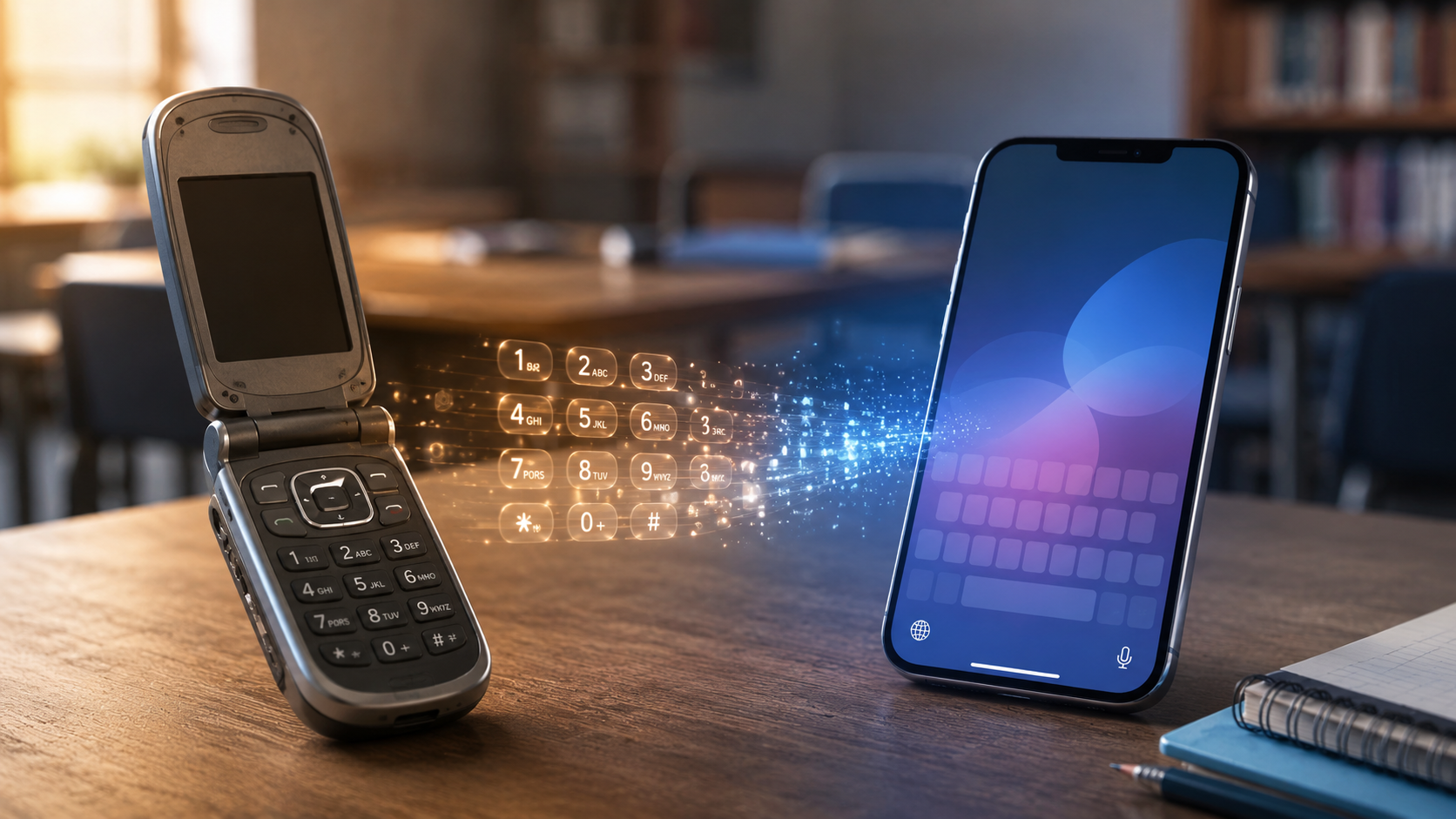
If you want to confuse a teenager, hand them an old flip phone and ask them to send a text.
First comes the search for a keyboard that is not there. Then the realization that ABC lives on the 2 key, DEF on 3 and WXYZ on 9. A parent watching nearby may laugh, take the phone and discover that one thumb still remembers what to do.
For a period in the late 1990s and 2000s, T9 texting was a minor superpower. Practiced users could write an entire message without looking down. They knew when to accept the phone’s first suggestion and when an unusual name would confuse the software.
Then, almost without anyone noticing, the skill disappeared from everyday life.
That forgotten habit raises a question schools are confronting again in the age of artificial intelligence: How much time should we spend teaching students to master today’s tools when the interface may be gone tomorrow?
Before T9, Every Letter Took Work
Early mobile phones were designed for calls, not writing. Their 12-button keypads assigned three or four letters to most number keys.
Before predictive text, users relied on “multi-tap.” To type an “S,” they pressed 7 four times. A “C” required three presses on 2. Type too slowly, and the phone might decide the next tap belonged to a new letter. Type too quickly and the wrong character appeared.
Writing “school” could require 18 button presses, plus a pause between the two O’s. It worked, but it was not elegant.
T9—short for “Text on 9 keys”—changed the process. Instead of selecting each letter individually, users pressed the corresponding number once for every letter. “School” became 7-2-4-6-6-5. The software compared that sequence with a built-in dictionary and offered the word it considered most likely.
Sometimes the result felt like magic. Sometimes it was confidently wrong.
The sequence 4-6-6-3, for example, could represent “good,” “home,” “gone” or “hood.” Users learned to press “next” until the intended word appeared. They also learned to proofread the machine—a habit that feels especially relevant now.
A Clever Answer to a Hardware Problem
T9’s origins are more meaningful than its reputation as a flip-phone novelty suggests. The technology grew from work by Martin King, Cliff Kushler, and Dale Grover on communication tools for people with disabilities. King had developed an eye-tracking system, and the team explored how someone could enter language using only a small number of eye positions. That work helped form the foundation for Tegic Communications and T9 in the mid-1990s.
The timing was ideal. Mobile phones were shrinking, text messaging was growing, and manufacturers faced an obvious problem: How could people write on devices built around number keys?
T9 did not eliminate the limitation. It made the limitation manageable.
The software soon appeared on phones made by Nokia, Motorola, Samsung and other major manufacturers. America Online acquired Tegic in 1999 as it tried to bring email and instant messaging to devices beyond the desktop. By 2010, WIRED reported that roughly 4 billion phones worldwide used T9.
That is an extraordinary reach for a technology many students have never seen.
When a Workaround Became a Culture
T9 arrived as the mobile phone was becoming more than a portable telephone. Texting gave people a quieter, more private way to communicate. Teenagers could make plans from a school hallway or continue a conversation after the adults had gone to sleep.
The device shaped the language. Messages were short. Capitalization was inconsistent. Punctuation became optional. “Are you coming?” turned into “r u coming?” The 160-character limit, slow multi-tap entry, and early texting costs all encouraged brevity.
People learned the software’s vocabulary and quirks, while the phone learned some of theirs. A person provided an incomplete signal, a machine guessed the intention, and the person decided whether the machine was right.
We use that same basic pattern every day now.
Why T9 Seemed to Disappear Overnight
T9 did not lose a competition for the best way to type on nine keys. The nine-key keypad lost its place at the center of the phone.
BlackBerry and other devices had already demonstrated the appeal of a small physical QWERTY keyboard. Then, in January 2007, Apple introduced the iPhone with a large multi-touch display and a full keyboard that appeared only when needed. Apple also emphasized that its on-screen keyboard could predict and correct mistakes.
The screen was no longer attached to the phone’s interface. The screen became the interface.
Software keyboards could display all 26 letters, switch languages, suggest words and support swiping or dictation. In 2011, when Pew Research Center first independently measured smartphone adoption, 35% of U.S. adults owned one. By 2015, smartphone ownership had reached 64%.
There was no official farewell to T9. People upgraded their phones, placed the old ones in drawers and stopped practicing a skill they had used every day.
T9 did not disappear completely. Variations remain on some feature phones, accessibility tools and specialized devices. But for most users, it went from daily necessity to technological memory in only a few years.
The Idea Survived the Keypad
What disappeared was the nine-key interface, not the central idea behind it: People do not need to enter every letter perfectly if software can figure out what they mean.
Autocorrect, predictive keyboards, swipe typing, smart replies and voice transcription all continue that bargain. Generative AI extends it further. Instead of predicting a word from several key presses, an AI system can generate sentences, images or code from a short prompt.
The technology is more capable, but users must still decide whether its suggestion is accurate, appropriate, and what they intended to say.
Anyone who ever sent the wrong T9 word understands the danger of accepting a machine’s first answer too quickly.
What Schools Should Take From T9
T9 offers a useful warning about how schools define technology fluency.
At one time, typing quickly with T9 looked like an advanced digital skill. So did mastering a BlackBerry keyboard, burning a CD or creating the perfect MySpace page. Each ability was useful in its moment. None was durable enough to serve as the foundation of a technology curriculum.
Some of the tasks students are learning today will follow the same path. A particular learning platform, AI interface, device menu, or prompting technique may feel indispensable now. In five years, it may be automated, redesigned, or replaced.
Schools should still teach current tools. Avoiding technology because it will eventually change would leave students unprepared for the present. The mistake is treating proficiency with one product as proof of lasting digital literacy.
The durable skills sit underneath the interface: communicating clearly, evaluating automated suggestions, protecting personal information, recognizing bias, solving unfamiliar problems, and transferring knowledge from one tool to another.
This also means schools should be cautious about measuring students primarily by speed or platform-specific proficiency. The fastest T9 typist in 2006 did not automatically become the strongest digital communicator in 2016. Quick thumbs demonstrated adaptation to one system. They did not guarantee judgment, creativity or understanding.
The same will be true of today’s AI tools. Some will merge, some will disappear, and some tasks that currently require special training will soon happen automatically. Students need experience with the technology in front of them, but they also need the confidence to keep learning after the buttons move.
The Thumb Still Remembers
To a student raised on touchscreens, T9 can look painfully inefficient. Why squeeze language through nine number keys when a full keyboard can appear instantly?
That reaction is reasonable. Twenty years from now, students may look at touchscreen typing with the same disbelief. Voice interfaces, wearable devices, gestures, or AI agents could make tapping individual letters seem as dated as pressing 7 four times to create an “S.”
T9 mattered because it made the best of the technology people had. It faded because a new design removed the problem it had been built to solve.
Yet every time a phone suggests the next word or corrects a misspelling, a small piece of T9’s legacy remains. We may have stopped typing on nine keys, but we never stopped letting machines guess what we were trying to say.
Subscribe to edCircuit to stay up to date on all of our shows, podcasts, news, and thought leadership articles.