
Personalized Learning: Tailoring Lessons for Every Learning Style
Martin McKay explains how Universal Design for Learning supports personalized learning for all students, not only those with special needs.


Martin McKay's case for UDL, updated with personalized learning software findings and the 2024 UDL Guidelines 3.0.
In 2018, Martin McKay of Texthelp argued that Universal Design for Learning gives personalized learning a practical method. The article below is McKay’s, unchanged. A new section follows it, bringing personalized learning software and strategies up to date for 2026.
Universal Design for Learning (UDL) truly supports personalized learning

by Martin McKay
Personalized learning has been a much-discussed topic in education for the last few years. The term is everywhere. And it’s very persuasive. It hopes to address learner variability and to make education more accessible for different learners. But, there’s nothing new about personalized learning, either as an aspiration or a practice. It’s an approach that’s as old as the hills.
Understanding Universal Design for Learning
Over the last couple of years, it has become well recognized by US educators that Universal Design for Learning (UDL) is the perfect pedagogical approach that truly supports the idea of personalized learning.
“Universal Design for Learning (UDL) is a framework to improve and optimize teaching and learning for all people based on scientific insights into how humans learn.”
www.cast.org
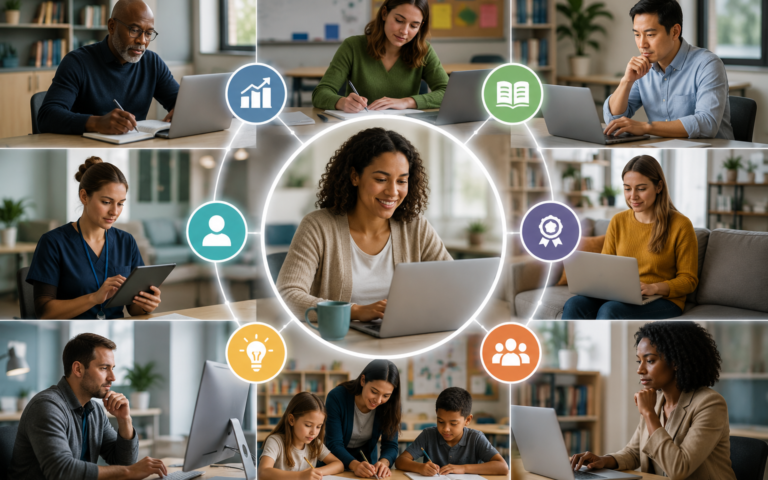
You can determine each learner’s needs by using the principles of UDL to understand their strengths, challenges, aptitudes, interests, talents, and aspirations. UDL has often been connected to special educational needs, but it is a framework that applies to ALL learners who have variability in their learning. UDL helps teachers understand all the learners in their classroom. Every student brings something different and has different strengths.
New Tools for Variability

In the past few years, students can now turn in homework that includes photos, video, audio, animations, interactive graphics, smart maps, and presentations.
Having and using technology in teaching and learning isn’t enough though. Making the most of technology requires a methodical and principled approach, one that turns the aspirations of personalized learning into an effective practice of personalized learning. Universal Design for Learning makes that practice possible.
Strategies to Address Learner Variability

- Collaborate – Some days we work better together. Get students to work together on Google Slides or Microsoft PowerPoint. Maybe one works on content, and one on design if that is where their strengths lie.
- Sketchnoting – Some students can adopt visual note-taking to support information recall and build understanding. The new stylus and touch devices are great for this.
- Overcoming Shyness – Use the comments stream inside Google Docs or Word to converse with shy students privately.
- Audio recording – Kids can practice and demonstrate oral reading fluency by attaching an audio recording to a turned in homework.
- Text-to-Speech -Some students may feel more comfortable hearing passages of text read aloud
Meeting Students Where They Are

Every child’s different, with their own star qualities, strengths, challenges and learning styles. Their needs are vast, and there are a multitude of ways teachers can meet those needs effectively in class as well as for independent study and learning at home.
Want to Learn More?
Listen to Martin McKay CTO and founder of Texthelp along with special guest Kathleen McClaskey, founder of Make Learning Personal; co-founder of Personalize Learning, LLC; co-author of Make Learning Personal and How to Personalize Learning in a pre-recorded session on How to Personalize Learning and Maximize Achievement for All Students.
Personalized learning software and strategies in 2026: what Universal Design for Learning adds
Personalized learning software is now part of ordinary school life, and the question Martin McKay raised in 2018 is still the one leaders face: how does a teacher give each student a fair route to the same goal, and what should technology do along the way? McKay’s answer, given above, was to start from the variability among learners and offer several ways to take in information and show understanding. Since then, the framework McKay relied on has been revised, and the research on personalized learning has become clearer about what it does and does not deliver.
The framework has been updated
The Center for Applied Special Technology (CAST) released UDL Guidelines 3.0 on July 30, 2024, after an update effort that began in 2020. The guidelines keep the three groups of principles that McKay’s readers will recognize: engagement, representation, and action and expression. CAST says the revision responds to a call from practitioners and researchers to address barriers tied to biases and systems of exclusion, and it applies to learners with and without disabilities. CAST calls the guidelines a living, dynamic tool developed continuously from new research and practitioner feedback, and its stated aim is learner agency that is purposeful and reflective, resourceful and authentic, and strategic and action-oriented.
On its UDL overview page, CAST states that there is no “average” brain and that learner variability is predictable, and the framework helps educators anticipate barriers and create meaningful options. This matches McKay’s advice to begin with one new practice and build on it. A teacher who offers a choice between a written response, a recording and a slide presentation has applied the idea without buying anything.
What the research says about personalized learning
Personalized learning and UDL are related but not identical. UDL is a way of designing lessons for variability. Personalized learning is a broader label that schools apply to many different models, often with software at the center. The most widely cited evidence comes from RAND Corporation research on schools funded by the Gates Foundation. Education Week’s 2017 report on the RAND study describes a comparison of 40 schools, mostly urban and mostly charter, with traditional schools. A student who would have scored at the average in a traditional school scored about 3 percentile points higher in a personalized-learning school, and only the mathematics gain was statistically significant. Gains grew over time and were slightly larger for students who started the year behind.
The same report lists cautions that matter to anyone buying or planning software. Teachers in both the personalized-learning and traditional schools used student data similarly, and both struggled to offer student choice. Teachers lacked time to build customized lessons, and students left to set their own pace often moved too slowly. High-quality digital material was scarce: the 40 schools used 62 different online curricula and assessments, and only eight were used by more than one school. The study could not say which specific strategies drive results, and the schools were not a representative sample. The study is also several years old, so it describes the early phase of this work, not the current generation of tools.
What a school leader or teacher can decide
- Start with the barriers, then pick the tool. If students cannot easily read a passage, text-to-speech helps. If shy students will not speak up, private comments in a shared document help. McKay’s examples of collaboration, sketchnoting, audio recording and text-to-speech each answer a particular barrier.
- Keep teacher-led instruction. McKay wrote that personalizing does not remove the teacher. The RAND findings are consistent with this, since the personalized-learning schools created more one-on-one time between teachers and students.
- Plan teacher time. Customized lessons take hours that a school day does not contain. Shared libraries, common routines and a small set of tools reduce that load.
- Limit the number of products. The spread of 62 curricula across 40 schools shows how hard it is to build experience with any one of them. A smaller set that teachers know well is easier to support and evaluate.
- Ask what evidence supports a product, including who ran the study, how many students were involved and whether the result applies to your students.
For readers who want to see how this connects to students with disabilities, the edCircuit special education guide covers accommodations and inclusive design, and the professional development guide covers how schools prepare teachers to use new tools. As McKay explains above, the point is to meet students where they are, and the evidence of recent years suggests that careful design and teacher time matter at least as much as the software itself.
Further Reading
- Andover Townsman – First half of school year marked by innovation, teamwork
- EdSurge – Where Does Personalized Learning End and Special Education Begin?
- PRWeb – Learnosity Welcomes Desmos, TextHelp, and GeoGebra to its Global Partner Network
More on Personalized Learning