 EdCircuit Staff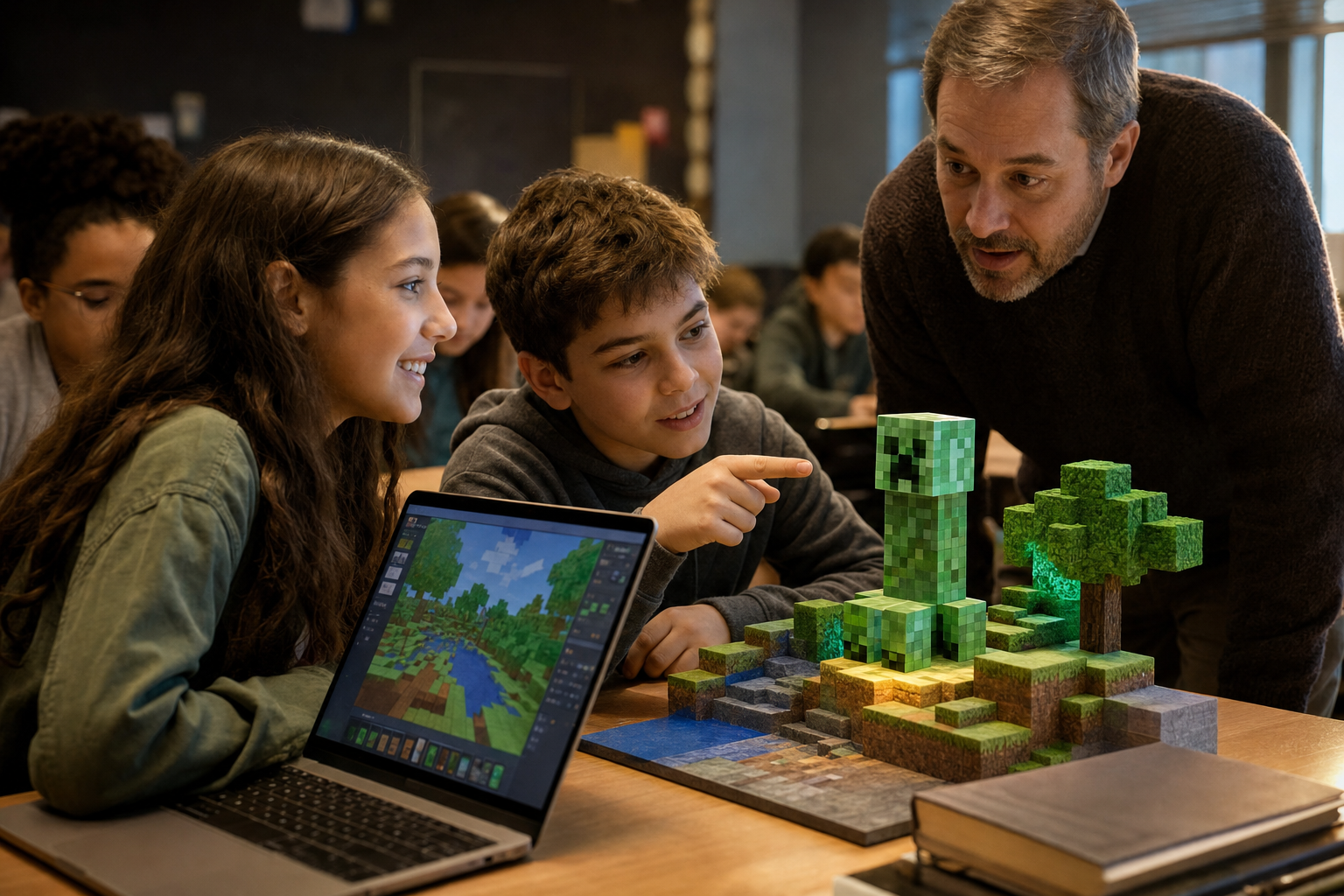
Minecraft Education is the classroom version of Minecraft, the block-building game, made by Microsoft for schools, camps and other learning programs. Teachers use it to teach coding, science, math, history, writing and digital citizenship inside game worlds students can build and explore together. It is available in 115 countries, comes with more than 600 standards-aligned lessons and, for many schools, is already included in their Microsoft 365 licenses.
This guide covers what Minecraft Education is, what it costs, how teachers use it in the classroom, what is new in 2026 and what the research says about learning with Minecraft.
What is Minecraft Education?
Minecraft Education is built on the same game as Minecraft, with features for teaching: individual student sign-ins, classroom multiplayer for up to 30 students without a separate server, an in-game camera and portfolio for collecting evidence of learning, coding tools and a library of ready-made lessons and worlds, according to Minecraft Education’s licensing page. It runs on Windows, Mac, Chromebook, iPad, Android and iOS.
Minecraft Education vs. regular Minecraft
The consumer game is built for play; Minecraft Education adds what a classroom needs:
- sign-in with a school Microsoft 365 account, so each student has an individual login;
- teacher-hosted multiplayer for up to 30 students, and school dedicated servers;
- Code Builder, with MakeCode and Python;
- more than 600 standards-aligned lessons and worlds;
- a camera and portfolio for documenting and assessing work.
How much does Minecraft Education cost?
- Included with Microsoft 365 A3 or A5. If a school has a Microsoft 365 A3 or A5 plan, a Minecraft Education license is automatically included for each account assigned that plan.
- Schools buying directly: $5.04 per user per year, with an annual commitment.
- Camps, clubs and other organizations: $36 per user per year.
Anyone with a Microsoft 365 account can buy it, and homeschool organizations, after-school programs, libraries and museums are eligible. Families and teachers without a license can try free demo lessons, such as Hour of AI and the CyberSafe demo.
How teachers use Minecraft in the classroom
The lesson library covers STEM, coding, social-emotional learning, history, language arts and 21st-century skills, and teachers can submit their own lessons, according to Minecraft Education. Three areas stand out:
- Coding and computer science. Code Builder lets students program in block-based MakeCode or in Python. In November 2025, Minecraft Education and Code.org released “Hour of AI: The First Night,” a free lesson on artificial intelligence that requires no license.
- Science. Chemistry tools, now in the creative menu, let students work with elements and compounds inside the game.
- Digital citizenship and cybersecurity. The CyberSafe series includes more than 10 online-safety lessons in collections for ages 7 to 11, 10 to 14 and 13 to 18. Chandler Unified School District in Arizona rolled the cybersecurity lessons out across 44 schools.
Strong Minecraft lessons work the way other good lessons do: a clear learning goal, a building or coding task tied to it, and time for students to explain and reflect on what they built. The camera and portfolio tools make it easier to collect that evidence.
What is new in 2026
The “Learning Cubed” update in August 2026 added dedicated servers that schools, districts and partners can share across organizations, which makes multi-school events such as esports possible. It also added a Minecraft lesson plan creator inside the Teach module of Microsoft 365 Copilot, along with new game content. Earlier in 2025, Minecraft Education released a “Wheel of Steve” minigame world tied to A Minecraft Movie.
Some tools have changed, too. Tynker and Python Notebooks have been removed as supported coding environments, so teachers who used them should move to MakeCode or Python in Code Builder.
Does Minecraft Education improve learning?
Research is encouraging but not conclusive. A systematic review of 29 studies, published in the Review of Education in 2025, found positive effects of Minecraft on spatial thinking, creativity, critical thinking, math, science and language, but rated every included study as having a medium or high risk of bias. An earlier review of 42 papers found benefits for motivation, language, science and history learning and social skills, while noting concerns about age-appropriateness, safety, technology use and transfer of learning. A 2025 review of 18 studies concluded that results depend on curriculum alignment, assessment and teacher training.
The fair reading for school leaders: Minecraft can engage students and support specific skills, especially spatial reasoning and coding, when lessons are well designed. It is a tool for good teaching, not a substitute for it.
Getting started
- Ask your IT team whether your school’s Microsoft 365 plan already includes Minecraft Education licenses.
- Download the app on the devices students will use and sign in with school Microsoft 365 accounts.
- Try one ready-made lesson from the library before designing your own.
- Set classroom expectations for building, collaboration and screen time.
- Use the free educator training on the Minecraft Education site.
Frequently asked questions
Is Minecraft Education free? It is included at no extra cost for schools with Microsoft 365 A3 or A5 licenses. Otherwise it costs $5.04 per student per year for schools, and free demo lessons are available.
What is the difference between Minecraft Education and Minecraft? Minecraft Education adds school sign-in, classroom multiplayer for up to 30 students, coding tools, assessment tools and a library of more than 600 lessons.
How do students log in to Minecraft Education? With a school Microsoft 365 account assigned a Minecraft Education license.
What devices does Minecraft Education run on? Windows, Mac, Chromebook, iPad, Android and iOS.
Is Minecraft good for learning? Studies find benefits for spatial thinking, creativity, coding, math and science, though the quality of the research is mixed and results depend on lesson design.
Subscribe to edCircuit to stay up to date on all of our shows, podcasts, news, and thought leadership articles.
Related reading
More on Gamification and Game-Based Learning