



 EdCircuit Staff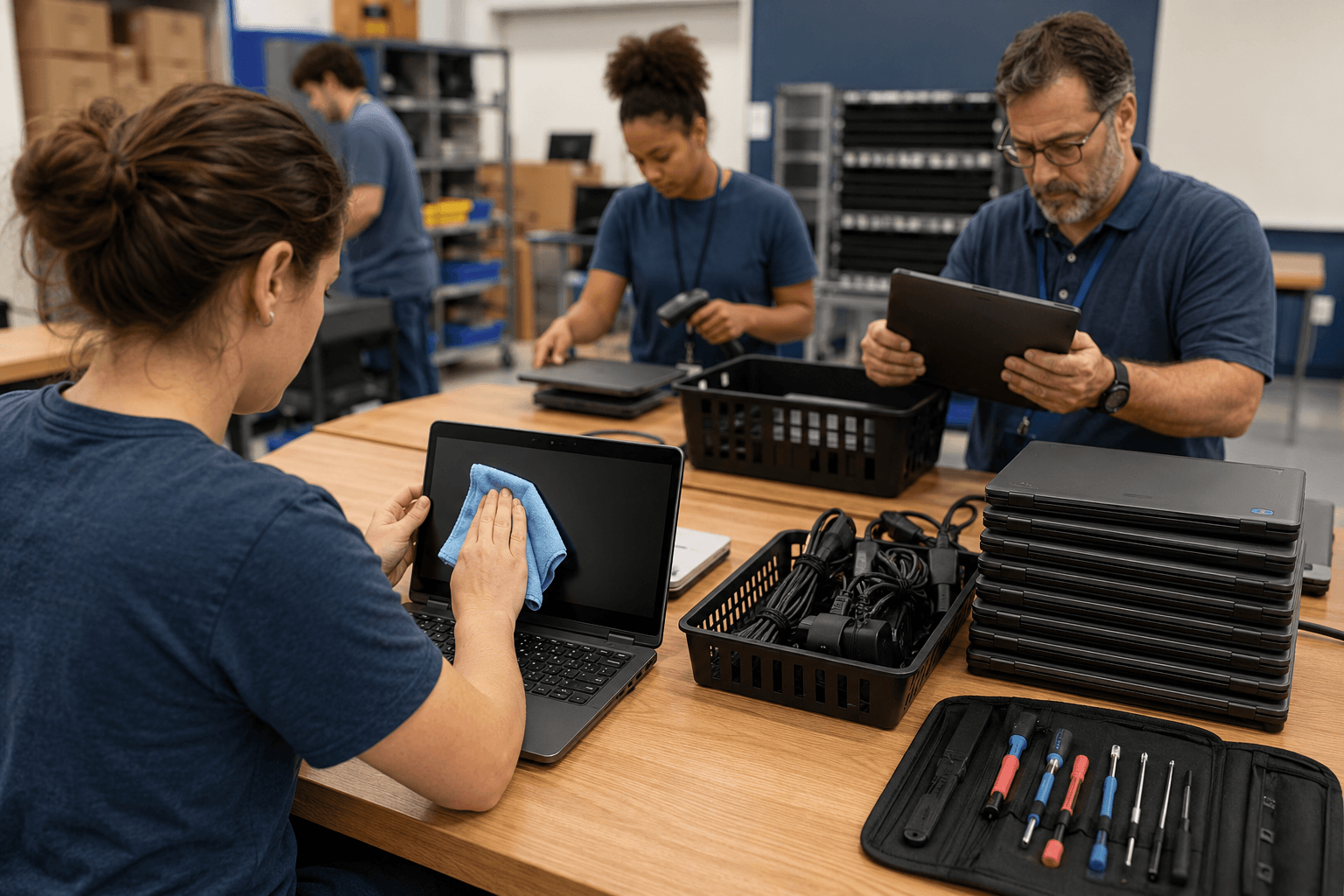
Table of Contents
Student device return season begins quietly in schools across the country. The final bell rings, lockers empty, classrooms shut down for summer, and carts of Chromebooks, tablets, and laptops begin stacking up in hallways, media centers, libraries, and IT offices.
For many districts, the process feels routine.
Screens are checked for cracks. Chargers are counted. Asset tags are scanned. Repairs are documented. Cases are inspected for damage. Devices are stacked, sorted, and shelved for summer work.
But behind every returned device is something schools cannot afford to overlook: student information, digital identities, accessibility settings, communication tools, saved files, passwords, downloads, and months of educational activity that may still live inside the machine.
What appears to be a simple technology collection process has quietly evolved into one of the most important operational, privacy, cybersecurity, and student-support responsibilities districts face during the summer months.
A school-issued device is no longer just a piece of hardware. It is an extension of the classroom, a portal into learning systems, a communication tool, a testing environment, a storage space for student work, and, for some students, a critical accessibility support device.
That means summer device collection is about far more than determining whether a student owes the district a replacement charger.
It is about stewardship.
Districts that approach student device return strategically are not only protecting technology investments. They are protecting student privacy, reducing cybersecurity risks, preserving accessibility supports, preparing devices for instruction, and ensuring a smoother start to the next school year.
And increasingly, school leaders are realizing this process deserves far more attention than it typically receives.
The Physical Inspection Is Only the Beginning
The visible side of student device return is still important.
Districts must account for every device issued throughout the year. Technology teams inspect screens, hinges, keyboards, batteries, ports, webcams, touchpads, styluses, protective cases, and chargers. Devices are tagged for repairs, warranty work, replacement parts, or retirement.
Some devices may need simple fixes. Others may require battery replacement, keyboard repairs, screen swaps, or full replacement due to damage or age.
According to Frontline Education, effective device lifecycle management includes tracking, maintaining, repairing, collecting, refreshing, and redeploying student technology throughout the entire school year—not just during deployment season.
Summer becomes the district’s largest maintenance window.
IT departments often spend weeks repairing fleets, reimaging systems, updating operating systems, replacing broken parts, and evaluating which devices remain viable for another school year. Inventory systems must also be updated to reflect lost, damaged, or retired equipment so districts can budget accurately for future purchases.
But once the physical inspection is complete, districts face a much larger question:
What information is still on the device?
The Hidden Layer: Student Information
A returned student device may still contain downloaded assignments, saved passwords, browser history, screenshots, photos, videos, cached files, locally stored documents, autofill information, communication logs, or application data connected to the student who used it throughout the year.
Even in cloud-based learning environments, local information often remains on devices longer than many schools realize.
And unlike a cracked screen or damaged keyboard, those risks are invisible.
The next student who receives the device should never gain accidental access to another student’s information, accounts, or educational materials. Yet without a structured process, that possibility becomes very real.
The U.S. Department of Education’s Student Privacy Policy Office explains that FERPA protects the privacy of student education records maintained by schools and educational agencies.
That does not necessarily mean every downloaded worksheet becomes a formal education record. But it does mean schools have a responsibility to thoughtfully manage student-related information and prevent unauthorized access.
Summer device return should therefore include more than hardware collection. It should include a formal review of what must be archived, what should remain within official district systems, and what must be securely removed before a device is reassigned.
Districts increasingly recognize that a proper reset process is not optional—it is part of responsible digital operations.
Archive, Delete, or Retain?
One of the most overlooked challenges in student device return is deciding what happens to the information tied to the device.
Not everything should be deleted immediately. But not everything should remain indefinitely either.
The U.S. Department of Education’s Best Practices for Data Destruction guidance notes that schools should establish clear policies for data retention and destruction.
That creates an important distinction for districts.
Some information belongs in official systems such as:
- student information systems
- learning management systems
- assessment platforms
- special education documentation systems
- district-approved cloud storage environments
Other information may need to be returned to students or families, especially creative work, portfolios, projects, or locally saved materials students want to preserve.
And some information should be securely removed entirely before a device enters storage, repair, recycling, or reassignment.
Without consistent procedures, districts risk creating uneven privacy practices across buildings and departments. One school may fully wipe devices immediately, while another stores devices untouched for months with student sessions still active.
Consistency matters.
This is where collaboration between IT leaders, records personnel, curriculum teams, building administrators, and special education staff becomes essential.
Cybersecurity Starts During Summer Collection
Summer device return is also one of the best opportunities districts have to strengthen cybersecurity before the next school year begins.
Throughout the year, student devices may accumulate unauthorized browser extensions, outdated software, unapproved applications, suspicious downloads, cached credentials, or security vulnerabilities.
When thousands of devices reconnect in August, those weaknesses can scale quickly across a district network.
The Cybersecurity and Infrastructure Security Agency (CISA) encourages K–12 schools to prioritize practical cybersecurity protections and build stronger long-term security plans.
Summer creates a rare reset window.
Devices can be:
- reimaged
- patched
- updated
- scanned for vulnerabilities
- reset to district standards
- reenrolled in device management systems
- stripped of unauthorized software
- reassigned with updated security policies
This is also the ideal time for districts to evaluate whether acceptable use policies are functioning effectively. Were students bypassing filters? Installing unauthorized tools? Accessing restricted content? Circumventing device management settings?
The purpose should not be punitive.
Instead, districts can use summer findings to improve safeguards, strengthen configurations, and better prepare systems for the following school year.
Every returned device becomes a snapshot of how well a district’s technology ecosystem functioned throughout the year.
When Devices Become Accessibility Tools
The most sensitive part of student device return often involves students receiving special education services or using assistive technology.
For some students, a device is not simply a Chromebook or tablet.
It is their communication system.
It may contain speech-generation software, personalized accessibility settings, visual schedules, motor accommodations, language supports, enlarged interfaces, customized symbols, sensory tools, or communication profiles built carefully over months—or even years.
A careless reset could erase months of personalization and directly impact a student’s ability to communicate and participate in learning.
That is why assistive technology devices should never follow the same workflow as standard student inventory.
Before devices are wiped or reassigned, schools should determine:
- whether communication systems are backed up
- where accessibility profiles are stored
- whether settings transfer between devices
- what information must remain archived
- who verifies the device configuration
- how summer services or extended school year programs are supported
This process often requires collaboration between:
- IT departments
- intervention specialists
- speech-language pathologists
- occupational therapists
- classroom teachers
- assistive technology coordinators
- special education administrators
The transition between school years can already be difficult for students requiring specialized supports. Losing carefully configured technology settings only creates additional barriers.
Districts that approach this thoughtfully demonstrate that technology management is also student support management.
Preparing Devices for the Next School Year
Once devices are repaired, cleaned, updated, reset, and secured, districts begin preparing them for redeployment.
This stage is far more strategic than many people realize.
Devices may need:
- updated operating systems
- grade-level restrictions
- testing software
- instructional applications
- accessibility tools
- filtering adjustments
- new asset tags
- replacement batteries
- refreshed cases
- updated management profiles
Different student populations may require entirely different configurations.
Elementary students may need stricter filtering and simplified interfaces. High school students may require specialized software for advanced coursework. Career and technical education students may need industry-specific applications. Students receiving special education services may require accessibility tools installed before the first day of school—not weeks later.
The quality of a district’s back-to-school technology experience is often determined during summer preparation.
A smooth August rollout rarely happens by accident.
Sustainability and the Device Lifecycle
Summer device return also forces districts to confront a growing challenge in K–12 education: technology sustainability.
Not every device collected in May will return to classrooms in August.
Some devices will be retired because of age, battery degradation, repeated damage, or outdated hardware. Others may be refurbished for secondary use, reassigned to younger grades, donated, harvested for parts, or responsibly recycled.
As districts continue operating large one-to-one device programs, long-term lifecycle planning has become increasingly important.
That includes:
- battery disposal
- electronic waste management
- responsible recycling
- secure destruction of retired storage devices
- refurbishment planning
- budgeting for refresh cycles
A student device is no longer a short-term technology purchase. It is part of an ongoing operational ecosystem that districts must maintain responsibly and sustainably.
A Leadership Opportunity Most Schools Never Talk About
Student device return may never receive the attention of artificial intelligence initiatives, cybersecurity conferences, or major technology rollouts.
But it represents something equally important.
It is where district operations, student privacy, accessibility, cybersecurity, compliance, and instructional readiness all intersect at once.
It is where schools demonstrate whether technology is being managed intentionally—or simply collected and redistributed year after year.
The strongest districts understand that device stewardship extends beyond physical equipment. It includes protecting student information, preserving accessibility supports, reducing security risks, maintaining operational consistency, and ensuring every student begins the next school year with technology that is truly ready for learning.
What happens after a student turns in a device says a great deal about how a district approaches technology leadership overall.
And increasingly, schools are discovering that student device return is not the end of the technology cycle.
It is the beginning of the next one.
Subscribe to edCircuit to stay up to date on all of our shows, podcasts, news, and thought leadership articles.
