

edCircuit
  • Start Here
    • Login
    • Register
    • Subscribe
    • Submit a Press release
    • Advertise or Sponsor
    • Contribute
    • Get Interviewed
  • On the Wire
  • EdTech
    • All EdTech
    • Online Learning
    • Hybrid and Remote Learning
    • Augmented and Virtual Reality
    • ESports
    • Gamification and Game-Based Learning
    • Digital Citizenship
    • EdTech Entrepreneurs
    • Market Trends
    • Future of Education
  • Artificial Intelligence
  • K-12 Education
    • All K-12
    • K-12 Teachers
    • Teaching Strategies
    • Special Education and IEPs
    • Dyslexia
    • Gifted and Advanced Learning
    • Early Childhood, Pre-K and Kindergarten
    • School Calendar
    • Tutoring and Homework Help
    • Attendance and Absenteeism
    • After-School Programs
    • School Counselors
    • Homeschooling
    • School Models
    • Teacher Retention
    • Parents
    • Students
    • STEM and STEAM Education
  • Teaching and Learning
    • Literacy and Reading
    • Math Education
    • Civics and History Education
    • Financial Literacy
    • Assessment and Testing
    • Curriculum and Instruction
    • Personalized Learning
    • Project-Based Learning
    • Social-Emotional Learning
    • Executive Function
    • Creativity
    • Diversity, Equity, Inclusion
  • Professional Development
    • All Professional Development
    • Educators
    • Administrators
    • edLeaders
  • Higher Education
    • All Higher Education
    • College Admissions
    • Career and Technical Education (CTE)
    • Graduation
    • FAFSA and Financial Aid
    • Student Loans
  • Cybersecurity
  • School Safety
    • All School Safety
    • Science and Lab Safety
    • School Design and Facilities
    • Bullying
    • Duty of Care and School Liability
  • Continuing Education
    • All Continuing Education
    • Online Certificate Programs
    • Teaching Jobs and Careers
    • Teacher Appreciation
  • Education Policy and Government
    • All Education Policy
    • Department of Education
    • School Choice
    • Global
    • Advocates
  • EDU Shows
    • All EDU Shows
    • Safer Ed
    • Mind the Gap
    • Education Industry Questions
    • CoffeEd
    • InFocus
    • InformED Report
  • EDU Podcasts
    • All EDU Podcasts
    • Author Chats
    • CoSN The Podcast
    • Education Today
    • Building the Bridge
    • Students Speak
  • Education Industry Guides and Reports
  • Archived Media
    • Future of School: The Podcast
    • Equity Everywhere
  • About edCircuit
  • Subscribe
edCircuit
  • LOGIN
Home Tags Posts tagged with "Headline"
Tag:

Headline

This if for posts to be in the featured/top section of site
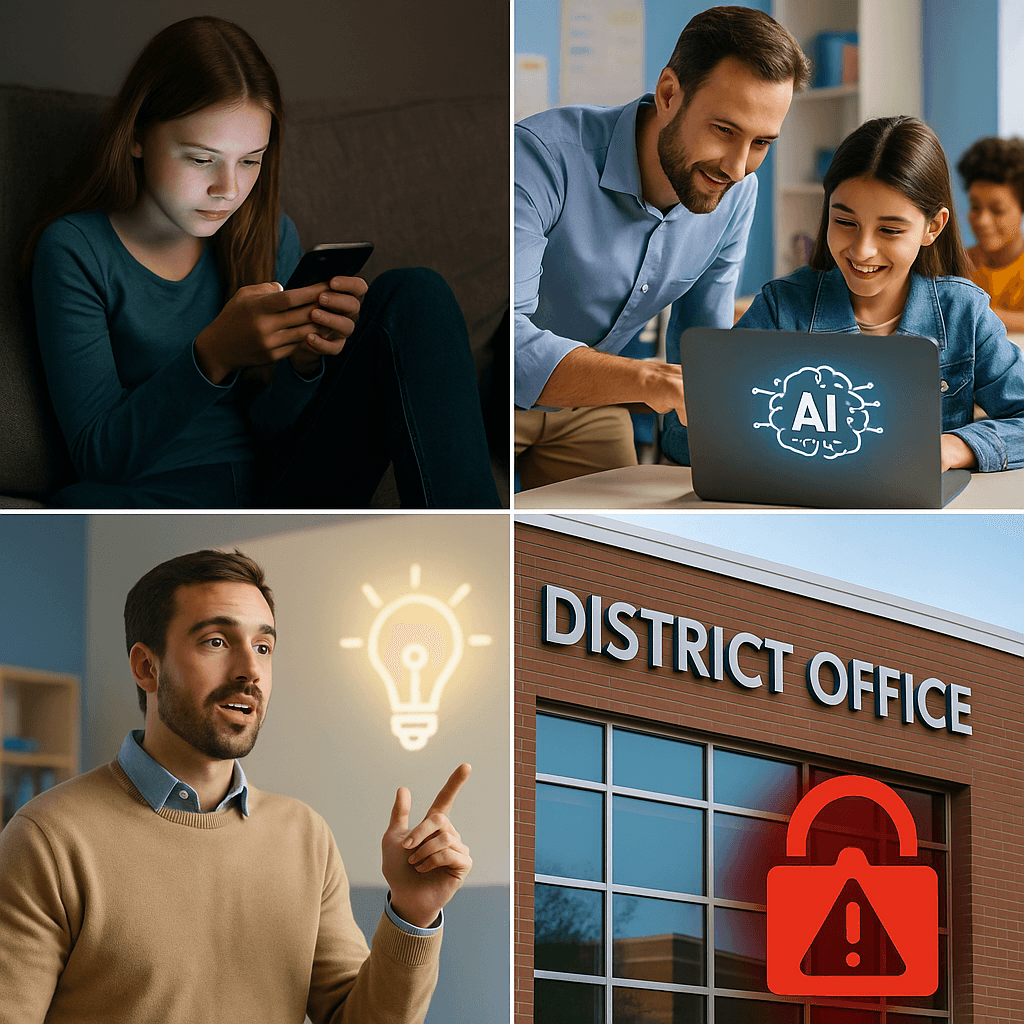
A collage showing a girl using a phone, an adult helping a student on a laptop with AI on the screen, a man pointing at a glowing lightbulb icon, and a district office building with a red padlock symbol—capturing stories that matter.
Hot Topics - controversialK-12

The Stories That Matter: edCircuit’s Weekly Roundup Issue 10

by EdCircuit Staff November 22, 2025
written by EdCircuit Staff 4 minutes read

In this week’s edition of The Stories That Matter, edCircuit examines how schools are navigating digital boundaries, federal uncertainty, cybersecurity pressure, and the new expectations emerging from an AI-driven world. From longstanding questions about screen time to the implications of a national SIS breach, these stories highlight the decisions shaping safe, equitable, and future-ready schools.

How Much Screen Time Is Too Much?

Read here »

Screens are interwoven into nearly every aspect of learning—but how much is too much? This article breaks down the latest research on cognitive load, sleep disruption, and the difference between “active” and “passive” digital engagement. It reframes the conversation around quality, context, and healthy digital habits for students of all ages.

Why read it: It moves past outdated “hour limits” and focuses on how digital learning can support—not substitute—meaningful instruction.

Discussion it opens: How can schools build balanced screen-time policies without stifling innovation or student engagement?

Department of Education Restructuring Explained

Read here »

With federal responsibilities shifting across agencies, leaders are asking what this means for funding, accountability, and district operations. This article breaks down what’s being transferred, why critics are raising concerns, and what district administrators should prepare for now.

Why read it: It translates a complex, fast-changing policy shift into clear guidance for K–12 decision-makers.

Discussion it opens: How should districts plan for uncertainty when federal guidance, oversight, and timelines are in motion?

How to Launch an EdTech Startup: From Idea to Impact

Read here »

Teachers, developers, and founders are increasingly turning classroom challenges into EdTech solutions. This guide walks readers through identifying real problems, building teams that blend education and technology, validating ideas with authentic school feedback, and navigating procurement hurdles.

Why read it: It offers a realistic, step-by-step playbook for anyone looking to move from idea to minimum viable product in the K–12 market.

Discussion it opens: How can new EdTech startups design products that meet teacher needs without adding to classroom workload?

Generative AI in Middle School: Collaboration, Curiosity, and Classroom Impact

Read here »

This article is the second installment in edCircuit’s three-part series on generative AI in K–12—building on Part One, Generative AI in Elementary Schools: Creative Curiosity Meets Classroom Innovation.

Middle school teachers are beginning to use generative AI to support brainstorming, writing development, debate preparation, and creative exploration—all while maintaining thoughtful guardrails. This piece highlights real classroom examples and shows how educators design age-appropriate structures that encourage curiosity while teaching responsible use.

Why read it: It illustrates how AI can enhance—not replace—student creativity, confidence, and collaboration during a pivotal developmental stage.

Discussion it opens: Where should middle-school AI boundaries be drawn to protect readiness and safety while still fostering innovation?

PowerSchool Data Breach 2025: What Schools Must Know

Read here »

One of the nation’s largest student information system providers experienced a major breach—impacting districts across multiple states. This article details what happened, how schools learned about the incident, PowerSchool’s response, and what this event signals about K–12 cybersecurity readiness.

Why read it: It’s a crucial overview of how vulnerable student and staff data has become—and why districts must strengthen incident response planning.

Discussion it opens: Should SIS platforms be held to higher federal cybersecurity standards as student data becomes increasingly targeted?

Law School Tuition, Debt, and Access: Is It Only for the Wealthy?

Read here »

With tuition rising and debt loads climbing, many students question whether law school remains an accessible pathway or a privilege of wealth. This article explores structural inequities, income-driven repayment challenges, and how new models—like hybrid J.D. programs and alternative credentialing—may reshape the future of legal education.

Why read it: It exposes a widening affordability crisis with long-term implications for diversity and equity in the legal profession.

Discussion it opens: How can higher-education institutions redesign legal pathways to attract and support students who don’t come from financial privilege?

Takeaway

Across this week’s Stories That Matter, one theme emerges: education leaders are being asked to balance innovation with protection. Whether managing screen-time expectations, responding to federal restructuring, experimenting with AI in middle school, or confronting cybersecurity threats, the work of modern schools lies in shaping environments that are safe, equitable, and forward-thinking—all at the same time.

Related: The Stories That Matter: edCircuit’s Weekly Roundup, Issue 9

Subscribe to edCircuit to stay up to date on all of our shows, podcasts, news, and thought leadership articles.


November 22, 2025 0 comments
0 FacebookTwitterPinterestLinkedinWhatsappCopy LinkEmail
A man, woman, and young girl sit together on a couch, each focused on their own device—the man and girl on smartphones, and the woman on a laptop. They appear absorbed in their screens in a cozy living room.
Hot Topics - controversialDigital CitizenshipK-12

How Much Screen Time Is Too Much?

by EdCircuit Staff November 21, 2025
written by EdCircuit Staff 5 minutes read

Across the country, K–12 districts are revisiting or strengthening cell phone policies in response to academic disruption, mental-health concerns, and statewide guidance. While these student phone bans have successfully reduced distractions during the school day, they have also created an unintended ripple effect: students are now spending more concentrated screen time at home.

The Phone Ban Paradox: Less Time at School, More Time at Home

Parents increasingly report that once school ends, their children rush to catch up on notifications, social media feeds, and messages that piled up during the school day. Because students are disconnected for so many hours, the intensity of that digital “re-entry” often leads to longer, more immersive screen sessions in the evening. Instead of preventing excessive screen time, phone bans may simply be shifting the problem from school hours to home hours.

This reality raises the central question families and districts are now wrestling with:

How much screen time is too much—and are we treating the symptoms instead of the root causes?

Inside the Rise of the “Phone Cave”

One possible effect of restricted school-day use is what some parents describe as a “phone cave.” After a day of digital deprivation, some students come home and retreat immediately to their bedrooms, curl up on their beds, turn out the lights, and immerse themselves in hours of scrolling. It is part comfort, part escape, and part pressure to catch up on everything they missed.

The phone cave may be more than a habit; for some students it can work as a coping mechanism. Students can feel overwhelmed when dozens of notifications appear at once. They fear missing out on group chats that continued without them. They crave a space where they can decompress in the digital world they were separated from all day.

It’s a pattern driven by anxiety, overstimulation, and an intense desire to reconnect—not defiance or disinterest in family life.

The New Family Dynamic: Together But Separate

Digital life has reshaped the meaning of “family time.” Many households gather around the TV at the end of the day, only to retreat into their own screens while physically sharing the same space. Parents may be answering emails or scrolling Facebook and Instagram, while children are gaming, watching TikTok, or editing photos—all while the family appears to be “watching a show together.”

This creates a quiet, subtle form of disconnection. Families experience the same space but not the same moment. The show becomes background noise. Conversations fade quickly. The sense of bonding that once came with shared viewing or shared activities is replaced by parallel digital worlds.

And because both students and adults are participating in this behavior, it becomes normalized—making it harder for families to recognize how much screen time has seeped into everyday routines.

When Screen Time Turns Into Screen Dependence

Screen addiction in children and teens rarely looks dramatic. It often shows up in small, subtle ways:

  • Bloodshot eyes after hours of nonstop scrolling

  • Headaches triggered by stepping into natural light after long indoor screen sessions

  • Irritability or anxiety when separated from a device

  • Difficulty transitioning from digital activities to non-digital ones

  • Loss of interest in outdoor activities or family interaction

These symptoms reflect a deeper challenge: students are navigating an unprecedented amount of digital stimulation. For many, the phone isn’t just entertainment. It is social identity, communication, creativity, and community—compressed into a device they carry everywhere.

School phone bans help manage behavior in classrooms, but they do not change the psychological relationship students have with their screens.

Turning Screen Time Into Family Time: What Actually Works

While families can’t—and shouldn’t—eliminate screens entirely, they can reshape how devices fit into the rhythm of household life. Some of the most effective strategies center on connection, not control.

One powerful approach is transforming screen time into a shared experience. Families can choose YouTube creators to watch together, play mobile games as a group, or ask a child to teach parents how to use a new app. This shifts screens from isolating experiences to collaborative ones.

Another approach focuses on transitions. Instead of students walking straight from school into an hours-long digital binge, families can create calming entry rituals: a short walk, a snack together, or a conversation before devices come out. These transitions ease the emotional jump from offline to online and reduce the intensity of that after-school “phone cave” period.

Households can also experiment with device visibility. Keeping phones face-up on a table during meals allows students to feel connected without diving into their screens. It reduces anxiety, prevents the sense of being “cut off,” and encourages more organic conversation.

Most importantly, families should discuss screen habits openly. When students can talk honestly about why they scroll or escape into their phones, families gain insight—and power—to build healthier routines together.

Shaping a Healthier Future for Digital Families

The conversation about student screen time is no longer about banning or resisting technology. It’s about helping young people build healthy digital identities, balanced habits, and strong family relationships in a world where screens are woven into every part of life.

Schools can create focused learning environments.
Families can create emotionally healthy digital environments.
And students can learn to navigate both.

Screen time isn’t the enemy.
Disconnection is.

With thoughtful guidance, open communication, and intentional family routines, screens can become tools for connection—not wedges that divide us.

Subscribe to edCircuit to stay up to date on all of our shows, podcasts, news, and thought leadership articles.

November 21, 2025 0 comments
0 FacebookTwitterPinterestLinkedinWhatsappCopy LinkEmail
Department of Education restructuring: people walk toward the entrance of the U.S. Department of Education building
edLeadersHot Topics - controversialDepartment of EducationK-12

Department of Education Restructuring Explained

by EdCircuit Staff November 20, 2025
written by EdCircuit Staff 6 minutes read

Updated October 2026. This article was first published in November 2025; it now covers every transfer through mid-2026, corrects the original list of programs, and adds the court, budget and congressional developments since.

The Department of Education restructuring is one of the biggest changes in federal education governance since Congress created the department in 1979. Rather than abolishing the agency, which would require an act of Congress, the administration has moved the day-to-day management of its programs to other federal agencies through interagency agreements. By July 2026 there were 14 such agreements with six agencies, covering special education, Title I, student loans and much of the department’s higher education work.

How the restructuring began

On March 20, 2025, President Trump signed Executive Order 14242, which directs the Secretary of Education, “to the maximum extent appropriate and permitted by law,” to facilitate the closure of the department. Days earlier, the department had announced layoffs that cut its staff from 4,133 to about 2,183, and it closed seven of the Office for Civil Rights’ 12 regional offices, according to a K-12 Dive timeline. In July 2025 the Supreme Court allowed the layoffs to proceed while lower courts consider whether they are legal.

The first program transfer came in May 2025, when career, technical and adult education moved to the Department of Labor; management began shifting in July 2025.

The November 2025 agreements

On November 18, 2025, the department announced six interagency agreements with four agencies. The department remains legally responsible for the programs, while partner agencies take over day-to-day management. According to K-12 Dive and a McGuireWoods summary, the six were:

Partner agencyPrograms
LaborElementary and secondary education programs, including Title I and the Rural Education Achievement Program
LaborPostsecondary institutional grants under the Higher Education Act (about $3.1 billion)
InteriorIndian education programs across K-12, higher education, career education and vocational rehabilitation
Health and Human ServicesSupport for the National Committee on Foreign Medical Education and Accreditation
Health and Human ServicesChild Care Access Means Parents in School (campus child care grants)
StateInternational education and foreign language studies (Fulbright-Hays)

Correction: the original version of this article listed early childhood technical assistance centers and family engagement units as moving to HHS, career and technical education offices and youth workforce programs as moving to Labor, and international student exchange as moving to State in November 2025. Those descriptions were inaccurate; the table above reflects the agreements as reported. Family engagement programs moved to HHS later, in February 2026, and career and technical education had moved to Labor in May 2025.

What moved in 2026

  • February 2026. Two more agreements sent school safety and mental health grants to HHS and higher education foreign-gift reporting to State. An amendment also moved Statewide Family Engagement Centers, Full-Service Community Schools, Promise Neighborhoods and Ready to Learn from Labor to HHS, Education Week reported.
  • March 2026. Management of the roughly $1.7 trillion federal student loan portfolio began moving to the Treasury Department, with FAFSA administration expected to follow.
  • June 16, 2026. The Office of Special Education and Rehabilitative Services, which runs IDEA, moved to HHS, and parts of the Office for Civil Rights’ work moved to the Justice Department, Chalkbeat reported.

By July 2026 the department had 14 interagency agreements with six agencies: HHS, Justice, State, Labor, Interior and Treasury. Education Week counted 148 programs moving. More than 2,000 employees remained at the department.

Congress, the courts and oversight

  • Funding. The fiscal 2026 spending law, enacted in February 2026, kept the department’s budget at about $79 billion and did not ban the agreements, but its accompanying report says the department cannot transfer its “fundamental responsibilities” and requires biweekly briefings on staffing and service delivery, K-12 Dive reported. The administration’s fiscal 2027 request asks for $76.5 billion, a 3 percent cut, and would combine 17 K-12 grant programs into one.
  • Senate bill. On July 30, 2026, the Senate education committee advanced a bipartisan bill, 13 to 9, that would bar moving programs out of the special education, elementary and secondary, postsecondary and Indian education offices, Education Week reported. It has not received a full Senate vote.
  • Courts. States challenging the dismantling have amended their lawsuit in federal court in Massachusetts to target the interagency agreements. No ruling on the agreements has been reported.
  • Oversight. In October 2026 the department’s inspector general agreed to review how the department manages its higher education agreement with Labor, after a request from Sen. Elizabeth Warren, her office announced. The Government Accountability Office has also expanded its reviews.

What supporters and critics say

Supporters argue that moving programs to agencies with related missions reduces duplication, puts workforce programs with Labor and health-related programs with HHS, and returns more authority over education to states. Secretary Linda McMahon has framed the moves as making federal oversight more effective where it is needed.

Critics argue that splitting programs across six agencies makes federal education governance harder for districts to navigate, risks losing expertise in programs such as Title I, IDEA and civil rights enforcement, and achieves through agreements what would otherwise require Congress. In June 2026, all 47 Senate Democrats urged that special education and civil rights stay at the department.

What this means for schools and districts

  • Know who manages each program. Title I and rural education are managed through Labor, special education through HHS, and student loans through Treasury. Check which agency now handles each grant, reporting requirement and technical assistance contact.
  • Watch for changed procedures. New host agencies may change grant timelines, reporting systems and guidance.
  • Strengthen internal compliance. With fewer federal staff, districts carry more of the burden for Title I, IDEA and civil rights compliance.
  • Keep families informed. Parents of students with disabilities in particular may ask whether services will change. The law, IDEA, has not changed.
  • Follow Congress. Appropriations language and the Senate bill could limit or reverse some transfers.

Frequently asked questions

Is the Department of Education closing? Not formally. Closing it would require Congress. The administration has instead moved the management of most programs to other agencies, while the department remains legally responsible for them.

Where did special education go? The Office of Special Education and Rehabilitative Services moved to the Department of Health and Human Services in June 2026.

Who manages federal student loans now? The Treasury Department began taking over the student loan portfolio in March 2026.

How many interagency agreements are there? Fourteen with six agencies as of July 2026.

CNN – Trump admin accelerates push to dismantle Department of Education (Play video) (November 2025)

Subscribe to edCircuit to stay up to date on all of our shows, podcasts, news, and thought leadership articles.

November 20, 2025 0 comments
0 FacebookTwitterPinterestLinkedinWhatsappCopy LinkEmail
Illustration of a graduation cap on books, a courthouse, a money bag with a dollar sign, and an LSAT exam paper, representing concepts related to law school, education costs, and legal studies.
Hot Topics - controversialHigher EducationCollege AdmissionsStudent Loans

Law School Tuition, Debt, and Access: Is It Only for the Wealthy?

by EdCircuit Staff November 20, 2025
written by EdCircuit Staff 4 minutes read

The question of whether law school is only for the rich has lingered for decades, and for good reason. The cost of attendance, the rigor of the process, and the sacrifices required can feel like barriers too steep for many. Yet the law remains a powerful tool for societal change, justice, and personal advancement. So who really has access to this path?

This article explores the full structure of what it takes to get into, through, and beyond law school—from the price tag and hidden costs to the work required and the systems of support available. Our goal is not to discourage, but to inform and expose the realities future law students should know.

The Cost of Legal Education: Not Just Tuition

The average cost of law school tuition in the United States varies widely by institution. For 2025:

  • Public in-state schools: ~$29,000/year

  • Public out-of-state schools: ~$42,000/year

  • Private schools: ~$53,000/year

That means three years of law school can easily range from $90,000 to $180,000+—and that’s just tuition. Add living expenses, books, health insurance, exam fees, and you’re likely looking at $150,000 to $250,000 in total.

But it doesn’t start there. The journey begins with undergrad—where a student racks up additional debt—and continues through LSAT prep, application fees, and potentially moving to a new city. Each phase adds to the financial burden.

Breaking Down the Timeline and Workload

Here’s what the timeline looks like:

  1. Undergraduate Degree (4 years)

    • Any major, but political science, philosophy, and history are common.

    • GPA is a key admissions factor.

  2. LSAT or GRE Testing

    • LSAT prep courses range from $500 to $2,000+.

    • Test fees and application fees can easily total $1,000+.

  3. Law School (3 years)

    • Year 1: Core curriculum, heavy reading, Socratic method, high stress.

    • Years 2-3: Specialization, clinics, internships, law review, moot court.

  4. Bar Exam Preparation and Licensing

    • Bar prep courses: ~$2,000 to $4,000

    • Bar exam fees vary by state: $300 to $1,500

    • Character and fitness (this link no longer available) review: can take months

Throughout law school, expect 60-80 hour weeks, minimal breaks, and intense pressure. The environment is competitive by design. Students are ranked. Success hinges on a few final exams. Emotional exhaustion is common.

Support Systems and Financial Aid: Are They Enough?

Most law schools offer need-based and merit scholarships. There are federal student loans and income-driven repayment plans. Some law schools even guarantee tuition freezes or loan repayment assistance programs (LRAPs) for those entering public interest law.

But scholarships are highly competitive, and many don’t cover full costs. Federal loans cover tuition, but not always cost of living in expensive cities. And loan forgiveness programs require 10+ years of qualifying payments under strict conditions.

There are nonprofits and private scholarships, but they require proactive searching and early application.

So, Is Law School Only for the Rich?

Not exclusively—but privilege helps. A student with financial backing, no job responsibilities, and strong academic prep has an edge. They can afford LSAT tutoring, take unpaid internships, and graduate with less debt stress.

However, students from low- or middle-income backgrounds do succeed—often through grit, community college pathways, scholarships, and sheer resilience. But the road is tougher, longer, and riskier.

The result? The profession risks losing brilliant minds not because they aren’t capable, but because they can’t afford the entry fee.

What Students (and Parents) Should Know Early

  1. Start planning in high school: Strong grades, writing skills, and extracurriculars matter.

  2. Choose undergrad wisely: Aim for a school with good pre-law advising and minimal debt.

  3. Understand the test: The LSAT is not just a hoop to jump through. It shapes your law school options.

  4. Talk to real lawyers: Find mentors early. Get honest insights.

  5. Think about why: The cost and sacrifice are high—be sure your reasons for law school are grounded and sustainable.

Where Do We Go From Here?

To make legal education more accessible, systemic reforms are needed:

  • Expand need-based aid and public interest scholarships

  • Create debt-free law school pipelines

  • Reimagine legal education to reduce cost and time to degree

  • Invest in high school and undergrad pre-law support

If we want a legal system that truly reflects and serves the public, we need to stop gatekeeping it with price tags. Law must remain a calling—not a luxury.

Conclusion

Law school isn’t just for the rich—but in today’s system, wealth still buys a smoother path. That doesn’t mean it’s impossible for others. But it does mean the dream of becoming a lawyer should come with eyes wide open—and a plan that’s as strategic as it is passionate.

For students, families, and policymakers alike, the question isn’t just “Can I afford to go to law school?” It’s “Can we afford not to open the doors wider?”

Subscribe to edCircuit to stay up to date on all of our shows, podcasts, news, and thought leadership articles.

November 20, 2025 0 comments
0 FacebookTwitterPinterestLinkedinWhatsappCopy LinkEmail
PowerSchool data breach: illustration of a school building with a warning sign and digital locks behind it
Hot Topics - controversialCybersecurityK-12

PowerSchool Data Breach 2025: What Schools Must Know

by EdCircuit Staff November 19, 2025
written by EdCircuit Staff 6 minutes read

Updated October 2026 with the court rulings and developments since this article was first published.

The PowerSchool data breach is one of the largest cybersecurity incidents in K-12 history. In December 2024, an attacker used a single stolen password to reach the systems of PowerSchool, one of the largest student information system (SIS) providers in North America, and took records belonging to students and teachers in thousands of school districts. The hacker has since been sentenced to prison, state attorneys general have taken action, and a national lawsuit against PowerSchool and its owner is moving forward. This article explains what happened, where the case stands in 2026 and what districts should do.

What happened in the PowerSchool data breach

The intrusion

PowerSchool says it became aware of the incident on December 28, 2024. The attacker accessed PowerSource, PowerSchool’s customer support portal, using a single compromised credential, and from there extracted data from customers’ SIS databases. PowerSource did not support multi-factor authentication at the time, TechCrunch reported, and an investigation found the same credential had been used in an earlier intrusion in August and September 2024.

How many people were affected

PowerSchool has said it cannot confirm precise numbers. The hacker’s extortion demand claimed data from 6,505 school districts, and sources put the total at about 62.4 million students and 9.5 million teachers, BleepingComputer reported. PowerSchool told The Record that about 6,500 of its more than 18,000 customers were affected.

What data was taken

According to PowerSchool, the data included names, contact information, dates of birth and limited medical alert information, and for some people Social Security numbers. PowerSchool said more than three-quarters of affected students did not have Social Security numbers taken, and it found no evidence that credit card or banking information was involved. Where districts had added custom fields, the stolen data also included special education status, custody alerts and disciplinary notes. Records went back years: an attorney for Westerville City Schools in Ohio said the district had reason to believe data from 1996 was included.

Extortion and the ransom

PowerSchool says it decided to pay a ransom. Even so, in May 2025 the attacker contacted multiple school districts directly in an attempt to extort them, using samples that matched the data stolen in December.

The hacker’s sentence

On October 14, 2025, Matthew D. Lane, 20, of Sterling, Massachusetts, a former Assumption University student, was sentenced to four years in federal prison and ordered to pay $14.08 million in restitution and a $25,000 fine. He pleaded guilty to cyber extortion conspiracy, cyber extortion, unauthorized access to protected computers and aggravated identity theft. Prosecutors said he threatened to leak data on more than 60 million students and 10 million teachers unless he was paid about $2.85 million in Bitcoin.

Where the PowerSchool lawsuits stand in 2026

  • The national case. Suits from families, students and school districts were consolidated in federal court in the Southern District of California as In re PowerSchool Holdings, before Judge Roger T. Benitez. The defendants are PowerSchool, its owner Bain Capital, and Movate, a contractor. On March 18, 2026, the court denied the motions to dismiss filed by PowerSchool and Bain, allowing claims including negligence, unjust enrichment and California unfair-competition claims to proceed. The parties are now in discovery, and no settlement has been reported.
  • School districts. Memphis-Shelby County Schools, Tennessee’s largest district, sued in May 2025, and districts including West Ada in Idaho and Chelsea in Michigan voted in November 2025 to join the federal case. The court allowed the districts’ breach-of-contract claims to proceed.
  • Texas. Attorney General Ken Paxton sued PowerSchool in September 2025 under the state’s Deceptive Trade Practices Act and identity theft law, saying the breach affected more than 880,000 Texas children and teachers.
  • North Carolina. Attorney General Jeff Jackson issued a civil investigative demand to PowerSchool in June 2025; his office says the breach affected nearly 4 million teachers, students and parents in the state.

A separate case is sometimes confused with the breach. In 2026, PowerSchool agreed to a $17.3 million settlement over tracking in its Naviance college-planning software, Bloomberg Law reported. That case concerns how student data was tracked, not the December 2024 breach.

What PowerSchool did

PowerSchool says it engaged CrowdStrike to investigate, reported the incident to law enforcement in the United States and Canada, notified districts beginning January 7, 2025, and notified affected individuals beginning January 29. It offered two years of identity protection and credit monitoring; enrollment closed on July 31, 2025. Districts and state officials have questioned how long the compromised credential went unnoticed, how much historical data was retained, and how clearly families were told about their exposure.

Why student data is a prime target

Children’s identities can be misused quietly for years before anyone notices. Schools often run with small IT teams, a mix of older systems and cloud services, and dozens of third-party vendors. And a single attack on a major vendor can reach hundreds of districts at once, which is exactly what happened here.

What districts should do now

1. Confirm your exposure

Ask PowerSchool, or any SIS vendor, for the specific data fields and years involved, and whether former students and staff were included.

2. Communicate clearly with families

Give a plain explanation of what happened, what data may be exposed, what families can do, and a contact for questions.

3. Lock down SIS and vendor access

  • Require multi-factor authentication for every SIS user and for vendor support access.
  • Remove inactive and former staff accounts and review administrator permissions.
  • Limit and log vendor remote access.

4. Audit data retention

Review legal retention requirements, then archive or delete records the district no longer needs, and require deletion timelines in vendor contracts. Less retained data means less exposure in the next breach.

5. Strengthen vendor contracts

Require independent security audits such as SOC 2 Type II, multi-factor authentication for vendor staff, clear breach-notification timelines, liability for vendor-caused breaches, and data-minimization and deletion commitments.

6. Practice a breach response

Bring together technology, leadership, legal counsel, communications and board members to rehearse notifying families, locking down systems and working with state agencies.

7. Train everyone who handles student information

Teachers, office staff, coaches, substitutes and activity advisers all have logins, and any one of them can be an entry point.

8. Review cyber insurance

Check whether your policy covers breaches caused by vendors, forensic work, legal costs and credit monitoring for families.

Frequently asked questions

What happened in the PowerSchool data breach? In December 2024 an attacker used a stolen credential to access PowerSchool’s support portal and take student and teacher data from thousands of school districts’ systems.

How many students were affected? PowerSchool has not confirmed a total. Reports based on the hacker’s claims put it at about 62 million students and 9.5 million teachers.

Who was responsible? Matthew D. Lane of Massachusetts, who was sentenced to four years in federal prison in October 2025.

Is there a PowerSchool settlement? Not for the breach as of October 2026; the national lawsuit is in discovery. A separate $17.3 million settlement concerns tracking in PowerSchool’s Naviance software.

WRAL – Cybersecurity expert warns impacts of PowerSchool data breach may not be over (Play video)

Subscribe to edCircuit to stay up to date on all of our shows, podcasts, news, and thought leadership articles.

November 19, 2025 0 comments
0 FacebookTwitterPinterestLinkedinWhatsappCopy LinkEmail
A person at a laptop surrounded by icons of books, a checklist, a lightbulb, charts and a network diagram
EdTechEdTech EntrepreneursHot Topics - controversialK-12

How to Launch an EdTech Startup: From Idea to Impact

by EdCircuit Staff November 19, 2025
written by EdCircuit Staff 9 minutes read

Starting an ed-tech company begins in a classroom, not in a code editor. The founders who succeed usually start with a problem they have watched teachers or students struggle with for years, test a simple version of the fix with real classes, and learn how schools buy before they try to sell to them. That last step is where many education startups stall, because a school district is a very different customer from a consumer or a business.

This guide is for teachers with an idea, developers who want to build for education, and first-time founders. It covers what an ed-tech startup is, how to start one step by step, how school purchasing and student privacy rules shape the business, and where early funding comes from.

What is an ed-tech startup?

An ed-tech startup is a young company that builds technology for teaching and learning: classroom apps, tutoring and practice tools, platforms for teachers and schools, or products that help adults learn new skills. What sets education apart from other startup markets is the buyer. In K–12, the person who uses a product, a teacher or student, is often not the person who pays for it, which is usually a school or district working within a public budget and a set of privacy laws.

How to start an ed-tech company, step by step

1. Start with a real problem in a real classroom

Strong education companies begin with a problem, not a product. Spend time with teachers, principals and students before writing code, and look for the tasks they repeat every week, the gaps they work around, and the places where students lose time or fall behind. Ask how they handle the problem today and what it costs them. A problem that a teacher solves with a spreadsheet and an hour every Sunday is a better starting point than a feature nobody asked for.

Many well-known classroom tools started this way. ClassDojo’s founders launched it in August 2011 as a simple way for teachers to manage classroom behavior, and Kahoot! grew out of a classroom quiz game developed with a Norwegian university before it launched to the public in 2013. Both became large platforms only after they had solved one problem well for teachers.

2. Test the smallest useful version

Build the smallest version that solves the problem and put it in front of real classes. A short pilot with a handful of teachers will tell a founder more than a polished demonstration: whether teachers can set it up in a few minutes, whether students use it without help, and whether it fits a real class period. Collect both kinds of evidence, the numbers on use and learning and the teachers’ own comments on what confused them.

3. Build a team that knows both teaching and technology

Education products fail when they are built by people who have never managed a classroom, and they also fail when the people who understand classrooms cannot build or sell. A founding team ideally includes someone with teaching or school leadership experience, someone who can build the product, and someone who understands sales and finance. A founder working alone can fill the gaps early with an advisory group of teachers and administrators who will test and criticize the product honestly.

4. Design for student privacy from the first day

Schools cannot use a product that mishandles student data, so privacy belongs in the product design, not in a later legal review. The Family Educational Rights and Privacy Act governs student education records, and the Children’s Online Privacy Protection Act governs data collected from children under 13. Many states add their own student privacy laws, and many districts now ask vendors to sign a standard agreement before any student logs in, such as the National Data Privacy Agreement from the Student Data Privacy Consortium, which lists about 222,000 signed agreements. A clear privacy policy, encryption, a short list of data the product actually needs, and a plan for deleting data when a contract ends will open more doors than any marketing campaign.

5. Learn how schools buy before you sell

School purchasing follows a budget calendar. Districts plan in the winter and spring, approve budgets before the fiscal year begins, and buy before teachers return in the fall, so a product pitched in October may not be bought until the following summer. Larger purchases may need a formal request for proposals and board approval, and Education Week’s guide for education vendors describes a typical K–12 sales cycle as 12 months or more. Budgets have also tightened since the federal pandemic relief money ran out: districts had to commit their last ESSER funds by September 30, 2024, according to the Congressional Research Service, and many have had to choose which of the tools they bought with it to keep. Founders also need to know who decides: a single teacher may adopt a free tool, but a paid, districtwide product usually needs a curriculum or technology director, a business office and sometimes a school board. edCircuit has followed how K–12 procurement has changed over the last decade.

6. Choose a business model that fits the buyer

Most ed-tech companies use one of a few models: a free version for teachers with a paid upgrade for schools, a per-student or per-school license sold to districts, a subscription sold directly to families, or a product sold to colleges and employers. Each model brings a different sales process. Selling to families is faster but expensive to market; selling to districts is slower but can bring larger, steadier contracts.

7. Show evidence that the product works

District leaders increasingly ask what evidence supports a product before they buy it. The federal Every Student Succeeds Act describes four tiers of evidence, from strong evidence based on randomized studies down to a product that simply shows a research-based rationale. A young company will not have a large study, but it can start at the lowest tier with a clear logic model, collect pilot data from the beginning, and partner with researchers as it grows. Outside reviews can help a district see that work: Digital Promise offers a Research-Based Design certification at that first tier, and its own page notes that the certification is not an endorsement of a product’s results.

8. Fund the company in stages

Early education companies are often funded by their founders, by friends and family, or by small grants before they raise outside investment. Federal research grants are one of the few sources built for this stage. The U.S. Department of Education’s Small Business Innovation Research program funds education technology directly, with first-phase awards of $250,000 over nine months, and the National Science Foundation’s version offers up to $305,000 for early research, including AI in education. Both programs paused new awards when their authority lapsed in the fall of 2025, and Congress renewed them through 2031 in April 2026.

Philanthropy and investors fill other stages. NewSchools Venture Fund makes grants to early education ventures rather than taking ownership, and accelerators such as LearnLaunch in Boston still run programs for education companies, though older ones have closed or merged; Imagine K12, once the best-known ed-tech accelerator, joined Y Combinator in 2016. Venture investment is harder to win than it was a few years ago. Ed-tech companies worldwide raised $2.4 billion in 2024, the lowest total in about a decade, and $2.6 billion in 2025, according to HolonIQ. Because school sales cycles are long, a founder needs enough money to survive the year between a successful pilot and the first district contract.

9. Build trust with teachers

Teachers trust other teachers more than they trust advertising. Products grow in schools through teachers who recommend them to colleagues, demonstrations at conferences, free training sessions and honest case studies. edCircuit has written about how education vendors can talk with educators at conferences, which is where many of those relationships begin.

Common mistakes education founders make

The most common mistake is building for the user without understanding the buyer. A product teachers love can still fail if nobody in the district has a budget line for it. Other mistakes follow from the same root: underestimating how long school sales take, treating privacy as paperwork, and measuring success by sign-ups instead of whether students learn more. A founder who expects a long first year and plans for it is in a far stronger position than one who expects schools to move at the speed of consumer apps.

Is starting an ed-tech company worth it?

For founders who care about education and are prepared for its pace, it can be. The market is large and the problems are real: teachers need time back, students need more individual help, and schools need tools that respect student privacy. The companies that last tend to stay close to the classrooms they serve, measure whether their product helps, and earn the trust of the teachers who use it every day. That path is slower than many startup guides suggest, and it is also the one that builds a company schools keep buying.

A 2015 federal guide for education developers

In April 2015, edCircuit reported on a guide from the U.S. Department of Education’s Office of Educational Technology written for software designers, developers, startups and entrepreneurs. The guide was crowd-sourced from educators, developers and researchers who shared what they had learned, and it was meant to help entrepreneurs apply technology to persistent problems in education. At the time, Richard Culatta, Director of the Office of Educational Technology, said that the demand for high-quality educational apps was increasing as communities became more connected, devices became more affordable, and teachers and parents looked for new ways to use technology to engage students.

The guide named ten opportunities for technology to transform teaching and learning:

  • Improving mastery of academic skills
  • Developing skills to promote lifelong learning
  • Increasing family engagement
  • Planning for future education opportunities
  • Designing effective assessments
  • Improving educator professional development
  • Improving educator productivity
  • Making learning accessible to all students
  • Closing opportunity gaps
  • Closing achievement gaps

The list reflects how the Department described the field in 2015. The original guide is preserved in the Internet Archive.

Related reading

  • K–12 Procurement Trends Over the Last 10 Years
  • Education Vendors: How to Talk With Educators at Conferences
  • AI Procurement for Schools: 10 Questions to Ask
  • How Will School Districts Replace Aging Tech Without ESSER

Subscribe to edCircuit to stay up to date on all of our shows, podcasts, news, and thought leadership articles.

November 19, 2025 0 comments
0 FacebookTwitterPinterestLinkedinWhatsappCopy LinkEmail
Newer Posts
Older Posts

Participate

  • Contribute
  • Sponsor
  • Submit Release
  • Subscribe
  • Get Interviewed

We value your privacy

We use cookies to enhance your browsing experience, serve personalized ads or content, and analyze our traffic. By clicking "Accept All", you consent to our use of cookies.

Customize
  • Needed for the site to work: signing in, the cart, your consent choice. Always on.

    8 cookies
    • ss_consent 1 yearYour cookie choice on this site, so you are not asked again.
    • wordpress_logged_in_* 2 days, or 14 days with "remember me"Keeps you signed in as you move between pages.
    • wordpress_sec_* 2 days, or 14 days with "remember me"The secure half of your sign-in.
    • wordpress_test_cookie SessionChecks that your browser accepts cookies when you sign in.
    • wp-settings-* 1 yearYour display settings when signed in.
    • wp_woocommerce_session_* 2 daysYour shopping session: the cart and the checkout.
    • woocommerce_cart_hash SessionTells the site whether your cart has changed.
    • woocommerce_items_in_cart SessionWhether your cart holds anything.
  • Remembers choices you make, such as a language or a region, and supports features like live chat.

    1 cookie
    • woocommerce_recently_viewed SessionThe products you looked at, so the site can show them again.
  • Helps us understand how visitors use the site: which pages are read, and for how long.

    2 cookies
    • _ga 2 yearsGoogle Analytics: tells one visitor from another. Set only after you allow analytics.
    • _ga_* 2 yearsGoogle Analytics: keeps your session state. Set only after you allow analytics.
  • Measures how fast pages load so we can make them faster.

  • Used to show you content and offers that match your interests, on this site and elsewhere.

    1 cookie
    • sbjs_* SessionWooCommerce order attribution: where you came from, so a purchase can be credited to the campaign or site that sent you.

Your browser asks us not to sell or share your information (Global Privacy Control), so advertising cookies stay off.

Do not sell or share my personal information

Some cookies from other companies help show you offers on other sites. Tick the box and save your preference to opt out of that sharing; untick it to opt back in at any time.

Your browser sends Global Privacy Control, so this preference is set for you and cannot be changed here.

Sign In

Keep me signed in until I sign out

Forgot your password?

Password Recovery

A new password will be emailed to you.

Have received a new password? Login here

Shopping Cart

Close

No products in the cart.

Close
-
00:00
00:00

Queue

Update Required Flash plugin
-
00:00
00:00

Your cart (items: 0)

Products in cart

Product Details Total
Subtotal $0.00
Shipping and discounts calculated at checkout.
View cart
Go to checkout

Your shopping cart is empty

Return to shop

Notifications