

edCircuit
  • Start Here
    • Login
    • Register
    • Subscribe
    • Submit a Press release
    • Advertise or Sponsor
    • Contribute
    • Get Interviewed
  • On the Wire
  • EdTech
    • All EdTech
    • Online Learning
    • Hybrid and Remote Learning
    • Augmented and Virtual Reality
    • ESports
    • Gamification and Game-Based Learning
    • Digital Citizenship
    • EdTech Entrepreneurs
    • Market Trends
    • Future of Education
  • Artificial Intelligence
  • K-12 Education
    • All K-12
    • K-12 Teachers
    • Teaching Strategies
    • Special Education and IEPs
    • Dyslexia
    • Gifted and Advanced Learning
    • Early Childhood, Pre-K and Kindergarten
    • School Calendar
    • Tutoring and Homework Help
    • Attendance and Absenteeism
    • After-School Programs
    • School Counselors
    • Homeschooling
    • School Models
    • Teacher Retention
    • Parents
    • Students
    • STEM and STEAM Education
  • Teaching and Learning
    • Literacy and Reading
    • Math Education
    • Civics and History Education
    • Financial Literacy
    • Assessment and Testing
    • Curriculum and Instruction
    • Personalized Learning
    • Project-Based Learning
    • Social-Emotional Learning
    • Executive Function
    • Creativity
    • Diversity, Equity, Inclusion
  • Professional Development
    • All Professional Development
    • Educators
    • Administrators
    • edLeaders
  • Higher Education
    • All Higher Education
    • College Admissions
    • Career and Technical Education (CTE)
    • Graduation
    • FAFSA and Financial Aid
    • Student Loans
  • Cybersecurity
  • School Safety
    • All School Safety
    • Science and Lab Safety
    • School Design and Facilities
    • Bullying
    • Duty of Care and School Liability
  • Continuing Education
    • All Continuing Education
    • Online Certificate Programs
    • Teaching Jobs and Careers
    • Teacher Appreciation
  • Education Policy and Government
    • All Education Policy
    • Department of Education
    • School Choice
    • Global
    • Advocates
  • EDU Shows
    • All EDU Shows
    • Safer Ed
    • Mind the Gap
    • Education Industry Questions
    • CoffeEd
    • InFocus
    • InformED Report
  • EDU Podcasts
    • All EDU Podcasts
    • Author Chats
    • CoSN The Podcast
    • Education Today
    • Building the Bridge
    • Students Speak
  • Education Industry Guides and Reports
  • Archived Media
    • Future of School: The Podcast
    • Equity Everywhere
  • About edCircuit
  • Subscribe
edCircuit
  • LOGIN
Home Tags Posts tagged with "Headline"
Tag:

Headline

Follow
This if for posts to be in the featured/top section of site
A digital illustration of a school building with a Wi-Fi symbol above it, connected by network lines to a neural network pattern on the left, representing technology and connectivity in education.
CoSN The PodcastArtificial IntelligenceK-12

AI, Automation, and the Future of K–12 Networks

by EdCircuit Staff October 24, 2025
written by EdCircuit Staff 6 minutes read

In the latest CoSN podcast, AI, Automation, and the Future of K–12 Networks, listeners are invited into a timely CoSN discussion about how artificial intelligence and automation are transforming district operations. The episode builds directly on CoSN’s recent webinar (Play video) of the same name, turning its insights into an audio journey through one of the most important technology shifts facing K–12 education today.
The CoSN PodcastAI, Automation, and the Future of K–12 Networks Insights from a CoSN WebinarOctober 22, 2025 · 10 min 25 sPlay episode: AI, Automation, and the Future of K–12 Networks Insights from a CoSN Webinar (10 minutes 25 seconds)0:00-10:25Follow on SpotifyApple

Both the podcast and the webinar explore how AI is reshaping the foundation of learning environments—from cybersecurity and data management to operational efficiency and long-term readiness. Together, they tell a story of districts that are adapting in real time to a rapidly changing digital ecosystem.

Connecting the Dots Between Innovation and Operations

The CoSN webinar, moderated by Keith Krueger, CoSN CEO, featured three experts offering district, industry, and strategic perspectives:

  • Dr. Richard Charles, Chief Information Officer, Denver Public Schools

  • Erik Heinrich, K-12 Field CTO Juniper Networks (HPE)

  • Pete Just, Executive Director of Indiana CTO Council, CoSN subject matter expert and former Board Chair

Krueger opened the discussion by noting that CoSN’s latest national survey, OPERATIONAL AI IN EDUCATION: A CoSN 2025 MEMBER SURVEY Readiness, Realities, and the Road Ahead, marks one of the first systematic looks at operational AI—how artificial intelligence supports the work of technology teams and administrators, not just classrooms.

Dr. Charles described how Denver Public Schools uses AI to improve knowledge-centered services and help-desk systems. “Large language models are now capable of managing the volume of data that used to overwhelm us,” he said. “The challenge is staying ahead of a technology that doubles in power every few months.”

Just added that schools are cautiously finding their footing: “Educators are starting small—often with generative AI for administrative tasks—but they’re realizing the potential to reimagine how entire districts operate.”

Heinrich framed the trend through Gartner’s “slope of enlightenment.” “We’re past the hype,” he said. “Districts are learning what’s possible, building trust, and finding ways to make AI practical.”

Cybersecurity: AI’s Front Line

Across both the podcast and the webinar, one clear theme emerged: the central role of AI in defending school networks.
Cyberattacks on districts have surged, and K–12 IT teams are increasingly using automation to monitor, detect, and prevent threats.

“Hackers don’t clock out when students go home,” Heinrich said. “AI gives districts the ability to watch their networks 24/7—recognizing normal behavior, flagging anomalies, and responding instantly.”

Charles compared it to having “an intelligent security guard who never sleeps,” while Just emphasized the operational reality: “Schools are under attack, understaffed, and underfunded. Automation is no longer optional—it’s essential.”

In Denver, Charles said the district is exploring agentic AI—systems that not only detect threats but act to neutralize them. “Imagine a network that self-heals or isolates suspicious traffic before anyone notices,” he said. “That’s no longer theoretical. It’s starting to happen.”

Data Integrity and Ethical Foundations

Behind every AI success story lies one critical truth: data quality matters.
CoSN’s survey found that 61% of districts cite “dirty or siloed data” as a major obstacle to operational AI.

“Garbage in, garbage out,” Heinrich said. “If the data feeding your AI is messy, the insights will be too.”

Dr. Charles stressed the importance of data hygiene and continuous process monitoring:
“There’s no substitute for data quality management. The more AI depends on data, the more we must ensure accuracy, consistency, and fairness.”

The conversation underscored that clean, well-managed data isn’t just efficient—it’s ethical. Poor data can amplify bias, misinform systems, and erode trust, making governance and staff training more important than ever.
CoSN’s Trusted Learning Environment (TLE) Seal continues to serve as a key benchmark for districts working to strengthen privacy, transparency, and responsible data use across systems.

The AI Maturity Model: From Guardrails to Growth

To help districts measure progress, CoSN and the Council of the Great City Schools developed the AI Maturity Model, a framework that identifies seven domains of readiness—from executive leadership and operational capacity to legal and risk management.

“Most districts are still in the ‘emerging’ or ‘developing’ stages,” said Just. “That’s where growth begins—by setting guardrails and moving forward with intention.”

Charles encouraged leaders to begin with collaboration: “No single person should own AI in a district,” he said. “Form a cross-functional committee that includes academics, operations, HR, and IT. Everyone has a stake in responsible use.”

Denver Public Schools has already begun formalizing ethical guidelines for AI use, developing districtwide frameworks and updating Acceptable Use Policies to reflect emerging technologies.

Vendor Transparency and Shared Responsibility

As AI tools flood the education market, the panelists stressed the need for clear standards and accountability.
“Districts should interrogate their vendors,” Heinrich said. “Ask how the AI works, what data it collects, and how that data is protected.”

Charles agreed: “We need more than marketing claims. Independent benchmarks—through organizations like CoSN—will help define what trustworthy AI looks like.”

Both experts emphasized that the relationship between schools and technology providers should be collaborative, not transactional. The goal: long-term partnerships rooted in transparency, privacy, and trust.

From Frameworks to the Future

Both the podcast and the webinar underscored that the path forward isn’t about racing toward every new AI tool—it’s about building frameworks that sustain innovation responsibly. The goal is not speed, but stability; not automation for its own sake, but automation that amplifies human insight and ethical leadership.

Preparing for 2037 and Beyond

The conversation closed on a future-focused note.
As Dr. Charles reminded viewers, today’s kindergarteners will graduate in 2037—into a world defined by AI, automation, and quantum computing.

“Building responsible AI practices isn’t just about saving time or money,” he said. “It’s about preparing students for a world that doesn’t fully exist yet. The best way to do that is to start building capacity now.”

Learn More

  • To explore CoSN’s full survey, infographics, and resources on AI, Automation, and the Future of K–12 Networks, visit CoSN.org/AI.
  • CoSN’s National Survey, OPERATIONAL AI IN EDUCATION: A CoSN 2025 MEMBER SURVEY Readiness, Realities, and the Road Ahead.
  • CoSN & the Council of the Great City Schools present: AI Maturity Model
  • CoSN Trusted Learning Environment (TLE) Seal program 

Watch the CoSN Webinar Replay
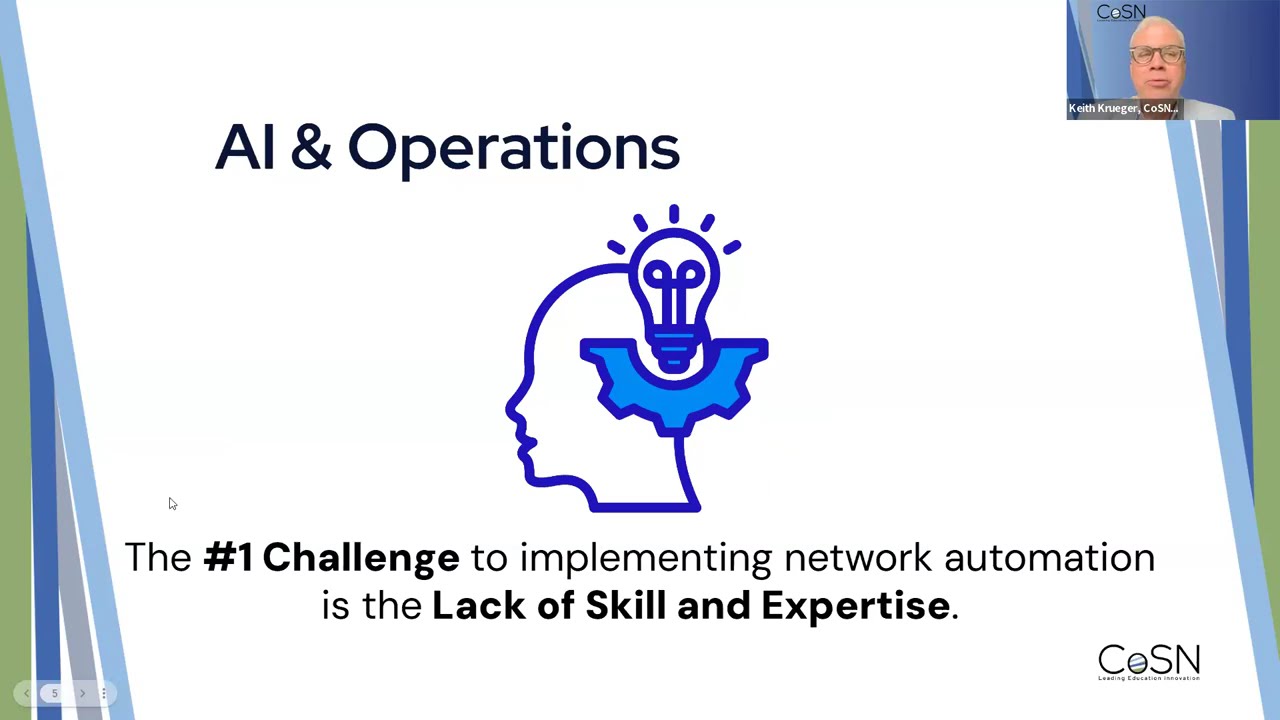
Play video: AI, Automation, and the Future of K–12 Networks Insights from CoSN’s Latest Survey Webinar (57 minutes 5 seconds)57:05
AI, Automation, and the Future of K–12 Networks Insights from CoSN’s Latest Survey Webinar57 min 5 sCoSNweb on YouTube

CoSNweb – AI, Automation, and the Future of K–12 Networks Insights from CoSN’s Latest Survey Webinar (Play video)

Closing Thought:

Together, CoSN’s podcast and webinar demonstrate that the future of K–12 networks isn’t about replacing people with machines—it’s about empowering educators and technologists to lead responsibly, securely, and strategically in the age of intelligent automation.

Subscribe to edCircuit to stay up to date on all of our shows, podcasts, news, and thought leadership articles.

October 24, 2025 0 comments
0 FacebookTwitterPinterestLinkedinWhatsappCopy LinkEmail
A teacher stands near students using laptops in a classroom. She gestures toward a laptop displaying digital icons representing files, chat, analytics, and checklists, illustrating technology in education.
Hot Topics - controversialK-12

Breaking Down Learning Platforms: What You Need to Know

by EdCircuit Staff October 24, 2025
written by EdCircuit Staff 3 minutes read

When educators talk about learning platforms, they’re describing more than just a single tool. A learning platform is an integrated digital environment that supports the design, delivery, and management of instruction. It connects teachers, students, administrators, and families—serving as the “home base” where learning happens.

Unlike standalone apps, a learning platform acts as the ecosystem: it houses content, facilitates communication, tracks progress, and integrates with other educational technologies.

What a Learning Platform Includes

  1. Content & Curriculum Delivery

    • Lesson plans, assignments, multimedia, and digital textbooks.

    • Access from any device, anywhere.

  2. Communication & Collaboration Tools

    • Messaging, discussion boards, announcements, and parent portals.

    • Synchronous tools (video, chat) and asynchronous spaces (forums, recordings).

  3. Assessment & Feedback Systems

    • Quizzes, rubrics, projects, and AI-enabled formative feedback.

    • Progress tracking that feeds into gradebooks or district SIS systems.

  4. Analytics & Data Dashboards

    • Monitoring student engagement and achievement.

    • Highlighting trends for early interventions.

  5. Integration with EdTech Tools

    • Plug-ins for apps, simulations, or adaptive programs via standards like LTI or xAPI.

  6. Governance & Security

    • Privacy and compliance frameworks to safeguard student information.

Why Learning Platforms Matter for K–12

  • For teachers, they provide structure and simplify digital instruction.

  • For students, they create consistency, clarity, and a single place to learn and interact.

  • For families, they open a window into progress and expectations.

  • For administrators, they generate actionable data for school improvement and equity planning.

In short: a learning platform is the glue that keeps modern classrooms connected.

Learning Platforms vs. LMS

It’s easy to confuse a Learning Management System (LMS) with a learning platform. Here’s the distinction:

  • An LMS is a system for organizing courses, assignments, and grades.

  • A learning platform is a broader environment that can include an LMS but also integrates content libraries, adaptive tools, communication apps, and district systems into one ecosystem.

Think of it this way:

  • LMS = Course hub

  • Learning Platform = Entire campus online

The Role of AI in Learning Platforms

Recent advances in AI are accelerating how learning platforms evolve:

  • Personalization: AI adapts lessons and resources to student needs in real time.

  • Efficiency: Copilots draft lessons, rubrics, or family communications inside the platform.

  • Analytics: Machine learning identifies trends in attendance, performance, or engagement.

  • Accessibility: Tools automatically generate captions, summaries, or translations.

These developments turn platforms into dynamic ecosystems that not only deliver instruction but also anticipate and respond to student needs.

Challenges in Implementing Learning Platforms

  • Equity of Access: Students need reliable devices and connectivity.

  • Professional Development: Teachers need support to use features effectively.

  • Interoperability: Districts must demand open standards (LTI, xAPI) to avoid silos.

  • Privacy & Trust: AI-powered features must be transparent, secure, and compliant.

The Future of Learning Platforms

The next generation of learning platforms will:

  • Seamlessly connect in-school, after-school, and community-based learning.

  • Integrate career readiness, micro-credentials, and competency-based progression.

  • Use AI to support—not replace—teacher judgment, giving educators back time for human connection.

The Bottom Line

A learning platform is more than software; it’s a digital ecosystem for teaching and learning. For districts, the right platform can mean the difference between fragmented tools and a coherent learning strategy. For teachers, it’s the place where they regain clarity. For students, it’s the structure that helps them thrive.

The future is clear: as classrooms blend physical and digital, the learning platform will remain the foundation of connected, equitable education.

Subscribe to edCircuit to stay up to date on all of our shows, podcasts, news, and thought leadership articles.

October 24, 2025 0 comments
0 FacebookTwitterPinterestLinkedinWhatsappCopy LinkEmail
How Schools Can Teach Cybersecurity (Middle & High School) During Cybersecurity Awareness Month
K-12 TeachersHot Topics - controversialDigital CitizenshipCybersecurityK-12Bullying

How Schools Can Teach Cybersecurity During Cybersecurity Awareness Month

by EdCircuit Staff October 23, 2025
written by EdCircuit Staff 6 minutes read

October is Cybersecurity Awareness Month, and it’s the perfect time for schools to turn awareness into action. Every click, password, and post shapes how safely students move through the digital world. For middle and high schoolers, life online is constant—classwork, friendships, and future careers all depend on technology. That’s why cybersecurity instruction is now as essential as reading, writing, and digital citizenship.

A strong program should demystify threats, build safe habits, and empower students to recognize and respond when something goes wrong.

Cybersecurity isn’t just an IT department issue—it’s a shared responsibility across classrooms, homes, and communities. During Cybersecurity Awareness Month, schools can take simple, practical steps to build digital resilience. The following classroom strategies and safety lessons help teachers, parents, and students turn awareness into lifelong habits.

Topic 1: Ransomware—How It Works and Why It Targets Schools

What students should know (plain language):
Ransomware locks files and systems until a payment is made. Attackers often target schools because they run many devices, rely on legacy systems, and need quick access to records.

Classroom mini-lab (15–20 min)

  • Show a fictional timeline: phishing email → one click → malware executes → network shares encrypt → downtime ripple (grades, buses, meal systems).

  • Map the “kill chain” and insert defenses: email filtering, user awareness, least-privilege accounts, offline/backed-up copies.

Habit to teach:
Never run unknown attachments or install software on school devices. Report suspicious emails immediately.

Extension:
Have students design a 1-page “Business Continuity” poster: what stays available if systems go down (paper roll call, offline lesson plan, printed emergency contacts).

Topic 2: Passwords, Passphrases & MFA

Core skills

  • Use passphrases (4–6 random words or ~16+ chars).

  • Avoid reuse across school, gaming, and personal accounts.

  • Turn on multi-factor authentication (MFA) wherever possible.

In-class activity

  • Convert weak passwords into strong passphrases (no personal info).

  • Demonstrate how a password manager stores unique credentials (teacher demo; students create a practice “vault” on paper).

Family take-home

  • “Account audit” checklist: students list critical accounts (email, LMS, gaming) and mark where MFA is enabled.

Topic 3: Public Wi-Fi & Safer Networking

Teach the risks:
Public networks can be monitored; fake hotspots (“Evil Twin”) can mimic trusted networks.

Student guidance

  • Avoid logging into sensitive accounts over public Wi-Fi.

  • Prefer personal hotspots when possible.

  • Keep “auto-join” off and disable file sharing/Airdrop to “Contacts Only.”

  • Update devices regularly.

Quick demo:
Show how to view saved networks and forget unknown ones; discuss when a VPN is appropriate and its limits (it’s not a magic shield).

Topic 4: Phishing, Spear Phishing & Social Engineering

Recognize the tells:
Urgency, “too-good-to-be-true” offers, mismatched URLs, odd sender addresses, unexpected attachments, typos, or requests for credentials.

Interactive exercise

  • Display 5 email/SMS examples (some real, some fake).

  • Students vote: Phish or Legit?

  • Annotate red flags (hover over links, check domain spelling, look for generic greetings).

Golden rule:
Never enter credentials through a link you didn’t initiate. Instead, navigate directly to the known site or app.

Topic 5: Malware Safety (Beyond Phishing)

Common vectors:
Bundled installers from sketchy download sites, browser extensions, game mods, and mobile sideloading.

Student checklist

  • Download from official stores only.

  • Review permissions for apps/extensions.

  • Keep an updated antivirus/endpoint agent (school-managed is best).

  • Report slow performance or pop-ups to IT, not just friends.

Topic 6: Cyberbullying—Safety, Empathy, and Action

Frame it clearly:
Cyberbullying includes harassment, doxxing, rumor-spreading, impersonation, exclusion, and non-consensual sharing.

What students need:

  • See it: Recognize behaviors and the harm they cause.

  • Stop it: Don’t forward, like, or pile on.

  • Save it: Screenshot/record dates, handles, links.

  • Say it: Report via school channels; seek adult support.

Role-play protocol:
Small groups practice how to support a peer, how to document incidents, and how to report (counselor, admin, platform tools). Reinforce school policies and local laws without fear-mongering.

Parent/guardian corner:
Provide a short guide with signs of distress, how to initiate calm conversations, how to preserve evidence, and when to escalate.

Topic 7: When an Email or Account Is Hacked

Teach a simple incident playbook (print this)

  1. Stop: Disconnect from Wi-Fi; don’t keep clicking.

  2. Signal: Tell a trusted adult/IT immediately.

  3. Secure: Change the password on a safe device; enable MFA.

  4. Scan: Run security checks on the affected device.

  5. Survey: Review sent mail, filters/forwarders, recovery phone/email.

  6. Speak up: Notify contacts if spam went out from your account.

Practice:
Have students rehearse steps with a fictional scenario (compromised email that auto-forwards to attacker).

Assessment & Evidence of Learning

  • Exit tickets: Identify two phishing red flags and one action if unsure.

  • Scenario quiz: Choose the correct response to public Wi-Fi prompts, shady downloads, or urgent “admin” emails.

  • Project: Groups create a 60-second PSA video on one topic (phishing, ransomware, cyberbullying).

  • Reflection: “Three changes I’ll make this week to protect my accounts.”

Family & School Partnership

  • Family Cyber Contract: Device curfew, no-surprises rule (“Tell me first, not last”), shared responsibility for updates and backups.

  • Monthly Update Habit: Pick the 1st school day each month to run updates, review MFA, and change one important passphrase.

  • Visible Reporting Paths: Posters in classrooms and LMS pages with “How to report a cyber incident” (one tap/click).

Free Science Safety Cybersecurity Modules (Students, Teachers, Families)

To make this turnkey, Science Safety is offering free, short, role-based modules you can assign during Cybersecurity Awareness Month (and beyond):

For Students (Grades 6–8, 9–12)

  • Cyberbullying
  • Cybersecurity and Schools: Best Practices
  • Malware Safety
  • Phishing Attacks 
  • Hacked Emails 
  • Public Wi-Fi Security 
  • Password Security
  • Ransomware – Malware in Schools 
  • School Cyber Attacks
  • Social Media Guideline: 13 and Older
  • Social Engineering 
  • Video Conferencing 

For Teachers

  • Classroom Cyber Hygiene: Updating devices, managing extensions, safer link practices.

  • Phishing Simulations 101: How to run low-stakes, high-learning exercises.

  • Incident First Response: What to do, what to document, who to notify.

For Families

  • Home Network Basics: Router updates, guest networks, device inventories.

  • Family Cyber Contract: Conversation prompts and printable agreement.

  • App & Game Settings: Privacy, chat, and purchase controls.

Suggested implementation plan (one week)

  • Mon: Kickoff + Student Module: Spot the Phish

  • Tue: Passwords/Passphrases + MFA enablement challenge

  • Wed: Public Wi-Fi demo + take-home Family Cyber Contract

  • Thu: Cyberbullying PSA workshop + reporting pathways

  • Fri: “Hacked Account” tabletop drill + reflection exit ticket

Equity, Inclusion, and Accessibility Notes

  • Offer transcripts and captions for all videos; avoid jargon in student materials.

  • Include analog alternatives (printed guides) for low-bandwidth homes.

  • Address cultural and language needs with translated parent handouts.

  • Reinforce that reporting is supportive, not punitive; emphasize empathy and help-seeking.

Policy & Compliance Touchpoints (Brief)

  • Reinforce alignment with FERPA (student data privacy) and COPPA (under-13 data).

  • Keep student products (PSAs, screenshots) free of identifying info unless you have consent.

  • Maintain clear reporting/retention procedures for harassment evidence.

Call to Action

Make Cybersecurity Awareness Month the starting line, not the finish. Adopt a simple, repeatable rhythm—monthly updates, quarterly phishing refreshers, and annual student/family modules—so safe habits become automatic.

Ready to launch? Assign the free Science Safety cybersecurity modules to students, teachers, and families this week, and publish your classroom-friendly reporting pathway where everyone can find it.

Subscribe to edCircuit to stay up to date on all of our shows, podcasts, news, and thought leadership articles.

October 23, 2025 0 comments
0 FacebookTwitterPinterestLinkedinWhatsappCopy LinkEmail
AI and school budgets: an AI hand stops scissors from cutting a budget strip of teachers, labs, music and art while AI light rearranges the money into a smarter plan
K-12Hot Topics - controversialArtificial Intelligence

Planning Smarter, Not Cutting Deeper: AI and the Future of School Budgets

by EdCircuit Staff October 23, 2025
written by EdCircuit Staff 5 minutes read

For decades, when school budgets shrank, the same pattern repeated: cut teachers, delay technology upgrades, and eliminate electives. As explored in our companion article, “The Cost of Cuts: How Budget Decisions Reshape the Classroom Experience,” these decisions ripple through labs, music rooms, and athletic fields in ways that weaken the student experience.

But today, districts have an alternative. With the rise of artificial intelligence and smarter planning tools, schools can reimagine how to save money without sacrificing classrooms. Instead of balancing budgets on the backs of teachers and students, leaders can use data-driven strategies to reduce costs in ways that protect opportunities.

Where Schools Traditionally Cut

When district budgets tighten, the cuts are often predictable:

  • Teachers and support staff are reduced, driving up class sizes and limiting student attention.

  • Technology initiatives are delayed or scaled back, even as classrooms become more digital.

  • Electives and extracurriculars — music, art, athletics, and language programs — are reduced or eliminated, despite their proven value in student engagement.

These cuts may look practical on paper, but they come at a high cost. The Learning Policy Institute estimates that replacing a single teacher in a large district can cost nearly $25,000 once separation, recruitment, and training are included. High turnover is already straining schools: between October 2022 and October 2023, about 23% of teachers left their school or role in large-district studies. Cuts that increase stress or workload only accelerate this cycle — one that costs money, damages morale, and ultimately harms students.

AI as a Strategic Ally

Artificial intelligence is rapidly becoming a powerful tool for schools — not just in classrooms but in operations and financial planning. With the right systems in place, AI can help districts save money without sacrificing educational quality.

  • Forecast Enrollment More Accurately
    AI can analyze housing patterns, demographic trends, and migration data to predict enrollment shifts. Accurate forecasting allows districts to staff appropriately, avoiding the costs of overstaffing or the disruptions of understaffing.

  • Optimize Staffing and Scheduling
    Staffing makes up the bulk of any district’s budget. AI can streamline scheduling, ensuring teacher assignments match student needs and reducing reliance on overtime or last-minute substitutes. Smarter scheduling also helps protect teacher morale, lowering the risk of costly turnover.

  • Reduce Energy and Utility Costs
    AI-powered energy management systems can cut expenses dramatically. Hillsborough County Public Schools in Florida, for example, implemented smart lighting and monitoring systems and are projected to save more than $8 million annually. 

  • Streamline Transportation
    AI can design more efficient bus routes, taking into account traffic, geography, and ridership patterns. This not only lowers fuel and maintenance costs but also reduces commute times for students — a rare example of a cost-saving measure that improves, rather than diminishes, student experience.

Reimagining Internal Efficiencies

AI is only part of the solution. District leaders must also be willing to take a hard look at their own structures. In professional sports, star athletes sometimes take pay cuts to keep rosters intact. School systems can apply the same principle: look for internal efficiencies before cutting programs that shape student lives.

Options include:

  • Consolidating district-level roles and reducing administrative overhead.

  • Sharing services across districts for transportation, special education, or purchasing.

  • Automating back-office tasks like procurement and payroll to free up staff time.

  • Renegotiating vendor contracts to eliminate duplication and hidden costs.

Every dollar saved at the administrative level is a dollar that doesn’t need to come from the classroom.

The Role of Data Transparency

One reason budget cuts often spark frustration is that they feel opaque to families and staff. Parents see programs disappearing but rarely see the alternatives that were considered. AI and data visualization tools can change this dynamic, creating public dashboards that show exactly where money flows and how decisions impact students.

This kind of transparency builds trust. When communities see that leaders have explored every internal option before cutting a program, they are more likely to support tough decisions. Transparency also invites creative solutions from parents, teachers, and students, who often see opportunities for efficiency that leaders might miss.

Protecting Teachers and Technology

In difficult times, it is tempting to view teachers and technology as flexible line items — easy to trim when funds run short. But these areas are the backbone of 21st-century education.

Cutting teachers only accelerates the costly turnover cycle. Some districts spend up to $24,930 per teacher replacement, and states like New York report turnover rates of 14% overall and 22% among early-career teachers. Meanwhile, scaling back technology leaves students unprepared for college and careers that demand digital fluency.

Rather than targeting these critical resources, districts should treat them as untouchable — the foundation around which all other efficiencies must be built.

Shifting the Conversation

The history of school budgeting has been one of scarcity: deciding which programs to cut to survive another year. But the rise of AI and smarter planning offers a new path forward — one focused on sustainability, efficiency, and protecting student experience.

This shift requires a change in mindset. Leaders must resist the reflex to slash classroom-facing programs and instead ask: Where can we be leaner, smarter, and more innovative internally without harming what happens between teachers and students each day?

Conclusion

The future of budgeting in education cannot simply be about making smaller classrooms, silenced music rooms, or abandoned programs. As argued in our earlier piece on budget cuts, protecting the classroom must always come first. What makes this moment different is that leaders now have tools — AI, efficiency strategies, and transparent data — that allow them to look inward before cutting outward.

When budgets tighten, the question isn’t just what to cut, but how to adapt. And adaptation, done wisely, means students keep the opportunities they deserve.

Subscribe to edCircuit to stay up to date on all of our shows, podcasts, news, and thought leadership articles.

October 23, 2025 0 comments
0 FacebookTwitterPinterestLinkedinWhatsappCopy LinkEmail
Four teenagers sit around a table in a cafeteria, smiling and playing cards. Food trays with meals are in front of them, and a “No Cellphones” sign is visible on the wall behind them.
Hot Topics - controversialK-12

The Phone-Free Push: How ‘Bell-to-Bell’ Cellphone Limits Are Changing School Culture

by EdCircuit Staff October 22, 2025
written by EdCircuit Staff 5 minutes read

Cellphones have gone from luxury devices to near-universal companions in just over a decade. By 2025, 95% of U.S. teens reported owning or having access to a smartphone. That reality has transformed schools, where buzzing notifications, TikTok trends, and group chats compete with lessons for attention.

Now, a wave of state-level policies is reshaping how schools approach phones. California, Virginia, Texas, Oregon, and several others have passed laws or executive orders that restrict student cellphone use during the school day. Ohio joined them in 2024, requiring every public district, charter school, and STEM school to adopt phone bans by January 1, 2026.

Ohio’s position in the Midwest makes it a bellwether. With more than 1.6 million K–12 students, its rollout will test whether statewide bans can be enforced equitably in suburban, urban, and rural districts. Policymakers and educators across the nation are watching closely.

Why States Are Acting

The Case for Academic Focus

Decades of research suggest that limiting in-class cellphone use can boost learning, particularly for students who struggle the most. Studies show exam scores improving when phones are banned, with the strongest gains among lower-achieving students. International agencies such as UNESCO recommend restricting phones unless they clearly enhance instruction.

The Case for Social and Emotional Health

State leaders also cite youth mental health. While research on direct links between school bans and well-being is still mixed, many policymakers argue that limiting constant exposure to social media during the day reduces bullying, anxiety, and distraction.

The Case for School Climate

Finally, there’s culture. From Louisville, KY to Dublin, OH, administrators describe a striking change when phones are off the table: louder cafeterias, board games making a comeback, and students lingering in the library rather than scrolling.

Ohio’s Approach in Detail

Ohio’s law is one of the most comprehensive in the nation.

  • Deadline: By Jan. 1, 2026, all districts must have a posted policy prohibiting phones during the instructional day.

  • Exceptions: Students with documented health needs, IEP/504 accommodations, or emergency protocols must be allowed access.

  • Public Accountability: Any district adopting a policy after Sept. 30, 2025 must do so in a public board meeting.

Early Adopters in Ohio

  • Beavercreek City Schools: Phones locked in Yondr pouches (this link no longer available). Administrators say students are more engaged, but the pouches cost money and require logistics.

  • Kettering City Schools: Phones prohibited during the school day. Teachers report fewer classroom disruptions tied to texting or social media.

  • Dublin City Schools: Cafeterias described as “loud again,” with more face-to-face student interaction.

These examples show both promise and challenges. Some parents express relief; others raise concerns about emergencies or pickup logistics. Teachers value fewer distractions but worry about enforcement inconsistencies.

A Broader National Picture

Ohio’s law joins a growing patchwork of state mandates

  • California: The “Phone-Free School Act” (AB 3216) requires districts to adopt restrictions by July 2026.

  • Virginia: Codified “bell-to-bell” bans in May 2025, mandating phone-free instruction across all districts.

  • Texas: HB 1481 requires districts to prohibit personal device use during the school day by Sept. 2025.

  • Oregon: Executive Order 25-09 requires phone bans during school hours, in full effect by Jan. 2026.

  • Florida & Indiana: Both passed legislation in 2024 requiring schools to limit phone use during instructional time, citing academic performance and student well-being.

Together, these laws mark a clear policy shift: student access to phones at school is no longer a matter of individual teacher discretion but a state-level mandate.

Daily Life Without Phones: What Changes?

In Class

  • More “time on task” as teachers reclaim minutes once lost to phone checks.

  • Fewer discipline referrals tied to texting or social media.

  • Greater teacher authority, as rules apply across classrooms rather than teacher by teacher.

At Lunch and Between Classes

  • Students playing cards, board games, or just talking.

  • Library checkouts rising in some schools—one Kentucky high school reported a 67% increase after a ban.

  • Fewer conflicts sparked by Snapchat or Instagram during the school day.

At Home

  • Parents notice screen time remains high in evenings and weekends. Bans don’t necessarily reduce overall use—they simply shift when and where it happens.

  • Families still want a clear way to reach their children during emergencies, which districts must provide through office phones or nurse stations.

Enforcement: The Tricky Part

Every state, Ohio included, faces the same question: what happens when a student gets caught?

  • First offense: Confiscation until end of day.

  • Repeat offenses: Detention or parent pickup.

  • Tampering with pouches: Escalated discipline such as suspension.

Ohio’s Department of Education makes an important distinction: schools may confiscate phones but cannot search their contents unless specific safety or misconduct concerns justify it. That legal nuance is crucial for staff training.

The Tools Districts Debate

  1. Pouch Systems

    • Pros: Keeps phones with students but locked.

    • Cons: Costs $25–$35 per student, plus replacements.

  2. Lockers or Storage Bins

    • Pros: Lower long-term cost.

    • Cons: Logistical challenges at arrival and dismissal.

  3. Policy-Only Bans

    • Pros: No new expenses.

    • Cons: Enforcement varies, often falling unevenly on teachers.

What District Leaders Should Do Now

For superintendents, principals, and school boards, a few lessons stand out:

  1. Pilot in 2025 – Test policies in a single grade or building before the statewide deadline.

  2. Budget realistically – Don’t underestimate the costs of pouches, lockers, or training.

  3. Communicate early – Parents need clarity on how emergencies will be handled.

  4. Train for consistency – A progressive discipline ladder must be applied evenly to work.

  5. Pair bans with education – Teach digital citizenship so students learn how to manage devices responsibly outside of school hours.

  6. Track data – Publish before-and-after metrics on engagement, discipline, and academic outcomes. Transparency builds trust.

The Big Picture

Ohio may be the most closely watched test case yet. If its rollout is successful—showing that bans improve focus, restore social interaction, and maintain parent trust—it could accelerate a national trend. If it falters, other states may hesitate.

Either way, the phone-free movement represents one of the most significant cultural shifts in American schools since the one-to-one laptop boom. Where once schools rushed to integrate devices, they are now drawing lines to create space for conversation, focus, and community.

For parents, teachers, administrators, and policymakers, the question is no longer whether phones belong in schools, but how far we’re willing to go to keep them out of students’ hands from bell to bell.

Play video: Ohio bans cellphones in schools (1 minute 14 seconds)1:14
Ohio bans cellphones in schools1 min 14 sFOX19 NOW | Cincinnati on YouTube

LIVE FOX19 NOW | Cincinnati – Ohio bans cellphones in schools (Play video)

Subscribe to edCircuit to stay up to date on all of our shows, podcasts, news, and thought leadership articles.

October 22, 2025 0 comments
0 FacebookTwitterPinterestLinkedinWhatsappCopy LinkEmail
When the Cloud Goes Dark: How the AWS Outage Tested Schools’ Digital Resilience
Hot Topics - controversialK-12

When the Cloud Goes Dark: How the AWS Outage Tested Schools’ Digital Resilience

by EdCircuit Staff October 21, 2025
written by EdCircuit Staff 6 minutes read

Just after 10 a.m. ET on October 20, millions of users across the United States began seeing “service unavailable” errors from apps that power daily life. Amazon Web Services —host to much of the modern internet—experienced a major disruption in its US-EAST-1 region after an internal traffic-management and DNS monitoring fault

The Day the Classroom Blinked Offline

While banks, retailers, and streaming platforms were hit, the educational impact was immediate. Canvas, one of the world’s most widely used learning-management systems, went dark. Districts from Missouri to North Carolina reported teachers unable to access assignments, gradebooks, or parent communication tools.

The Associated Press reported that the outage lasted several hours before full recovery, with Amazon confirming that “connectivity issues in a single region” had triggered the domino effect. Local coverage from KY3 News in the Ozarks described how educators lost access to the cloud-based classroom tool used by thousands of students: “It really shows how much we rely on these systems,” one teacher said.

At the University of Oklahoma, OKC Fox noted students were locked out of Canvas entirely, with professors emailing that classes would proceed “old-school—paper and discussion.” WFMY News 2 even reported a local restaurant and nearby schools sharing the same struggle: “Everything from lunch orders to lesson plans was offline.”

A Lesson in Over-Reliance

For decades, technology integration has been a central education goal. The AWS outage was a stark reminder that progress also brings fragility.

In the rush to digital transformation, schools built a tech stack that depends on invisible infrastructure—servers owned not by districts, but by cloud providers. When those providers falter, instruction stalls.

As NPR observed, “the AWS disruption cascaded through the education sector, disabling platforms that teachers and students depend on for real-time assignments and grades.” The episode revealed a paradox: districts have invested millions in 1:1 devices, Wi-Fi, and LMS access, but relatively little in continuity planning—the operational equivalent of a digital generator.

That’s where the real lesson lies. Outages aren’t hypothetical. They’re inevitable. The difference between chaos and continuity lies in preparation.

When the Network Fails, Leadership Takes the Field

Administrators often talk about emergency plans for weather, security, or transportation—but few have equivalent playbooks for cloud outages. The AWS disruption shows that “digital snow days” require a proactive mindset.

Educators who managed the day successfully often credited flexibility and communication. A Missouri principal told KY3 reporters that his staff “pivoted pretty easily away from some of the tools they may be using,” focusing instead on direct teaching and discussion.

That adaptability is leadership in action: a recognition that teaching doesn’t stop when the Wi-Fi does. It simply changes form.

For administrators, this moment underscores the importance of resilience not just in infrastructure, but in culture. Schools that empower teachers to make quick decisions—to go analog, to communicate transparently, to stay calm—are the ones that maintain student trust during disruption.

Five Ways to Build a Resilient Digital Learning Plan

1. Map Your Dependencies

Create an inventory of all software tools your school or district uses and identify which depend on cloud hosts like AWS, Google Cloud, or Microsoft Azure. Determine which systems are mission-critical—attendance, LMS, gradebooks—and which can go offline with minimal disruption.

2. Establish an Offline Mode

Teachers should always have a “Plan B” assignment ready: printable activities, journal prompts, or project tasks that don’t rely on connectivity. For example, a science teacher might prepare a data-analysis worksheet that can be completed with a textbook or printed tables if digital simulations go down.

3. Run Tech-Failure Drills

Just as schools run fire drills, schedule “tech outage drills.” Ask teachers to simulate a 30-minute LMS loss. How would they adjust? Could they continue instruction? These simulations turn uncertainty into muscle memory.

4. Strengthen Communication Channels

Develop a tiered communication plan:

  • Primary: official district alerts and website banners

  • Secondary: automated phone or SMS systems that don’t rely on the same servers as your LMS

  • Tertiary: backup Google Groups, newsletters, or in-person homeroom announcements

Transparency during an outage builds community trust.

5. Review, Reflect, and Document

After each disruption, hold a debrief. What worked? What failed? Did staff have the right contacts? Did students know where to find information? Incorporate these lessons into your district’s learning-continuity plan—much like CoSN’s Building Your Learning Continuity Plan or Business Continuity Plan framework emphasizes.

For Teachers: Making Learning Portable

Educators can take immediate, classroom-level steps to reduce vulnerability:

  • Design assignments that can migrate between online and offline formats.

  • Keep a paper gradebook or export digital grades weekly to a secure offline file.

  • Save essential files to local drives or USBs for emergency access.

  • Teach students how to document their own work progress offline (in notebooks or binders) if digital submission isn’t possible.

These habits not only guard against outages—they teach digital citizenship and responsibility, showing students that technology is a tool, not a crutch.

For Administrators: Rethinking Continuity as a Core Competency

District leaders should treat learning continuity with the same seriousness as financial or data-security planning. That includes:

  • Creating a Continuity of Learning Plan (CLP) aligned with your Business Continuity Plan (BCP).

  • Hosting annual reviews with IT and instructional teams.

  • Ensuring vendors include outage-response protocols in contracts.

  • Budgeting for redundant systems or alternative platforms when feasible.

Cloud resilience isn’t only an IT issue—it’s an instructional equity issue. Students without home internet access are disproportionately affected when online systems fail. Planning protects the most vulnerable learners.

Turning Outages into Opportunities

While the AWS outage caused understandable frustration, it also provided a rare teachable moment. Teachers and administrators were reminded that creativity and human connection—not bandwidth—drive learning.

In classrooms where teachers improvised discussions, peer collaboration, or reflective writing, students engaged deeply despite the outage. Those moments reaffirmed that technology should amplify good teaching, not replace it.
As one North Carolina teacher told WFMY News 2: “It’s funny—without screens, we talked more. Maybe that’s not such a bad reset.”

Looking Ahead

Amazon restored full functionality by late afternoon, promising an internal review to “prevent recurrence.” But for education leaders, the takeaway isn’t to wait for AWS’s fix—it’s to build their own resilience.

The next disruption—whether cyberattack, power loss, or another cloud failure—isn’t a matter of if, but when. The schools that will thrive are those that prepare, communicate, and adapt.

Because when the cloud goes dark, what truly matters still shines through: educators’ ability to keep learning alive.

Further Reading:

Explore CoSN’s comprehensive guide, Building Your Learning Continuity Plan or Business Continuity Plan, for a step-by-step framework on developing resilient systems, defining activation criteria, and documenting response protocols for future disruptions.

Play video: Eight million users flag problems following AWS outage (2 minutes 23 seconds)2:23
Eight million users flag problems following AWS outage2 min 23 sCNBC Television on YouTube

CNBC Television – Eight million users flag problems following AWS outage (Play video)

Subscribe to edCircuit to stay up to date on all of our shows, podcasts, news, and thought leadership articles.

October 21, 2025 0 comments
0 FacebookTwitterPinterestLinkedinWhatsappCopy LinkEmail
Newer Posts
Older Posts

Participate

  • Contribute
  • Sponsor
  • Submit Release
  • Subscribe
  • Get Interviewed

We value your privacy

We use cookies to enhance your browsing experience, serve personalized ads or content, and analyze our traffic. By clicking "Accept All", you consent to our use of cookies.

Customize
  • Needed for the site to work: signing in, the cart, your consent choice. Always on.

    8 cookies
    • ss_consent 1 yearYour cookie choice on this site, so you are not asked again.
    • wordpress_logged_in_* 2 days, or 14 days with "remember me"Keeps you signed in as you move between pages.
    • wordpress_sec_* 2 days, or 14 days with "remember me"The secure half of your sign-in.
    • wordpress_test_cookie SessionChecks that your browser accepts cookies when you sign in.
    • wp-settings-* 1 yearYour display settings when signed in.
    • wp_woocommerce_session_* 2 daysYour shopping session: the cart and the checkout.
    • woocommerce_cart_hash SessionTells the site whether your cart has changed.
    • woocommerce_items_in_cart SessionWhether your cart holds anything.
  • Remembers choices you make, such as a language or a region, and supports features like live chat.

    1 cookie
    • woocommerce_recently_viewed SessionThe products you looked at, so the site can show them again.
  • Helps us understand how visitors use the site: which pages are read, and for how long.

    2 cookies
    • _ga 2 yearsGoogle Analytics: tells one visitor from another. Set only after you allow analytics.
    • _ga_* 2 yearsGoogle Analytics: keeps your session state. Set only after you allow analytics.
  • Measures how fast pages load so we can make them faster.

  • Used to show you content and offers that match your interests, on this site and elsewhere.

    1 cookie
    • sbjs_* SessionWooCommerce order attribution: where you came from, so a purchase can be credited to the campaign or site that sent you.

Your browser asks us not to sell or share your information (Global Privacy Control), so advertising cookies stay off.

Do not sell or share my personal information

Some cookies from other companies help show you offers on other sites. Tick the box and save your preference to opt out of that sharing; untick it to opt back in at any time.

Your browser sends Global Privacy Control, so this preference is set for you and cannot be changed here.

Sign In

Keep me signed in until I sign out

Forgot your password?

Password Recovery

A new password will be emailed to you.

Have received a new password? Login here

Shopping Cart

Close

No products in the cart.

Close
-
00:00
00:00

Queue

Update Required Flash plugin
-
00:00
00:00

Your cart (items: 0)

Products in cart

Product Details Total
Subtotal $0.00
Shipping and discounts calculated at checkout.
View cart
Go to checkout

Your shopping cart is empty

Return to shop

Notifications