


edCircuit
  • Start Here
    • Login
    • Register
    • Subscribe
    • Submit a Press release
    • Advertise or Sponsor
    • Contribute
    • Get Interviewed
  • On The Wire
  • K-12 Education
    • All K-12
    • K-12 Teachers
    • Teaching Strategies
    • Special Education and IEPs
    • Dyslexia
    • Gifted and Advanced Learning
    • Early Childhood, Pre-K and Kindergarten
    • School Calendar
    • Tutoring and Homework Help
    • Attendance and Absenteeism
    • After-School Programs
    • School Counselors
    • Homeschooling
    • School Models
    • Teacher Retention
    • Parents
    • Students
  • Teaching and Learning
    • Literacy and Reading
    • Math Education
    • Civics and History Education
    • Financial Literacy
    • Assessment and Testing
    • Curriculum and Instruction
    • Personalized Learning
    • Project-Based Learning
    • Social-Emotional Learning
    • Executive Function
    • Creativity
    • Diversity, Equity, Inclusion
  • Professional Development
    • All Professional Development
    • Educators
    • Administrators
    • edLeaders
  • Higher Education
    • All Higher Education
    • College Admissions
    • Career and Technical Education (CTE)
    • Graduation
    • FAFSA and Financial Aid
    • Student Loans
  • Artificial Intelligence
  • Cybersecurity
  • School Safety
    • All School Safety
    • Science and Lab Safety
    • School Design and Facilities
    • Bullying
    • Duty of Care and School Liability
  • Continuing Education
    • All Continuing Education
    • Online Certificate Programs
    • Teaching Jobs and Careers
    • Teacher Appreciation
  • Education Policy and Government
    • All Education Policy
    • Department of Education
    • School Choice
    • Global
    • Advocates
  • EdTech
    • All EdTech
    • Online Learning
    • Hybrid and Remote Learning
    • Augmented and Virtual Reality
    • ESports
    • Gamification and Game-Based Learning
    • Digital Citizenship
    • EdTech Entrepreneurs
    • Market Trends
    • Future of Education
  • STEM and STEAM Education
  • Media
    • EDU Shows
    • EDU Podcasts
    • Education Industry Guides and Reports
  • About edCircuit
  • Subscribe
edCircuit
  • LOGIN
Home Tags Posts tagged with "Headline"
Tag:

Headline

This if for posts to be in the featured/top section of site
Top AI tools for back to school 2026: a teacher taps one glowing app on her iPad while dozens of AI app icons float around her classroom desk
Artificial IntelligenceSchool CalendarK-12Hot Topics - controversial

Top AI Tools for Back to School in 2026

by EdCircuit Staff August 12, 2026
written by EdCircuit Staff 8 minutes read

AI tools for back to school are arriving with ambitious promises: faster planning, personalized learning, immediate feedback, and less administrative work. For educators already managing new students, new schedules, and new expectations, those promises are difficult to ignore.

But back-to-school season is also the wrong time to chase every new platform. Teachers do not need a larger collection of apps. They need a small number of approved tools that solve recurring problems, fit existing workflows, and protect the time and trust at the center of teaching.

The question is no longer, “What are the best AI tools?” It is, “Which tools have earned a place in our schools, and what specific problem will each one solve?”

A district may need to reduce lesson-planning time. A teacher may need to make grade-level content accessible to multilingual learners. A principal may want to analyze staff feedback. Students may need guided tutoring that strengthens their thinking without completing the work for them.

No single platform is the best answer to all of these needs. The most effective back-to-school strategy is to match each tool to a defined purpose.

Choose One Core AI Assistant

ChatGPT, Gemini, and Microsoft Copilot overlap in many ways. All three can draft materials, summarize documents, develop questions, analyze information, and support planning. Most schools do not need teachers switching among all three.

The best choice may be the one that aligns with the district’s existing technology environment.

ChatGPT for Teachers

ChatGPT for Teachers is a strong option for flexible, multistep work involving documents, research, images, data, and writing.

A teacher preparing for the first week of school could upload a course outline and ask ChatGPT to identify essential concepts, develop opening activities, create a family introduction, and build a student-friendly overview. The teacher can then revise the materials to reflect the curriculum, school expectations, and their own voice.

The teacher version includes a school-focused workspace, administrative controls, and education-grade privacy protections. It is free to verified U.S. K–12 educators through June 2027 but is not currently intended for student accounts.

Watch for: A polished response can still contain errors, weak questions, or assumptions that do not fit the classroom. Educators must verify every instructional resource before using it.

Gemini for Education and Gemini Notebook

Gemini for Education is a natural fit for schools working primarily in Google Workspace. It can assist with lesson planning, assessment development, communication, differentiation, and administrative work.

Gemini Notebook adds an important layer of source control. Teachers can upload standards, course readings, policies, presentations, websites, and other approved resources. The tool then generates summaries, study guides, questions, audio overviews, and other materials grounded in those sources.

A curriculum team, for example, could upload its pacing guide and required texts, then use Gemini Notebook to identify connections, develop discussion questions, and create a common study resource.

Watch for: Source-grounded does not mean teacher-approved. The accuracy, rigor, and instructional value of the final material still require professional review.

Microsoft Copilot

Microsoft Copilot for Education may be the most practical core assistant for districts already using Word, PowerPoint, Teams, OneDrive, and other Microsoft products.

A school leader could use Copilot to summarize a staff survey, organize common concerns, draft an agenda, and prepare follow-up questions. Teachers can use it to develop lesson resources, presentations, rubrics, and communications without leaving the Microsoft environment.

Watch for: Copilot capabilities vary by account type and license. District leaders should confirm which features, data protections, and administrative controls are actually available before rollout.

Reduce Workload Without Surrendering Judgment

General AI assistants are flexible, but education-specific platforms can make common teacher tasks easier to complete.

MagicSchool

MagicSchool provides guided tools for lesson plans, rubrics, assessments, accommodations, intervention plans, family communication, and other educator responsibilities.

Its structured approach is useful for teachers who are new to AI. Instead of writing a complex prompt, an educator can enter the grade, subject, objective, and desired format.

A new teacher might use MagicSchool to develop a first draft of a classroom procedure, opening lesson, or parent newsletter. The value is the starting point—not a finished product ready to distribute.

Watch for: Templates can make materials feel generic. Teachers must add local context, student needs, instructional priorities, and their own professional voice.

Brisk Teaching

Brisk Teaching is useful for educators who want AI support inside the materials they already use. It works with documents, presentations, PDFs, websites, videos, and Google and Microsoft tools.

A teacher reading an online article could use Brisk to create discussion questions, adjust the reading level, develop a quiz, or build a related lesson without copying the content into another platform. It can also help generate feedback on student writing.

Watch for: Speed can encourage overproduction. More worksheets, questions, and feedback are not automatically better. Teachers should generate only what advances the learning objective.

Make Grade-Level Learning More Accessible

Diffit

Diffit addresses one of the hardest classroom challenges: helping students with different reading abilities and language backgrounds engage with the same essential content.

Consider a middle school science class studying ecosystems. Rather than replacing the core text with a simpler topic, a teacher could use Diffit to create appropriate scaffolds, vocabulary support, comprehension questions, and accessible versions of the reading while preserving the scientific objective.

That distinction matters. Effective differentiation changes the pathway into the learning, not the expectation that meaningful learning will occur.

Watch for: Rewriting text can unintentionally remove important vocabulary, nuance, or disciplinary complexity. Teachers should compare adapted materials with the original before assigning them.

Put Guardrails Around Student-Facing AI

Student-facing AI requires more structure than teacher productivity tools. Giving students access to an open chatbot without a defined purpose is not an instructional strategy.

SchoolAI

SchoolAI allows teachers to create structured “Spaces” for activities, simulations, discussions, review, and guided practice. Its Mission Control feature helps teachers observe participation and identify where students may be confused or disengaged.

A history teacher could create a Space in which students question a simulated historical figure, compare the responses with primary sources, and identify where the AI’s interpretation may be incomplete.

That turns AI into an object of analysis rather than an unquestioned authority.

Watch for: Monitoring tools support teacher awareness but do not replace active supervision, clear expectations, or direct interaction with students.

Khanmigo

Khanmigo combines teacher-planning tools with tutoring connected to Khan Academy’s content library. Its student experience is designed to guide learners through questions and reasoning rather than immediately supplying an answer.

A mathematics teacher might use Khanmigo for guided practice after direct instruction, then review student progress to identify misconceptions requiring small-group support.

Student access generally requires parent enrollment or a participating school or district implementation.

Watch for: AI tutoring should supplement instruction, not replace teacher explanation, peer discussion, productive struggle, or hands-on learning.

Support Visual and Creative Work

Canva for Education can help educators create presentations, graphics, lesson materials, videos, and multimedia assignments.

Its AI features can accelerate early design work, but students should not be graded simply on the quality of an AI-generated image or template. Strong assignments require students to explain their choices, revise the output, verify information, and connect the final product to the learning objective.

Watch for: Visually impressive work can hide shallow thinking. Evaluate the reasoning and process behind the product, not just its appearance.

A Five-Question Test for Every AI Tool

Before introducing a platform, school leaders should ask:

  1. What educational problem will this tool solve?
  2. Does it fit the systems teachers already use?
  3. What student or employee information does it collect, retain, or use?
  4. Can teachers review and override its output?
  5. How will we determine whether it improved teaching or learning?

District approval must come before classroom experimentation with protected information. Educators should never enter student names, disability records, disciplinary information, confidential assessments, or other personally identifiable information into an unapproved AI platform.

The U.S. Department of Education’s Student Privacy Policy Office provides guidance for evaluating educational technology and understanding FERPA responsibilities.

A Smarter Back-to-School Rollout

Schools do not need to wait for a perfect districtwide AI plan before beginning a careful, limited pilot. They do, however, need a disciplined starting point.

During the first month, identify one recurring problem, select one approved tool, and test it with a small group of educators. Collect examples of what worked, what required correction, how much time was actually saved, and whether the final result improved instruction.

Student-facing use should follow only after expectations, age requirements, privacy protections, teacher oversight, and learning objectives are clearly established.

The schools that lead effectively with AI will not be the ones with the longest list of subscriptions. They will be the ones where educators can explain why a tool is being used, what learning it supports, what information it collects, and which decisions remain human.

Start with one problem. Choose the tool intentionally. Keep the teacher responsible for the final decision.

AI should provide educators with more time for judgment, creativity, feedback, and relationships—the work no platform can replace.

Editor’s Note: edCircuit is vendor-neutral and does not endorse any product, platform, or service mentioned in this article. Specific solutions are included solely to provide context and help readers evaluate the current AI landscape.

Subscribe to edCircuit to stay up to date on all of our shows, podcasts, news, and thought leadership articles.

August 12, 2026 0 comments
0 FacebookTwitterPinterestLinkedinWhatsappCopy LinkEmail
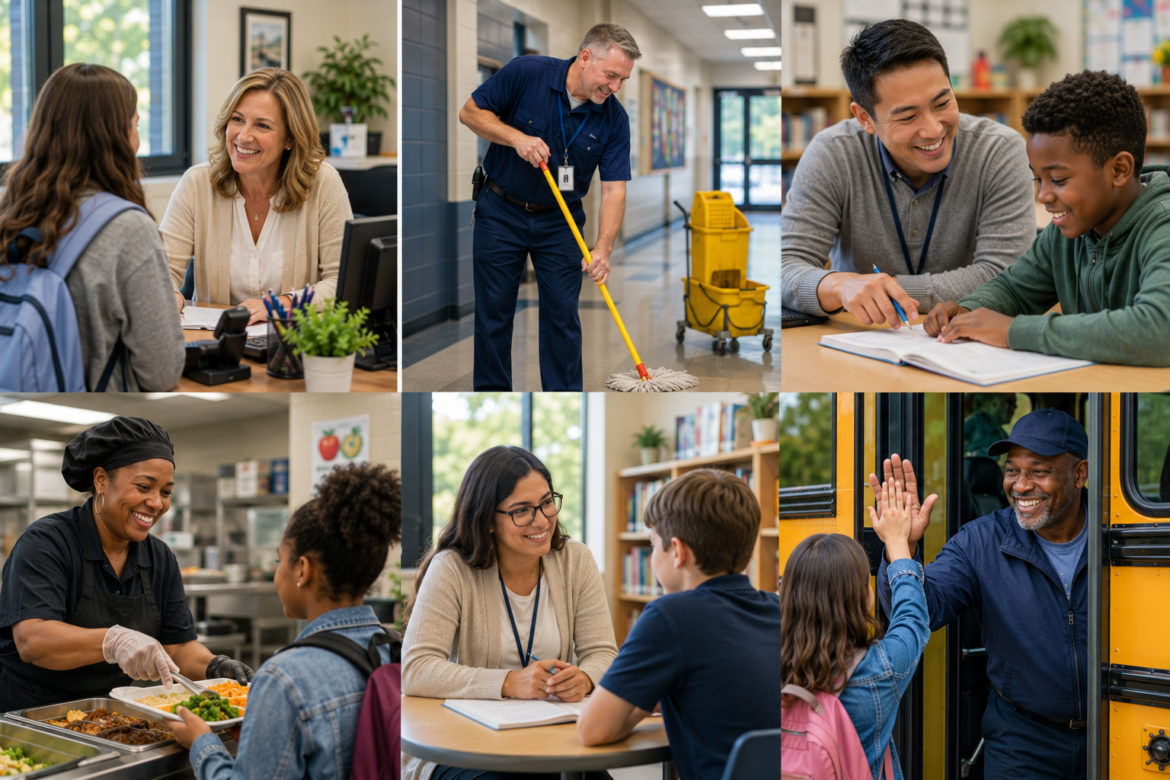
School office: smiling receptionist helps a student at a desk with a computer and plant nearby in a bright environment.
K-12Hot Topics - controversial

The Hidden Power of Support Staff in Schools

by EdCircuit Staff August 12, 2026
written by EdCircuit Staff 7 minutes read

The hidden power of support staff in schools is often revealed in the moments that matter most.

A student forgets their lunch money.

A nervous parent calls the front office after dropping their child off for the first day of kindergarten.

A new teacher struggles with technology minutes before students arrive.

A bus pulls into the parking lot carrying children who need encouragement before the school day begins.

In each of these moments, the person making the difference is often not the principal or classroom teacher.

It is a member of the support staff.

While teachers and administrators frequently occupy the spotlight, the daily success of a school community depends on countless individuals whose work often goes unnoticed. Office professionals, paraprofessionals, custodians, counselors, cafeteria employees, transportation teams, technology specialists, and school resource officers do far more than keep schools operating. They help create the relationships, trust, and culture that define great schools.

Long before the first bell rings and long after students have gone home, support staff members are already hard at work. They prepare classrooms, answer phones, solve problems, provide emotional support, maintain facilities, troubleshoot technology, serve meals, and ensure students arrive safely and ready to learn.

The truth is that schools do not simply function because of schedules and systems.

They function because of people.

The First Faces Students See

For many students, the school day begins with a bus driver’s smile or a warm greeting from someone working in the front office. Those interactions may seem routine, but they often establish the tone for everything that follows.

Students who are struggling, anxious, or facing challenges at home frequently find comfort in the familiar faces that welcome them each morning. A kind word from a cafeteria employee or a friendly conversation with a school secretary can have a lasting impact on a child who needs reassurance and encouragement.

Support staff members often notice changes before anyone else. They recognize when students seem withdrawn, frustrated, or overwhelmed. They observe patterns, build relationships, and provide stability in moments when young people need it most.

Students may not remember every lesson they learned in school.

But they often remember the adults who made them feel safe, seen, and valued.

Building Culture Through Everyday Interactions

School culture is not built solely through mission statements, strategic plans, or professional development sessions. It is created through thousands of interactions that occur every single day.

Culture is found in the custodian who knows students by name. It is found in the paraprofessional who quietly celebrates a student’s success. It is found in the technology specialist who helps a frustrated teacher regain confidence after a difficult morning.

These moments rarely appear in annual reports or improvement plans, yet they shape the experiences students and educators carry with them.

Great schools understand that culture is everyone’s responsibility. Every adult contributes to the climate of a building, and support staff members often play some of the most important roles in fostering belonging, trust, and connection.

When students and staff describe why they love a school, they are often describing the people who make them feel welcome.

The Institutional Memory of a School

In many schools, support staff members become the institutional memory of the building.

They remember traditions, know generations of families, and understand the stories that have shaped the community. They often remain through leadership transitions, staffing changes, and evolving educational priorities. Their presence provides continuity and stability during periods of change.

Ask a new principal where they learned about the school’s traditions and history, and they will often point to the office staff.

Ask a first-year teacher who helped them navigate the building, and they may mention a paraprofessional, custodian, or technology specialist.

Ask a parent who made them feel welcome, and they may talk about the front office team.

These individuals carry a wealth of knowledge that cannot be found in policy manuals or strategic plans. They understand the unique personality of the school and help preserve the culture that makes it special.

Their perspective is invaluable because they see the school through a lens that extends beyond classrooms and calendars.

They see the community.

Unsung Mentors for Teachers and Principals

New teachers and principals quickly discover that some of the best advice in a school comes from support staff.

Administrative assistants understand the rhythms of the building. Counselors possess deep insights into student needs. Veteran paraprofessionals often have decades of practical experience. Custodians frequently know every corner of the school and every tradition that matters to students and families.

These individuals become trusted partners and informal mentors.

They answer questions, offer perspective, solve problems, and provide guidance that helps educators succeed. Their willingness to share knowledge often accelerates the growth and confidence of new staff members.

Wise principals recognize that leadership is strengthened when every voice is valued. They understand that support staff members are not simply employees performing tasks.

They are leaders in their own right.

The Human Connection: Families Remember

Parents and guardians interact with support staff more than they may realize. Whether calling the front office, speaking with transportation personnel, receiving assistance from a counselor, or attending school events, families often form their first impressions of a school through these interactions.

A welcoming office professional can ease the anxiety of a nervous parent.

A patient bus driver can reassure a family during a difficult transition.

A cafeteria employee who knows a student’s name can make school feel more like home.

These moments may seem small, but they help build trust between schools and families. Over time, those relationships strengthen the sense of community that great schools work so hard to create.

People may forget procedures.

They rarely forget kindness.

Supporting Student Success Beyond the Classroom

Educational success is often measured through academic outcomes, graduation rates, and assessment scores. Yet behind every successful student is a network of caring adults working together to support growth and well-being.

Counselors help students navigate challenges and prepare for the future. Paraprofessionals provide individualized support that helps learners achieve their potential. Technology specialists ensure that learning continues without interruption. Custodians maintain environments that are safe, clean, and welcoming.

Each contribution matters because education has never been the responsibility of one person or one role.

It is a collective effort.

Students flourish when they are surrounded by adults who believe in them, encourage them, and create environments where they feel valued.

Support staff members are an essential part of that network.

Investing in the People Who Hold Schools Together

For district leaders and school boards, recognizing the value of support staff extends beyond appreciation events and employee recognition programs.

It means investing in the people who help hold schools together.

Professional development opportunities, pathways for career growth, competitive compensation, and intentional recognition all communicate that support staff members are valued members of the educational team.

Retention challenges are not limited to teachers and administrators. Schools across the country are working to recruit and retain bus drivers, paraprofessionals, custodians, cafeteria workers, and office professionals. Addressing these challenges requires leaders to view support staff not as operational necessities but as strategic contributors to school success.

The strongest school systems understand that when support staff thrives, students and educators benefit as well.

Investing in people is always a worthwhile investment.

Great Schools Are Built by Everyone

It is easy to celebrate championships, academic awards, and major accomplishments. Yet many of the moments that truly define a school happen quietly.

They happen when a secretary calms a worried parent.

They happen when a bus driver greets students by name.

They happen when a custodian stays late to prepare for a special event.

They happen when a paraprofessional helps a struggling student believe in themselves.

Long after students forget a lesson, a test score, or a schedule, they remember the adults who made them feel seen.

They remember the secretary who welcomed them each morning.

The bus driver who asked about their game.

The cafeteria employee who knew their name.

The paraprofessional who celebrated their progress.

The custodian who offered encouragement during a difficult day.

These are the people who help transform buildings into communities.

Great schools are not built by programs, policies, or titles alone.

They are built by people.

And every day, support staff members help make schools places where students, families, and educators can belong.

That is not hidden work.

That is extraordinary work.

Subscribe to edCircuit to stay up to date on all of our shows, podcasts, news, and thought leadership articles.

August 12, 2026 0 comments
0 FacebookTwitterPinterestLinkedinWhatsappCopy LinkEmail
College technology prep for first-year students: a student in a dorm room holds up a phone projecting a campus map, ID, schedule, security shield and laundry icon
Higher EducationHot Topics - controversialArtificial Intelligence

College Technology Prep for First-Year Students

by EdCircuit Staff August 11, 2026
written by EdCircuit Staff 15 minutes read

College technology prep in 2026 looks almost nothing like the preparations many parents made before leaving for college in the 1990s.

A parent may remember packing a word processor or bulky desktop computer, a telephone calling card, rolls of quarters for laundry, a paper planner, and a printed campus phone book containing nearly every student’s telephone number and residence hall address. Finding a classroom meant unfolding a campus map. Meeting someone for dinner meant agreeing on a time and place in advance. Calling home often meant using the telephone attached to the dorm-room wall—and hoping a roommate was not already using it.

Today’s freshman may leave for college carrying a laptop, tablet, smartphone, smartwatch, wireless earbuds, portable battery, cloud-storage accounts, digital textbooks, campus authentication apps, and access to artificial intelligence platforms that can explain a calculus problem, review a paper, summarize a reading, build a study guide, or help debug computer code.

The campus phone book has been replaced by a group chat. The paper map has become live navigation. The word processor has become an AI-assisted workspace. The dorm-room telephone has become a device that can unlock buildings, pay for lunch, receive emergency alerts, attend a virtual office hour, and submit an assignment before the student has even climbed out of bed.

Students have never arrived on campus with more technology at their disposal.

That does not mean they have never been better prepared.

The central question for families is no longer simply, “What computer should we buy?” It is, “Does this student know how to build a dependable, secure, and academically responsible technology system?”

Imagine the First Week of College

Consider what a freshman may encounter within the first few days.

The student receives a residence hall announcement through one app, a class assignment through the learning management system, an authentication request through another app, and an invitation to a study group through GroupMe or another messaging platform. The dining plan is connected to a digital campus card. A professor posts a room change online. The university sends a severe-weather notification by text. An introductory course requires an online homework platform that the student has never used.

One professor encourages students to use artificial intelligence to generate practice questions. Another requires students to disclose every use of AI. A third prohibits generative AI on graded assignments.

Meanwhile, the student’s family assumes everything is going well because there has been no urgent phone call home.

This is the new college transition.

Technology is no longer a separate component of the college experience. It is part of the infrastructure through which students register for courses, communicate with professors, access financial aid, receive grades, schedule advising appointments, complete assignments, find transportation, enter buildings, and participate in campus life.

EDUCAUSE’s research on students and technology reflects the growing connection among generative AI, technology services, accessibility, academic experiences, mental health, and preparation for the workforce. The quality of a student’s technology experience can directly affect the student’s ability to participate, remain organized, and access support.

A prepared freshman does not need to master every platform before arriving. However, the student should understand that college technology is now an ecosystem. When one part of that ecosystem breaks down—a forgotten password, missed notification, incompatible device, lost file, or compromised account—the consequences can quickly become academic, financial, and personal.

Check the College Before Buying the Technology

The biggest technology mistake families can make is buying first and researching later.

Before purchasing a laptop, tablet, software package, or expensive subscription, families should review the technology requirements published by the college and the student’s intended academic department. Engineering, architecture, media production, graphic design, nursing, data science, business, and computer science programs may require software that will not operate effectively on every device.

A Chromebook may be perfectly adequate for one student and completely unsuitable for another. A tablet can be an outstanding note-taking companion without being a full replacement for a laptop. A high-performance computer may be necessary for video editing, design, advanced mathematics, simulation, or coding—but excessive for a student whose primary needs are research, writing, email, and presentations.

For many freshmen, a reliable laptop with a solid-state drive, a dependable battery, an updated operating system, a functioning camera and microphone, and at least 16 GB of memory will provide a practical foundation. The best device is not automatically the most expensive one. It is the device that can run the student’s required programs, survive frequent travel across campus, and remain dependable for several years.

Families should also investigate what the institution already provides. Many colleges include access to Microsoft 365, Google Workspace, cloud storage, cybersecurity software, statistical programs, design tools, virtual computer labs, and specialized academic applications.

Students should activate their college accounts before paying for software. A school email address may also unlock student plans or education pricing from technology companies. Notion, for example, offers an education plan for eligible students using verified institutional email accounts.

The goal is not to send students to campus with every possible device and subscription. It is to give them the correct tools without paying twice for services the college already supplies.

The Smartphone Has Become a Campus Command Center

Parents may still think of a smartphone primarily as a communication and entertainment device. For a college student, it may also function as a campus identification card, transportation pass, room key, payment method, scanner, calendar, authentication device, safety alert system, camera, and connection to academic support.

Before move-in day, students should install the college’s official applications and organize them into a clearly labeled campus folder. That folder may include the institution’s main app, student email, learning management system, authentication tool, library app, dining platform, transportation service, emergency notification system, and residence hall app.

Students should also make thoughtful decisions about notifications.

Turning off every notification may cause them to miss an assignment update, class cancellation, registration deadline, payment notice, or emergency warning. Allowing every app to interrupt them can make sustained reading, writing, and studying nearly impossible.

Digital independence requires more than knowing how to install an app. It requires knowing which information deserves immediate attention and which notifications can wait.

That may be one of the most important technology skills a freshman develops.

AI Will Be Everywhere, but Students Do Not Need Everything

Artificial intelligence may be the defining difference between students beginning college in 2026 and their parents’ college experience.

Freshmen are likely to encounter ChatGPT, Gemini, NotebookLM, Microsoft Copilot, Claude, Perplexity, Grammarly, and a growing collection of AI features built directly into word processors, search engines, learning platforms, and campus systems.

Students do not need paid subscriptions to every AI platform.

They need one or two dependable tools, a clear understanding of what those tools do, and enough judgment to recognize when AI is supporting their learning and when it is beginning to replace it.

ChatGPT can help a student work through unfamiliar material, generate practice questions, receive feedback on an outline, or explore different ways of explaining a concept. Its Study Mode is designed to guide users through questions and explanations rather than simply supplying a final response.

NotebookLM can be especially useful when students upload approved course materials such as lecture slides, notes, readings, and study guides. Because its responses are grounded in the material provided, students can use it to generate summaries, quizzes, study guides, and explanations with citations connected to their source documents.

Microsoft Copilot may become part of a student’s workflow at institutions using Microsoft 365. It can support brainstorming, summarizing, analyzing information, and working within familiar productivity applications, although access and available features will depend on the college’s licensing arrangements.

Claude may be useful for working through lengthy readings, developing practice questions, improving explanations, reviewing writing, or supporting coding tasks. Anthropic has created a higher education offering and has reported student uses that include editing, summarizing, technical explanations, mathematics, and programming support.

Perplexity can help students begin exploring a research topic and identify possible sources, while Grammarly can provide writing feedback and help students document AI-assisted work. Both now promote education-focused offerings for students.

However, no AI platform should become a substitute for the college library, a professor’s instructions, assigned readings, original sources, or the student’s own analysis.

A freshman might use NotebookLM to review lecture material, ChatGPT to create practice questions, Copilot to organize a presentation, and Perplexity to identify starting points for research. But the student must still read the material, check the evidence, solve the problem, evaluate the source, and take responsibility for the final submission.

AI can make a student faster without necessarily making the student wiser.

The challenge for higher education is helping students develop both.

Every Syllabus May Have a Different AI Rule

There is no universal AI policy that applies to every college course.

One professor may encourage AI-assisted brainstorming. Another may permit grammar feedback but prohibit generated text. A third may allow AI for practice but not for graded work. A fourth may require students to submit prompts, drafts, citations, or an explanation of how AI contributed to an assignment.

Stanford’s teaching guidance notes that instructors may establish different course-level AI policies and encourages students to seek clarification when expectations are uncertain.

Students should therefore read the AI section of every syllabus rather than assuming that one professor’s policy applies to another course.

When the rules are unclear, students should ask before using the tool—not after an assignment has been questioned.

Freshmen should also learn to keep records of meaningful AI use. Saving prompts, drafts, revisions, source checks, and notes can help a student explain how the work developed. More importantly, that record encourages students to remain active participants in the process.

The question should not be, “Can AI complete this assignment?”

The better question is, “How can I use technology without surrendering the thinking this assignment was designed to develop?”

The Best Note-Taking App Is the One the Student Will Reopen

Families often ask which note-taking app is best. The answer depends less on the number of features and more on how the student learns.

Students who prefer traditional digital notebooks may be comfortable with Microsoft OneNote. It allows courses to be divided into notebooks, sections, and pages and can accommodate typed notes, handwriting, images, files, and annotations.

Students who want one central location for notes, assignments, calendars, club responsibilities, and project planning may prefer Notion. Its flexibility is powerful, but it carries a warning: students should not spend three hours designing a beautiful productivity dashboard to avoid starting a 30-minute assignment.

Students who learn by writing, drawing diagrams, solving equations, or annotating lecture slides may benefit from a tablet and an application such as Goodnotes. The platform is designed to organize handwritten notes, slides, textbooks, and course materials across subjects.

Students in research-intensive majors may prefer Obsidian, which allows them to link related ideas and gradually build a personal knowledge base across courses. Its strength is not simply storing notes but helping students see connections among concepts, readings, people, and projects.

The best system may also change by course. A student might handwrite chemistry equations, type history notes, annotate biology diagrams, and use a project board for a group presentation.

What should not change is where the student looks for the information.

Notes scattered among text messages, screenshots, five apps, three email accounts, loose files, and unnamed cloud folders are not an academic system. They are a digital junk drawer.

Freshmen should choose one primary location for academic notes, one calendar for deadlines, and one consistent naming system for files.

A basic folder titled “English Paper” will eventually become confusing. A file named “ENG101_ResearchDraft_2026-09-18” is far easier to locate three weeks later.

The organization does not feel urgent until the night before something is due.

Learn the Campus Systems Before the First Assignment

The learning management system may become the most important website a freshman uses.

Whether a college relies on Canvas, Blackboard, Brightspace, Moodle, or another platform, students should know how to locate a syllabus, submit an assignment, view feedback, join a discussion, contact an instructor, check grades, and find recorded lectures before classes begin.

They should also learn how deadlines are displayed. A calendar automatically generated by the learning management system can be helpful, but students should not assume it contains every responsibility. Reading assignments, long-term projects, exam preparation, laboratory work, registration dates, job schedules, athletics, club meetings, and personal appointments may need to be added manually.

A freshman’s calendar should become more than a list of due dates. It should show when the work will actually be completed.

An exam entered on Friday is a reminder. Study sessions entered on Monday, Tuesday, and Wednesday represent a plan.

That difference often separates students who feel constantly surprised by college from those who begin to control their time.

Cybersecurity Is Now Part of College Readiness

Students may arrive on campus thinking cybersecurity is primarily the responsibility of the college’s technology department.

It is not.

A compromised student account can expose email, classwork, cloud files, financial information, academic records, saved passwords, and access to campus services. It can also prevent a student from submitting an assignment, registering for classes, or receiving important communication.

Students should activate multifactor authentication immediately, use unique passwords, create a password-manager account, install software updates, enable device tracking, and store account-recovery codes in a secure location. CISA identifies multifactor authentication and strong password practices as essential protections because stolen passwords alone should not be enough to access an account.

Freshmen must also be prepared for scams designed specifically for college students.

A message may appear to come from a professor offering a personal-assistant position. A supposed recruiter may request banking information. A fake employer may send a check and instruct the student to purchase equipment or return part of the money. The Federal Trade Commission continues to warn students about job scams that begin through email, text messages, social media, and online job postings.

Students should never approve an unexpected authentication request, pay money to obtain a job, deposit a suspicious check, or enter a password through an unverified link.

In the 1990s, a parent may have warned a college student not to lose a room key.

In 2026, families must also warn students not to hand a digital key to a stranger.

Build a Technology Failure Plan

Technology often fails at the least convenient moment: during a presentation, the night before a major paper is due, or while a student is trying to register for a required course.

Every freshman should have automatic cloud syncing turned on for active files and a second backup location for important work. Students should know whether documents are saved on the laptop, in a personal cloud account, or in a college-owned account.

That distinction matters because access to an institution-managed account may eventually change. Students should periodically export research papers, presentations, portfolios, creative projects, and other work they want to retain after graduation.

A small emergency technology kit can also prevent avoidable problems. It may include a second charging cable, portable battery, headphones with a microphone, a USB-C adapter or hub, and a flash drive. Students working with large video, photography, design, or research files may also need an external solid-state drive.

The objective is not to prepare for every possible technology failure.

It is to prevent one dead battery, damaged cable, lost laptop, or cloud-sync problem from becoming an academic crisis.

The Freshman Technology Readiness Checklist

Before move-in day, students and families should be able to answer yes to eight questions:

  1. Have we confirmed the college’s and academic major’s device requirements before purchasing a computer?
  2. Has the student activated campus email, multifactor authentication, the learning management system, and official college apps?
  3. Have we checked which software, cloud storage, AI tools, and subscriptions the institution already provides?
  4. Has the student selected a primary note-taking system, calendar, and file-organization method?
  5. Does the student understand that every course may have a different AI policy?
  6. Can the student verify AI-generated information, locate sources, and explain how AI contributed to the submitted work?
  7. Are passwords unique, backups automatic, recovery information secure, and device tracking enabled?
  8. Does the student know how to contact the campus technology help desk when something goes wrong?

The Most Prepared Student Will Not Own the Most Technology

Parents who attended college in the 1990s may look at today’s technology and wonder how students could struggle. Information is instantly available. Families can communicate at any hour. Papers can be submitted from a dorm room. Directions, tutoring, research materials, and academic support can all be reached through a screen.

But access is not the same as readiness.

The college student of the 1990s needed to know where the computer lab was, how to save a document to a disk, and when the campus bookstore closed.

The college student of 2026 carries a computer lab, library, television studio, navigation system, calendar, wallet, campus key, tutoring center, and AI assistant in a backpack or pocket.

That technology can create extraordinary opportunities. It can expand access, support students with disabilities, strengthen collaboration, connect commuters and residential students, and provide immediate help when a student feels stuck.

It can also create distraction, dependency, privacy risks, misinformation, academic integrity concerns, and the illusion that completing a task is the same as understanding it.

The most prepared freshman will not be the student with the newest laptop, the most expensive tablet, or subscriptions to every AI platform.

It will be the student who has built a simple and dependable system, understands the rules, protects personal information, asks for help early, and recognizes that technology is most powerful when it strengthens human judgment rather than replacing it.

Technology should remove barriers to learning.

It should never remove the learning itself.

Subscribe to edCircuit to stay up to date on all of our shows, podcasts, news, and thought leadership articles.

August 11, 2026 0 comments
0 FacebookTwitterPinterestLinkedinWhatsappCopy LinkEmail
Hybrid meeting: large lecture hall audience with a speaker on stage, while a person at a desk participates via video call on a laptop and takes notes with a notebook.
Hot Topics - controversialArticle SeriesK-12EducatorsK-12 TeachersProfessional Development

How Teacher In-Service Has Changed

by EdCircuit Staff August 10, 2026
written by EdCircuit Staff 8 minutes read

Teacher in-service has changed dramatically over the past decade. For decades before that, in-service across America often meant a late-summer day in the high school auditorium, with welcome remarks from district leaders and a keynote speaker to set the tone for the year.

Whether educators taught kindergarten, chemistry, music, physical education, or special education, they often spent the day learning together through a carefully planned schedule of presentations designed to prepare everyone for the school year.

Those days have not disappeared entirely, but they no longer define professional learning.

Over the last ten years, teacher in-service has undergone one of the most significant transformations in modern education. Professional learning has shifted from annual events to continuous growth, from one-size-fits-all presentations to personalized learning pathways, and from rigid schedules to flexible experiences that educators can access almost anywhere.

The evolution reflects more than advances in technology. It represents a fundamental change in how schools think about supporting the professionals who influence student success every day.

A Different Kind of Professional Learning

Not long ago, professional development was largely measured by attendance.

Teachers signed in, completed the day’s sessions, collected handouts, and returned to their classrooms. While many districts offered meaningful learning experiences, the structure often left little room to recognize that educators entered the room with vastly different backgrounds, strengths, and professional goals.

A veteran teacher with twenty-five years of classroom experience frequently attended the same sessions as a first-year educator still learning classroom management. An elementary art teacher might spend hours listening to presentations that had little connection to daily instruction, while a high school science teacher searched for ideas that applied to laboratory safety or emerging technologies.

The assumption was simple: if everyone received the same information, everyone would benefit equally.

Experience has shown that professional learning, much like classroom instruction, is most effective when it meets learners where they are.

That realization has reshaped teacher in-service across the country.

Why the Change Happened

Several forces have driven this transformation.

Technology certainly played a major role. As learning management systems, video conferencing, digital collaboration platforms, and mobile devices became commonplace, districts discovered they no longer needed to gather every employee in the same room to provide high-quality professional learning.

The pandemic accelerated this shift dramatically. Within months, educators became comfortable participating in webinars, virtual coaching sessions, online professional learning communities, and self-paced courses. What initially began as a necessity soon demonstrated clear advantages in flexibility, accessibility, and efficiency.

At the same time, the responsibilities placed on educators continued to expand.

Artificial intelligence entered classrooms. Cybersecurity threats against school districts increased. Student data privacy became a growing concern. Mental health, school safety, digital citizenship, accessibility, and compliance requirements demanded additional training that could not be confined to a handful of days each year.

Professional learning simply had to evolve to keep pace with the realities of modern education.

From Auditoriums to Screens

Technology has not eliminated face-to-face learning. Instead, it has expanded the ways educators can learn.

Today’s teacher may attend an opening-day district meeting in August, participate in a virtual literacy workshop in September, complete a short cybersecurity refresher during October, listen to an education podcast while driving home, and join an online professional learning community before the semester ends.

Learning now happens wherever it makes the most sense.

Districts increasingly blend in-person collaboration with webinars, recorded presentations, interactive online courses, instructional videos, podcasts, and virtual coaching. Teachers are no longer limited by geography or schedules. A rural school district can connect educators with nationally recognized experts just as easily as one located in a major metropolitan area.

The result is greater flexibility without sacrificing quality.

Rather than replacing the human connections that make professional learning valuable, technology has created more opportunities for those connections to happen throughout the year.

One Size No Longer Fits All

Perhaps the most important change has been personalization.

Schools have spent years encouraging teachers to differentiate instruction for students. Increasingly, districts are applying that same philosophy to adult learning.

Today’s professional learning recognizes that educators have different responsibilities, certifications, career stages, and growth goals.

Consider three employees beginning the same school year.

A first-year elementary teacher may be assigned mentoring sessions, classroom management strategies, and foundational instructional practices.

A veteran chemistry teacher might receive updated laboratory safety training, emerging science technology resources, and professional learning related to new standards.

Meanwhile, an assistant principal may focus on leadership development, school safety planning, educator evaluation, and family engagement.

Each educator is learning, but each is learning something different because each has different responsibilities.

Modern learning platforms make this possible by tracking certifications, assigning required courses, recommending additional learning opportunities, and documenting professional growth throughout the year.

Professional learning is becoming less about delivering identical information and more about delivering the right information to the right educator at the right time.

Small Lessons, Bigger Impact

The structure of professional learning has also changed.

Educators have always faced competing priorities, but today’s schools operate at an unprecedented pace. Finding time for lengthy workshops can be difficult when teachers are balancing instruction, assessment, communication with families, extracurricular responsibilities, and countless daily decisions.

As a result, many districts are embracing microlearning.

Instead of six-hour workshops covering numerous topics, educators increasingly participate in shorter learning experiences focused on one specific objective.

A fifteen-minute video introducing a new classroom technology tool.

A ten-minute refresher on student privacy requirements.

A brief simulation exploring emergency procedures.

A short podcast discussing instructional strategies.

These focused learning opportunities are easier to complete, easier to revisit, and easier to apply immediately within the classroom.

Professional learning becomes part of the rhythm of teaching rather than an interruption to it.

The Conversation Has Changed

The content of teacher in-service has evolved just as dramatically as its delivery.

A decade ago, many professional development sessions centered on curriculum implementation, instructional strategies, assessment practices, and classroom management. Those topics remain essential, but they now exist alongside entirely new areas of learning.

Artificial intelligence is helping educators rethink instruction and assessment. Cybersecurity training has become essential as schools face increasingly sophisticated threats. Student data privacy requires greater awareness than ever before. Digital citizenship, accessibility, school safety, threat assessment, mental health, and family engagement have all become central components of professional learning.

The modern educator must navigate a rapidly changing educational landscape while preparing students for a future that continues to evolve.

Professional learning has adapted accordingly.

Data Is Driving Better Decisions

Perhaps one of the quietest yet most influential changes involves data.

In the past, districts often measured professional development by asking one question: Did everyone attend?

Today, leaders are asking far more meaningful questions.

Which teachers need additional support?

Which certifications are nearing expiration?

Where are instructional gaps emerging?

Which schools require additional coaching?

Which professional learning experiences are improving classroom practice?

Digital learning platforms increasingly help answer those questions by providing school leaders with real-time information about participation, progress, certifications, and learning pathways.

Artificial intelligence promises to take this even further.

Future systems may recommend professional learning based on classroom observations, instructional goals, certification timelines, or emerging district priorities. Instead of waiting until August to assign training, districts will be able to provide support exactly when educators need it.

Building a Culture of Continuous Growth

Perhaps the greatest transformation is philosophical rather than technological.

Professional learning is no longer viewed as something teachers attend.

It is becoming something educators experience every day.

Collaboration during professional learning communities. Coaching conversations after classroom observations. Short digital learning modules. Peer mentoring. Conference sessions. Podcasts. Online discussions. Reflective practice.

Each contributes to a culture where growth is continuous rather than occasional.

The most successful districts understand that improving schools begins by investing in the people who make learning possible. When educators have access to relevant, flexible, and meaningful professional learning, they are better equipped to meet the changing needs of their students.

That investment strengthens classrooms, schools, and entire communities.

Looking Ahead

Teacher in-service will continue to evolve.

Artificial intelligence, adaptive learning platforms, immersive simulations, competency-based professional learning, digital coaching, and predictive analytics are already reshaping how educators build knowledge and develop new skills. The next decade will likely bring even greater personalization and flexibility as professional learning becomes increasingly responsive to each educator’s unique journey.

Yet despite all the technological advances, one truth remains unchanged.

Professional learning is ultimately about people.

Technology may deliver the content. Data may identify the need. Artificial intelligence may personalize the pathway.

But it is educators—learning together, sharing ideas, solving problems, and continually refining their craft—who transform schools.

The biggest change over the past decade is not that teachers now learn through webinars instead of sitting in auditoriums.

It is that professional learning has stopped being something educators attend.

It has become something they experience every day.

Editor’s Note: This is Part One of edCircuit’s The Future of Professional Learning series. In our next installment, we’ll explore how districts have moved from traditional auditorium presentations to flexible, on-demand professional learning that allows educators to learn anytime and anywhere.

Subscribe to edCircuit to stay up to date on all of our shows, podcasts, news, and thought leadership articles.

August 10, 2026 0 comments
0 FacebookTwitterPinterestLinkedinWhatsappCopy LinkEmail
Group of four students chatting on a college campus in autumn, with colorful trees and stone buildings in the background, smiling.
Hot Topics - controversialHigher EducationCollege Admissions

Modern College Search Guide for Families

by EdCircuit Staff August 7, 2026
written by EdCircuit Staff 8 minutes read

Modern college search strategies have transformed nearly every aspect of how students and families find the right college. What was once a process built around guidebooks, brochures, and a handful of campus visits has evolved into a personalized journey powered by technology, meaningful conversations, and a growing emphasis on finding the right fit rather than simply the biggest name.

Twenty years ago, many families gathered around the kitchen table with stacks of college catalogs, a notebook, and a highlighter. Weekend road trips were planned using printed maps, and much of what students learned came directly from admissions brochures. Today, a rising junior can compare dozens of colleges in an afternoon, explore residence halls through virtual tours, ask artificial intelligence to explain differences between engineering programs, and connect directly with an admissions counselor before ever stepping onto campus.

The tools have changed.

The expectations have changed.

Even the definition of a successful college search has changed.

Yet one thing remains exactly the same: every student is searching for a place where they can learn, grow, build lasting relationships, and begin writing the next chapter of their life.

The Search Begins Long Before Senior Year

For many students, the college search no longer starts during senior year. Increasingly, families begin exploring options during sophomore year, and many students spend their junior year refining their list rather than creating it.

That extra time allows students to focus on what truly matters. Instead of rushing to submit applications, they can visit campuses, explore academic programs, consider career interests, and discover what type of learning environment will help them succeed.

This shift has also changed the role of school counselors and educators. Rather than helping students simply meet application deadlines, they are guiding conversations about purpose, interests, financial planning, and long-term goals much earlier in a student’s high school career.

The college search has become less about checking boxes and more about thoughtful planning.

Students Are Looking Beyond Prestige

Not long ago, conversations about college often centered on rankings and reputation.

Today’s students are asking much different questions.

Will professors know my name?

Can I participate in undergraduate research?

Will I have opportunities for internships during my first or second year?

Is there support if I struggle academically?

Can I see myself belonging here?

Families are increasingly discovering that the “best” college is rarely the same for every student. A nationally recognized university may be the perfect fit for one learner, while another student may thrive at a smaller institution where class sizes are smaller, professors are more accessible, and leadership opportunities arrive much earlier.

The conversation has shifted from “What is the best college?” to “What is the best college for this student?”

That may be the most important change of all.

Admissions Offices Have Become Educational Partners

Perhaps one of the biggest misconceptions families still have is that admissions offices exist only to process applications.

Today’s admissions professionals do much more.

Many colleges encourage prospective students to contact the admissions office months before they apply. Those conversations can help families personalize campus visits, arrange meetings with faculty members, schedule admissions interviews, connect with academic departments, visit honors programs, speak with financial aid specialists, or even meet current students who share similar interests.

Rather than simply arriving for a scheduled campus tour, students can create an experience tailored to their academic goals.

An aspiring engineer may spend time inside engineering labs.

A future teacher may meet faculty within the College of Education.

A student-athlete might arrange time with the coaching staff.

A student interested in cybersecurity could speak directly with professors about research opportunities and internship partnerships.

Those personalized experiences often leave a much stronger impression than any brochure ever could.

Fall Has Become the Season to Visit

Summer campus visits remain valuable, but many admissions professionals believe the most meaningful visits happen after students return to campus.

During the fall, colleges come alive.

Residence halls are full.

Student organizations are recruiting.

Faculty members are teaching classes.

Marching bands rehearse.

Athletic events energize the campus.

Dining halls buzz with conversation.

Prospective students experience college as it truly exists.

Many institutions now host large preview days that include admissions presentations, classroom observations, financial aid workshops, faculty panels, academic showcases, student-led tours, and opportunities to attend campus events.

Students leave with something far more valuable than photographs.

They leave with a feeling.

Can I picture myself here?

Artificial Intelligence Is Changing the Conversation

Artificial intelligence has quickly become one of the most valuable planning tools available to families.

Students are using AI to organize research, compare majors, summarize admissions requirements, identify scholarship opportunities, build travel itineraries, and prepare thoughtful questions before campus visits.

Instead of asking generic questions online, students can now request customized comparisons based on academic interests, career goals, campus size, geographic location, or extracurricular opportunities.

AI can help families narrow their choices, but it should never replace personal conversations or firsthand experiences.

The most meaningful discoveries still happen while talking with professors, meeting current students, walking across campus, and imagining what everyday life might feel like.

Technology can make the search smarter.

People make the search meaningful.

Students Are Researching Colleges Differently

The college website is no longer the only source of information.

Students want authentic perspectives.

They explore student-created videos showing “a day in the life.”

They read campus newspapers.

They browse LinkedIn to see where graduates begin their careers.

They watch student organization videos.

They participate in virtual information sessions.

They compare graduation rates, internship opportunities, research experiences, and alumni success stories.

They even ask AI to organize everything into side-by-side comparisons.

Today’s students expect transparency, and colleges are responding by sharing far more about campus life than ever before.

Career Outcomes Matter More Than Ever

Families continue asking an increasingly important question.

“What happens after graduation?”

The answer extends far beyond employment statistics.

Students want to know whether internships are guaranteed, whether employers actively recruit on campus, whether undergraduate research is available, and whether graduates leave prepared for careers that continue evolving alongside technology.

This focus has encouraged colleges to strengthen partnerships with employers, expand experiential learning opportunities, and better demonstrate the long-term value of their academic programs.

Choosing a college has become as much about future opportunity as it is about the next four years.

Parents Are Guides, Not Drivers

Parents remain one of the most important influences during the college search, but their role has evolved.

Rather than making every decision themselves, successful families often approach the process as partners.

Parents ask thoughtful questions.

Students provide honest answers.

Together, they compare campuses, discuss finances, evaluate opportunities, and reflect after each visit.

Admissions counselors consistently encourage students to lead conversations whenever possible. When students ask questions themselves, introduce themselves confidently, and engage with faculty and admissions representatives, they begin demonstrating the maturity colleges hope to see in future applicants.

Parents help students prepare for the journey.

Students ultimately choose the destination.

There Are More Pathways to Success

Another important change is the growing recognition that success looks different for every student.

Four-year universities remain an outstanding option, but they are no longer viewed as the only pathway.

Community colleges, technical education, apprenticeships, military service, industry certifications, transfer programs, and dual-enrollment opportunities have expanded educational choices in meaningful ways.

Families are increasingly asking not, “Which college has the biggest name?” but rather, “Which pathway gives my student the greatest opportunity to succeed?”

That shift reflects a broader understanding of higher education and workforce preparation.

The Search Is Becoming More Personal

Despite all the advances in technology, admissions strategies, and digital resources, the college search still comes down to something deeply human.

Somewhere this fall, thousands of families will pull into campus parking lots before sunrise. They will walk across unfamiliar quads, listen to admissions presentations, peek inside residence halls, and quietly observe students hurrying to class.

Most visits will end with conversations over lunch or during the drive home.

“What did you think?”

Sometimes the answer will be immediate.

“I loved it.”

Sometimes it will be uncertain.

“I’m not sure.”

And occasionally, a student will simply smile and say, “I could see myself here.”

That feeling cannot be measured by rankings, enrollment numbers, or glossy brochures.

It comes from finding a community where a student feels challenged, welcomed, supported, and inspired.

Technology has changed how families search for colleges. Artificial intelligence has made research faster. Admissions offices have become more personalized. Career outcomes have become a larger part of the conversation. Students have more information than any previous generation.

But the heart of the journey has never really changed.

The goal is not to find the most famous college.

The goal is to find the place where a student will discover who they are, who they hope to become, and where they will begin building a future filled with possibilities.

And that is a search worth taking.

Subscribe to edCircuit to stay up to date on all of our shows, podcasts, news, and thought leadership articles.

August 7, 2026 0 comments
0 FacebookTwitterPinterestLinkedinWhatsappCopy LinkEmail
Professional woman in a navy suit shakes hands with a student as a diverse group applauds outside a building entrance.
Hot Topics - controversialK-12Educators

Welcoming a New Principal Begins With Trust

by EdCircuit Staff August 6, 2026
written by EdCircuit Staff 7 minutes read

Welcoming a new principal is about far more than introducing a new administrator to a building. It is an opportunity for an entire school community to demonstrate its culture, celebrate its traditions, and lay the foundation for a partnership that can positively impact students for years to come. While much attention is often focused on what a new principal should do during the first weeks and months, successful leadership transitions are never one-sided. Great schools understand that leadership is a shared responsibility and that everyone—from teachers and support staff to students, parents, district leaders, and school board members—plays a role in helping a new principal feel connected, valued, and supported.

Walking through the doors of a new school for the first time as principal can be both exciting and intimidating. Behind the smiles and introductions are countless expectations, unanswered questions, and hopes for the future. New principals arrive eager to serve and ready to lead, but they are also entering communities with histories, traditions, and relationships that have been built over decades. Every school has its own personality, and understanding that personality takes time. The first impressions a principal experiences often shape not only their transition but also the culture they hope to foster moving forward.

Culture Is More Powerful Than Orientation

No handbook, strategic plan, or organizational chart can fully explain what makes a school special. Culture is not found in documents hanging on walls. It is experienced in hallways, classrooms, cafeterias, athletic fields, and front offices. It is revealed in how adults speak to one another, how students are treated, and how families are welcomed into the building.

A new principal quickly notices whether people are optimistic or resistant, collaborative or isolated, supportive or skeptical. They see whether students are proud of their school and whether staff members genuinely enjoy working together. Those observations often communicate more than formal meetings ever could.

Schools with strong cultures understand that welcoming a new leader is not about expecting immediate answers. Instead, it is about creating an atmosphere where listening, learning, and relationship-building can occur naturally. The most successful transitions begin with trust and patience rather than pressure and unrealistic expectations.

Teachers Help New Principals Understand the Heart of the School

Teachers are often the keepers of a school’s history and traditions. They understand the rhythms of the academic year, the stories behind annual events, and the values that have helped shape the community. Their knowledge and experience are invaluable to a principal who is trying to understand not only how the building operates but also why it operates that way.

Successful teachers recognize that every principal brings a unique leadership style and perspective. Comparisons to previous administrators are inevitable, but continually measuring a new leader against the past can create barriers that prevent trust from developing. Strong relationships emerge when educators approach change with openness, professionalism, and a shared commitment to students.

The most effective school communities are built when teachers and principals view one another not as separate groups but as partners working toward a common purpose. Honest communication, mutual respect, and a willingness to collaborate create the conditions necessary for both adults and students to thrive.

Support Staff Often Become a Principal’s Greatest Teachers

While teachers are central to the academic mission, support staff members are often the people who understand the daily heartbeat of the building better than anyone else. Office professionals, custodians, counselors, paraprofessionals, cafeteria employees, transportation personnel, and school resource officers possess a wealth of knowledge that cannot be found in reports or data dashboards.

They know the traditions students cherish, the families who need additional support, and the routines that keep the school functioning smoothly. Their insights help new principals understand the unique character of the community they now serve.

When support staff members are treated as respected partners, they become trusted advisors whose wisdom can make the difference between simply managing a building and truly leading a school.

Students Want Leaders Who Know Their Names and Their Stories

Students notice far more than adults sometimes realize. They observe how leaders interact with people, how decisions are made, and whether adults genuinely care about them. For students, a new principal represents possibility.

Young people want leaders who know their names, celebrate their accomplishments, and believe in their potential. They want to feel heard and valued. The principals who leave lasting impressions are often those who spend time in classrooms, attend extracurricular events, greet students in the hallways, and prioritize relationships.

Student voice is not merely an educational trend. It is an essential part of building trust. Schools that invite students into conversations about culture and community send a powerful message that everyone has a role in shaping the future.

Parents and Families Help Create Confidence

Families naturally wonder what changes a new principal might bring. Change often creates uncertainty, but open communication and a welcoming spirit can replace anxiety with confidence.

Parents who approach new leadership with curiosity and goodwill help establish positive partnerships that benefit everyone involved. Sharing traditions, participating in school events, and maintaining constructive dialogue create opportunities for collaboration rather than conflict.

Strong schools are built on trust between families and educators. When parents and principals work together with students at the center of every decision, communities become stronger and more connected.

District Leaders and School Boards Set the Tone

Leadership transitions require more than announcements and introductions. District leaders and school board members play a critical role in ensuring that principals receive the support necessary to succeed.

Visible confidence from district leadership sends a powerful message to staff and the community. Mentorship, professional learning opportunities, and realistic expectations provide new principals with the stability needed to focus on relationships and instructional leadership.

School boards also play an important role in shaping the public narrative surrounding leadership transitions. Their support helps reinforce that success is a collective effort and that building trust takes time.

Traditions Matter Because Schools Are Built on Stories

Principals do not inherit buildings. They inherit stories.

They inherit championship banners hanging in gymnasiums, annual concerts that bring families together, beloved teachers who have impacted generations of students, and traditions that connect alumni with current learners. They inherit memories, pride, and expectations that extend far beyond academics.

Wise principals understand that leadership is not about replacing a school’s identity but about honoring what makes the community special while preparing it for the future. Likewise, strong school communities understand that new leaders deserve the opportunity to add their own chapter to that story.

The best transitions occur when communities embrace both continuity and growth.

New Principals Should Listen Before They Lead

The strongest leaders understand that their first responsibility is not to have all the answers. It is to ask questions, build relationships, and learn.

Great principals spend their early months listening to teachers, students, support staff, families, and community members. They seek to understand before seeking to change. They recognize that trust cannot be demanded—it must be earned through consistency, humility, and service.

Leadership is not about arriving with a list of solutions. It is about creating the conditions that allow others to succeed.

Great Schools Welcome People, Not Positions

Every principal eventually becomes the face of a school, but no principal succeeds alone. The strongest leaders are not welcomed into buildings; they are welcomed into communities.

When teachers, support staff, students, parents, district leaders, and school board members choose to embrace a new chapter together, they do far more than support a new administrator. They demonstrate the very culture they hope that leader will sustain.

Long after the first introductions, faculty meetings, and opening-day celebrations have passed, people will remember how they made one another feel. They will remember whether relationships came before agendas and whether trust came before change.

Because great schools are never defined solely by the person leading them.

They are defined by the people who choose to lead together.

Subscribe to edCircuit to stay up to date on all of our shows, podcasts, news, and thought leadership articles.

August 6, 2026 0 comments
0 FacebookTwitterPinterestLinkedinWhatsappCopy LinkEmail
Newer Posts
Older Posts

Participate

  • Contribute
  • Sponsor
  • Submit Release
  • Subscribe
  • Get Interviewed

We value your privacy

We use cookies to enhance your browsing experience, serve personalized ads or content, and analyze our traffic. By clicking "Accept All", you consent to our use of cookies.

Customize
  • Needed for the site to work: signing in, the cart, your consent choice. Always on.

    8 cookies
    • ss_consent 1 yearYour cookie choice on this site, so you are not asked again.
    • wordpress_logged_in_* 2 days, or 14 days with "remember me"Keeps you signed in as you move between pages.
    • wordpress_sec_* 2 days, or 14 days with "remember me"The secure half of your sign-in.
    • wordpress_test_cookie SessionChecks that your browser accepts cookies when you sign in.
    • wp-settings-* 1 yearYour display settings when signed in.
    • wp_woocommerce_session_* 2 daysYour shopping session: the cart and the checkout.
    • woocommerce_cart_hash SessionTells the site whether your cart has changed.
    • woocommerce_items_in_cart SessionWhether your cart holds anything.
  • Remembers choices you make, such as a language or a region, and supports features like live chat.

    1 cookie
    • woocommerce_recently_viewed SessionThe products you looked at, so the site can show them again.
  • Helps us understand how visitors use the site: which pages are read, and for how long.

    2 cookies
    • _ga 2 yearsGoogle Analytics: tells one visitor from another. Set only after you allow analytics.
    • _ga_* 2 yearsGoogle Analytics: keeps your session state. Set only after you allow analytics.
  • Measures how fast pages load so we can make them faster.

  • Used to show you content and offers that match your interests, on this site and elsewhere.

    1 cookie
    • sbjs_* SessionWooCommerce order attribution: where you came from, so a purchase can be credited to the campaign or site that sent you.

Your browser asks us not to sell or share your information (Global Privacy Control), so advertising cookies stay off.

Do not sell or share my personal information

Some cookies from other companies help show you offers on other sites. Tick the box and save your preference to opt out of that sharing; untick it to opt back in at any time.

Your browser sends Global Privacy Control, so this preference is set for you and cannot be changed here.

Sign In

Keep me signed in until I sign out

Forgot your password?

Password Recovery

A new password will be emailed to you.

Have received a new password? Login here

Shopping Cart

Close

No products in the cart.

Close
-
00:00
00:00

Queue

Update Required Flash plugin
-
00:00
00:00

Your cart (items: 0)

Products in cart

Product Details Total
Subtotal $0.00
Shipping and discounts calculated at checkout.
View cart
Go to checkout

Your shopping cart is empty

Return to shop

Notifications