

edCircuit
  • Start Here
    • Login
    • Register
    • Subscribe
    • Submit a Press release
    • Advertise or Sponsor
    • Contribute
    • Get Interviewed
  • On the Wire
  • EdTech
    • All EdTech
    • Online Learning
    • Hybrid and Remote Learning
    • Augmented and Virtual Reality
    • ESports
    • Gamification and Game-Based Learning
    • Digital Citizenship
    • EdTech Entrepreneurs
    • Market Trends
    • Future of Education
  • Artificial Intelligence
  • K-12 Education
    • All K-12
    • K-12 Teachers
    • Teaching Strategies
    • Special Education and IEPs
    • Dyslexia
    • Gifted and Advanced Learning
    • Early Childhood, Pre-K and Kindergarten
    • School Calendar
    • Tutoring and Homework Help
    • Attendance and Absenteeism
    • After-School Programs
    • School Counselors
    • Homeschooling
    • School Models
    • Teacher Retention
    • Parents
    • Students
    • STEM and STEAM Education
  • Teaching and Learning
    • Literacy and Reading
    • Math Education
    • Civics and History Education
    • Financial Literacy
    • Assessment and Testing
    • Curriculum and Instruction
    • Personalized Learning
    • Project-Based Learning
    • Social-Emotional Learning
    • Executive Function
    • Creativity
    • Diversity, Equity, Inclusion
  • Professional Development
    • All Professional Development
    • Educators
    • Administrators
    • edLeaders
  • Higher Education
    • All Higher Education
    • College Admissions
    • Career and Technical Education (CTE)
    • Graduation
    • FAFSA and Financial Aid
    • Student Loans
  • Cybersecurity
  • School Safety
    • All School Safety
    • Science and Lab Safety
    • School Design and Facilities
    • Bullying
    • Duty of Care and School Liability
  • Continuing Education
    • All Continuing Education
    • Online Certificate Programs
    • Teaching Jobs and Careers
    • Teacher Appreciation
  • Education Policy and Government
    • All Education Policy
    • Department of Education
    • School Choice
    • Global
    • Advocates
  • EDU Shows
    • All EDU Shows
    • Safer Ed
    • Mind the Gap
    • Education Industry Questions
    • CoffeEd
    • InFocus
    • InformED Report
  • EDU Podcasts
    • All EDU Podcasts
    • Author Chats
    • CoSN The Podcast
    • Education Today
    • Building the Bridge
    • Students Speak
  • Education Industry Guides and Reports
  • Archived Media
    • Future of School: The Podcast
    • Equity Everywhere
  • About edCircuit
  • Subscribe
edCircuit
  • LOGIN
Home Tags Posts tagged with "Headline"
Tag:

Headline

This if for posts to be in the featured/top section of site
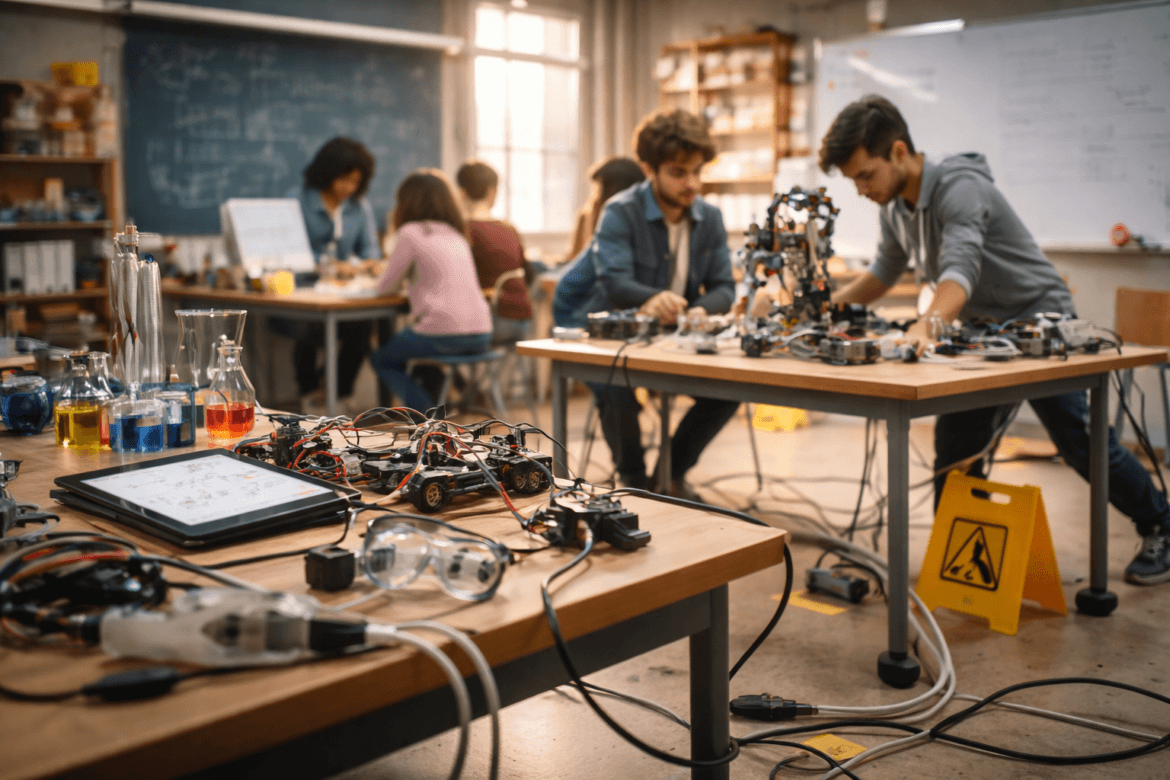
Students work in a classroom on robotics and electronics projects, surrounded by components, tools, and scientific equipment. A Safer STEM approach is highlighted by the visible caution sign on the floor.
STEM and STEAM EducationSafer EdScience and Lab SafetyK-12

Safer STEM Spaces Begin With Honest Signals

by EdCircuit Staff January 20, 2026
written by EdCircuit Staff 8 minutes read

This companion article, published by edCircuit in January 2026 for a Safer Ed Podcast episode, argues that near misses in STEM rooms are information about space, layout and scheduling, not evidence of teacher error. A new section below adds the federal definition of a near miss, a method for reading them, and a simple log a school can start this month.

Safer STEM Spaces start with recognizing a simple truth. Instruction has changed faster than many school buildings. Robotics, makerspaces, collaborative labs, and project based learning now fill rooms that were originally designed for quiet rows of desks. The result is not immediate failure, but subtle strain. Cords stretch across walkways, equipment crowds countertops, and students navigate spaces never intended for constant movement. These moments are called near misses, and they reveal more about infrastructure than about people.

The latest episode of the Safer Ed Podcast explores this gap between curriculum and environment. The conversation highlights how near misses are not teacher mistakes, but system messages about space, layout, scheduling, and leadership choices. When schools listen to those messages, they gain time to adjust before small issues become serious incidents.
Safer EdWhen Curriculum Outpaces Infrastructure: What Near Misses Reveal About Safer STEM SpacesJanuary 19, 2026 · 7 min 28 sPlay episode: When Curriculum Outpaces Infrastructure: What Near Misses Reveal About Safer STEM Spaces (7 minutes 28 seconds)0:00-7:28Follow on SpotifyApple

Curriculum Moves Faster Than Concrete

Educational programs evolve every year. Districts invest in new devices, new standards, and new STEM pathways. Buildings, however, change slowly. A science room constructed in the 1980s might now host engineering design, chemistry demonstrations, and computer modeling in the same period. The room passes inspection, yet struggles to support the work inside it.

Compliance checks confirm that a space meets code requirements, but they rarely assess whether it aligns with modern instructional practices. Compliance is static. Teaching is dynamic. Near misses often appear where that dynamic use collides with a static design. Leaders may assume safety because no rules have been broken, while day-to-day reality tells a different story.

Patterns Matter More Than Single Events

One tipped cart can be dismissed. A dozen near tips in the same corner cannot. Near misses cluster in predictable places, the same storage shelves, the same narrow pathways, the same transition moments between classes. These patterns show that the problem is not attention, but design.

If students repeatedly cross power cords, the layout invites risk. If materials are stacked too high, storage capacity is misaligned with enrollment. Over time, these conditions feel normal, and normalized risk becomes invisible. Until one day it does not.

The Complicated Promise of Flexibility

Flexibility is celebrated in modern education. Schools want rooms that serve as labs, makerspaces, and collaboration hubs. Without structure, however, flexibility creates ambiguity. Students may not know which expectations apply in a mixed-use space. Is this a chemistry lab requiring protective equipment, or a design studio encouraging movement?

Transitions expose this confusion. Expectations shift faster than the room can reset, and the bell schedule becomes a safety factor. Near misses often live in those minutes between activities, when the space is asked to be two things at once.

Near Misses Are Not Teacher Failures

It is easy to blame individuals. Yet teachers are adapting under real constraints. They supervise, instruct, manage equipment, and maintain safety simultaneously. Improvisation becomes a survival strategy, not a preference. When leaders treat near misses as personal mistakes, they miss the system causes that created them.

Space carries hidden leadership decisions. Class size, scheduling, purchasing, and storage policies all shape risk. Even supervision depends on visibility and flow. Leaders who only review floor plans rarely see how rooms function during instruction. Near misses live in movement, not on paper.

From Inconvenience to Data

The most productive shift occurs when schools treat near misses as information. Instead of asking who is at fault, leaders ask what the space is communicating. Renovations become targeted. Schedules account for movement. Equipment placement becomes intentional.

Better questions guide these choices. What was this room designed to do? What are we asking it to do now? Where are workarounds keeping us safe? Alignment does not always require new construction. Sometimes it means adjusting class size, redesigning storage, or sequencing activities differently. Early limits are easier to address than late emergencies.

Building a Culture That Listens

Safer STEM Spaces grow from cultures that notice small signals. Near misses do not mean a school is unsafe. They mean the school is operating at the edge of its systems. Leadership appears in the decision to examine those edges rather than ignore them.

The Safer Ed Podcast invites educators, administrators, and facilities teams to view space as an active partner in learning. When curriculum and infrastructure move together, classrooms become places where innovation and safety support each other.

Take Action

If any of the scenarios in this conversation sound familiar, visit ScienceSafety.com and use the free Occupancy Load Calculator. The tool helps schools understand how space, class size, and layout intersect with safety, before near misses escalate.

Listen to the Full Episode

The full discussion, “Safer STEM Spaces: When Curriculum Outpaces Infrastructure,“ is now available on the Safer Ed Podcast.

STEM lab near misses: how to turn close calls into safer rooms

STEM lab near misses are events that could have caused an injury and did not, such as a cart that nearly tipped or a student who nearly tripped on a cord. The article above argues that these events point to a mismatch between how a room is used and how it was built. This section adds a standard definition, shows how a federal safety document recommends handling close calls, and describes a log that a department can keep without special software.

What a near miss is, and why agencies count them

The Occupational Safety and Health Administration’s Recommended Practices for Safety and Health Programs (October 2016) define a close call or near miss as an incident that could have, but did not, result in death, injury or illness, and says such incidents signal that hazards are not being adequately controlled or that new hazards have arisen. The document lists “investigate close calls/near misses” among its steps and says that the purpose of an investigation is to identify root causes, of which there is often more than one.

The OSHA document is written for employers and describes itself as recommendations only, so a school is adapting it, not following a mandate. The idea carries over directly to the situation the article describes: a pattern of near tips in one corner is a signal about the corner.

Asking system questions

OSHA’s guide says an investigation should not stop when it finds that a worker made an error. It suggests asking whether the worker had appropriate tools and time to do the work, was adequately trained and was properly supervised. For a STEM room, the equivalent questions are practical:

  • How many students were in the room, and how many was it laid out for?
  • Where was the cart, the cord or the bin supposed to be, and was there a place for it?
  • What activity had just ended, and how long did the teacher have to reset the room?
  • Could the teacher see every station from where the teacher stood?

These questions follow the article’s own point that near misses cluster in the same storage shelves, narrow pathways and transition moments between classes. They also protect teachers, since the questions are about conditions rather than conduct.

Layout choices that teacher guidance already names

A January 2020 Science Scope column by Kaitlyn McGlynn and Janey Kelly, “Modifying Labs for Students with Special Needs,” lists keeping aisles wide, clearing tables of nonessential items and using nonslip mats among its adjustments. The column was written about students with special needs, and the same steps reduce trip and spill risk for everyone. It is practitioner guidance, not a study of injury rates. The School Chemistry Laboratory Safety Guide from the U.S. Consumer Product Safety Commission and the National Institute for Occupational Safety and Health (2006) adds a storage rule: chemicals should not be stored on benches, on the floor or in the laboratory hood.

A one-page near-miss log

The log below is a suggestion from edCircuit, not a design taken from a published source. A department can start with a shared form of six fields: the date, the room, the activity, what nearly happened, what was nearby and the number of students present. Teachers write an entry in under two minutes, with no name required. Once a month, the department chair reads the entries and looks for repeats in place, time of day or activity. The same location appearing three times is a reason to change the space, whether by moving a shelf, taping a path or shortening the activity.

The log has limits. It depends on teachers feeling safe to report, so leaders need to respond to entries with a change in the room instead of a question about who was careless. It also records only what teachers notice, so the first entries will be fewer than the actual events. OSHA’s guide recommends communicating investigation results to the people affected, and a short note back to the department, saying what changed because of last month’s entries, keeps the log in use.

Space, class size and the calculator

The article above ends with the free occupancy load calculator on ScienceSafety.com, which helps compare room size, class size and layout. Using it alongside the log lets a school check whether the rooms with the most entries are also the most crowded. Readers who want the wider context can find it in the edCircuit STEM education guide and lab safety guide.

Subscribe to edCircuit to stay up to date on all of our shows, podcasts, news, and thought leadership articles.
January 20, 2026 0 comments
0 FacebookTwitterPinterestLinkedinWhatsappCopy LinkEmail
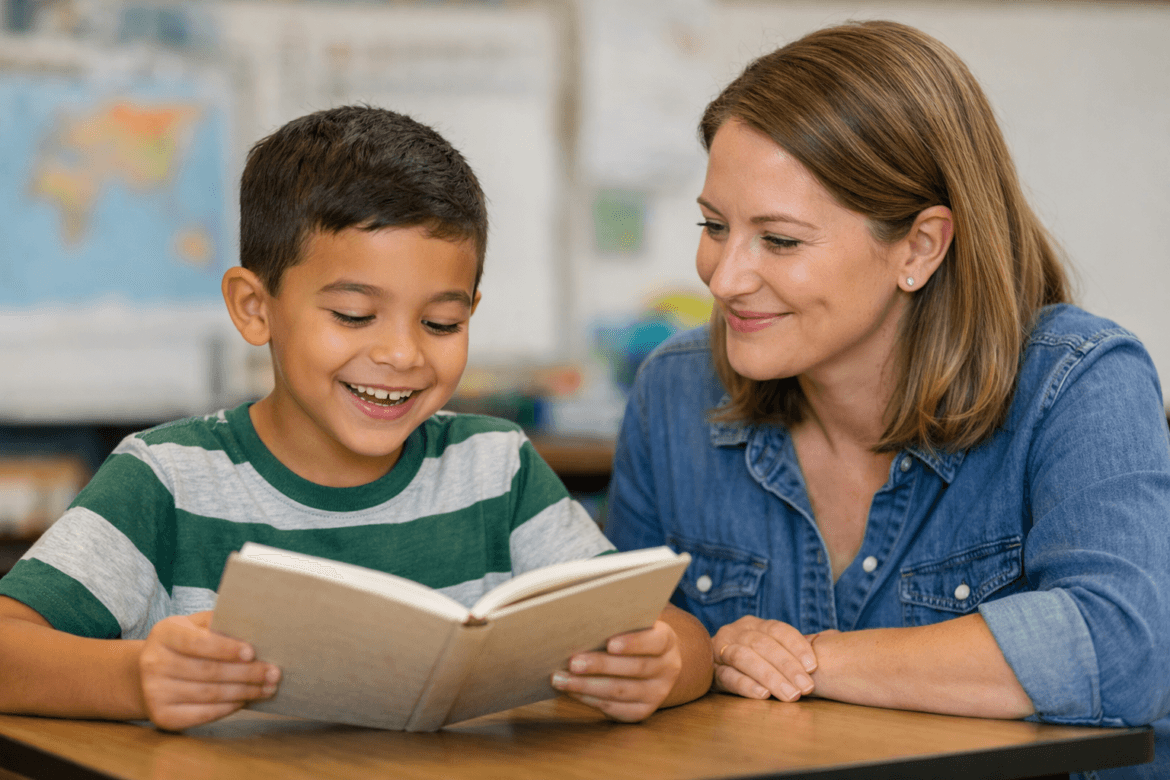
A young boy in a striped shirt reads a book at a desk while a smiling woman sits beside him, encouraging him with methods from the science of reading. The background is a classroom with blurred maps and a whiteboard.
EducatorsCurriculum and InstructionHot Topics - controversialK-12Literacy and Reading

The Science of Reading: How Research Shapes Literacy

by EdCircuit Staff January 20, 2026
written by EdCircuit Staff 5 minutes read

The Science of Reading is a vast, interdisciplinary body of research that explains how children learn to read, why some struggle, and which instructional practices lead to strong literacy outcomes. Grounded in decades of evidence, it offers clear guidance for teaching reading in ways that align with how the brain processes written language.

Rather than a program or trend, the Science of Reading synthesizes findings from cognitive psychology, neuroscience, linguistics, and education. These fields consistently show that reading is not a natural process. It must be taught explicitly and systematically.

What Is the Science of Reading?

The Science of Reading refers to scientifically based research on reading and writing, including how foundational literacy skills develop and how instruction can prevent or reduce reading difficulties. This research spans more than five decades and multiple disciplines.

A key synthesis of this evidence came from the National Reading Panel, which identified five essential components of skilled reading. Together, these components provide a research-backed framework for effective instruction and a shared language for educators and policymakers.

The Science of Reading does not mandate a single curriculum. Instead, it defines the principles instruction must follow to be effective.

The Five Core Components of Skilled Reading

Phonemic Awareness

Phonemic awareness is the ability to hear and manipulate individual sounds in spoken words. It is an oral skill, although the National Reading Panel found that instruction in it is most effective when children manipulate sounds with letters.

For example, students may practice identifying the first sound in a word or removing a sound from a spoken word. These skills prepare the brain for decoding and are among the strongest predictors of early reading success.

Phonics

Phonics instruction teaches the relationship between sounds and letters. This is how students learn to decode written words.

In Science of Reading–aligned classrooms, phonics is taught explicitly and in a planned sequence. Teachers model sound-spelling patterns, guide students through blending, and provide practice with words and sentences that reinforce the target skill. This approach is especially critical for students with dyslexia.

Fluency

Fluency is the ability to read accurately, at an appropriate pace, and with expression. When students read fluently, they can focus on meaning rather than word-by-word decoding.

Fluency develops through guided practice and repeated reading of texts that match students’ decoding skills, often using short, decodable passages in early instruction.

Vocabulary

Vocabulary refers to the words students understand and can use. Vocabulary knowledge strongly influences comprehension, particularly as texts grow more complex.

Effective instruction includes explicitly teaching important words, discussing meanings in context, and revisiting vocabulary across subjects. This is especially important for multilingual learners and students with limited exposure to academic language.

Comprehension

Comprehension is the goal of reading: understanding and making meaning from text.

Strong comprehension depends on accurate decoding, fluency, vocabulary, background knowledge, and language skills. When foundational skills are weak, comprehension breaks down, regardless of a student’s reasoning ability.

Structured Literacy and the Science of Reading

Structured literacy is the instructional approach most closely aligned with the Science of Reading. It is explicit, systematic, cumulative, and responsive to student data.

Instruction follows a logical sequence, provides regular review, and adjusts based on student progress. This approach benefits all learners and is essential for students with dyslexia, who need clear and direct instruction to build accurate word-reading skills.

Structured literacy replaces practices that encourage guessing from context or pictures, which research has shown do not support strong decoding.

Why the Science of Reading Matters

For many years, reading instruction often emphasized meaning-making without ensuring students could decode accurately. Approaches such as cueing systems left many students without the foundational skills they needed.

The Science of Reading matters because it reduces reading failure. When instruction aligns with evidence, fewer students fall behind and fewer require intensive intervention later.

This is particularly important for students with dyslexia, a neurological difference that affects word reading and spelling. Explicit, systematic instruction gives these students access to reading success.

How Schools Are Using the Science of Reading

Schools across the United States are shifting literacy practices in response to research and student outcomes. Districts are adopting evidence-aligned curricula and investing in professional development focused on phonics, language structure, and assessment.

Common changes include:

  • universal early screening for reading difficulties

  • increased training in structured literacy

  • greater use of decodable texts in early grades

  • data-informed small-group and intervention instruction

Several states now require evidence-based reading instruction, signaling a broader commitment to research-aligned literacy education.

Addressing Common Misconceptions

A common misconception is that the Science of Reading limits creativity or joy in reading. In reality, strong decoding skills increase confidence and independence.

Another misconception is that it only applies to young children. Older students who struggle with reading also benefit from explicit, structured instruction.

The Science of Reading does not replace comprehension, literature, or critical thinking. It supports them.

The Future of the Science of Reading

As research continues to evolve, literacy instruction is becoming more precise and more equitable. Advances in assessment and neuroscience are helping educators better understand individual learning needs.

The future of reading instruction depends on sustained commitment. Teacher preparation programs, school curricula, and classroom practice must remain aligned with research rather than trends.

Conclusion: Moving From Research to Results

The Science of Reading provides a clear, evidence-based framework for teaching reading effectively. By addressing phonemic awareness, phonics, fluency, vocabulary, and comprehension, educators can support all students in becoming skilled readers.

To fully realize its promise, schools must continue investing in teacher training, align curricula with research, and empower families with accurate information about how reading develops. When research and practice move together, reading success becomes an expectation, not an exception.

Subscribe to edCircuit to stay up to date on all of our shows, podcasts, news, and thought leadership articles.

January 20, 2026 0 comments
0 FacebookTwitterPinterestLinkedinWhatsappCopy LinkEmail
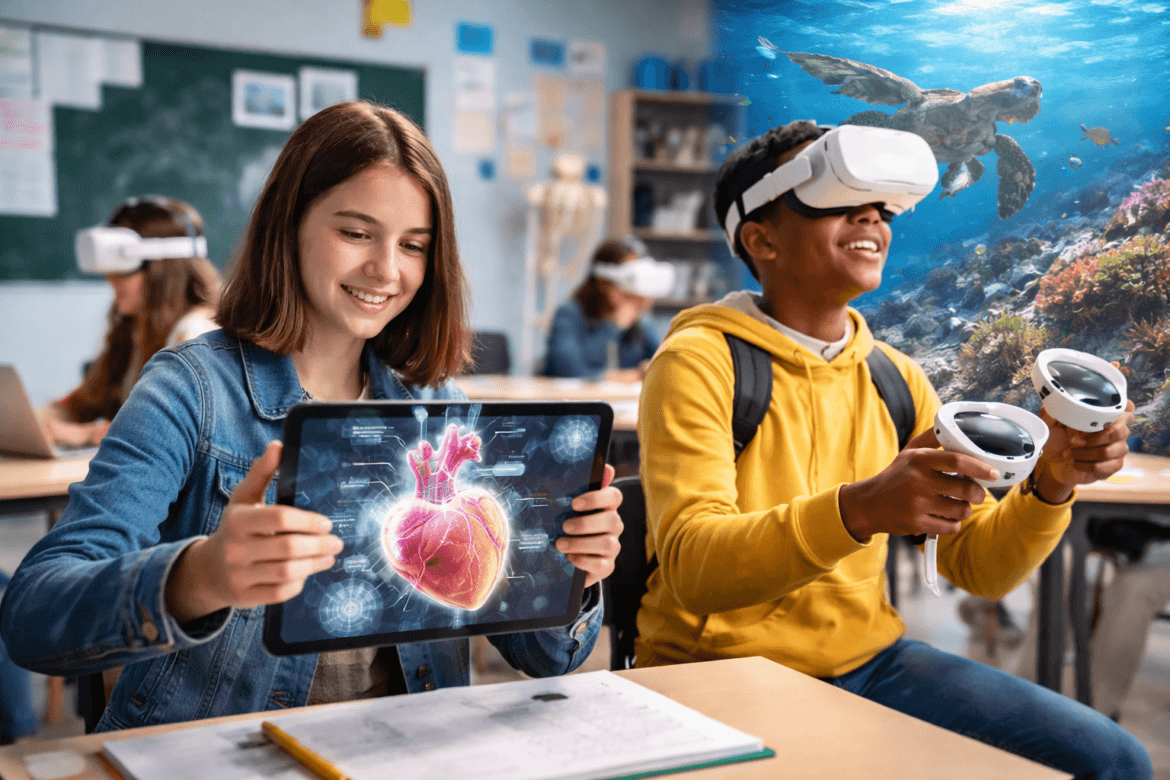
A girl holds a tablet showing a 3D heart while a boy in a VR headset explores an ocean scene in a classroom
Augmented and Virtual RealityK-12Hot Topics - controversial

Immersive Learning: AR/VR for Middle & High School Classroom

by EdCircuit Staff January 19, 2026
written by EdCircuit Staff 7 minutes read

Augmented reality in education means layering digital content, such as a 3D model, a label or an animation, onto the real world through a tablet, phone or headset. Virtual reality goes further and places students inside a fully simulated environment. In middle and high schools, both are used to turn abstract ideas into something students can see and manipulate: a beating heart in anatomy, molecules bonding in chemistry, a historical site in social studies, or a hazardous procedure practiced safely before students touch real equipment.

The research behind augmented reality is stronger than many educators expect, and it also shows where the technology works best. This guide covers what AR and VR are, what studies find, how teachers use them well, and what district leaders should plan for.

AR vs. VR: what is the difference?

Augmented reality (AR) adds digital content to the physical world. Students might point a tablet at a printed diagram and see labeled 3D structures appear, or scan a lab station and see safety prompts.

Virtual reality (VR) replaces the physical world with a simulated one, usually through a headset. Students might walk through an ecosystem, explore a historical setting or rehearse a technical skill.

Mixed reality devices, such as current headsets with passthrough cameras, blur the line by placing digital objects in the room around the user. For schools the practical difference is cost and access: AR often runs on tablets and phones schools already own, while VR usually requires headsets.

What the research says about augmented reality in education

Several meta-analyses, which combine the results of many studies, have found that AR improves learning outcomes:

  • A 2023 meta-analysis of 40 samples from 35 studies of K-12 students found a medium positive effect on academic achievement (an effect size of 0.44), with results varying by subject and by how long the AR lessons lasted.
  • A 2023 meta-analysis of more than 250 studies across education and training found that AR programs outperformed comparison methods by about three-fifths of a standard deviation. Effects were larger for younger learners and in real classroom settings, and smaller for head-mounted AR displays than for smartphones and tablets.
  • For immersive VR, a 2022 meta-analysis of 48 experimental studies found a small positive effect overall (0.38), with larger effects in K-12 than in higher education, according to a summary by the Technical University of Munich.

Two practical findings stand out. First, the device matters less than the lesson: AR on an ordinary tablet performed at least as well as expensive headsets. Second, the studies measure AR used for specific learning goals, not technology added for novelty. Results depend on how well the experience is built into instruction.

How AR and VR are used in middle and high school

Science becomes something students can see

Science courses often struggle with abstract concepts, limited lab time, safety rules and uneven access to equipment. Virtual labs let students repeat experiments, change variables and learn from mistakes without risk. AR helps students see systems that are normally invisible, such as molecular interactions, anatomical structures or the movement of air and water, placed directly in the room in front of them. In biology, chemistry, physics and environmental science, that can deepen conceptual understanding while reinforcing inquiry skills.

Social studies gains context

Social studies can become heavy on memorization. VR can give students a sense of place: the scale of a historical site, the geography that shaped a decision, or the conditions people lived in. These experiences do not replace primary sources or discussion. They give the class a shared context that helps students read sources more carefully and ask better questions.

Career and technical education becomes safer to practice

Many career and technical skills involve expensive equipment, safety risks or limited access to real workplaces. VR lets students practice procedures, identify hazards and understand workflows before they step into a real shop, lab or clinical setting. In higher education, dental schools already use haptic VR simulators so students can practice before working on patients; the same idea applies to high school CTE pathways in health sciences, welding, automotive and construction.

Learning beyond the classroom

Not every student has access to field trips, internships, specialized labs or travel. AR and VR can narrow that experience gap, especially for rural and under-resourced schools and for students with mobility or scheduling limits.

What strong immersive lessons look like

Effective immersive learning is defined by lesson design, not devices. Strong middle and high school lessons using AR or VR tend to follow a clear arc:

  1. an anchor question or problem grounded in real-world relevance;
  2. an immersive experience that allows exploration, simulation or practice;
  3. evidence capture, such as observations, screenshots, measurements or decision logs;
  4. sense-making through discussion, writing, modeling or argument;
  5. transfer, where students apply what they learned to a new scenario or assessment.

When immersive experiences are tied to reflection and application, they move from engaging moments to lasting learning.

Age limits, safety and comfort

Headset makers set minimum ages, and schools should check them before buying:

  • Meta Quest lowered its minimum age from 13 to 10 in 2023, with parent-managed accounts required for ages 10 to 12, Road to VR reported. Meta’s education offering, Meta for Education, became generally available in February 2025 with tools to manage many headsets; Meta described it in 2024 as designed for institutions serving learners 13 and older.
  • Apple Vision Pro should not be used by children under 13, according to Apple, and users 13 and older should be supervised by an adult.

On comfort, a 2024 systematic review of 26 studies of headset VR in children under 14 found limited evidence of harm from short, supervised use; mild cybersickness was the most common effect, and the authors noted that safety reporting in the studies was often poor. Short sessions, regular breaks and an alternative activity for students who feel unwell are sensible defaults.

What district leaders should plan for

For many schools the first hurdle is logistics, not interest: scheduling, bandwidth, device management, storage and charging, and professional development for teachers who are already stretched. Districts that succeed tend to treat immersive learning as an instructional shift rather than an add-on. Key steps:

  • Start with learning outcomes, not devices, and check whether tablets the district already owns can deliver the AR experience.
  • Pilot in a small number of courses, measure results and scale what works.
  • Provide teacher training and planning time, not just hardware.
  • Plan for accessibility and comfort, including alternatives for students who cannot or should not use headsets.
  • Review the privacy terms of every AR and VR app and device account before students use them.

Frequently asked questions

What is augmented reality in education? The use of AR apps and devices to overlay digital content, such as 3D models and labels, onto the real world to help students understand concepts.

Does augmented reality improve learning? Meta-analyses have found medium positive effects on achievement for K-12 students, with the best results when AR is built into well-designed lessons.

Do schools need headsets for AR? No. Many AR experiences run on tablets and phones, and research has found tablet- and phone-based AR at least as effective as head-mounted displays.

What age can students use VR headsets? It depends on the device. Meta Quest allows ages 10 to 12 with parent-managed accounts; Apple says Vision Pro should not be used by children under 13.

A shift in how students experience learning

Immersive learning does not replace teachers, textbooks, labs or field trips. It extends what effective teachers already do: spark curiosity, build understanding and give students meaningful chances to apply knowledge. Used with clear goals and good lesson design, AR and VR can help middle and high school students see how what they learn connects to the world and to the work they may do next.

Subscribe to edCircuit to stay up to date on all of our shows, podcasts, news, and thought leadership articles.

January 19, 2026 0 comments
0 FacebookTwitterPinterestLinkedinWhatsappCopy LinkEmail
Three teachers sit at a table, smiling and collaborating with books, a tablet, and a laptop. Open Educational Resources and colorful materials are spread out, while students work together in the background classroom.
EducatorsHot Topics - controversialK-12

Open Educational Resources in Today’s Classrooms

by EdCircuit Staff January 15, 2026
written by EdCircuit Staff 4 minutes read

Open Educational Resources (OER) are no longer a niche idea in education. They have become a practical solution for teachers, schools, homeschoolers, and education leaders who are looking for flexible, affordable, and effective teaching materials.

At a time when budgets are tight and classrooms are more diverse than ever, educators are turning to openly licensed resources to meet real needs. These resources include lesson plans, worksheets, textbooks, videos, assessments, and interactive activities that can be used, shared, and adapted without cost.

What sets Open Educational Resources apart is not just that they are free. It is that teachers can shape them to match how students actually learn.

How Teachers Are Using Open Educational Resources

In many classrooms, Open Educational Resources are part of everyday lesson planning. Teachers use them to supplement district curriculum, replace outdated textbooks, or fill gaps where materials fall short.

Instead of starting from scratch, educators often take an existing resource and adjust it. They might simplify language, add visuals, break content into smaller sections, or create multiple versions for different learning levels. This flexibility is especially helpful for inclusive classrooms where students have a wide range of abilities and learning needs.

Teachers also use Open Educational Resources for:

  • Daily practice and review

  • Project-based learning

  • Intervention and remediation

  • Enrichment and extension activities

  • Test preparation and formative assessment

Because these resources are editable, teachers can respond quickly when something is not working. That kind of responsiveness is difficult with traditional textbooks or locked digital platforms.

How Educators Search for Open Educational Resources

Finding quality Open Educational Resources takes time, but teachers are becoming more skilled and strategic in how they search.

Many educators begin with specific needs, such as a standard, skill, or unit objective. Others search based on student challenges, such as reading comprehension, math fluency, or engagement. Grade level, subject area, and accessibility features often guide the search as well.

Teachers frequently rely on:

  • OER repositories and libraries

  • District or state-curated collections

  • Professional learning communities

  • Recommendations from colleagues

  • Online educator groups and forums

The internet has played a major role in making this possible. Teachers are no longer limited to the resources within their own schools. A lesson created by a teacher across the country can be adapted and used the same day. This shared access has made teaching more collaborative and less isolating.

Accessibility and Responsible Use

As Open Educational Resources become more common, accessibility has become a key consideration. Teachers are increasingly aware that materials must work for all learners.

When using or adapting OER, educators often ask:

  • Is this resource ADA compliant?

  • Does it support screen readers?

  • Are videos captioned?

  • Is the font readable for students with dyslexia?

Many teachers actively look for dyslexia-friendly fonts, clean layouts, and clear spacing. Others modify resources themselves to improve readability and access. These changes not only support students with disabilities but also improve learning for all students.

Licensing is another important factor. Most Open Educational Resources use Creative Commons licenses, which outline how materials can be shared and modified. Understanding these licenses helps teachers use resources confidently and ethically.

Impact on School Budgets

One of the most significant benefits of Open Educational Resources is their effect on school budgets. Traditional textbooks and commercial programs are costly and often outdated quickly.

By using OER, schools can reduce spending on materials and redirect funds toward:

  • Technology and devices

  • Professional development

  • Support services and staff

  • Student programs and interventions

For administrators and principals, this approach offers long-term value. Instead of repurchasing materials every few years, schools invest in resources that can be continuously improved by educators.

How Schools Support Teachers

Schools and districts are increasingly supporting teachers who use Open Educational Resources. This support often includes:

  • Professional development on finding and adapting OER

  • Shared digital libraries or resource hubs

  • Curriculum teams focused on open materials

  • Time for collaboration and resource review

When schools invest in this support, teachers are more likely to use OER effectively and consistently. It also helps ensure quality and alignment across grade levels.

Teachers Helping Teachers

One of the most powerful aspects of Open Educational Resources is how they encourage collaboration. Teachers are not just users of content. They are contributors.

Educators regularly share lessons, adaptations, and feedback. A resource improves as more teachers use it, revise it, and share what worked. This collective effort raises the quality of materials and strengthens professional relationships.

Homeschoolers are part of this exchange as well. Many families share creative approaches, pacing ideas, and interdisciplinary lessons that classroom teachers find valuable. The result is a broader, more diverse pool of teaching strategies.

Who Benefits from Open Educational Resources

Open Educational Resources are used by:

  • Classroom teachers

  • Homeschool educators and families

  • Tutors and intervention specialists

  • School administrators

  • Teacher preparation programs

Parents appreciate having access to materials and understanding what their children are learning. Education leaders and policymakers see OER as a way to promote equity, access, and innovation.

Looking Ahead

Open Educational Resources reflect a larger shift in education. Knowledge is becoming more open, more shared, and more responsive to student needs. Teachers are gaining flexibility, schools are managing budgets more effectively, and students are benefiting from materials designed with real learners in mind.

As educators continue to connect, share, and support one another, Open Educational Resources will remain an important part of how teaching and learning evolve.

Subscribe to edCircuit to stay up to date on all of our shows, podcasts, news, and thought leadership articles.
January 15, 2026 0 comments
0 FacebookTwitterPinterestLinkedinWhatsappCopy LinkEmail
A woman sits at a desk with a laptop and an open notebook, smiling while using her smartphone. Bookshelves and a chalkboard are in the background, creating an inspiring space for professional development.
Professional DevelopmentHot Topics - controversialK-12

Professional Development: The Power of Evolving Practice

by EdCircuit Staff January 14, 2026
written by EdCircuit Staff 3 minutes read

Professional development has always been the heartbeat of the school year. It is where teachers step out of the daily rush, reconnect with their goals, and gather the ideas that carry them through the next stretch of work. The format used to be predictable. A full day in a conference room. A keynote. Breakout sessions. A stack of handouts to take home and a list of strategies to try.

The energy at the end of these sessions was the same across districts. Teachers walked back into their classrooms feeling inspired. Some gained new approaches. Others confirmed they were on the right track. Many found comfort in hearing that colleagues shared the same challenges. The traditions of professional development created space for reflection and renewal.

Yet the world around education changed, and PD had to shift with it.

From Conference Rooms to Pocket Learning

A decade ago, a district that wanted to expose its staff to new ideas often sent a small team to a regional conference. That team would return, gather the staff, and share what other districts were trying. It was a good system, but it depended entirely on time, travel, and budgets.

Today, professional development looks completely different. Learning management systems, video libraries, micro-courses, and AI-enhanced platforms have broadened access in ways few educators imagined. Teachers can now review lessons on literacy instruction from their phone while waiting for a child’s soccer practice to end. They can watch a coaching clip during their planning period or revisit a session on trauma-informed practices after school.

For many districts, this shift has not replaced traditional PD. It has expanded it. Now teachers have options. They can attend in person, join virtually, or complete modules whenever their schedule allows. Professional development is no longer a single event. It is an ongoing resource.

AI’s Role: Not Replacing PD but Strengthening It

AI has become one of the most powerful additions to modern professional development. It helps teachers find the right content faster. It suggests modules based on performance. It can summarize long sessions and highlight key actions. Some AI tools walk teachers through reflection exercises or connect them with practices used by similar educators across the country.

None of this removes the value of human coaching or collaboration. It simply helps teachers manage time, gather insights, and apply new ideas more effectively. AI removes barriers, but teachers still do the real thinking.

Why Teachers Still Walk Away Energized

For all the changes in platforms, formats, and tools, the heart of professional development remains the same. Teachers want to feel supported. They want to try new things. They want to talk with colleagues who understand the challenges of the job. Whether they sit in a conference ballroom or tap through a module on their phone, the spark of inspiration still carries the same power.

The difference now is reach. Teachers no longer rely on a few colleagues to bring back insights from a conference. They can access the same information at the same time. They can compare strategies across districts. They can learn at the pace that matches their workload.

Professional development has not lost its purpose. It has gained flexibility, personalization, and a stronger connection to daily practice.

Why Embracing Change Matters

Education is rooted in tradition, but growth requires adaptation. When PD evolves, it supports teachers more fully. When technology removes barriers, learning becomes more equitable. When AI helps sift through information, teachers can focus on what matters: impact.

The story of professional development is not about replacing the old with the new. It is about strengthening a practice that has always mattered. The tools have changed. The energy educators feel at the end of a good session has not.

Subscribe to edCircuit to stay up to date on all of our shows, podcasts, news, and thought leadership articles.

January 14, 2026 0 comments
0 FacebookTwitterPinterestLinkedinWhatsappCopy LinkEmail
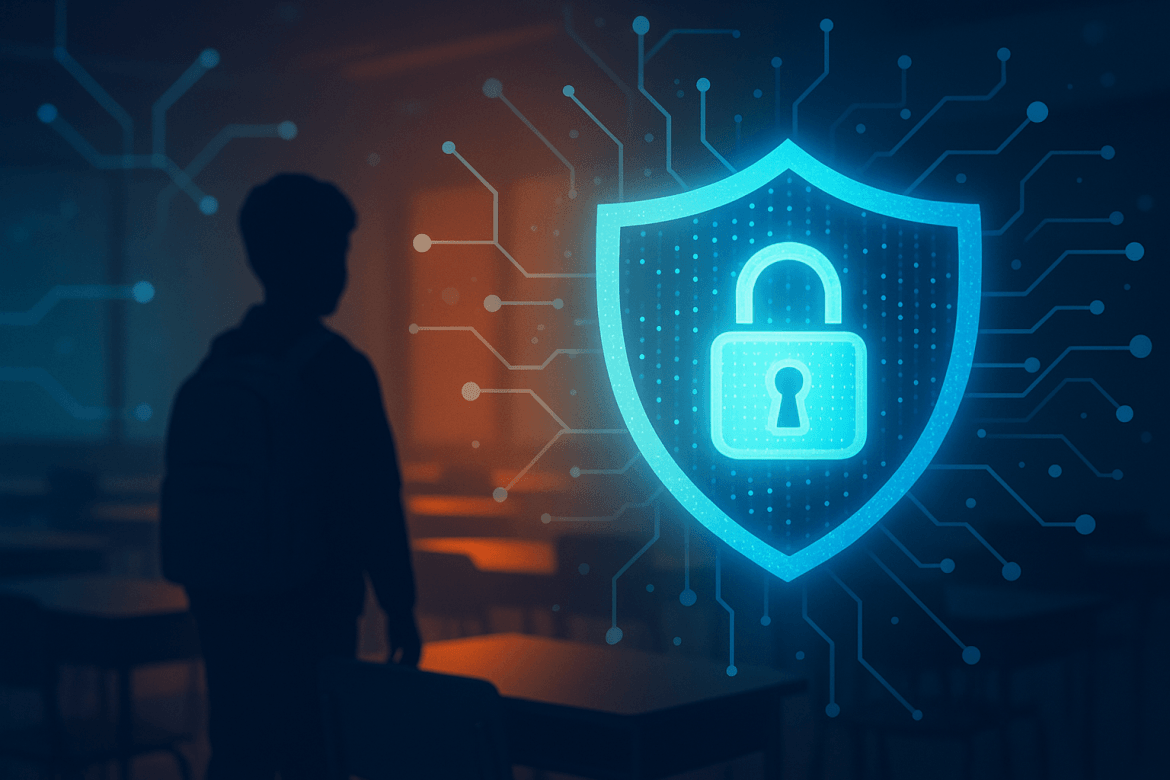
A silhouette of a child stands in a classroom, with a large digital shield and padlock icon symbolizing the importance of protecting Personally Identifiable Information (PII) in Education Today.
CybersecurityHot Topics - controversialK-12

Personally Identifiable Information (PII) in Education Today

by EdCircuit Staff January 13, 2026
written by EdCircuit Staff 6 minutes read

Personally Identifiable Information (PII) in education refers to any data—direct or indirect—that can identify a student or employee. This includes traditional records such as names, addresses, birthdates, and Social Security numbers, but it also includes a wide array of newer digital data: learning analytics, device logs, behavioral patterns, biometrics, medical notes, IEP details, and even browsing history from school-issued devices. Together, these data points form a highly detailed profile of a child’s identity and daily life.

Protecting that identity has become one of the most urgent responsibilities in K–12 education. Schools now collect and store more sensitive information than ever before, yet the systems, vendors, and tools used to manage that data have expanded dramatically—and not always with adequate safeguards. Every login, every digital assignment, every AI-powered app, and every cloud-based service creates new data trails that must be secured.

What many families do not realize is that their child’s personal information often travels beyond the district’s servers and into complex vendor ecosystems. As cyberattacks on school districts accelerate, transparency and stronger protections are no longer optional—they’re essential.

Why Personally Identifiable Information (PII) Has Become a Prime Target

Hackers increasingly target school districts because they combine rich data with limited cybersecurity resources. Schools hold valuable information but rarely have the staffing, funding, or monitoring capabilities of hospitals, financial institutions, or large corporations.

1. Schools Store Enormous Amounts of Sensitive Personally Identifiable Information

Districts manage data sets that touch nearly every part of a student’s life:

  • Legal names and demographic details

  • Addresses and family contact information

  • Birth certificates and Social Security numbers

  • Academic history and discipline records

  • Disability documentation and IEP plans

  • Medical alerts and health information

  • Photos, videos, and audio recordings

  • Employee payroll and HR data

  • Device logs, browsing history, and keystroke data

  • Biometric identifiers (fingerprints, facial recognition, etc.)

This breadth of information is extremely profitable for cybercriminals. Student identities, in particular, can be used for years before fraud is detected.

2. EdTech Vendors Multiply Privacy Risks

A typical school district may rely on hundreds of digital tools—learning management systems, reading apps, math platforms, AI tutors, browser extensions, communication systems, testing portals, and classroom add-ons. Every new tool introduces:

  • a new database

  • a new third-party vendor

  • a new privacy policy

  • a new set of risks

Many “free” apps monetize through aggressive data collection, and not all vendors clearly disclose what they gather, how long they store it, or whether they use subcontractors. Parents almost never see the full map of where their child’s information goes.

3. District Cybersecurity Resources Are Often Limited

Most K–12 IT teams face:

  • understaffing

  • aging infrastructure

  • limited budgets

  • constant device maintenance

  • insufficient cybersecurity training

Human error—especially phishing—is still the most common cause of breaches.

A Real Example: The 2025 PowerSchool Data Breach 

In 2025, a major breach involving the PowerSchool platform exposed student and staff data across multiple school systems. Although the scope varied by district, many families learned for the first time that their children’s academic records, demographic details, and unique identifiers were stored in external cloud systems rather than solely in district databases.

The incident disrupted communication systems, interrupted access to instructional platforms, and raised serious questions about vendor security. More importantly, it forced districts and parents to confront a difficult truth: outsourced data is still district responsibility, and vendor trust must be earned, not assumed.

The breach marked a turning point, prompting schools to reexamine vendor vetting procedures, strengthen Data Privacy Agreements (DPAs), and modernize cybersecurity infrastructure.

“A child’s identity should never be collateral damage in the digital age.”

Indirect Identification: A Growing Hidden Risk

Parents often assume that if a name isn’t attached, the data is harmless. Unfortunately, modern analytics can re-identify individuals using indirect data points such as:

  • birthdate + home zip code

  • device usage patterns

  • classroom schedules

  • location metadata from apps

  • search queries

  • assignment timestamps

  • participation in specific programs

These data trails can reveal a child’s identity, habits, vulnerabilities, and daily routines—even without direct identifiers. This is why schools must protect not only traditional records but also behavioral and digital usage data.

AI Tools and the New Generation of Personally Identifiable Information

The rise of artificial intelligence in education has expanded what counts as student data. AI tutoring platforms, writing tools, adaptive reading systems, and behavior-tracking dashboards generate and store:

  • student responses

  • reading patterns

  • writing tendencies

  • error analysis

  • predicted performance

  • voice recordings

  • engagement analytics

Some AI tools retain data indefinitely unless districts negotiate deletion timelines. Others may use student inputs to improve their algorithms unless privacy agreements prevent it.

As AI becomes essential to instruction, districts must understand:

  • what data AI models collect

  • where models store it

  • whether student data trains the AI

  • how long AI tools retain information

  • whether vendors use subcontractors

AI brings innovation—but it must bring transparency, too.

Legal Protections: FERPA, COPPA, and CIPA

While federal laws provide guardrails, they do not fully reflect the complexities of modern EdTech ecosystems.

FERPA

Protects education records and grants families the right to review, amend, and limit disclosures. But FERPA was written decades before cloud computing and AI, leaving gray areas around analytics, algorithms, and third-party subcontractors.

COPPA

Governs data collection from children under 13. Schools can consent for instructional purposes, but many families never realize this is happening.

CIPA

Addresses filtering and internet safety. It does not govern data collection practices by vendors.

Districts must therefore build privacy systems that go beyond compliance.

Best Practices for Protecting Personally Identifiable Information in Schools

Leading districts are strengthening their approach through a combination of technology, training, and communication.

1. Minimize Data Collection

Only collect what is truly necessary. Less data means less exposure.

2. Deploy Modern Cybersecurity Tools

Key protections include:

  • multi-factor authentication

  • encryption at rest and in transit

  • endpoint monitoring

  • network segmentation

  • regular patching

  • offline backups

  • zero-trust access models

Cybersecurity is now student safety.

3. Train Staff and Students

Most breaches begin with human error. Districts should implement:

  • phishing simulations

  • clear data handling expectations

  • FERPA and COPPA training

  • digital citizenship for students

Culture matters as much as infrastructure.

4. Vet and Monitor Vendors

Districts need strong Data Privacy Agreements with:

  • deletion timelines

  • encryption standards

  • breach notification requirements

  • subcontractor disclosures

  • restrictions on data sharing or training AI models

5. Be Transparent with Families

Parents deserve clarity about:

  • what data is collected

  • where it goes

  • who stores it

  • how long it’s kept

  • whether vendors use data for analytics

  • what rights families have

Trust grows from transparency.

Why This Matters for Parents

Long-term consequences of a breach can include:

  • damaged credit

  • blocked college financial aid

  • fraudulent medical or insurance records

  • long-term identity theft

  • emotional distress

Parents can and should advocate for:

  • vendor transparency

  • cybersecurity funding

  • districtwide privacy policies

  • opt-out options

  • responsible AI adoption

When families are informed, districts prioritize privacy.

Conclusion: Privacy Is Now a Core Part of Student Safety

Personally Identifiable Information (PII) is more than a record—it’s a child’s identity. As schools adopt more digital tools and AI systems, protecting that identity becomes both a moral responsibility and a safety imperative. By strengthening cybersecurity, improving vendor accountability, training staff and students, and communicating openly with families, districts can meet the moment.

Protecting PII is not just compliance. It is a promise—to students, parents, and educators—that the technology supporting learning will always be secure, ethical, and worthy of trust.

Subscribe to edCircuit to stay up to date on all of our shows, podcasts, news, and thought leadership articles.

January 13, 2026 0 comments
0 FacebookTwitterPinterestLinkedinWhatsappCopy LinkEmail
Newer Posts
Older Posts

Participate

  • Contribute
  • Sponsor
  • Submit Release
  • Subscribe
  • Get Interviewed

We value your privacy

We use cookies to enhance your browsing experience, serve personalized ads or content, and analyze our traffic. By clicking "Accept All", you consent to our use of cookies.

Customize
  • Needed for the site to work: signing in, the cart, your consent choice. Always on.

    8 cookies
    • ss_consent 1 yearYour cookie choice on this site, so you are not asked again.
    • wordpress_logged_in_* 2 days, or 14 days with "remember me"Keeps you signed in as you move between pages.
    • wordpress_sec_* 2 days, or 14 days with "remember me"The secure half of your sign-in.
    • wordpress_test_cookie SessionChecks that your browser accepts cookies when you sign in.
    • wp-settings-* 1 yearYour display settings when signed in.
    • wp_woocommerce_session_* 2 daysYour shopping session: the cart and the checkout.
    • woocommerce_cart_hash SessionTells the site whether your cart has changed.
    • woocommerce_items_in_cart SessionWhether your cart holds anything.
  • Remembers choices you make, such as a language or a region, and supports features like live chat.

    1 cookie
    • woocommerce_recently_viewed SessionThe products you looked at, so the site can show them again.
  • Helps us understand how visitors use the site: which pages are read, and for how long.

    2 cookies
    • _ga 2 yearsGoogle Analytics: tells one visitor from another. Set only after you allow analytics.
    • _ga_* 2 yearsGoogle Analytics: keeps your session state. Set only after you allow analytics.
  • Measures how fast pages load so we can make them faster.

  • Used to show you content and offers that match your interests, on this site and elsewhere.

    1 cookie
    • sbjs_* SessionWooCommerce order attribution: where you came from, so a purchase can be credited to the campaign or site that sent you.

Your browser asks us not to sell or share your information (Global Privacy Control), so advertising cookies stay off.

Do not sell or share my personal information

Some cookies from other companies help show you offers on other sites. Tick the box and save your preference to opt out of that sharing; untick it to opt back in at any time.

Your browser sends Global Privacy Control, so this preference is set for you and cannot be changed here.

Sign In

Keep me signed in until I sign out

Forgot your password?

Password Recovery

A new password will be emailed to you.

Have received a new password? Login here

Shopping Cart

Close

No products in the cart.

Close
-
00:00
00:00

Queue

Update Required Flash plugin
-
00:00
00:00

Your cart (items: 0)

Products in cart

Product Details Total
Subtotal $0.00
Shipping and discounts calculated at checkout.
View cart
Go to checkout

Your shopping cart is empty

Return to shop

Notifications