


edCircuit
  • Start Here
    • Login
    • Register
    • Subscribe
    • Submit a Press release
    • Advertise or Sponsor
    • Contribute
    • Get Interviewed
  • On the Wire
  • EdTech
    • All EdTech
    • Online Learning
    • Hybrid and Remote Learning
    • Augmented and Virtual Reality
    • ESports
    • Gamification and Game-Based Learning
    • Digital Citizenship
    • EdTech Entrepreneurs
    • Market Trends
    • Future of Education
  • Artificial Intelligence
  • K-12 Education
    • All K-12
    • K-12 Teachers
    • Teaching Strategies
    • Special Education and IEPs
    • Dyslexia
    • Gifted and Advanced Learning
    • Early Childhood, Pre-K and Kindergarten
    • School Calendar
    • Tutoring and Homework Help
    • Attendance and Absenteeism
    • After-School Programs
    • School Counselors
    • Homeschooling
    • School Models
    • Teacher Retention
    • Parents
    • Students
    • STEM and STEAM Education
  • Teaching and Learning
    • Literacy and Reading
    • Math Education
    • Civics and History Education
    • Financial Literacy
    • Assessment and Testing
    • Curriculum and Instruction
    • Personalized Learning
    • Project-Based Learning
    • Social-Emotional Learning
    • Executive Function
    • Creativity
    • Diversity, Equity, Inclusion
  • Professional Development
    • All Professional Development
    • Educators
    • Administrators
    • edLeaders
  • Higher Education
    • All Higher Education
    • College Admissions
    • Career and Technical Education (CTE)
    • Graduation
    • FAFSA and Financial Aid
    • Student Loans
  • Cybersecurity
  • School Safety
    • All School Safety
    • Science and Lab Safety
    • School Design and Facilities
    • Bullying
    • Duty of Care and School Liability
  • Continuing Education
    • All Continuing Education
    • Online Certificate Programs
    • Teaching Jobs and Careers
    • Teacher Appreciation
  • Education Policy and Government
    • All Education Policy
    • Department of Education
    • School Choice
    • Global
    • Advocates
  • EDU Shows
    • All EDU Shows
    • Safer Ed
    • Mind the Gap
    • Education Industry Questions
    • CoffeEd
    • InFocus
    • InformED Report
  • EDU Podcasts
    • All EDU Podcasts
    • Author Chats
    • CoSN The Podcast
    • Education Today
    • Building the Bridge
    • Students Speak
  • Education Industry Guides and Reports
  • Archived Media
    • Future of School: The Podcast
    • Equity Everywhere
  • About edCircuit
  • Subscribe
edCircuit
  • LOGIN
Home Tags Posts tagged with "Headline"
Tag:

Headline

This if for posts to be in the featured/top section of site
A split image of a house in winter channels Home Alone vibes: the left side is old-fashioned with a rotary phone and box TV, while the right side is modern, featuring smart devices, security cameras, and digital decorations.
EdTechHot Topics - controversial

Home Alone in 2025: How Technology Would Ruin Every Scene

by EdCircuit Staff December 26, 2025
written by EdCircuit Staff 6 minutes read

Home Alone works because Kevin McCallister is completely isolated in a world without smartphones, smart homes, or an app screaming, “You forgot your kid again.” Drop the same plot into 2025 and everything falls apart in minutes. Kevin wouldn’t be fighting burglars. He’d be battling push notifications and trying to turn off parental controls.

Let’s revisit the classic, scene by scene, and watch how modern tech would absolutely ruin—sorry, fix—the entire movie.

Airport Chaos: No Chance With Modern Apps

In the original, the McCallisters oversleep, sprint through the airport, shove half their extended family into vans, and somehow still catch a flight. Today, none of that chaos survives contact with reality.

Every airline app sends reminders like:

“Your flight is at 8:00. Confirm all travelers. Did you forget… a human?”

If Kate ignored that, the airline’s AI assistant would gently roast her:

“You purchased nine child tickets. I detect eight children. Would you like help locating the missing one?”

Kevin wouldn’t be forgotten. He’d be on a group chat receiving video messages from the airport while eating cereal.

Plot ruined in 12 seconds.

Kevin Wandering the House: Shut Down by Ring Cameras

In 1990, Kevin walks downstairs completely free. In 2025, his house looks like a security showroom. Every entrance has a Ring camera. The stairs have a sensor. Even the dog (that they don’t have) would probably have a GPS tag.

The moment Kevin moves:

RING CAMERA: “Motion detected. Small snack-seeking creature.”
ALERT TO MOM: “Your youngest is in the kitchen. Also, he’s eating marshmallows.”

Kate would call immediately:
“Kevin, are you home alone?”
“Looks like it.”
“Stay there. And don’t touch the air fryer.”

Mystery solved. Movie over.

Food and Survival: Kevin Outsources Everything

In the original Home Alone, Kevin buys groceries like a miniature accountant: coupons, milk, a giant bag of detergent. Today? He wouldn’t even pretend.

He’d open his phone:

  • Pizza → DoorDash

  • Toothbrush → Amazon same-day

  • Milk → Target pickup

  • Ice cream → Drone drop-off

He’d hit “leave at door,” take the bags inside, and spend the rest of the day watching YouTube tutorials about booby traps he’ll never build.

The only danger he faces is delivery fees.

The Wet Bandits vs. 2025 Surveillance

Harry and Marv—our beloved Wet Bandits—spend the movie creeping through the neighborhood like two men allergic to subtlety. In 2025? They wouldn’t last one driveway.

A Ring camera catches Harry in his fake police costume and uploads it instantly:

  • “Pretty sure this guy sold me expired coupons.”

  • “His badge looks printed.”

  • “Is this a new reboot? Should I call someone?”

Meanwhile, Marv would wander past another camera, stare directly into it, and become a neighborhood meme:

“When you realize crime is harder than it looked on YouTube.”

By the time they reach the McCallister house, every neighbor already tagged them in a safety alert.

Kevin’s Battle Plan, Upgraded by AI

In 1990, Kevin builds traps with household items and pure chaos energy. In 2025, he’d still love traps—but he’d let AI do half the work.

KEVIN: “Hey SmartHome, start Operation Don’t Let the Weird Guys In.”
AI: “Activating porch floodlights. Projecting hologram party. Starting audio: adults loudly arguing about property taxes.”

Instead of a cardboard Michael Jordan on a train track, Kevin runs an AI-generated hologram holiday party, complete with shadows and fake laughter.

Harry and Marv would take one look and leave immediately.

The Furnace Monster: Updated for Modern Convenience

The original furnace scene is childhood fear at its finest. In 2025:

FURNACE: “Maintenance alert. Your heat system feels overwhelmed today.”
KEVIN: “Can you… not do the scary noise thing?”
FURNACE: “Reduced sound mode enabled.”

Done. No trauma.

The Aftershave Scream: TikTok Would Love It

Kevin’s aftershave scream is iconic. In 2025, an AI grooming app would warn him:

“This contains alcohol. There may be screaming. Also, you’re eight.”

He’d ignore it. The scream would be recorded automatically and posted as:

#HolidayPainChallenge

Millions of views. Maybe merch.

Buzz’s Tarantula: Now Trackable

Buzz definitely has a smart tracker on his tarantula today.
The moment it escapes:

BUZZ’S PHONE: “Your tarantula is on the move. Estimated destination: Kevin’s nightmares.”

Kevin would track it through the app and still choose never to enter Buzz’s room again.

Ornaments on the Floor: Smart Floors End That Scene

In the movie, Marv steps barefoot on glass ornaments and screams like a man who regrets every life choice. Today, the smart floor would alert Kevin:

“Pressure detected at the window. Intruder weight: about 170 pounds. Also, barefoot. Recommend moral support.”

Kevin would shrug and go back to eating mac and cheese.

The Wet Bandits’ Signature Crime Backfires Instantly

They leave sinks running to flood houses. In 2025, the water company immediately notices:

CITY WATER ALERT: “Unusual usage detected. Please confirm you’re not creating a small ocean.”

A city worker shows up before the Wet Bandits leave the property.

Police Response: 2025 Edition

In the original, police are slow and confused. In 2025, Kevin taps a single button:

“Suspicious activity at my home.”

A drone arrives in under a minute, spotlight blazing.
Harry waves at it. The drone does not wave back.

The Wet Bandits go straight to jail.
Kevin goes back to snacks.

Social Media Ends the Plot Instantly

Kevin would post:

“Home alone. Parents forgot me. Honestly this is incredible.”

Within minutes:

  • Relatives

  • Neighbors

  • That guy Kate met once at Costco

all message her:

“Um… is this real???”

She calls him. Plot dissolves. No burglars. No drama. Just a viral moment.

The EdTech Angle: Kevin as a 2025 Student

Kevin in 2025 has:

  • three devices

  • learning apps

  • an AI tutor

  • a parent portal monitoring everything

He’d be doing homework between telling his smart devices to scare away burglars.

Even the AI tutor would get involved:

“Nice job on math. Also, two intruders are creeping toward your porch.”

Would Home Alone Even Work Today?

Let’s be honest: not really.
Technology would fix everything before it becomes interesting. But imagining Kevin armed with apps, smart devices, AI voices, and endless delivery options is its own kind of comedy.

If Home Alone were made now, the real challenge wouldn’t be stopping burglars.
It would be Kevin convincing his parents he didn’t spend the day ordering snacks and pranking delivery drivers with AI voice clones.

Play video: Home Alone (1990) Trailer #1 | Movieclips Classic Trailers (2 minutes 14 seconds)2:14
Home Alone (1990) Trailer #1 | Movieclips Classic Trailers2 min 14 sRotten Tomatoes Classic Trailers on YouTube

Rotten Tomatoes Classic Trailers – Home Alone (1990) Trailer #1 | Movieclips Classic Trailers (Play video)

Related: Planes, Trains and Automobiles in 2025: Technology’s Twist

Subscribe to edCircuit to stay up to date on all of our shows, podcasts, news, and thought leadership articles.

December 26, 2025 0 comments
0 FacebookTwitterPinterestLinkedinWhatsappCopy LinkEmail
Santa Claus and three elves, all wearing safety goggles, work together in a workshop filled with tools and beakers. They are building and painting toy cars, with shelves and safety signs visible in the background.
Hot Topics - controversialSTEM and STEAM EducationScience and Lab SafetyK-12

Santa’s Safety Lab: Safer STEM Lessons from the North Pole

by EdCircuit Staff December 24, 2025
written by EdCircuit Staff 6 minutes read

Santa’s workshop transforms into a lively Safety Lab each season, where safer STEM helps elves blend imagination with smart, safe design. Tools clink. Bells ring. Conveyor belts hum. Creative energy spills from every corner. But beneath the shimmer and snowflakes lies something that makes the workshop truly remarkable: Safer STEM at full strength.

Santa’s Safety Lab isn’t just where toys are made. It’s a complete STEM ecosystem full of testing stations, design tables, coded machines, engineering tools, and a mountain of creative problem-solving. And much like the science and makerspace labs in schools, everything that happens inside this workshop is guided by curiosity, teamwork, and smart safety habits.

Sure, the elves may use candy-cane soldering irons and gingerbread circuit boards, but the lessons transfer perfectly to classrooms around the world.

Safer STEM: Creativity With a Dash of Safety Magic

Elves are natural innovators. One team spends the morning building snowball-launching robots and the afternoon coding sled-tracking apps. Another designs gloves that stay warm using reindeer-friendly micro-heaters. Creativity never slows down here.

But before an elf lifts a tool, they do something familiar to every STEM student:
They gear up.

Gloves? On.
Goggles? Clear.
Workspace? Clean.
Tools? Checked.
Safety buddy? Ready.
Marshmallow-foam fire extinguisher? Always nearby.

The fun never stops, but safety smooths the way.

Classroom connection: Students setting up a lab station or makerspace bench follow the same routine. They suit up, set up, and stay alert so the experiment becomes an adventure instead of an accident.

Small Details, Big Difference

Santa might run the most joyful lab on Earth, but it’s also one of the most precise. A single loose bolt on a toy train wheel can cause a chain reaction on the quality-control track. A speck of glitter in a gear mechanism can stop an entire line of jingle-bots.

That’s why elves pay attention to the small stuff.

They inspect every hinge, check every connection, label every material, and give each prototype a good shake before testing. Safety isn’t a checklist they skip through. It’s a habit that keeps the whole operation running.

Classroom connection: Students learn to check for cracked beakers, frayed wires on circuits, mislabeled materials, or backpacks blocking walkways. The better they get at noticing details, the smoother their STEM work becomes.

Teamwork Makes the Workshop Work

Santa’s Safety Lab runs on teamwork. No elf works alone, especially when testing something new. One elf holds the prototype steady. Another reads instructions aloud. A third adjusts the tools. A fourth stands by the safety switch, ready to cut power if things get too exciting.

They communicate constantly:
“Clear!”
“Testing!”
“Hot tool on the table!”
“Pressure rising!”

Their goal is shared knowledge and shared safety.

Classroom connection: Group labs rely on the same rhythm. When students measure, mix, build, or code together, they depend on each other to follow instructions and keep the space safe.

STEM becomes more powerful when everyone supports the team.

Experiment Boldly, Test Safely

Elves experiment every day. New materials. New sleigh technology. New toy prototypes. Some ideas win instantly. Some fizzle out like a sad sparkler. Some explode with glitter and applause.

But even the wildest tests happen within clear boundaries.

There are marked zones for messy experiments. Shields for high-energy tests. Mats for drop trials. Noise-canceling earmuffs for anything labeled “extra jingly.” Elves love trying new things, but they never forget:
freedom comes with responsibility.

Classroom connection: Students thrive when trial and error feels safe. They tinker with circuits, revise designs, test hypotheses, rebuild bridges, recalibrate robots, and keep learning forward. Safe boundaries make courageous thinking possible.

Safer STEM: Problem Solving the Elf Way

Even in Santa’s Safety Lab, things go off script. Conveyor belts jam. Wrapping drones lose track of ribbon direction. Robo-reindeer wander into the cocoa station. But elves don’t panic. They pause.

First they observe.
Then they identify hazards.
Then they choose a safe fix.
Only after that do they get hands-on.

Sometimes the solution is simple, like adjusting the tension on a gear. Sometimes it means powering down the entire machine and calling in the “Elf Emergency Mechanics Squad.” Whatever the challenge, the elves follow a calm, safe process.

Classroom connection: This mirrors exactly what STEM teachers teach. If a hot plate overheats, unplug first. If a chemical spills, alert the teacher. If code glitches, pause and debug safely rather than pushing buttons at random.

Problem-solving is powerful. Safe problem-solving is unstoppable.

Wonder With Guardrails

Santa’s Safety Lab glows with discovery. Elves test weird materials, explore new ideas, and build prototypes that defy expectations. But this wonder is organized.

Zones are color-coded:
Green for general tinkering.
Yellow for supervised experiments.
Red for restricted tools or materials.

The lab’s magic doesn’t erase boundaries. It highlights them.

Classroom connection: Makerspaces, science labs, and engineering rooms use zones too. When students understand where they can explore freely and where they need guidance, confidence grows and accidents shrink.

A Culture Where Safety Is Part of the Joy

Santa doesn’t run a “follow the rules or else” workshop. He leads a place where safety is baked into the culture.

Elves celebrate safe choices. They shout out good teamwork. They decorate the workshop with signs like:
“Stay Jolly, Stay Safe!”
“Goggles Before Giggles!”
“Spill? Still Magical, But Tell Someone!”

This mindset makes the lab safer, but also more fun. No one feels nervous about mistakes. They feel empowered to handle them correctly.

Classroom connection: When teachers normalize safety as part of learning, students become more confident and independent in STEM environments.

Bringing North Pole Wisdom Into Classrooms

What can students learn from Santa’s Safety Lab?

A lot.

They learn that creativity doesn’t cancel safety.
They learn that details matter.
They learn that teamwork protects everyone.
They learn that experiments feel better when the environment is safe.
They learn that responsibility helps imagination shine.

And most importantly, they see that safety is not boring or restrictive.
It’s the superpower that makes big ideas possible.

Safer STEM: Conclusion

Santa’s Safety Lab is a bright, bustling reminder that STEM and safety belong together. Elves explore, build, tinker, and imagine boldly because they follow routines that protect themselves, their tools, and their space.

If Santa can prepare for a global overnight mission using safer STEM habits, then students can absolutely bring those same habits into their classrooms all year long.

Safety doesn’t dim the magic.
Safety creates the magic.

And at the North Pole, that lesson shines almost as bright as Rudolph’s nose.

Related: Halloween STEM Activities Worth Trying in Class

Subscribe to edCircuit to stay up to date on all of our shows, podcasts, news, and thought leadership articles.

December 24, 2025 0 comments
0 FacebookTwitterPinterestLinkedinWhatsappCopy LinkEmail
Split image: On the left, a teacher explains economics to students near a chalkboard. On the right, a man presents analytic data on a screen to colleagues, highlighting the role of AI in higher education, with laptops open around the table.
Hot Topics - controversialArtificial IntelligenceHigher Education

AI in Higher Education: How Classrooms Transformed

by EdCircuit Staff December 23, 2025
written by EdCircuit Staff 7 minutes read

AI in higher education has reshaped the classroom more in the last ten years than in the previous fifty. The classroom of 2025 looks nothing like the one students walked into a decade ago. Lectures once stood at the center of everything. Today they sit inside a larger learning system built on adaptive courseware, instant analytics, and AI-powered support that works quietly in the background.

This shift has changed how students learn, how professors teach, and what participation looks like. It has also forced colleges and universities to rethink course design from the ground up. What used to be a slow, predictable model of teaching has become dynamic, flexible, and more personalized than ever.

The Lecture Is No Longer the Centerpiece

Ten years ago, most college courses relied on a single pace, a single flow, and a single rhythm. Students kept up or fell behind. Professors often didn’t see learning gaps until midterms or final papers landed on their desks. AI changed that rhythm.

One of the largest transformations has come from adaptive courseware, which adjusts to each student’s performance. A key example is Wiley’s adaptive courseware (formerly Knewton Alta). After Wiley acquired Knewton, it continued to build on its adaptive engine, offering personalized learning paths in math, chemistry, economics, and other high-demand fields. The system analyzes student inputs, identifies weak spots, and adjusts difficulty in real time. This lets students move faster when they’re confident and slower when they need support.

From the professor’s side, AI dashboards create a clear picture of class progress. Instead of guessing which topics need review, instructors can open a dashboard and see exactly where students are stuck. Instructors can then adapt the next lecture, shift a homework assignment, or dedicate time to a quick intervention. The lecture still anchors the course, but it’s no longer the only source of learning. It is now one part of a larger, more responsive cycle.

Students Show Up with AI Already Open

A decade ago, laptops and phones were mostly distractions. Today, they’re part of the learning process. Students walk into class with AI assistants running in the background, and they use them to support, not replace, the course.

Real-time support

Instead of interrupting the professor to ask for a simpler explanation or definition, students type a question into their AI assistant and get instant clarity. This helps students who might hesitate to speak up or who need quick reinforcement to stay on pace with the lecture.

Smarter note-taking

AI note-taking tools have become standard. Whether it’s speech-to-text transcription, auto-summaries, or smart highlighting, students use AI to create clean, structured notes even in fast-moving classes. Tools like Notion AI, Microsoft Copilot, and Otter.ai (for institutions that license it) extract key concepts, turn long explanations into bullet points, and generate condensed study guides. Students who used to struggle with dense, rapid lectures now leave class with organized materials built for studying.

Accessibility built in

AI captioning and translation tools support multilingual students and students with disabilities. Whether through Zoom captioning, Google tools, or built-in LMS accessibility features, students receive real-time subtitles, language support, or screen-reader-optimized text. This evolution has made higher education more inclusive without lowering academic expectations.

Participation Looks Different

Participation used to be a hand in the air. Now it involves multiple layers of interaction — some visible, some asynchronous, some AI-supported.

Ongoing, asynchronous discussion

Digital platforms extend the conversation beyond the classroom. Perusall, for example, remains widely used for collaborative reading and social annotation. Students highlight passages, leave comments, ask questions, and respond to peers. AI in the background groups common themes and shows instructors where confusion is building. The class becomes a continuous conversation rather than a once-a-week exchange.

Faster, clearer feedback

Historically, professors returned feedback slowly. AI tools help close this gap. AI-supported assessment systems and tutoring assistants now provide immediate nudges that help students course-correct earlier. Even simple practice quizzes powered by AI can tell a student exactly which concept they missed and why. This immediate feedback builds confidence and keeps students from feeling lost between major assignments.

More ways to contribute

AI opens doors for students who are less comfortable speaking in class. They can participate through written discussion, interactive platforms, reflection prompts, or collaborative annotation. AI isn’t forcing students into one mode of learning — it’s offering more modes so more students can thrive.

AI Is Reshaping How Professors Teach

Contrary to early worries, AI hasn’t made professors less important. It has shifted where their time goes.

Smarter content creation

Course prep used to eat entire weekends. Professors now use AI to generate draft rubrics, structure assignments, build slides, or create problem examples. These drafts still require human judgment, but the heavy lifting is gone. This frees instructors to focus on coaching, mentorship, and interactive learning instead of formatting.

Simulations and virtual labs

AI-powered simulations continue to expand access to practical learning. Fields like business, medicine, biology, engineering, and environmental science rely on virtual environments that let students practice real-world decision-making without risk or cost. These tools have become standard rather than experimental.

More consistent and scalable assessment

Large classes once meant inconsistent grading. AI-supported grading platforms now help ensure fairness and speed. They don’t replace human judgment, but they automate repetitive tasks like checking formulas, reading code, or scoring multiple-choice questions. Instructors regain time while students get faster, more reliable feedback.

Tools Defining Today’s Classroom (2025)

Here are the tools and platforms that are still active, widely used, and relevant:

  • Wiley’s Adaptive Courseware (formerly Knewton Alta) — Active and widely used in math, science, and intro-level courses.

  • Perusall — Active; still a leading tool for social annotation and collaborative reading.

  • Generative AI writing and research assistants — Tools like ChatGPT, Gemini, Claude, and Perplexity serve as brainstorming aids, research partners, and study companions.

  • AI note-taking tools — Apps like Notion AI, Microsoft Copilot, and other institutional tools continue to help students capture and organize information.

  • AI-powered tutoring — Platforms that provide guided problem solving and personalized practice remain strong across STEM, language learning, and writing.

  • Simulation software — Virtual labs and scenario-based training systems continue to play a major role in courses that benefit from hands-on practice.

  • Engagement tools — Polling and real-time feedback platforms remain part of modern classrooms, offering quick temperature checks and encouraging participation.

Academic Integrity Has Shifted, Not Collapsed

AI didn’t destroy academic integrity. It changed how universities manage it. Instead of banning AI outright, institutions now teach students how to use it responsibly. Assignments emphasize original thought, personal reflection, real-world application, and multi-stage drafts. These formats make dishonest shortcuts harder and authentic engagement easier.

AI-assisted detection tools flag unusual patterns but leave the final judgment to instructors. The system has matured. As a result, students learn not only content but also how to navigate an AI-enhanced world responsibly.

Classrooms Feel More Human, Not More Automated

The biggest surprise is that AI has made classrooms feel more human. With automation taking on repetitive tasks, professors devote more time to deeper conversations, project-based feedback, and one-on-one support. Students receive more precise guidance, more personalized help, and more ways to succeed.

The modern lecture is not a one-way flow. It is a flexible environment built around diverse learners, supported by tools that keep everyone moving forward.

Looking Ahead

AI in higher education will continue to evolve, but its direction is clear. The future classroom will be even more personalized, more accessible, and more collaborative. AI won’t replace teaching — it will keep reshaping the space around it so instructors can focus on what they do best: guiding curiosity, deepening understanding, and helping students grow.

Subscribe to edCircuit to stay up to date on all of our shows, podcasts, news, and thought leadership articles.

December 23, 2025 0 comments
0 FacebookTwitterPinterestLinkedinWhatsappCopy LinkEmail
A person demonstrates career readiness by working on a laptop displaying charts at a desk with a yellow hard hat and safety glasses, while two others talk in the background near industrial equipment and a robotic arm.
Hot Topics - controversialCareer and Technical Education (CTE)K-12

Career Readiness Through Local Business Partnerships

by EdCircuit Staff December 22, 2025
written by EdCircuit Staff 7 minutes read

Career readiness has always been a central responsibility for school districts, as they work to prepare students for life after graduation. Academic instruction, skill development, and supportive relationships all play a part. Yet something has become increasingly clear. Students thrive when they see how their learning connects to a real job, a real community, and a real future.

Career Readiness Begins with Real Experience

This is where local businesses have stepped in. Across the country, partnerships between school districts and community companies are transforming how students grow into career-ready young adults. These collaborations offer more than a glimpse of professional life. They offer hands-on experience, mentorship, financial support, and sometimes even a direct pathway from high school into a skilled career.

The heart of this movement is simple. Communities do better when their youth do better. And when students have access to genuine opportunities, the entire community rises with them.

Why Local Partnerships Matter

When a district collaborates with local companies, the impact is immediate. Students move from learning about careers to participating in them. They see professionals in action. They learn the language of the workplace. They discover what it feels like to contribute to something that matters.

Businesses benefit too. They are able to shape the next generation of workers, support the community that supports them, and strengthen their talent pipeline. In many regions, companies face shortages in skilled labor or specialized positions. Working with students while they are still in school helps fill those gaps with young people who are motivated, trained, and connected to the community.

More importantly, these partnerships give students something school alone cannot always provide: purpose and possibility.

A Pathway to Career Readiness

Many districts have developed structured partnership programs that guide students from exploration to real experience. These pathways are designed to help students imagine, plan, and step toward careers with confidence. Common models include:

• Internships and job shadowing
Students spend time on-site, observing professionals and completing meaningful tasks. They learn workplace expectations, safety standards, communication styles, and problem-solving in action.

• Project-based collaborations
Local companies bring real challenges to classrooms. Students work in teams to design solutions, pitch ideas, or contribute to ongoing projects. It is hands-on learning with real stakes.

• Work-based learning programs
Some students spend part of their school week working in industries like healthcare, engineering, technology, agriculture, manufacturing, or business management. These programs often lead directly to entry-level employment.

• Career academies and specialized tracks
Districts create learning tracks aligned with local industries. Students take classes tailored to the field, meet with mentors, earn certifications, and gain experience that makes them competitive before graduation.

Through these models, students gain confidence, clarity, and a sense of direction. They begin to understand what they enjoy, what they excel at, and what goals they want to pursue next.

A Real Example: How Partnerships Change Lives

Across the country, districts are proving that when schools and local industries work together, students gain real opportunities that shift their futures.

One example comes from Alton High School in Illinois, where leaders redesigned the entire career and technical education program in collaboration with local businesses and community partners. Together, they created a four-year pathway that connects classroom learning with real-world experience. Students earn industry-recognized credentials, participate in job-site learning, and complete internships before graduation. Many leave high school with both a diploma and workplace-ready skills in fields like healthcare, engineering, and cybersecurity. This work was documented in a case study highlighting how strong community partnerships can increase student readiness and open doors to further education or immediate employment.

Another example comes from Noble Local Schools in Ohio, a rural district that partnered with local businesses to build career pathways for their students. The district used a shared-services approach to create hands-on learning opportunities aligned with regional industries. Students now engage directly with employers, explore in-demand fields, and gain practical skills that prepare them for life after high school. For many students, these partnerships provided their first real look at what a future career could be — and the confidence to pursue it.

These programs show that meaningful partnerships are not limited to large districts or major corporations. When schools and local businesses invest in students together, they create experiences that help young people see what is possible. They show students a future they can reach, and help them build the skills to get there.

Local Businesses as Community Leaders

The companies that partner with school districts are not just employers. They are community anchors. Their involvement signals to students that they are valued and supported.

When business leaders sit on advisory boards, visit classrooms, host career days, or open their doors to student interns, they demonstrate a commitment to helping young people succeed. This support reinforces the idea that education is not separate from the community but deeply connected to it.

In many towns, these partnerships mark a turning point. Students who once felt uncertain about their next step begin to see the community as a place full of opportunity rather than a place they need to leave. Businesses, in turn, gain a new generation of employees who understand their values and are invested in the local economy.

Scholarships and Tuition Support: Fueling Long-Term Success

Many companies go beyond internships and work-based learning. They invest in students’ futures through:

• Scholarships for high-achieving or highly motivated students
These awards help cover the cost of trade school, community college, or university programs. Some are targeted toward students pursuing careers in industries the company supports.

• Tuition reimbursement for student employees
Students who join the company after graduation can continue their education at little or no cost. This allows them to grow their skills while building financial stability.

• Paid apprenticeship programs
Students earn money while they learn. They complete certifications, gain advanced training, and often secure long-term positions upon completion.

These programs break down financial barriers that often limit student opportunity. They also show students that learning does not end with a diploma. With proper support, students can continue to grow long after they leave high school.

Career Readiness: The Impact on Students

Students involved in partnership programs often describe three major transformations:

1. They feel confident.
Once they have worked in a real environment, they understand what professional expectations look like. They know they can succeed.

2. They feel prepared.
Young adults often enter the workforce or college, uncertain about what lies ahead. Students with real experience enter ready to participate and grow.

3. They feel seen.
Mentorship and community support tell students that someone believes in them. That belief is often the difference between hesitation and ambition.

Many students who once felt disconnected from school find renewed purpose through hands-on learning. They no longer ask why they need specific skills. They see how those skills matter.

Career Readiness: The Impact on Communities

Strong local partnerships create long-term benefits:

• A better-prepared workforce
• Higher rates of employment for young adults
• Increased local college and trade school enrollment
• Stronger local economies
• More civic engagement and community pride

When businesses invest in students, they invest in the future of their own community.

Why This Work Matters Now

The world of work is changing fast. Careers that exist today may look different in ten years. But the core needs remain steady. Students need skills, support, experience, and clear pathways.

School districts cannot do this alone. Local companies cannot do it alone. When they work together, students gain the one resource that changes everything: possibility.

Partnerships help students imagine themselves as professionals, creators, builders, innovators, and leaders. That vision is powerful. And with the right support, it becomes real.

A Shared Future Built on Opportunity

Career readiness is more than a program. It is a community commitment. When districts and businesses join forces, students gain more than job experience. They gain a future they can see, shape, and step into with confidence.

This work inspires students. It strengthens communities. It builds connections that last. Most of all, it shows young people that they are not alone in their journey. They are surrounded by a community that wants them to succeed, grow, and become the leaders their world needs next.

Subscribe to edCircuit to stay up to date on all of our shows, podcasts, news, and thought leadership articles.
December 22, 2025 0 comments
0 FacebookTwitterPinterestLinkedinWhatsappCopy LinkEmail
Four children use laptops and tablets at a classroom table, guided by a teacher. Above them, a glowing digital brain symbolizes AI in education and learning. The room is filled with educational icons and a futuristic atmosphere.
Artificial IntelligenceK-12Hot Topics - controversialCoSN The Podcast

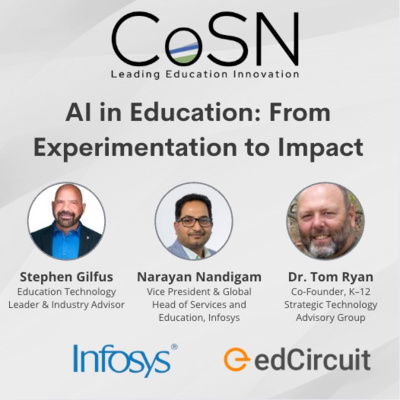
AI in Education: From Experimentation to Impact

by Stephen Gilfus, Tom Ryan & Narayan Nandigam December 19, 2025
written by Stephen Gilfus, Tom Ryan & Narayan Nandigam 13 minutes read

AI in Education has moved past the “try it and see” phase in K–12, and districts are feeling that shift in real time. In a recent CoSN Podcast episode, host Stephen Gilfus brings together Dr. Tom Ryan and Narayan Nandigam (Nandi) to explore what’s changing, what leaders should prioritize, and what responsible adoption looks like when AI is already in teachers’ hands.
Listen Here

The CoSN PodcastAI in Education: From Experimentation to ImpactDecember 18, 2025 · 54 min 43 sPlay episode: AI in Education: From Experimentation to Impact (54 minutes 43 seconds)0:00-54:43Follow on SpotifyApple

From the opening minutes, Gilfus makes it clear this isn’t a conversation about a single product or pilot. Instead, he frames a more pressing leadership challenge: how school systems move from scattered experimentation to meaningful, measurable impact, without losing sight of trust, equity, privacy, and the human relationships at the center of learning.

Who’s in the conversation, and why it matters

Gilfus brings a rare blend of education and industry experience, as a founder of Blackboard Inc. to advising organizations on AI, cybersecurity, and digital transformation. Throughout the episode, he serves not just as a moderator, but as a guide, consistently connecting classroom realities to system-level implications.

Dr. Tom Ryan offers the long view. A longtime CIO, former CoSN Board Chair, and national leader in digital transformation, Ryan has lived through decades of technology cycles in schools. That experience shapes his skepticism of hype and his insistence on grounding AI adoption in instructional and organizational reality.

Narayan “Nandi” Nandigam, Vice President and Global Head of Services and Education at Infosys, adds a global and cross-industry perspective. His lens connects K–12 classrooms to enterprise systems, data foundations, and large-scale transformation efforts already underway around the world.

Why this moment feels different

Gilfus opens with a deceptively simple question: what feels different about AI compared to earlier waves of education technology?

Ryan’s answer is direct. This is not a traditional edtech rollout. “You can easily get into it on your own,” he explains, pointing to research showing that a majority of teachers are already using AI_attach AI—often without district-provided systems, training, or guidance. They are doing it for one reason: it saves time.

That reality changes the adoption equation. Districts are no longer deciding whether AI will enter their systems. It already has. The real question is whether leaders will shape its use or leave educators to navigate both opportunity and risk on their own.

Nandi reinforces the urgency from another angle. Generative AI lowers the barrier to entry by using natural language as the interface. When the technology speaks the same language as its users, adoption accelerates. That accessibility creates enormous potential for personalization and productivity, but also increases the need for clear leadership and guardrails.

“When the interface becomes natural language, AI stops feeling like a system you have to learn and starts feeling like a tool you can use.” Narayan “Nandi” Nandigam, Vice President and Global Head of Services and Education, Infosys

AI as a productivity accelerator, not “another edtech tool”

One of the strongest throughlines in the conversation is the rejection of AI as just another initiative layered onto already crowded agendas.

“Technology doesn’t causally impact increased academic performance,” Ryan says. “Teaching and learning do.” In his view, AI belongs in the productivity suite, not the edtech category. Its value lies in saving time, improving efficiency, and expanding access so educators can focus more deeply on instruction, relationships, and student engagement.

Gilfus builds on this idea by naming a familiar tension. Leaders often look for narrow proof points to justify AI adoption, while AI’s real impact is distributed across instruction, operations, and enterprise workflows. Measuring the right things, rather than expecting AI to single-handedly raise test scores, becomes critical.

Two examples that make the impact tangible

When Gilfus asks for concrete, tactical examples, Ryan offers two that resonate precisely because they are ordinary.

The first involves his daughter, a teacher preparing to teach 7th grade science for the first time. She was mapping out a pacing guide manually across months. Together, they used AI with state standards, the school’s instructional framework, and the district calendar to build a yearlong plan aligned to required outcomes. From there, they moved into unit plans and lesson plans that incorporated differentiation and established instructional frameworks.

“It wasn’t new work,” Ryan notes. “It was work she already had to do. It just made it easier.”

The second example is even more personal. A different teacher told Ryan, through tears, “I can finally be sick.” She had avoided taking time off because substitute plans in her subject area often fell apart. AI helped her create clear, usable lesson plans that a substitute could follow. The result wasn’t efficiency for efficiency’s sake. It was flexibility, resilience, and humanity in a demanding profession.

Leadership and values must guide adoption

As the conversation turns to ethics and responsibility, Gilfus presses both guests on what leaders should prioritize.

Ryan is unequivocal. “This isn’t an IT initiative.” It is a leadership initiative rooted in values. Education, he reminds listeners, is fundamentally relational. Districts must define what they value about great teaching and learning, then ask how AI enhances or diminishes those values.

“If our core value becomes making education cheaper at the expense of relationships or creativity,” Ryan warns, “we’re starting in the wrong place.”

Nandi complements that perspective with a practical responsible AI framework, emphasizing transparency and explainability, equity-first design, data privacy and consent, human-in-the-loop oversight, and ongoing professional learning. AI, he stresses, is meant to augment educators and administrators, not replace them.

Rigor, originality, and learner agency

Gilfus raises a concern many educators share: how do schools maintain rigor and originality when AI can generate content instantly?

Ryan reframes the issue with a line that lingers. “Hallucination is a feature, not a flaw.” Generative AI is designed to produce plausible language, not guaranteed truth. Treating it like a calculator is a mistake. Treating it like a thought partner can enhance creativity, reasoning, and critical thinking, as long as humans remain accountable.

“As AI takes on routine tasks, learning can shift toward reasoning, ethics, and conceptual understanding.”— Narayan “Nandi” Nandigam, Vice President and Global Head of Services and Education, Infosys

The implication is clear. Districts must explicitly teach verification, questioning, and judgment. AI does not remove the need for thinking. It raises expectations for it.

Nandi adds that this shift has the potential to move learning away from rote tasks and toward higher-order skills such as reasoning, ethics, and conceptual understanding. In that sense, AI forces education systems to clarify what they truly value and assess.

Infrastructure, governance, and the enterprise reality

Gilfus intentionally shifts the conversation to what sits underneath all of this: data, infrastructure, and governance.

Ryan emphasizes that AI adoption must be enterprise-wide, with executive leadership rather than sole IT ownership. He points to AI maturity models as a practical way for districts to assess current state, define future goals, and build roadmaps supported by evidence and measurable indicators.

Nandi expertly highlights common pitfalls: fragmented systems, poor integration, and uneven data quality. Drawing on his experience supporting large-scale transformations across industries, he notes that districts often underestimate the foundational data work required before AI can be used responsibly at scale. Without that foundation, even well-intentioned AI initiatives struggle to move beyond pilots.

He outlines key building blocks districts should consider, including governance structures, data foundations, responsible AI policies, change management, and flexible technology architectures that can evolve as tools and models change.

“AI outcomes are only as strong as the data foundation underneath them. That work is often underestimated, but it’s essential.”— Narayan “Nandi” Nandigam, Vice President and Global Head of Services and Education, Infosys

Stephen Gilfus’s closing challenge: start now, but start wisely

Gilfus closes the episode with a sense of urgency grounded in history. Referencing Moore’s Law, he asks listeners to consider the magnitude of technological change from 1963 to today, then project forward.

If change continues to accelerate, what happens to districts that wait?

His message is not reckless adoption. It is deliberate action. Start small. Secure data early. Experiment responsibly. Learn by doing. Because standing still is no longer a neutral choice.

From experimentation to impact

Taken together, Gilfus, Ryan, and Nandi make a compelling case: AI in Education is no longer theoretical. It is already reshaping how educators plan, teach, and manage systems. The real question is not whether AI will be used, but whether it will be guided by clear values, strong governance, and an unwavering commitment to human-centered learning.

Moving from experimentation to impact requires leadership more than technology. And that work, as this conversation makes clear, needs to begin now.

AI in K–12 education: what the numbers show

Survey data supports what the speakers describe. CoSN’s 2025 State of EdTech District Leadership report found that 80 percent of districts have generative AI initiatives under way or planned, and that 57 percent had placed AI guidelines in board-approved policy, with AI-enabled cyberattacks and student data privacy as leaders’ top concerns. An EdWeek Research Center survey found that half of teachers had received at least one AI training session by fall 2025, up from 13 percent in 2023.

AI in K–12 education at the core, not the edges

Stephen Gilfus has carried the episode’s argument further in his own writing. In a May 2026 field note on what he would build if he were rebuilding Blackboard today, he puts it in one line: “AI is the substrate, not the sidebar.” Tools that sit on the margin of existing systems, such as a chatbot on the navigation bar or a summarizer reading the same old tables, give a quick sense of progress, he argues, but each keeps its own memory and log, so a district cannot reconcile or audit what they do. He compares the two approaches to a campus power grid and a building full of extension cords: the cords are useful for a lamp and risky at scale, while the grid routes load, meters use and logs faults.

For district leaders, the practical test is ownership. Gilfus argues that procurement should ask whether a district can export, govern and audit what an AI tool does, not only its content, and he states the standard plainly: “If you cannot export it, route it, eval it, or govern it, you do not own it.” His advice for builders applies equally to districts: when time or money runs short, “reduce scope rather than compromise the architecture,” launching fewer uses with stronger governance rather than many that cannot be audited. On his own site he frames the stakes in leadership terms, writing that the forces reshaping how people live, learn and work will reward “the leaders who can govern and capitalize on that shift, rather than react to it.”

A district example: AI in the central office

Indianapolis Public Schools offers one example of the episode’s advice in practice. According to K-12 Dive, the district built internal AI tools on Google’s Gemini that score principal applications against its existing hiring rubric and draft standardized salary-offer emails using its compensation rubrics, without setting pay. It does not allow personal data in those tools, keeps people responsible for the hiring decisions, and reports savings of more than $300,000 for the 2026-27 school year. The approach follows the pattern the speakers describe: a narrow, time-saving use, clear rules on data, and human judgment where the decision matters.

A first year of AI in K–12 education

In his May 2026 field note, Gilfus lays out a quarter-by-quarter build plan for an AI-native learning platform. Adapted for a school district, the same sequence offers a practical first year:

  • First quarter: choose one high-value use, such as feedback on student writing against an existing rubric, and run it with human review, logging and a set budget.
  • Second quarter: extend that use end to end in two schools or courses, and agree what data the district owns and can export.
  • Third quarter: introduce guided tutoring tied to specific learning goals, with a clear path for students to be handed to a teacher.
  • Fourth quarter: widen the rollout only where the earlier steps can be audited, with records showing how each AI-supported decision was made.

At each stage the advice is the same: reduce scope rather than compromise governance, and expand only what the district can explain.

Questions and answers: AI in K–12 education

What does AI in K–12 education look like today?

Teachers are already using generative AI, often on their own and without district systems or training, mainly because it saves time on planning, lesson materials and routine tasks. With 80 percent of districts reporting generative AI initiatives under way or planned, the work in front of leaders is guiding that use rather than deciding whether to allow it.

How should a school district start implementing AI?

Start small and start deliberately. The speakers recommend beginning with a few well-chosen uses that save staff time, securing data early, experimenting responsibly and learning from what happens, with human review built in from the first day. Stephen Gilfus adds that when time or money runs short, it is better to reduce scope than to launch tools that cannot be governed or audited.

Who should lead AI in a school district?

District leadership, not the IT department alone. Dr. Tom Ryan describes AI as “not an IT initiative” but a leadership initiative rooted in values, and argues that adoption must be enterprise-wide with executive leadership. Technology teams remain essential partners for data, security and integration.

What does a responsible AI framework for schools include?

Narayan Nandigam outlines five parts: transparency and explainability, equity-first design, data privacy and consent, human-in-the-loop oversight, and ongoing professional learning. Many districts are putting these commitments in writing; CoSN found that 57 percent had placed AI guidelines in board-approved policy.

How can schools protect rigor and originality when students use AI?

By teaching verification, questioning and judgment explicitly. Generative AI produces plausible language, not guaranteed truth, so Ryan cautions against treating it like a calculator. Used as a thought partner, with people accountable for the final work, it can support reasoning and critical thinking, and Nandigam argues it can shift learning toward higher-order skills.

What is an AI maturity model for schools?

An AI maturity model is a structured way for a district to assess where it stands today, define where it wants to be and build a roadmap with evidence and measurable indicators. Ryan points to maturity models as a practical tool for moving beyond pilots. The CGCS and CoSN Gen AI Readiness Checklist listed below covers similar ground across leadership, policy, data and implementation.

Does AI improve student achievement on its own?

Not by itself. “Technology doesn’t causally impact increased academic performance,” Ryan says. “Teaching and learning do.” The speakers suggest measuring AI where its value appears, such as staff time recovered, planning quality and continuity for students when a teacher is out, rather than expecting a single tool to raise test scores.

For a step-by-step plan, see edCircuit’s AI adoption roadmap for K–12 schools, and for benefits, risks and policy across all levels, the AI in education guide.

Helpful Resources

  • K–12 Generative Artificial Intelligence (Gen AI) Readiness Checklist
    Developed by the Council of the Great City Schools (CGCS) and the Consortium for School Networking (CoSN), this checklist helps districts assess readiness across leadership, policy, data, and implementation

This CoSN podcast episode was sponsored by Infosys.

Subscribe to edCircuit to stay up to date on all of our shows, podcasts, news, and thought leadership articles.
December 19, 2025 0 comments
0 FacebookTwitterPinterestLinkedinWhatsappCopy LinkEmail
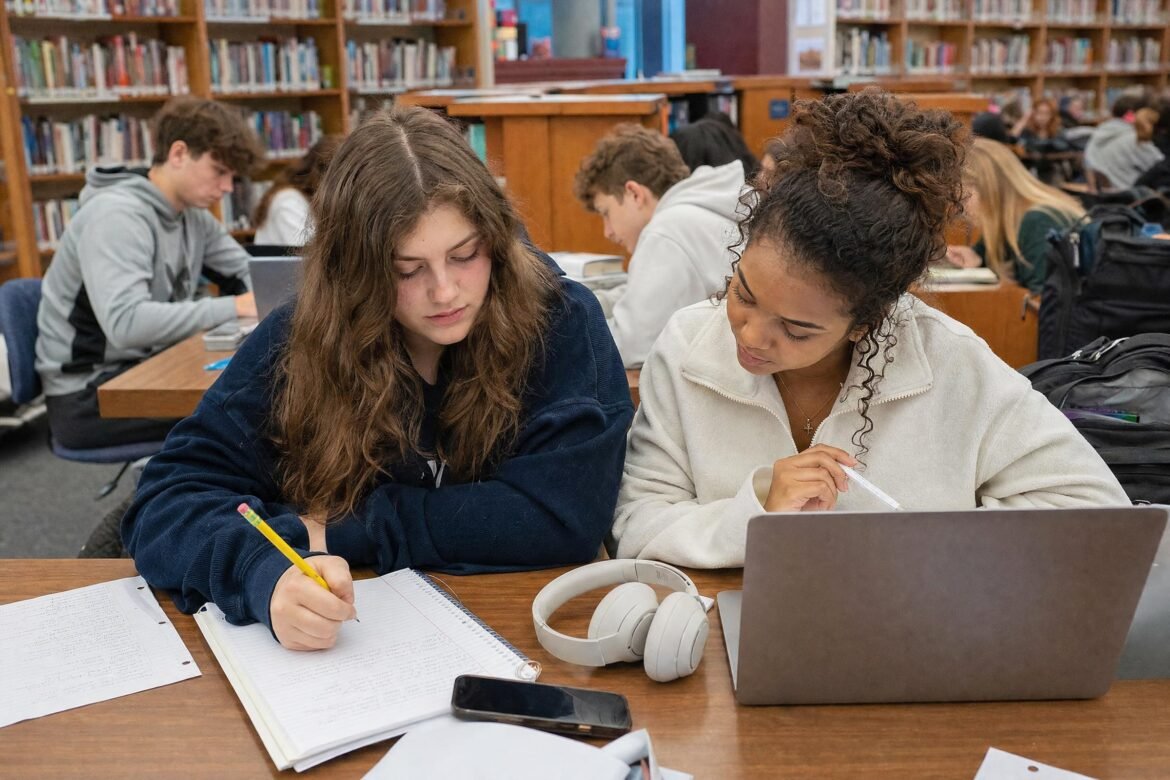
Teenage girls studying at a table with notebooks and headphones in a busy school library, students in the background
K-12Math EducationEducatorsHot Topics - controversial

Key Resources to Foster Student Engagement in Math

by Tamara Ferguson December 19, 2025
written by Tamara Ferguson 5 minutes read

I was a classroom teacher for over two decades and now I support teachers in developing quality math instruction. One of the most challenging things I see educators encounter is student engagement. Engagement can be particularly challenging in a math class where students can become overwhelmed, and your own teaching success is often contingent on the skills taught by the teachers who preceded you. 

The Education Insights Report shows that engagement is a key driver of success. In fact, over 90% of teachers, principals, and superintendents agree that student engagement is a critical metric for understanding overall achievement.

Even so, the topic of engagement dominates much of my coaching conversations because many teachers I support can’t put a finger on exactly how to foster student engagement. When you think of maintaining student engagement, do you picture yourself performing a nonstop comedy routine or redesigning every lesson to be a visual masterpiece? Unfortunately, that’s a recipe for burnout.

The good news? Fostering student engagement doesn’t require a circus act; instead, it’s about discovering the key that unlocks student learning. Each student has a unique lock and is waiting for the right engagement key. This really is the art of teaching: understanding the engagement’s natural cycle and adjusting accordingly.

Below are some advice and keys to build classroom engagement in math instruction:

The Engagement Cycle

Engagement follows a rhythm as engagement naturally rises and wanes. If you recognize engagement, and disengagement, as a natural cycle, then managing it becomes another tool in your teaching toolbox.

The duration of each cycle varies based on factors both within and beyond your control, so recognizing the signs to an engagement reset is essential. The key is knowing how to activate, sustain, and reset engagement. 

Activate thinking with a math challenge. Reframe a problem from the day’s lesson and have students solve it using any creative thinking process they can devise. This could include modeling, descriptions, or illustrations.

Sustain attention by changing the lesson format. This can be done in several ways.

  • Reconnect students by going beyond the trusted KWL chart to incorporate a variety of instructional strategies. You can include things like multiple formats of graphic organizers, a variety discourse setups, and scaffolded collaborative tasks. I recommend the vast array of SOS strategies available on Discovery Education Experience.
  • Reduce the length of a long worksheet and turn some of the questions into an activity or a game. A fast, low budget yet highly interactive way to do this is to cut up questions from the worksheet and put them in a grab bag. Then, students can grab- and-go the questions and answer them. You could take this a step further by making teams or implementing a rapid-fire round!
  • If your lesson runs for over 15 minutes, mix it up. Turn to Edpuzzle or Wevideo to help instruction in multiple ways while also freeing you up to provide personalized and small group instruction.

Reset the engagement cycle with a brain break. A whole bunch of numbers and concepts all at once can freeze students. Give students a quick break by asking them to decipher an optical illusion, solve a brain teaser, or you can insert a corny joke. This mini moment gives them a moment to breathe and helps realign student focus back to the lesson.

Personalized and Individual Attention

Personalized and individual attention also helps sustain interest in learning, especially when difficulty levels increase. Engaging students in your small group is easy. The hard part is engaging the students not in your small group. I find that personalized attention is easiest to achieve through technology tools. For example, with Wayground, you can differentiate your students’ tasks to align with learning needs and levels, all in just a few clicks.

I also have found success with Dreambox Math. With a focus on conceptual understanding, you can count on this tool to keep your students in the zone of proximal development as it adapts to each student’s skill level to guide them through learning curriculum-aligned math lessons.

For example, if you’re a do-it-yourself kind of teacher, like me, Google Forms might be a good option for you. I’ll create a Google Form with sections to offer a learning experience with targeted remediation and learning support contingent on student responses.

Sustain Interest During Direct Instruction

Let’s be real here: you cannot expect students to understand mathematical relationships and apply mathematical reasoning by clicking and talking through a presentation.

Hands-on learning can save the day and transform a student’s understanding of a math concept. A good tool for this is FluidMath which places each student into the center of the learning experience with interactive direct instruction. I also recommend Geogebra for a community-generated library of activities created and tested by fellow teachers. 

Finding the Right Key

Learning, especially in mathematics, develops in layers as concepts unfold and conceptual understanding leads to math application. When we view engagement as a natural ebb and flow, we develop professional practices and integrate technology to shape learning environments that are both productive and enjoyable. The heart of this journey is the teacher. The teacher-to-student connection supported by the integration of thoughtful tools brings math to life.

With a combination of tools and connection, the question shifts from “Why won’t they listen and do their work?” to “How can we unlock the key to their potential?”

Subscribe to edCircuit to stay up to date on all of our shows, podcasts, news, and thought leadership articles.

December 19, 2025 0 comments
0 FacebookTwitterPinterestLinkedinWhatsappCopy LinkEmail
Newer Posts
Older Posts

Participate

  • Contribute
  • Sponsor
  • Submit Release
  • Subscribe
  • Get Interviewed

We value your privacy

We use cookies to enhance your browsing experience, serve personalized ads or content, and analyze our traffic. By clicking "Accept All", you consent to our use of cookies.

Customize
  • Needed for the site to work: signing in, the cart, your consent choice. Always on.

    8 cookies
    • ss_consent 1 yearYour cookie choice on this site, so you are not asked again.
    • wordpress_logged_in_* 2 days, or 14 days with "remember me"Keeps you signed in as you move between pages.
    • wordpress_sec_* 2 days, or 14 days with "remember me"The secure half of your sign-in.
    • wordpress_test_cookie SessionChecks that your browser accepts cookies when you sign in.
    • wp-settings-* 1 yearYour display settings when signed in.
    • wp_woocommerce_session_* 2 daysYour shopping session: the cart and the checkout.
    • woocommerce_cart_hash SessionTells the site whether your cart has changed.
    • woocommerce_items_in_cart SessionWhether your cart holds anything.
  • Remembers choices you make, such as a language or a region, and supports features like live chat.

    1 cookie
    • woocommerce_recently_viewed SessionThe products you looked at, so the site can show them again.
  • Helps us understand how visitors use the site: which pages are read, and for how long.

    2 cookies
    • _ga 2 yearsGoogle Analytics: tells one visitor from another. Set only after you allow analytics.
    • _ga_* 2 yearsGoogle Analytics: keeps your session state. Set only after you allow analytics.
  • Measures how fast pages load so we can make them faster.

  • Used to show you content and offers that match your interests, on this site and elsewhere.

    1 cookie
    • sbjs_* SessionWooCommerce order attribution: where you came from, so a purchase can be credited to the campaign or site that sent you.

Your browser asks us not to sell or share your information (Global Privacy Control), so advertising cookies stay off.

Do not sell or share my personal information

Some cookies from other companies help show you offers on other sites. Tick the box and save your preference to opt out of that sharing; untick it to opt back in at any time.

Your browser sends Global Privacy Control, so this preference is set for you and cannot be changed here.

Sign In

Keep me signed in until I sign out

Forgot your password?

Password Recovery

A new password will be emailed to you.

Have received a new password? Login here

Shopping Cart

Close

No products in the cart.

Close
-
00:00
00:00

Queue

Update Required Flash plugin
-
00:00
00:00

Your cart (items: 0)

Products in cart

Product Details Total
Subtotal $0.00
Shipping and discounts calculated at checkout.
View cart
Go to checkout

Your shopping cart is empty

Return to shop

Notifications