
A District Leader’s Guide to Handling Outdated Technology
Cleaning Out the Old AV Room

Disposing of old electronics in schools means wiping data and using a certified recycler. Current NIST and EPA guidance and a step-by-step process.
This 2025 EdCircuit Staff guide explains why old classroom and AV equipment is a risk and walks district leaders through cleaning out an AV room. The section below adds current guidance on disposing of old electronics, in particular how to remove data and how to choose a recycler.
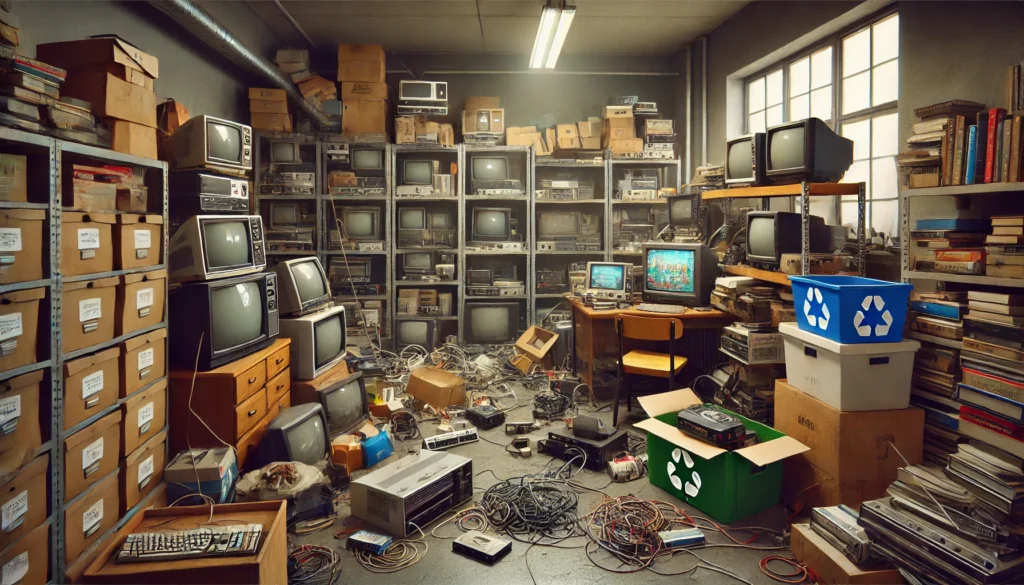
Technology changes quickly, and over time, school districts end up with a collection of outdated equipment that takes up space and can even pose safety risks. Think old TVs, VHS players, bulky projectors, and clunky desktop computers—often forgotten items that can be dangerous if left unchecked. While clearing out these devices may seem daunting, it’s critical to do so for the safety of students, staff, and the environment.
This article will explain why holding on to old tech can be risky, how districts can adequately handle these devices, and practical steps to clean out those cluttered AV rooms safely. Whether you’re a district leader, tech advisor, media staff member, or teacher, this guide will help you understand why it’s time to let go of outdated tech and how to do it correctly.
Why Keeping Outdated Technology Is Dangerous
1. Fire Hazards
Old tech is more likely to overheat, especially devices like old projectors, televisions, and computers with outdated wiring and components. These electronics are not built to handle the demands of modern classrooms and can pose a significant fire risk. The National Fire Protection Association (NFPA) reported that faulty electronics contribute to thousands of fires in educational buildings every year. The last thing any district wants is for students or staff to be at risk due to old, unsafe equipment.
2. Toxic Materials and E-Waste Risks
Did you know that old technology can contain hazardous materials like mercury, lead, and cadmium? If these devices aren’t disposed of properly, they can leak into the environment, damaging soil and water sources. Items like CRT monitors and older TVs contain leaded glass, and when improperly discarded, they can become a major environmental hazard. It’s not just about keeping the AV room tidy—it’s about protecting the environment and reducing the risk of toxic waste in our communities.
3. Trip and Injury Risks
Old and bulky equipment often ends up in places where it can be difficult to store safely—creating tripping hazards. Frayed cables, tangled wires, and heavy items stored in cramped spaces increase the risk of accidents. For example, large CRT monitors are hard to move and can cause physical injury if dropped. By cleaning out and properly storing or disposing of outdated tech, districts can prevent these risks and keep classrooms and hallways safe for everyone.
4. Data Security Concerns
It’s easy to forget that many old devices, like desktop computers and even VHS players, may still have data stored on them. Even if the tech feels ancient, it could still contain sensitive information—whether it’s student data, staff records, or other confidential files. Simply deleting files isn’t always enough to ensure security. Without proper data destruction methods, old tech can leave districts vulnerable to data breaches. This is why it’s essential to wipe data from devices before disposal or, in some cases, destroy them altogether.
How to Handle Outdated Technology: Protocols & Best Practices
1. Step-by-Step Process for Cleaning Out the AV Room
Step 1: Inventory and Assessment
Start by making a list of all the equipment in your AV room. From old projectors to bulky TVs, assess the condition of each item. Separate everything into categories:
- Safe to keep and repurpose
- Needs repair or refurbishing
- Ready for recycling or disposal
Step 2: Evaluate Functionality
For items that still work but are outdated, consider whether they can be repurposed in other parts of the school. Maybe an older computer can be used in a non-tech classroom, or an old projector could be used for a special presentation. If something doesn’t serve a purpose anymore, it’s time to get rid of it.
Step 3: Securely Wipe Data
If any of your old devices store data, make sure it’s wiped securely. This could mean:
- Physical destruction of hard drives or memory cards.
- Software tools that securely erase data beyond recovery.
Be sure that anything containing sensitive information is thoroughly cleaned before disposal.
Step 4: Disposal and Recycling
Once you’ve decided what’s going, find a certified e-waste recycling program to handle the disposal. Many electronics retailers offer take-back programs, or your district can partner with local e-waste organizations. Just make sure to choose a recycler who follows responsible environmental practices.
Step 5: Schedule Regular Cleanups
Technology changes fast, so make a plan to regularly review and clean out the AV room. Whether you do it yearly or each semester, keeping your equipment up to date and safe will prevent the clutter from building up again.
2. Best Practices for Data Security
When it comes to data security, simply hitting “delete” isn’t enough. Make sure to:
- Physically destroy hard drives and other storage devices.
- Use secure deletion software that ensures data cannot be recovered.
- Shred or securely dispose of any physical records that may have personal or sensitive information.
Consult with your IT department to follow proper data destruction protocols in line with district policies and legal requirements.
What Should Schools Do with Old Technology?
1. Donation Programs
If the technology still works, consider donating it to local charities, nonprofit organizations, or other schools in need. Many groups are willing to accept working equipment, and this can give the tech a second life while helping those who might not have the budget for new devices.
2. Repurposing in New Ways
Old equipment doesn’t have to be thrown out. For instance, an old projector might be perfect for a STEM classroom demonstration, or a vintage TV might be used in a history class for watching archival footage. Repurposing old technology is a great way to extend its life and use it creatively.
3. Go Green with Tech
Implementing sustainable tech practices is a great way to protect the environment and encourage responsibility. Set up a tech recycling program, run e-waste awareness campaigns, and consider integrating green practices into your curriculum. It’s a win-win for the environment and the school community.
Clean Out the AV Room, Clean Up the School
Cleaning out the old AV room isn’t just about making space for new tech—it’s about creating a safer, cleaner, and more sustainable school environment. By following the right protocols, securing data, and disposing of outdated equipment responsibly, school districts can ensure that their spaces are safe for both students and staff.
Now’s the time to clear out the clutter, upgrade outdated equipment, and make sure that your district is using the most effective, secure, and eco-friendly technology available.
Disposing of old electronics in schools: data wiping and certified recycling
Disposing of old electronics in a school district involves two separate tasks that the guide above puts together: getting the data off devices that stored it, and getting the devices to a recycler who handles them safely. Both have current, public guidance that district staff can use.
Removing data: the standard to point to
The U.S. National Institute of Standards and Technology (NIST) publishes the guidelines most organizations refer to for erasing storage media. Its Special Publication 800-88 Revision 1, issued in 2014, was withdrawn on September 26, 2025 and replaced by Revision 2, published in September 2025. NIST describes the guide as helping organizations set up a media sanitization program, with techniques and controls for sanitization and disposal scaled to the sensitivity of the information. Sanitization is defined as making access to the target data on the media infeasible for a given level of effort. In practice, that means the method should match what the device held: a lab computer that stored only software calls for a different level of care than a staff laptop that held student records.
The full Revision 2 text sorts sanitization into three methods. Clear uses logical techniques, such as rewriting or resetting a device to its factory state, to protect against simple, non-invasive recovery. Purge uses physical or logical techniques that make recovery infeasible even with state-of-the-art laboratory techniques while leaving the device reusable, and NIST says purge should be used instead of clear when possible. Destroy makes recovery infeasible and leaves the device unusable for storage. Older district policies that cite Revision 1 should be updated to cite the current version.
The U.S. Department of Education’s Privacy Technical Assistance Center has a separate guide on data destruction, last updated in March 2019, which covers the life cycle of student data, the legal requirements under the Family Educational Rights and Privacy Act (FERPA) and methods for destroying data. Districts should read it alongside their own records policy and state law before deciding what must be erased and when. Student data rules also vary by state, so check the state’s requirements.
Choosing a recycler
The U.S. Environmental Protection Agency encourages all electronics recyclers to become certified, which means an accredited, independent auditor has checked that the recycler meets a standard. The two accredited standards are R2 (Responsible Recycling) and e-Stewards. EPA says both programs assess environmental, worker health and security practices and require destruction of all data on used electronics, and that certified recyclers remain under ongoing oversight by their certifying body. Businesses and governments can find certified recyclers through the R2 and e-Stewards websites, which list services such as data security and asset management. EPA does not endorse any particular company.
EPA’s general guidance on donating and recycling electronics also advises deleting personal information before a device leaves the building and removing batteries to recycle them separately. It adds that lithium-ion batteries and the devices that contain them should not go in household garbage or recycling bins.
A practical process for a district
- Keep an asset list. Record each device, where it is and whether it has storage. The guide above begins with an inventory for good reason; a list makes it possible to show later what happened to each item.
- Sort by what the device could hold. Items with internal storage, such as computers, tablets, phones, copiers and some projectors and televisions, need a data decision. Items with no storage, such as cables and simple screens, can go straight to recycling.
- Decide the sanitization method by sensitivity. Follow the district’s own policy, based on the NIST guidance (clear, purge or destroy), and ask the technology department to sign off.
- Use a certified recycler. Ask whether the company holds R2 or e-Stewards certification and what data security services it offers. Ask for written confirmation of what was done with each batch, and keep it with the asset list. NIST Revision 2 says a certificate of sanitization should be completed for each device that has been sanitized, as a paper or electronic record, and its Appendix C has a sample form.
- Handle batteries separately. Remove them before transport as EPA advises.
- Set a schedule. The guide suggests yearly or each semester cleanups, which keeps storage rooms from filling again.
Notes on the guide above
The original cites several risks, including fire hazards and data on older equipment such as VHS players. District leaders should rely on their fire marshal and facilities staff for safety assessments of particular rooms, and treat any device with memory, a hard drive or a network connection as a possible data holder. Donation of working equipment to charities or other schools, as the guide suggests, still calls for the same data step before the device leaves the district.
A short written procedure, an asset list and a certified recycler together answer the questions a board, an auditor or a parent is most likely to ask.
Subscribe to edCircuit to stay up to date on all of our shows, podcasts, news, and thought leadership articles.
Related reading
More on School Safety