
edCircuit
  • Start Here
    • Login
    • Register
    • Subscribe
    • Submit a Press release
    • Advertise or Sponsor
    • Contribute
    • Get Interviewed
  • On The Wire
  • K-12 Education
    • All K-12
    • K-12 Teachers
    • Teaching Strategies
    • Special Education and IEPs
    • Dyslexia
    • Gifted and Advanced Learning
    • Early Childhood, Pre-K and Kindergarten
    • School Calendar
    • Tutoring and Homework Help
    • Attendance and Absenteeism
    • After-School Programs
    • School Counselors
    • Homeschooling
    • School Models
    • Teacher Retention
    • Parents
    • Students
  • Teaching and Learning
    • Literacy and Reading
    • Math Education
    • Civics and History Education
    • Financial Literacy
    • Assessment and Testing
    • Curriculum and Instruction
    • Personalized Learning
    • Project-Based Learning
    • Social-Emotional Learning
    • Executive Function
    • Creativity
    • Diversity, Equity, Inclusion
  • Professional Development
    • All Professional Development
    • Educators
    • Administrators
    • edLeaders
  • Higher Education
    • All Higher Education
    • College Admissions
    • Career and Technical Education (CTE)
    • Graduation
    • FAFSA and Financial Aid
    • Student Loans
  • Artificial Intelligence
  • Cybersecurity
  • School Safety
    • All School Safety
    • Science and Lab Safety
    • School Design and Facilities
    • Bullying
    • Duty of Care and School Liability
  • Continuing Education
    • All Continuing Education
    • Online Certificate Programs
    • Teaching Jobs and Careers
    • Teacher Appreciation
  • Education Policy and Government
    • All Education Policy
    • Department of Education
    • School Choice
    • Global
    • Advocates
  • EdTech
    • All EdTech
    • Online Learning
    • Hybrid and Remote Learning
    • Augmented and Virtual Reality
    • ESports
    • Gamification and Game-Based Learning
    • Digital Citizenship
    • EdTech Entrepreneurs
    • Market Trends
    • Future of Education
  • STEM and STEAM Education
  • Media
    • EDU Shows
    • EDU Podcasts
    • Education Industry Guides and Reports
  • About edCircuit
  • Subscribe
edCircuit
  • LOGIN
Home Tags Posts tagged with "Headline"
Tag:

Headline

This if for posts to be in the featured/top section of site
AI rules for schools: a glowing AI traffic light above three assignment sheets lit red, amber and green on a back-to-school desk
Hot Topics - controversialArtificial IntelligenceSchool CalendarK-12Assessment and Testing

AI Rules for Schools: A Back-to-School Guide

by EdCircuit Staff August 20, 2026
written by EdCircuit Staff 9 minutes read

AI rules for schools should begin with one simple principle: Students should never have to guess whether AI is allowed.

Yet that is exactly what is happening in many classrooms. A student may be encouraged to use AI for brainstorming in one class, prohibited from using it in another, and receive no direction at all in a third. Teachers are often left to establish their own expectations, while families hear conflicting messages about whether AI is a learning tool, a shortcut, or a form of cheating.

That inconsistency is a failure of policy, not of students.

Schools do not need a single rule requiring AI to be used—or banned—in every classroom. They need a shared framework that establishes clear boundaries while allowing teachers to make instructional decisions based on the student’s age, the subject, the assignment, and the learning objective.

The goal is not to remove judgment from the classroom. It is to give educators, students, and families enough clarity to exercise that judgment responsibly.

Begin With Purpose, Not Punishment

A strong school AI policy does not begin with a list of consequences. It begins by explaining why the school is addressing AI at all.

AI can help students brainstorm, practice, ask questions, translate information, receive feedback, and explore difficult concepts. It can also produce inaccurate information, reinforce bias, expose private data, weaken original thinking, and complete work students need to learn how to do independently.

Both realities belong in the policy.

The U.S. Department of Education’s guidance on artificial intelligence in schools emphasizes responsible implementation, privacy, improved learning outcomes, and engagement with teachers and families.

Effective guidance answers five basic questions:

  1. Who may use AI?
  2. When is AI permitted?
  3. Which tools are approved?
  4. How must AI assistance be disclosed?
  5. What happens when expectations are not followed?

If students cannot easily find those answers, the policy is not ready.

Give Every Assignment an AI Status

Districtwide guidance can establish common expectations, but individual teachers still need to define how AI applies to specific assignments.

One practical approach is to place every assignment into one of three categories.

Independent Work

Students may not use generative AI during the assignment.

This category is appropriate when teachers need to assess what students know or can produce independently. Examples may include in-class writing, foundational math practice, reading comprehension checks, vocabulary assessments, laboratory observations, and other demonstrations of individual understanding.

The direction should be explicit: “Complete this assignment without generative AI assistance.”

AI-Assisted Work

Students may use AI for limited support, but not to produce the final response.

Permitted uses might include brainstorming, generating practice questions, receiving feedback, checking organization, translating directions, or asking for another explanation of a difficult concept.

The student remains responsible for the ideas, analysis, evidence, and final product.

AI-Integrated Work

AI is intentionally included in the learning experience.

Students might compare AI-generated answers, identify inaccuracies, improve a weak response, examine bias, develop prompts, create media, or document how their thinking changed after interacting with an AI system.

In these assignments, the ability to question and evaluate AI is part of what the teacher is assessing.

Posting the AI status at the top of an assignment, rubric, or learning management system page eliminates ambiguity before the work begins.

Require Disclosure, Not a Confession

When AI is permitted, disclosure belongs in the learning process. It should not be treated as an admission of wrongdoing.

Students need to be able to explain:

  • Which AI tool they used
  • What they asked it to do
  • Which parts of the work it influenced
  • What they changed or rejected
  • How they verified important claims
  • What thinking remained their own

A simple statement may be enough:

I used an AI tool to brainstorm possible topics and review the organization of my draft. I wrote the final response and verified the supporting information using the assigned sources.

The TeachAI Guidance for Schools Toolkit recommends that AI use be disclosed and explained. Formal citations may be appropriate for research papers, while a short AI-use statement may work better for daily assignments.

The purpose is transparency. Students need to understand that responsible AI use includes being honest about how the work was produced.

Establish Age-Appropriate Expectations

The same AI rules cannot be applied identically from kindergarten through 12th grade.

Elementary School

AI use is most appropriate when it is teacher-directed and connected to a specific learning objective. Students may interact with an approved tool as a class, evaluate an AI-generated story, compare images, or discuss why an answer may be incorrect.

Young children cannot be expected to independently manage open-ended AI platforms, privacy settings, or complex terms of service.

Middle School

Students can begin using approved AI tools within structured activities. Expectations at this level can focus on protecting personal information, checking claims, recognizing bias, distinguishing assistance from answer generation, and telling the teacher when AI was used.

This is also an important age for teaching students that a confident response is not necessarily an accurate one.

High School

Students can develop greater independence while accepting greater responsibility. They can learn to document prompts, cite AI assistance, compare sources, evaluate outputs, analyze bias, and decide when AI improves or weakens their work.

High school students still need AI-free opportunities to demonstrate foundational knowledge, write independently, solve problems, and develop their own voice.

UNESCO’s guidance on generative AI in education calls for a human-centered, age-appropriate approach that protects privacy and preserves human agency. Schools must also follow each platform’s minimum-age requirements and any applicable parental-consent provisions.

Protect Student Information

No AI policy is complete without clear privacy boundaries.

Students and educators must not enter protected or personally identifiable information into an unapproved AI platform. That includes:

  • Full student names connected to school records
  • Grades and confidential assessment results
  • Disability, accommodation, or health information
  • Disciplinary records
  • Counseling information
  • Student login credentials
  • Addresses, schedules, or location information
  • Identifiable photographs, recordings, or student work

Even removing a student’s name may not be enough if the remaining details could identify the individual.

Before approving a tool, districts need to examine vendor terms, data-retention practices, model-training policies, age restrictions, administrative controls, and student data privacy agreements. The U.S. Department of Education’s Student Privacy Policy Office provides resources for evaluating educational technology and understanding FERPA responsibilities.

“Do not enter personal information” is not sufficient guidance. Effective guardrails define what personal information includes and provide realistic examples.

Apply the Rules to Educators, Too

The expectations cannot stop at the student’s desk.

Teachers and administrators need to verify AI-generated information before using it. Instructional materials require review for accuracy, bias, accessibility, and alignment with academic standards. Family communications must be personalized and checked before they are sent.

AI must not independently determine grades, disciplinary consequences, special education services, course placement, student risk levels, or other high-impact decisions.

Educators also need to consider whether disclosure is appropriate when AI substantially contributes to a lesson, assessment, communication, or resource. Modeling transparency is one of the most effective ways to teach it.

If students are expected to explain their AI use, adults must be prepared to do the same.

Do Not Treat AI Detection as Proof

Schools understandably want a reliable way to determine whether AI completed a student’s work. Current AI-detection systems cannot provide that certainty.

A Stanford-led study found that several AI detectors frequently misclassified writing by non-native English writers as AI-generated. The researchers cautioned against using such systems in evaluative educational settings because of concerns about reliability and fairness. The published study found that more than 61% of the tested TOEFL essays were falsely classified by the detectors examined.

A detection score may prompt a closer look, but it cannot automatically produce an accusation or academic penalty.

Teachers need to examine the full body of evidence:

  • Does the work match the student’s established performance?
  • Can the student explain the argument and evidence?
  • Are outlines, notes, drafts, or version histories available?
  • Did the student follow the assignment’s disclosure requirements?
  • Can the student reproduce or defend key parts of the work?

A conversation with the student is more educational and more defensible than a verdict generated by another algorithm.

Design Assessments That Reveal Thinking

AI policy cannot carry the full burden of protecting academic integrity. Instruction and assessment must evolve as well.

Schools need to preserve opportunities for in-class writing, oral explanations, demonstrations, discussions, drafts, problem-solving, and teacher observation. These approaches provide evidence of how students think, not just what they submit.

Teachers can also design assignments that require students to:

  • Connect content to local or personal experiences
  • Use specific classroom discussions or sources
  • Submit notes, drafts, and revisions
  • Explain why they made particular choices
  • Defend their reasoning in a brief conference
  • Critique an AI-generated response
  • Identify and correct inaccurate AI claims
  • Compare independent work with AI-assisted work

The answer is not to make every assignment “AI-proof.” That may be impossible. The better goal is to make student thinking visible.

Bring Families Into the Conversation

Families need a clear explanation of how the school approaches AI before concerns arise.

Communication can identify approved uses, prohibited uses, privacy expectations, disclosure requirements, age restrictions, and whom parents should contact with questions. Families also need to understand that AI expectations may differ across assignments because the learning objectives are different.

Schools can provide examples of productive home use, such as asking AI to generate practice questions, explain a concept in another way, or provide feedback without rewriting the student’s work.

Clear communication helps parents reinforce the same message students hear at school: AI can support learning, but it should not replace it.

A Student AI Agreement

A classroom or school AI agreement can be short enough for students to understand and specific enough to guide their decisions:

  1. I will use AI only when my teacher permits it.
  2. I will use only school-approved tools and accounts.
  3. I will not enter personal or confidential information.
  4. I will explain how AI contributed to my work.
  5. I will verify important facts with reliable sources.
  6. I will not submit AI-generated work as entirely my own.
  7. I will remain responsible for everything I submit.

The agreement must be taught, discussed, and revisited. A checkbox buried inside an acceptable-use policy will not build responsible habits.

Clear Rules Create Confident Users

Schools do not need to wait for a perfect, permanent AI policy. The technology will continue changing, and guidance will require regular review.

They do need a clear starting point.

Establish shared expectations. Label assignments. Protect student information. Require disclosure. Preserve independent learning. Train educators. Communicate with families. Give students a fair process when concerns arise.

The purpose of AI rules for schools is not to catch students using technology. It is to teach them when its use is appropriate, how to remain honest, and why human judgment still matters.

AI may change the tools students use to learn. It does not change the purpose of education: developing knowledge, curiosity, independence, judgment, and the ability to think for oneself.

Subscribe to edCircuit to stay up to date on all of our shows, podcasts, news, and thought leadership articles.

August 20, 2026 0 comments
0 FacebookTwitterPinterestLinkedinWhatsappCopy LinkEmail
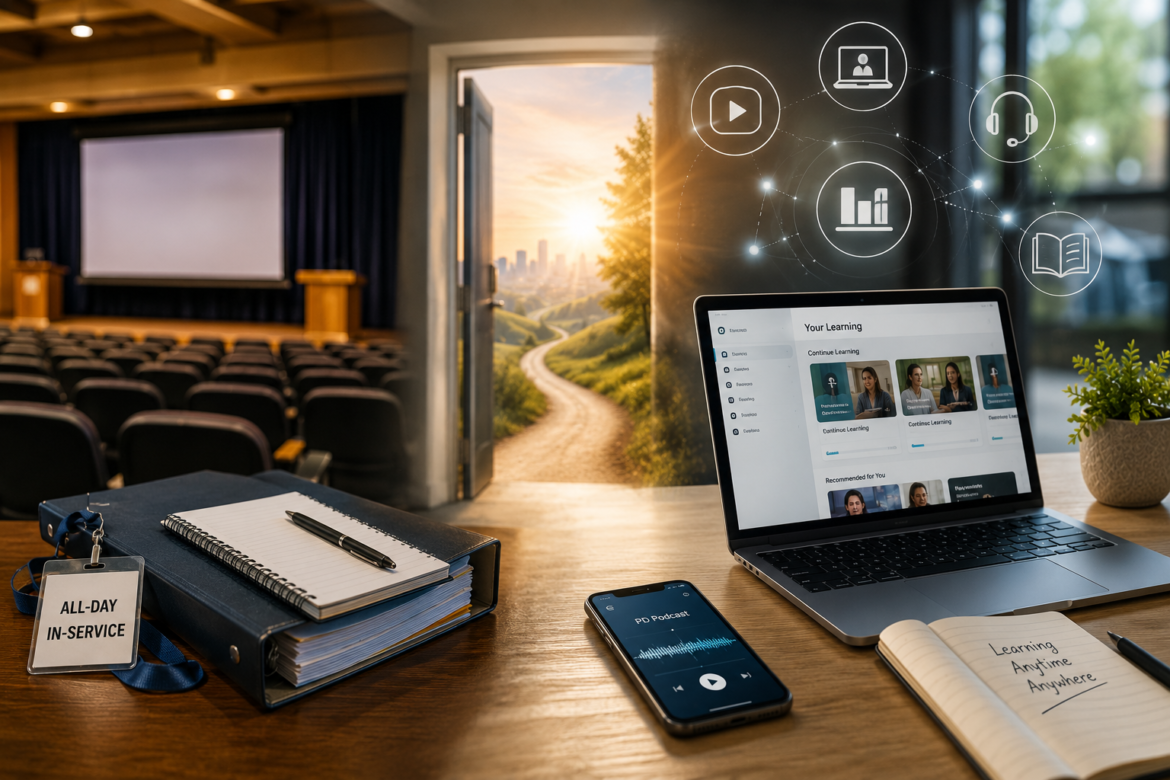
Training room setup: open laptop showing an online learning platform, smartphone playing a podcast, notebook with 'Learning Anytime Anywhere', binder and badge reading 'All-Day In-Service' on a wooden desk with an auditorium in the background.
K-12EducatorsK-12 TeachersProfessional DevelopmentHot Topics - controversialArticle Series

Teacher In-Service Beyond the Auditorium

by EdCircuit Staff August 20, 2026
written by EdCircuit Staff 8 minutes read

Teacher in-service has expanded far beyond the traditional school auditorium, transforming professional learning into a flexible, year-round experience for today’s educators. District leaders welcomed staff back for another school year, keynote speakers shared their vision, departments gathered for breakout sessions, and teachers left carrying binders filled with notes, handouts, and ideas they hoped to put into practice.

For generations, this tradition marked the official beginning of a new academic year. It was an opportunity to reconnect with colleagues, celebrate accomplishments, hear district priorities, and prepare for the students who would soon fill classrooms.

Those experiences still have tremendous value.

What has changed is that they no longer represent the entirety of professional learning.

Over the last decade, teacher in-service has evolved from a handful of scheduled events into a continuous learning experience that follows educators throughout the school year. Technology has allowed districts to move beyond the limitations of time and place, creating opportunities that are more flexible, more accessible, and increasingly personalized to the needs of individual educators.

The auditorium has not disappeared.

It has simply become one stop along a much larger professional learning journey.

Why Schools Needed Something Different

Traditional in-service worked well for many purposes.

It brought entire districts together under one roof, creating shared experiences that helped establish culture and communicate priorities. School leaders could introduce new initiatives, celebrate success stories, recognize employees, and ensure everyone began the year with a common understanding of district goals.

Those moments remain important today because relationships remain at the heart of education.

Yet even the most successful in-service days had limitations.

Teachers were expected to absorb hours of information while simultaneously preparing classrooms, organizing curriculum, responding to emails, attending department meetings, and getting ready for students to arrive. Presentations covered a wide range of topics, often leaving little opportunity to revisit information once the day had ended.

If an educator missed a session because of illness, coaching responsibilities, or another obligation, catching up could be difficult. If new legislation, instructional practices, or safety requirements emerged during the school year, districts frequently had to wait months before formally addressing them.

School leaders increasingly recognized that professional learning should not be confined to a few days on the calendar.

Learning needed to become continuous.

Technology Changed More Than Delivery

Technology did far more than digitize presentations.

It fundamentally changed access to professional learning.

Learning management systems gave districts centralized libraries for professional development. Video conferencing platforms connected educators across multiple buildings without requiring travel. Recorded webinars allowed teachers to revisit presentations whenever questions arose. Podcasts turned commutes into learning opportunities, while mobile devices placed professional development in educators’ hands wherever they happened to be.

Artificial intelligence is now beginning to shape this evolution even further. Educators can use AI to summarize research, generate lesson ideas, explore instructional strategies, and increasingly receive personalized professional learning recommendations based on their role, interests, or professional goals.

Technology removed barriers that had existed for decades.

Teachers no longer needed to be in one room at one specific time to receive meaningful learning. Instead, professional development became available whenever educators had the time, energy, and need to engage with it.

A literacy teacher could watch a webinar after school.

A principal might complete leadership training before a board meeting.

A science teacher could review updated laboratory safety procedures before introducing a new experiment.

Learning shifted from being calendar-driven to being need-driven.

The Pandemic Accelerated an Existing Trend

The COVID-19 pandemic did not create virtual professional learning.

It accelerated changes that were already underway.

Almost overnight, districts learned how to conduct workshops, coaching sessions, faculty meetings, conferences, and collaborative planning through digital platforms. Educators became comfortable participating in webinars, virtual professional learning communities, cloud-based collaboration, and online coaching.

When schools returned to more traditional operations, they did not abandon those innovations.

Instead, districts kept what worked.

Today, many professional learning programs combine face-to-face collaboration with digital resources that remain available throughout the year. Rather than choosing between in-person and online learning, districts are increasingly blending both approaches to create more flexible experiences.

The result is professional learning that is available far beyond opening day.

Learning That Fits Real Life

Perhaps the greatest advantage of today’s approach is flexibility.

Teaching has always been demanding, but today’s educators juggle instruction, assessment, technology integration, parent communication, extracurricular activities, committee work, and countless unexpected challenges throughout every school day.

Finding several uninterrupted hours for professional development is not always realistic.

Modern learning models recognize that reality.

Instead of asking every educator to stop what they are doing for a full day of training, districts increasingly provide opportunities that fit naturally into existing schedules.

A teacher staying late after volleyball practice can watch a recorded instructional technology session that evening.

Another educator completes a fifteen-minute cybersecurity refresher during a planning period.

An assistant principal listens to a leadership podcast while commuting between schools.

A first-year teacher revisits classroom management videos several times during the opening weeks of school.

Professional learning becomes more manageable because it becomes more accessible.

Educators gain greater control over when, where, and how they continue developing professionally.

Learning When It Matters Most

One of the most powerful changes is not where learning happens.

It is when learning happens.

Traditional professional development often required educators to wait until the next scheduled workshop before learning something new.

Today’s teachers rarely need to wait.

A teacher curious about artificial intelligence can complete an introductory course that evening and begin using new strategies the following morning.

A counselor responding to updated mental health guidance can immediately access new training.

A science teacher introducing unfamiliar laboratory equipment can review safety procedures minutes before instruction begins.

Five- and ten-minute microlearning modules now allow educators to gain practical knowledge exactly when they need it rather than months before they are able to apply it.

Professional learning has become immediate, relevant, and actionable.

That shift dramatically increases the likelihood that new knowledge will improve classroom practice.

Collaboration Has Expanded Beyond School Walls

Technology has transformed collaboration just as dramatically as it has transformed instruction.

Professional learning no longer ends when teachers leave the auditorium.

Instead, conversations continue throughout the year.

Educators collaborate through virtual professional learning communities, shared workspaces, discussion boards, video meetings, and professional networks that connect teachers across districts, states, and even countries.

An elementary teacher in Ohio can exchange literacy strategies with colleagues in Texas.

A technology director can participate in national cybersecurity discussions without leaving the office.

A science teacher can learn directly from university researchers and national organizations while planning new laboratory experiences.

Podcasts have also become one of the fastest-growing forms of professional learning. Educators now consume leadership insights, instructional strategies, technology updates, and classroom innovations while commuting, exercising, or preparing classrooms. Professional learning no longer requires sitting in front of a screen to make a meaningful impact.

Geography is no longer the defining factor in who educators can learn from.

Finding the Right Balance

Despite the rapid growth of online learning, few educators believe every aspect of teacher in-service should become virtual.

There is still tremendous value in gathering together.

Opening-day celebrations.

Collaborative planning.

Shared problem-solving.

Relationship building.

Those experiences strengthen school culture in ways technology cannot fully replace.

The future is not about replacing auditoriums with laptops.

It is about giving educators the right learning experience for the right purpose.

Sometimes that experience happens in a room filled with colleagues.

Sometimes it happens through a webinar, podcast, coaching session, or short online learning module.

The strongest professional learning programs recognize the value of both.

Looking Ahead

The movement from auditoriums to anytime learning represents far more than a technological advancement.

It reflects a deeper understanding of how adults learn and grow.

Professional learning is no longer confined to a room, a schedule, or a handful of days before students return to school.

It is continuous.

It is flexible.

It is increasingly personalized.

That is good news not only for educators, but for students.

Every opportunity a teacher has to learn, reflect, refine instruction, and explore new ideas ultimately creates better learning experiences inside the classroom.

The biggest lesson of the past decade is not that schools replaced auditoriums with laptops.

It is that professional learning is no longer tied to a place.

It is tied to opportunity.

The auditorium will always have a place in education.

But the future of teacher in-service will not be defined by where educators learn.

It will be defined by how often they have the opportunity to learn.

The Future of Professional Learning Series

Part 1: How Teacher In-Service Has Changed

Part 2: From Auditoriums to Anytime Learning (Current Article)

Coming Next: Why One-Size-Fits-All Professional Development Is Disappearing, exploring how districts are replacing universal training with personalized learning pathways designed around each educator’s role, experience, and professional goals.

Subscribe to edCircuit to stay up to date on all of our shows, podcasts, news, and thought leadership articles.

August 20, 2026 0 comments
0 FacebookTwitterPinterestLinkedinWhatsappCopy LinkEmail
Three adults in a library: man loading a large printer, another man holding a tablet and reaching the ceiling sensor, woman using a touchscreen board.
K-12EducatorsEdTechHot Topics - controversialCOSNSchool Calendar

10 CoSN Back-to-School Resources for Ed Tech Leaders

by EdCircuit Staff August 19, 2026
written by EdCircuit Staff 11 minutes read

CoSN back-to-school resources can help ed tech leaders begin the 2026–27 academic year with practical guidance on AI, cybersecurity, screen time, procurement, and federal policy. These 10 resources provide useful tools, professional learning opportunities, and connections to help technology teams address immediate needs while planning for the year ahead.

1. Purposeful Technology & Screen Time

In today’s digital landscape, shifting the narrative from passive screen consumption to intentional, high-impact learning is paramount. CoSN’s Purposeful Education Technology and Screen Time Resources empower EdTech leaders to navigate state policy mandates, distinguish instructional technology from recreational use, and communicate the value of edtech to local communities.

  • CoSN Website Resources: Education technology is effective when it is centered on learning, students are protected online, and transparent, local decision-making guides implementation. Learn more at https://www.cosn.org/purposeful-edtech/https://www.cosn.org/purposeful-edtech/ 
  • “Screens in Balance” Report & Policy Briefings: Practical resources providing clear definitions such as structured vs. unstructured screen time and actionable frameworks to inform school board policies and state leadership decisions.
  • Upcoming Book — Coming in September 2026! A crowdsourced book from America’s public schools—Purposeful Technology, Powerful Learning: You Can’t Ban Possibility, by Stacy Hawthorne, Ed.D., CETL. ® Across the country, lawmakers are debating how much screen time belongs in schools. This book asks a different question: what happens to students when we take the possibility away? Thirteen districts. Real classrooms. Documented stories of technology used with intention.
  • Coming Soon: Free public Executive Summary for our member-only Screentime Policy Toolkit, a full 60+ page resource for members. 
  • CoSN Screen Time Workshop: The first one begins on September 15, 2026.  From Digital Fear to Digital Trust: refracting the Screen Time Debate Workshop Fall 2026 Register Today!

2. EdTech Advocacy & E-Rate Funding

In today’s digital landscape, securing essential federal funding and shaping policy debates at the national and state levels is paramount. CoSN’s Advocacy and E-Rate Resources empower EdTech leaders to actively champion robust funding, protect broadband expansion, and bridge the digital divide—ensuring all students have safe, reliable access to high-speed learning environments.

Core Policy & Advocacy Tools

  • Petition to protect E-Rate and Americas’s Digital Learning Connectivity. This form allows your school district or nonprofit organization to sign this CoSN petition urging Congress to protect and strengthen E-Rate. The petition asks Congress to encourage the FCC to preserve E-Rate’s core mission of expanding affordable broadband access for schools and libraries and reject efforts that would weaken or narrow the program. 
  • https://cosn.quorum.us/https://cosn.quorum.us/https://cosn.quorum.us/An interactive grassroots platform providing direct access to Phone2Action tools, allowing district leaders to contact legislators and advocate on critical E-Rate, federal funding, and privacy legislation.
  • Bookmark this page to stay updated on how to submit public comments on the FCC Notice of Proposed Rulemaking (NPRM). Highlighting the local impact of losing E-Rate funding for your school district or state is crucial to preserving these resources. To check your district’s current funding levels, visit Save Our E-Rate . 

3. State Chapters & Regional Leadership Networks

Being involved with a CoSN chapter connects you with local K–12 EdTech leaders, providing opportunities to build relationships, exchange ideas and best practices, and learn from peers who understand the unique challenges facing schools in your state or region. 

  • Chapters offer professional learning through workshops, webinars, conferences, CTO Clinics, and other local programs, while keeping members informed about state-level education technology issues, legislation, regulations, and initiatives. 
  • Members can also get involved through volunteer and leadership opportunities, helping shape chapter programs and priorities while contributing to the growth of the EdTech profession. 
  • Through their chapter, members also have a connection to the broader CoSN community and its national resources, events, and professional network.

4. Cybersecurity Rubric & Risk Mitigation

In today’s digital landscape, safeguarding school networks and benchmarked digital defenses are equally paramount. Integrating CoSN’s core cybersecurity resources with the K-12 Cybersecurity Rubric empowers EdTech leaders to measure their security maturity, mitigate operational risks, and secure funding across Planning, Prevention and Preparation, Implementation, and Response.

  • CoSN K-12 Cybersecurity Rubric Framework: Benchmarks, aligned with the NIST Cybersecurity Framework 2.0, your school district’s current security maturity across key domains, offering clear indicators to identify gaps and track continuous improvement.
  • The NIST Cybersecurity Framework provides a structured approach for organizations to protect their digital assets. Our CoSN’s NIST Cybersecurity Framework Resource Alignment for K-12 site seamlessly aligns it with a wealth of free and CoSN member resources, empowering school districts to fortify their cyber programs and safeguard their educational environments against evolving digital threats. Use this site to find the resources you need to build and expand your cybersecurity program.
  • CoSN Cybersecurity Staffing Resource for K-12: Identifies best practices for structuring, hiring, and retaining cybersecurity talent across the entire organization.
  • Using the Cybersecurity Rubric for Strategic PlanningUsing the Cybersecurity Rubric for Strategic PlanningUsing the Cybersecurity Rubric for Strategic Planning: Guides IT leaders in translating rubric assessment scores into actionable, prioritized security roadmaps and capital allocations.

5. AI Summits, Toolkits & Visual Infographics

In today’s digital landscape, ensuring that school systems are prepared to harness artificial intelligence responsibly is paramount. CoSN has a wide variety of resources and professional development opportunities designed to  empower EdTech and executive leadership teams to move beyond awareness, evaluate AI readiness, develop governance strategies, and establish clear ethical guardrails. These tools support school districts across key operational and instructional dimensions—including Leadership, Data Privacy, Technical Infrastructure, Security, and Academic AI Literacy.

  • AI District Leaders Action Summits: Interactive, cabinet-level workshops  designed to offer dedicated time for superintendents, technology leaders, operations leaders, and academic leaders, to build an action-ready 3- to 9-month strategic roadmap for districtwide AI readiness and governance.  https://www.cosn.org/event/ai-district-leaders-action-summit-knoxville/https://www.cosn.org/event/ai-district-leaders-action-summit-knoxville/
  • CoSN/CGCS K-12 Gen AI Maturity Tool & Readiness Checklist: Self-evaluation frameworks that allow district teams to benchmark their readiness and capabilities across leadership, operational, technical, security, and legal/risk domains.
  • Infographics & One-Pagers: Visual, easy-to-share graphics designed for superintendents, school boards, and community stakeholders that map core values, guardrails, and implementation pillars. cosn.org/ai/ 
  • AI Readiness & Guidance Toolkit: Practical guides and sample policy language—developed in partnership with national educational organizations—focused on data privacy, ethical use, and equity in AI integration. cosn.org/ai/ 
  • Professional Learning: A wide array of AI-focused webinars and other learning opportunities designed to help district leadership teams analyze trade-offs and clarify strategic priorities. .cosn.org/education-events/event-calendar/ 

6. Smart EdTech Procurement Guidelines

In today’s digital landscape, modernizing vendor vetting and establishing rigorous purchasing standards are paramount. CoSN Tools and Resources on Smart EdTech Procurement empower leaders to evaluate software, hardware, and service providers efficiently, reduce contractual risks, and ensure every tool aligns with district standards for security, privacy, and instructional quality.

Core Procurement Guidelines

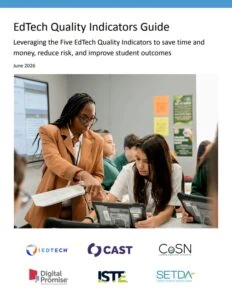
  • EdTech Quality Indicators Guide: A strategic framework centered on five core indicators—evidence-based design, product safety, inclusivity, usability, and interoperability—to streamline software selection and post-procurement evaluation
  • K-12 Community Vendor Assessment Tool (K-12CVAT): A standardized risk-assessment questionnaire designed for RFPs and purchase evaluations to verify vendor data privacy, cybersecurity, and infrastructure safety practices before signing contracts.
  • Trusted Learning Environment (TLE) Seal Framework: Vendor guidance and district criteria that ensure third-party tools adhere to strict student data privacy policies and statutory compliance requirements.
  • Sustainability Procurement Guidelines: Practical strategies and RFP language to help districts evaluate hardware lifecycles, energy efficiency, and long-term repairability to minimize costs and environmental impact.
  • TCO and VOI in Procurement: Total Cost of Ownership (TCO) covers the full lifecycle costs of technology, including hardware, infrastructure, support, and training, preventing budget surprises and low-bid traps during procurement. Value of Investment (VOI) measures the broader returns, such as operational efficiency and strategic outcomes, helping teams justify budgets and negotiate better terms. Combined, they ensure procurement decisions are both financially accurate and high-impact. Unlocking Value of Investment (VOI) and Total Cost of Ownership (TCO) for EdTech Leaders Facilitated Online Workshop Fall 2026 Workshop begins 11/9.

7. Fall Professional Learning Courses & Bundles

CoSN Professional Learning logo with black text and blue striped circle

In today’s digital landscape, empowering EdTech teams through targeted, high-impact professional development is paramount. CoSN’s Fall Online Courses and Professional Learning Packages allow K-12 technology leaders, aspiring CTOs, and IT staff to deepen their technical expertise, earn CEA Credits toward CETL® and CCRE renewals, and build collaborative networks.

Core Fall Courses & Training Packages

  • CTO Academy for K-12 Early Career and Aspiring CTOs 2026-27 (Applications due 11/1) A program to address the needs of education technology leaders who are new (less than four full years) to their CTO or Technology Leadership position or aspiring CTOs and EdTech leaders currently working in a technology department. Academy participants make a positive impact on student-centered and digital learning in their school district and enhance their career trajectory. 
  • CETL® K-12 CTO Framework Foundation Course (Starts 10/6) A comprehensive facilitated course aligned with CoSN’s Framework of Essential Skills, preparing leaders for the Certified Education Technology Leader exam.
  • Cybersecurity in K-12 Schools Facilitated Course (Starts 9/2) Focuses on enterprise security fundamentals, risk controls, and vulnerability mitigation designed specifically for school system IT infrastructure staff.
  • The Intersection of Data Privacy and Cybersecurity CourseThe Intersection of Data Privacy and Cybersecurity CourseThe Intersection of Data Privacy and Cybersecurity Course (Starts 10/5) Explores legal compliance (FERPA), data governance, and procurement standards needed to safeguard student information in cloud-based environments.
  • Project Management for K-12 School Leaders (Starts 10/13) A tailored course addressing budgeting, resource allocation, and project execution through the lens of school technology leadership.
  • CoSN Professional Learning Packages (Essentials & Leadership Packs): Flexible bundles that allow districts to prepay for combinations of full facilitated courses, online workshops, and incident response tabletop exercises at significant team and department discounts.

8. The CoSN Podcast & Video Channels

In today’s digital landscape, accessing flexible, on-demand learning experiences is paramount. CoSN’s Interactive Webinars, On-Demand Podcasts, and YouTube Video Recordings empower EdTech and executive school leaders to consume high-impact professional development anytime, anywhere.

  • The CoSN Podcast (Produced with edCircuit): On-demand audio episodes featuring in-depth conversations with superintendents, Certified Education Technology Leaders (CETL®), and district changemakers tackling real-world K-12 challenges. Find The CoSN Podcast on you favorite streaming platform.
  • CoSN Official YouTube Channel (@CoSNweb): On-demand video archives containing full webinar recordings, virtual summits, keynote highlights, and expert panel sessions accessible anytime.

9. CoSN Blogs & Publications 

In today’s digital landscape, keeping pace with rapidly evolving education technology trends, policies, and leadership strategies is paramount. Leveraging CoSN’s Blogs, Weekly Publications, and Searchable Resource Library empowers EdTech and executive school leaders to continuously sharpen their expertise and connect with national changemakers.

  • CoSN Blogs & Thought Leadership Articles: Feature expert commentary, case studies, and practical guidance from practicing CETLs and national EdTech leaders covering emerging trends and policy shifts.
  • EdTech Dispatch Weekly Newsletter: CoSN’s free weekly publication delivering curated news, emerging research, strategic insights, and policy updates directly to your inbox.
  • CoSN Search-by-Topic Resource Library: Allows leaders to filter blogs, reports, playbooks, and media archives by targeted K-12 focus areas (e.g., Cybersecurity, AI, Student Data Privacy, Screen Time).
  • CoSN District Membership: Grants full access to exclusive member toolkits, peer network forums, chapter CTO clinics, and discounted event registration to shape the future of educational technology.

10. Annual Conference, Regional Networks & Peer Connection

In today’s digital landscape, connecting with a strong professional network and learning directly from peer leaders is essential to driving meaningful change. CoSN’s national conference, state chapters, and membership networks empower EdTech and executive leaders to build lasting relationships, share proven strategies, and solve complex K-12 challenges together.

  • CoSN2027 Annual Conference: Mark your calendars for the premier event in K-12 EdTech leadership! The CoSN2027 Conference takes place in Orlando, April 12–14, 2027. Registration opens in September! It is the ultimate gathering to connect with national changemakers, explore cutting-edge solutions, and collaborate with peers across the country.
  • State Chapters & CTO Clinics: Connect with local K–12 EdTech leaders in your region through workshops, state-level legislative updates, webinars, and regional CTO Clinics. Chapters provide a direct link to both local peer support and national initiatives.
  • CoSN District Membership & Peer Forums: Gain full access to exclusive member toolkits, peer network forums, chapter clinics, and discounted event registrations that keep your leadership team connected year-round. Learn more at CoSN Membership.

Save the Date: Mark your calendars for the upcoming annual CoSN2027 Conference in Orlando, April 12-14, 2027; registration opens in September!

Editor’s Note: This article was originally published on the CoSN website.

Subscribe to edCircuit to stay up to date on all of our shows, podcasts, news, and thought leadership articles.

August 19, 2026 0 comments
0 FacebookTwitterPinterestLinkedinWhatsappCopy LinkEmail
AI in rural classrooms, a day in the life: desks of rising sizes each with an AI panel at its level, and the sun arcing over farmland from dawn to dusk
Artificial IntelligenceK-12Hot Topics - controversial

AI in Rural Classrooms: A Day in the Life

by EdCircuit Staff August 19, 2026
written by EdCircuit Staff 6 minutes read

AI in rural classrooms is transforming what teaching and learning look like day to day, reshaping instruction, workload, and student engagement in meaningful ways.

At 7:15 a.m., the classroom lights are already on.

A teacher sits at her desk in a small rural school, coffee in hand, reviewing the day ahead. She teaches three different courses, across two grade levels, with students whose abilities span a wide range. A few years ago, planning for a day like this meant hours of preparation the night before—building lessons, modifying assignments, and trying to anticipate where students might struggle.

Now, the process looks different.

With the help of AI, she starts with a draft instead of a blank page.

Morning: Planning Before the Bell

Before students arrive, the teacher reviews lesson outlines generated with AI support. What used to take hours—creating differentiated materials, adjusting reading levels, building practice questions—now takes minutes to refine.

Before AI:
Planning meant starting from scratch, often late into the night.

Now:
The teacher can generate aligned lessons, adjust them for her students, and spend more time thinking about how to teach—not just what to teach.

She is still the expert in the room. The decisions are still hers. But the workload has shifted, and the pressure has eased.

That difference carries into the rest of the day.

First Period: One Classroom, Many Levels

By first period, the room is full.

In rural classrooms, uniformity is rare. Some students are ahead, some are behind, and many fall somewhere in between. Delivering a single lesson that meets every need has always been a challenge.

As students begin working, AI-supported tools help bridge that gap.

One student reviews foundational concepts with guided support. Another moves ahead into more advanced material. A third gets immediate feedback on a mistake and tries again without waiting.

Before AI:
The teacher delivered one lesson and hoped it reached most students.

Now:
Learning adjusts in real time, and the teacher moves through the room, focusing on students who need direct support.

The classroom feels less like a lecture and more like a workshop.

Mid-Morning: Expanding What’s Possible

Later in the morning, a different challenge emerges—access.

The school does not have a full-time instructor for every subject. Advanced courses, specialized electives, and certain pathways have always been limited by staffing and resources.

Now, students log into AI-supported learning modules for subjects the school cannot fully staff.

The system guides instruction, checks for understanding, and adapts based on performance. The classroom teacher provides structure and support, even if the subject is outside their primary expertise.

Before AI:
Some courses weren’t offered.

Now:
Students have access—imperfect, but real.

A student interested in a subject that once felt out of reach can now explore it.

That shift matters.

Between Classes: The Work No One Sees

As students move between periods, the teacher turns to the work that often goes unnoticed.

Grading. Emails. Tracking student progress and communicating with families.

In smaller districts, where staff is limited, these responsibilities add up quickly.

AI is beginning to reduce that burden.

The teacher reviews a summary of student performance instead of sorting through raw data. She drafts a parent email in seconds and personalizes it before sending. Routine grading is handled more efficiently, allowing her to focus on meaningful feedback where it matters most.

Before AI:
Administrative work stretched into evenings and weekends.

Now:
Time is still limited—but more manageable.

And in education, that difference is significant.

Afternoon: Students Taking Ownership

By the afternoon, something subtle but important becomes clear.

Students are more independent.

With immediate feedback and guided support, they are not waiting as long for answers. They try, adjust, and try again. They explore.

Before AI:
Students often stalled, waiting for help or validation.

Now:
They move forward with more confidence.

For rural students, this independence can be powerful. Exposure to different ideas, tools, and ways of thinking expands what they see as possible for themselves.

The teacher is still central—but the dynamic has shifted from delivering content to guiding learning.

After School: Learning Continues

When the final bell rings, the day is not necessarily over.

For many rural students, access to tutoring or additional support outside of school has always been limited by distance and availability.

AI is beginning to extend learning beyond the classroom.

Students revisit lessons, get help with assignments, and practice skills at their own pace. Families, too, benefit—especially those who may not feel equipped to support certain subjects.

There are still challenges. Not every student has reliable internet access, and schools continue working to close those gaps.

But the ability to continue learning outside the school day represents real progress.

The Teacher’s Reality

For the teacher, the impact of AI is not theoretical.

It is practical.

It shows up in saved time, reduced stress, and the ability to focus more on students.

Before AI:
The job felt like a constant balancing act with too little time.

Now:
There is still pressure—but more room to teach, connect, and respond.

In rural schools, where relationships are everything, that shift matters.

The Student Experience

For students, the changes are often quieter—but just as important.

It is the student who no longer falls behind because they can review material at their own pace.
It is the student who discovers a new interest through exploration.
It is the student who gains confidence through immediate, judgment-free feedback.

Before AI:
Opportunities were often limited by what the school could offer.

Now:
Those limits are starting to expand.

Challenges That Remain

The integration of AI in rural classrooms is not without obstacles.

Connectivity remains inconsistent in some areas.
Professional development is still evolving.
Questions around privacy and responsible use continue to matter.

And not every implementation is effective. Success depends on how thoughtfully AI is used—not just whether it is used.

Rural schools must continue to invest in infrastructure, training, and communication with their communities.

What It All Adds Up To

At the end of the day, AI in rural classrooms is not about replacing teachers or redefining education overnight.

It is about small, meaningful shifts.

It is in the early morning planning that no longer feels overwhelming.
It is in the classroom where instruction adapts in real time.
It is in the moments when students take ownership of their learning.

For rural schools, where limitations have long shaped what is possible, those shifts add up.

Because when access expands, when time is reclaimed, and when students gain confidence, something changes.

In classrooms where resources have always been limited, possibility no longer is.

Subscribe to edCircuit to stay up to date on all of our shows, podcasts, news, and thought leadership articles.

August 19, 2026 0 comments
0 FacebookTwitterPinterestLinkedinWhatsappCopy LinkEmail
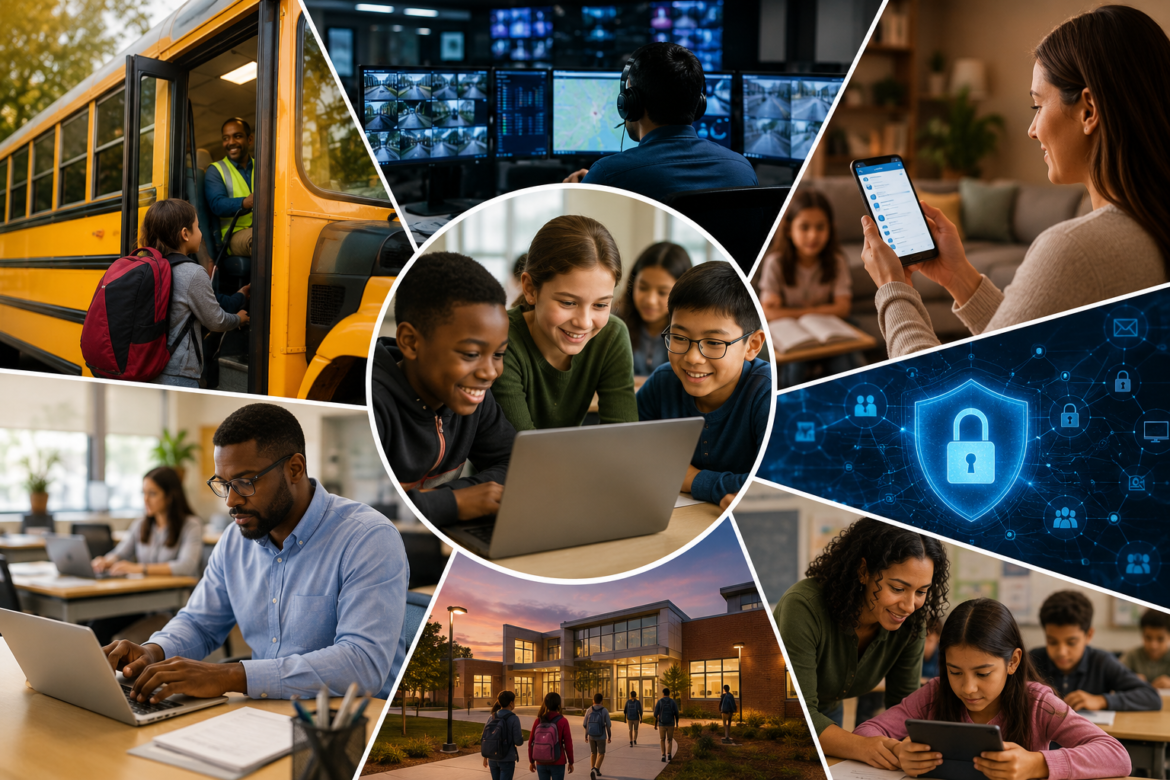
Diverse students collaboratively view a laptop screen at a round-collage educational scene, emphasizing technology in learning.
K-12EdTechHot Topics - controversial

Educational Technology Benefits Beyond the Classroom

by EdCircuit Staff August 18, 2026
written by EdCircuit Staff 7 minutes read

The benefits of educational technology often extend far beyond teaching and learning, creating value in areas that districts may not initially anticipate. While conversations about EdTech frequently focus on devices, software and classroom applications, technology investments increasingly influence communication, operations, safety, equity, and the overall experience students and families have with their schools.

When district leaders evaluate technology initiatives, it is natural to focus on their intended purpose. A learning management system is expected to support instruction. A communication platform is designed to strengthen engagement. Infrastructure upgrades are implemented to improve reliability. Yet some of the most meaningful outcomes emerge in ways leaders did not originally envision. In many cases, the greatest returns are invisible; in others, they involve opportunities that previously did not exist. Increasingly, school systems are discovering that the true value of technology extends well beyond the classroom walls.

How Does Educational Technology Benefit the Whole District?

Educational technology is no longer confined to classrooms or computer labs. It has become deeply integrated into nearly every aspect of district operations. Transportation departments rely on digital tools to optimize routes and communicate with families. Business offices depend on software to manage finances and purchasing. Human resources teams use technology to recruit staff and streamline onboarding. Communication platforms help schools share information with parents and community members in real time.

Because technology is so interconnected, investments made in one area often create ripple effects throughout the organization. Improvements designed to solve a specific problem frequently generate benefits in places leaders never expected. A platform introduced to improve communication may strengthen trust with families. An infrastructure upgrade intended to increase reliability may reduce stress for teachers and support staff. Digital workflows created to improve efficiency may ultimately give educators more time to focus on students. Technology rarely affects a single department in isolation; its influence often extends across the entire district, shaping experiences in ways that are both visible and subtle.

Opportunity Is a Form of Value

Some of the most meaningful benefits technology creates cannot be measured through cost savings or efficiency gains. They are measured through opportunity. For many districts, digital tools have expanded access to Advanced Placement courses, dual-enrollment programs, career pathways and specialized learning experiences that would have been difficult, or impossible, to provide otherwise. Rural districts and smaller schools have used technology to broaden academic offerings and give students opportunities that previous generations may never have had.

Those outcomes may not immediately appear in financial reports, but they represent tremendous value. A student who gains access to a college-level course through online learning may earn credits that reduce future tuition costs. Another student may discover interests that shape career decisions. Expanded opportunities can affect college readiness, workforce development and long-term success in ways that are difficult to quantify. Educational technology often creates value by opening doors, and sometimes the most important returns are measured not in dollars but in possibilities.

Why Does Reliable Infrastructure Matter?

Few people celebrate infrastructure. Students rarely think about wireless access points, parents do not discuss network redundancy at the dinner table, and teachers seldom begin their day thinking about bandwidth, switches or fiber connections. Yet everyone notices when those systems fail.

Reliable infrastructure protects instructional time. It allows assessments to proceed without disruption and ensures students can reach digital resources when they need them. Strong infrastructure supports communication systems, business operations and the countless digital tools districts depend on every day, so reliability itself is a form of value. A district that invests in resilient infrastructure may prevent disruptions that affect thousands of students and educators, and the significance of those investments often goes unnoticed because success simply means that teaching and learning continue uninterrupted. Stability may not generate headlines, but it is the foundation modern education depends on. Sometimes the greatest benefit of technology is that no one has to think about it at all.

Cybersecurity Protects More Than Networks

Cybersecurity presents one of the clearest examples of value that can be difficult to measure. Unlike many investments, successful cybersecurity efforts are rarely visible. When systems are protected and risks are managed effectively, stakeholders may not notice anything unusual: instruction continues, operations proceed normally, and students and teachers focus on learning rather than disruption. That is precisely the goal.

The threat is not hypothetical. The Center for Internet Security found that 82 percent of reporting K–12 schools experienced cyber threat impacts between July 2023 and December 2024. A successful cybersecurity strategy means there was no ransomware attack, no compromised data and no emergency communication plan activated. Those outcomes may never appear in a news story, but they represent enormous value for school systems and the communities they serve.

More importantly, cybersecurity protects something far more important than devices and networks: trust. Families trust schools to safeguard sensitive information. Employees trust their districts to maintain continuity. Communities expect their schools to be resilient in the face of increasing cyber threats. Preserving that trust is one of the most important responsibilities district leaders have, and technology investments play a critical role in supporting it.

How Does Technology Strengthen School Communities?

Technology has transformed the relationship between schools and families. Communication platforms, mobile applications, translation tools and digital resources have made it easier for parents to stay informed and engaged. Information that once depended on paper newsletters and phone chains can now be shared instantly and in multiple languages, and families can see updates, monitor student progress and communicate with educators in ways that were difficult just a few years ago.

These improvements may appear routine, but their impact is significant. Translation tools have helped remove barriers for multilingual families. Mobile applications have made information more accessible to parents with demanding schedules. Digital forms and online systems have simplified processes that once required multiple phone calls or visits to school offices. The result is not simply more communication; it is stronger relationships, and stronger relationships contribute to healthier school communities built on trust, transparency and partnership.

Some of the Greatest Returns Are Unexpected

Perhaps the most fascinating aspect of educational technology is that leaders often discover value they never anticipated. A district may introduce Wi-Fi on buses to extend learning during long commutes, only to find that student behavior improves and disciplinary incidents decline. Funding for that particular idea has changed: in September 2025 the Federal Communications Commission declared Wi-Fi on school buses ineligible for E-Rate support, reversing a 2023 ruling, so districts that want it now pay from other sources. Collaboration platforms designed to streamline communication may foster stronger professional communities among educators, and workflow systems implemented to save time may reduce frustration and improve staff morale.

These secondary benefits are often difficult to predict, yet they can become some of the most meaningful outcomes technology creates. That reality is an important reminder that innovation should not be evaluated too narrowly. Leaders naturally focus on solving specific problems, but the effects of technology frequently extend beyond the original objective. Sometimes districts discover that technology solved challenges they did not even know they had. For how to weigh these returns against cost, see Educational Technology Investments: Beyond ROI.

Looking Beyond What Technology Does

As district leaders evaluate new technologies, they will naturally continue to ask about cost, implementation and return on investment. Those questions are important, but they represent only part of the story. The more meaningful question may be what those investments make possible:

  • Do they expand opportunities for students?
  • Do they strengthen relationships with families?
  • Do they protect instructional time and build trust?
  • Do they create capacity for educators to focus on what matters most?

Those questions encourage leaders to think beyond features and functionality. They shift the conversation from products to outcomes and from costs to possibilities. Educational technology is rarely just about devices, software or infrastructure. It is about the experiences those investments create, the communities they strengthen and the opportunities they make possible, and sometimes the greatest benefits are the ones no one expected to find.

Subscribe to edCircuit to stay up to date on all of our shows, podcasts, news, and thought leadership articles.

August 18, 2026 0 comments
0 FacebookTwitterPinterestLinkedinWhatsappCopy LinkEmail
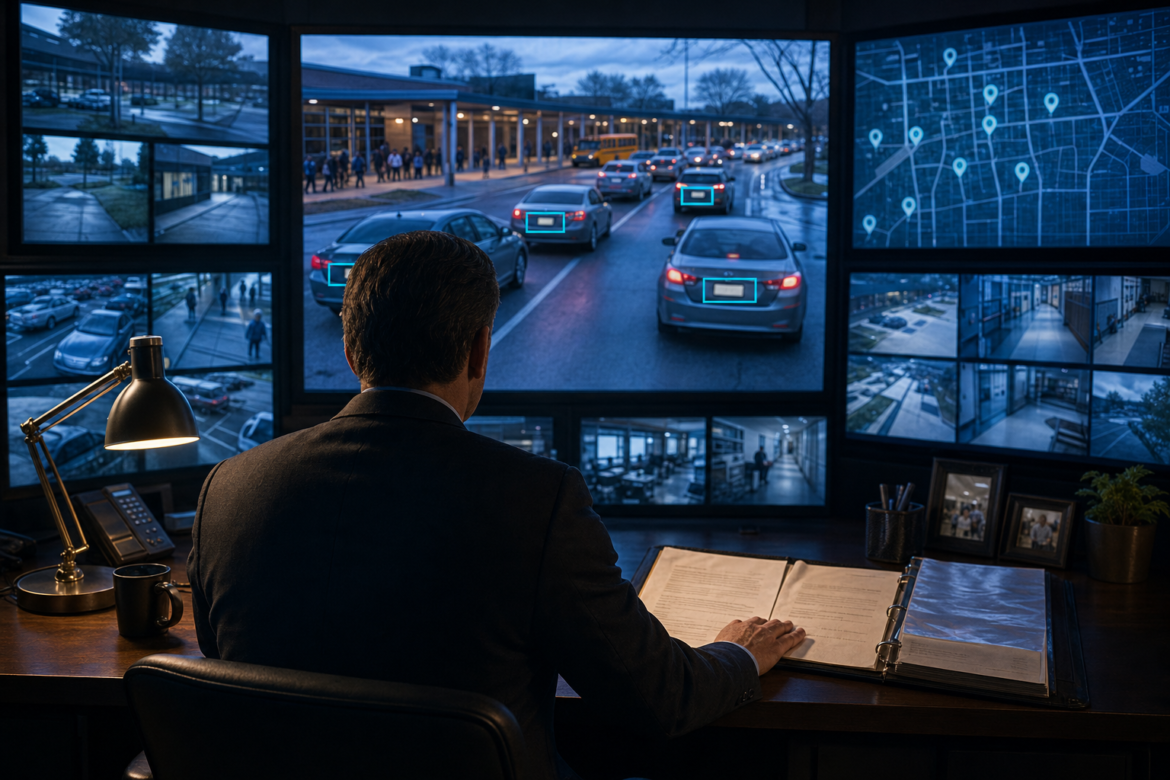
Flock cameras in schools, safety or surveillance: an administrator watches a camera wall tracking licence plates in the school drop-off line, a hand on an open privacy policy binder
Hot Topics - controversialSchool SafetyK-12

Flock Cameras in Schools: Safety or Surveillance?

by EdCircuit Staff August 17, 2026
written by EdCircuit Staff 11 minutes read

Flock cameras in schools are becoming a new layer of campus security, even though many educators, students, and families may not realize the cameras are there.

A teacher turns into the staff parking lot at 7:12 a.m. A high school senior arrives a few minutes before the bell. A parent enters the pickup line, a delivery driver pulls behind the cafeteria, and a visitor comes to an evening school board meeting.

To the people inside those vehicles, it feels like an ordinary trip onto school property. To an automatic license plate reader, each arrival may become a searchable record.

The camera can capture a plate number, vehicle characteristics, its location, and the exact date and time. A second camera near the exit may record when that same vehicle leaves. The small, solar-powered device mounted near a driveway is not simply watching the parking lot. It is building a record of vehicle movement.

That capability is drawing the attention of school leaders searching for better ways to respond to threats, theft, vandalism, and unauthorized visitors. It is also raising a harder question: How much surveillance should a school conduct in the name of safety?

Automatic license plate reader technology, usually called ALPR or LPR, forces districts to confront two responsibilities at once. Schools must protect the people on campus, but they must also protect the trust of the community they serve.

What an ALPR Camera Actually Sees

An ALPR is different from a conventional security camera that records a wide view of a parking lot. It is built to detect passing vehicles, photograph them, and use optical character recognition and computer vision to convert what the camera sees into searchable information.

According to Flock Safety’s description of its system, its readers capture license plate images, vehicle characteristics, timestamps, and camera locations. Flock says its ALPR product does not use facial recognition or collect biometric or driver information. The company also says data is generally deleted automatically after 30 days unless a customer’s contract, policy, or local law requires a different period.

A license plate, however, is a persistent identifier attached to a vehicle. One camera sighting may reveal little. Repeated sightings can establish a pattern: where a vehicle appeared, when it arrived, and where it went next.

On a school campus, the surrounding context can make the owner easy to infer. Administrators may know which student drives a particular blue sedan. Staff parking assignments, vehicle-registration records, security reports, and law enforcement databases can add another layer of information. The technology may not identify the person behind the wheel, but vehicle data can quickly become personal data in practice.

Why Schools Are Buying the Cameras

School campuses present a difficult security environment. They may include several buildings, open parking lots, athletic fields, delivery areas, and multiple entrances. Hundreds or even thousands of vehicles can pass through each day.

Traditional security video is often reviewed after an incident. Staff must find the right camera, locate the correct time, and hope the plate is visible. An ALPR makes vehicle information searchable. It can also send an alert when a plate on an approved list passes a camera.

For a district, that can mean learning that a vehicle connected to a documented threat or no-trespass order has entered school property. It can help investigators identify a car involved in theft, vandalism, an assault, or an abduction concern. During a missing-person or AMBER Alert investigation, it may show whether a vehicle entered or left campus. In an emergency, even a few minutes can matter.

The Licking Heights Local School District in Ohio began with four Flock cameras around its high school and middle school. The district’s safety supervisor described the cameras as another way to respond to vandalism, theft, unauthorized access, and the arrival of people prohibited from school property. The system was intended to provide faster alerts and strengthen coordination with local police.

Colleges and universities cite similar benefits. EdTech Magazine reported that Ohio State University uses readers at entrances, exits, parking structures, and other locations. The university said plate-reader information helped investigators identify a potential suspect vehicle following a homicide near campus. The University of Georgia has also placed readers at major entry and exit points to give dispatchers and investigators another source of information during and after an incident.

These are not hypothetical uses. A verified alert involving a credible threat can give school safety personnel valuable time. A readable plate can turn hours of video review into a faster lead.

The concern begins with everything else the cameras capture.

A Security Tool That Records Everyone

An ALPR does not limit itself to suspicious vehicles. It records the cars of teachers, students, parents, coaches, volunteers, delivery workers, and visitors who are not suspected of doing anything wrong.

The system may be installed to identify a handful of vehicles of concern, yet it creates records about everyone who crosses its field of view. The size of that collection can grow quickly.

In 2026, Signal Cleveland reported that Cleveland Metropolitan School District had 201 readers across 70 buildings, usually with a camera at both the entrance and exit. District officials pointed to investigations involving stolen vehicles, break-ins, and unauthorized vehicles. The annual contract cost was reported at $603,000.

At that scale, privacy is only one part of the conversation. A school board should also ask whether the network is proportionate to the problems it is solving and whether it is producing measurable results. Would additional lighting, security staffing, secure entrances, threat-assessment resources, or student mental-health support address a greater need? ALPR may be one useful layer, but it should not become the entire strategy simply because it produces alerts and searchable data.

The rapid spread of the technology has already produced public backlash. Some communities have paused or reconsidered their programs, while activists have created public maps of camera locations. TechCrunch reported in February 2026 that cameras had been vandalized in several states. More recently, an August 2026 CBS Mornings report (Play video) highlighted growing opposition across the country. Hood County, Texas, shut down and covered its cameras following privacy concerns, while residents gathered in Fargo, North Dakota, to protest the technology.

Play video: Growing backlash amid privacy concerns over Flock cameras (2 minutes 22 seconds)2:22
Growing backlash amid privacy concerns over Flock cameras2 min 22 sCBS Mornings on YouTube

Damaging cameras is not public oversight. The backlash does reveal what can happen when surveillance expands faster than the policies meant to govern it. A district may view an installation as a routine security purchase while families see a system they were never told would record their movements.

Who Else Can Search the Data?

The most important privacy question may not be how school employees use the system. It may be whether the district’s camera data can be searched by outside agencies.

Flock says customers control their data, determine who has access, and choose whether to participate in sharing relationships. Those choices can keep school data tightly restricted or place it within a much broader law enforcement network. The difference may come down to contract language, system settings, and decisions that never received public discussion.

A 2026 investigation by The 74 found that more than 100 public school systems nationally had installed Flock devices. Audit logs obtained from six Texas districts showed school-camera data was searched far more often by outside police agencies than by the districts themselves. In one month, more than 3,100 agencies reportedly conducted over 733,000 searches involving eight cameras operated by Alvin Independent School District. Some searches listed immigration-related reasons.

The investigation found no evidence that the districts themselves conducted immigration searches or necessarily knew outside agencies were doing so. That is precisely why access and auditing matter. A school can purchase what it believes is a narrowly focused safety tool while its camera data is used in investigations that have no connection to campus.

Flock has said federal immigration authorities do not receive direct access from the company and that customers control sharing. Local agencies, however, may conduct searches on behalf of federal partners, and a network search may include data from participating school cameras.

For families, the technical distinction between direct and indirect access may offer little comfort. If parents believe a trip to school could expose their movements to agencies far beyond the district, some may avoid conferences, school events, student services, or routine contact with educators. A safety system that makes part of the community afraid to enter school property is creating a different kind of risk.

Retention Rules Are Changing

In August 2026, Flock announced that it was reducing its recommended default retention period from 30 days to seven days. Existing customers, however, may retain their previously approved settings, and individual customers will continue choosing the retention period that fits their policies. For districts, that makes verifying the school’s actual setting more important than relying on the company’s stated default.

Seven days may sound brief, but across a busy school district, it can still produce thousands of records showing when vehicles arrived and departed. Some districts may retain that information for 30 days or longer, while records connected to an active investigation can be preserved beyond the standard retention period.

Districts also need to know what happens after data leaves the primary system. Downloaded images, exported reports, screenshots, and evidence attached to a case may not disappear on the same schedule. A written retention rule means little if copies can remain indefinitely in email accounts, local folders, or outside agency files.

The U.S. Bureau of Justice Assistance’s license plate reader policy template emphasizes written rules for collection, access, use, sharing, retention, deletion, accountability, and audits. The guidance was developed for justice agencies, but the same questions belong in any school district operating a vehicle-surveillance system.

Seven Decisions Districts Must Make in Public

Buying cameras is the easy part. Governing them requires a district to draw clear lines before the first plate is scanned.

  • Define the purpose. A policy should name the situations in which a search is allowed, such as a credible threat, stolen vehicle, missing person, documented no-trespass order, or investigation of a specific incident. “General school safety” is too broad to protect against mission creep.
  • Prohibit misuse. The same policy should bar searches driven by curiosity, routine monitoring of employee attendance, tracking students without a documented safety reason, or monitoring lawful protests, union activity, religious services, and other constitutionally protected activity.
  • Limit and verify access. Only employees with a legitimate operational need should be able to search the system. Each search should require a documented reason and, when appropriate, an incident or case number. A plate match must be verified before staff or police take high-risk action; an alert is an investigative lead, not proof.
  • Control outside sharing. District leaders should be able to name every agency with direct or network access to school-camera data. Sharing should be narrow, intentional, approved in writing, and reviewed regularly. Default settings should never substitute for a school board decision.
  • Set a retention rule that covers copies. The district should choose the shortest practical period and place it in both policy and contract language. The same rule must address downloads, exports, screenshots, investigative files, and data held by partners.
  • Tell the community before installation. Camera purposes, general locations, retention rules, sharing arrangements, and complaint procedures should be available in plain language. Public board discussion, visible notice near monitored entrances, and an accessible online policy should come before deployment, not after questions arise.
  • Measure whether the cameras work. An annual report should include the number of alerts, searches, confirmed matches, incidents assisted, false or unconfirmed alerts, outside-agency searches, policy violations, and total program cost. Renewal should require a fresh public review. If the cameras are not delivering enough safety value to justify their cost and intrusion, the district should reduce or end the program.

Safety Depends on Trust

The debate over Flock cameras in schools is often framed as a choice between safety and privacy. Schools cannot afford to surrender either one.

An automatic license plate reader can provide crucial evidence after a crime and an early warning when a known threat reaches campus. It can also create a detailed record of when students, employees, families, and visitors arrive and leave, then make that information available beyond the people who collected it.

That does not make the technology inherently good or inherently harmful. It makes the rules around it essential.

Before turning on the cameras, a district should be able to explain what is collected, why it is needed, who can search it, who can receive it, how long it remains, and how the public will know whether the system is working.

If a school cannot answer those questions openly, it is not ready to scan the first plate.

edCircuit note:
Readers can explore DeFlock Maps, an open-source, community-driven map of reported ALPR locations. Because the information is crowdsourced through OpenStreetMap, locations may be incomplete, outdated, or incorrectly identified.

Subscribe to edCircuit to stay up to date on all of our shows, podcasts, news, and thought leadership articles.

August 17, 2026 0 comments
0 FacebookTwitterPinterestLinkedinWhatsappCopy LinkEmail
Newer Posts
Older Posts

Participate

  • Contribute
  • Sponsor
  • Submit Release
  • Subscribe
  • Get Interviewed

We value your privacy

We use cookies to enhance your browsing experience, serve personalized ads or content, and analyze our traffic. By clicking "Accept All", you consent to our use of cookies.

Customize
  • Needed for the site to work: signing in, the cart, your consent choice. Always on.

    8 cookies
    • ss_consent 1 yearYour cookie choice on this site, so you are not asked again.
    • wordpress_logged_in_* 2 days, or 14 days with "remember me"Keeps you signed in as you move between pages.
    • wordpress_sec_* 2 days, or 14 days with "remember me"The secure half of your sign-in.
    • wordpress_test_cookie SessionChecks that your browser accepts cookies when you sign in.
    • wp-settings-* 1 yearYour display settings when signed in.
    • wp_woocommerce_session_* 2 daysYour shopping session: the cart and the checkout.
    • woocommerce_cart_hash SessionTells the site whether your cart has changed.
    • woocommerce_items_in_cart SessionWhether your cart holds anything.
  • Remembers choices you make, such as a language or a region, and supports features like live chat.

    1 cookie
    • woocommerce_recently_viewed SessionThe products you looked at, so the site can show them again.
  • Helps us understand how visitors use the site: which pages are read, and for how long.

    2 cookies
    • _ga 2 yearsGoogle Analytics: tells one visitor from another. Set only after you allow analytics.
    • _ga_* 2 yearsGoogle Analytics: keeps your session state. Set only after you allow analytics.
  • Measures how fast pages load so we can make them faster.

  • Used to show you content and offers that match your interests, on this site and elsewhere.

    1 cookie
    • sbjs_* SessionWooCommerce order attribution: where you came from, so a purchase can be credited to the campaign or site that sent you.

Your browser asks us not to sell or share your information (Global Privacy Control), so advertising cookies stay off.

Do not sell or share my personal information

Some cookies from other companies help show you offers on other sites. Tick the box and save your preference to opt out of that sharing; untick it to opt back in at any time.

Your browser sends Global Privacy Control, so this preference is set for you and cannot be changed here.

Sign In

Keep me signed in until I sign out

Forgot your password?

Password Recovery

A new password will be emailed to you.

Have received a new password? Login here

Shopping Cart

Close

No products in the cart.

Close
-
00:00
00:00

Queue

Update Required Flash plugin
-
00:00
00:00

Your cart (items: 0)

Products in cart

Product Details Total
Subtotal $0.00
Shipping and discounts calculated at checkout.
View cart
Go to checkout

Your shopping cart is empty

Return to shop

Notifications