

edCircuit
  • Start Here
    • Login
    • Register
    • Subscribe
    • Submit a Press release
    • Advertise or Sponsor
    • Contribute
    • Get Interviewed
  • On The Wire
  • K-12 Education
    • All K-12
    • K-12 Teachers
    • Teaching Strategies
    • Special Education and IEPs
    • Dyslexia
    • Gifted and Advanced Learning
    • Early Childhood, Pre-K and Kindergarten
    • School Calendar
    • Tutoring and Homework Help
    • Attendance and Absenteeism
    • After-School Programs
    • School Counselors
    • Homeschooling
    • School Models
    • Teacher Retention
    • Parents
    • Students
  • Teaching and Learning
    • Literacy and Reading
    • Math Education
    • Civics and History Education
    • Financial Literacy
    • Assessment and Testing
    • Curriculum and Instruction
    • Personalized Learning
    • Project-Based Learning
    • Social-Emotional Learning
    • Executive Function
    • Creativity
    • Diversity, Equity, Inclusion
  • Professional Development
    • All Professional Development
    • Educators
    • Administrators
    • edLeaders
  • Higher Education
    • All Higher Education
    • College Admissions
    • Career and Technical Education (CTE)
    • Graduation
    • FAFSA and Financial Aid
    • Student Loans
  • Artificial Intelligence
  • Cybersecurity
  • School Safety
    • All School Safety
    • Science and Lab Safety
    • School Design and Facilities
    • Bullying
    • Duty of Care and School Liability
  • Continuing Education
    • All Continuing Education
    • Online Certificate Programs
    • Teaching Jobs and Careers
    • Teacher Appreciation
  • Education Policy and Government
    • All Education Policy
    • Department of Education
    • School Choice
    • Global
    • Advocates
  • EdTech
    • All EdTech
    • Online Learning
    • Hybrid and Remote Learning
    • Augmented and Virtual Reality
    • ESports
    • Gamification and Game-Based Learning
    • Digital Citizenship
    • EdTech Entrepreneurs
    • Market Trends
    • Future of Education
  • STEM and STEAM Education
  • Media
    • EDU Shows
    • EDU Podcasts
    • Education Industry Guides and Reports
  • About edCircuit
Saturday, October 17 2026 - Welcome
  • LOGIN
Home Tags Posts tagged with "Headline"
Tag:

Headline

This if for posts to be in the featured/top section of site
Teacher in-service and AI: a tangle of glowing search windows untangles into one bright ribbon of lesson cards on a teacher's desk at 7:30 in the evening
K-12 TeachersProfessional DevelopmentHot Topics - controversialArticle SeriesArtificial IntelligenceK-12

Teacher In-Service and Artificial Intelligence

by EdCircuit Staff September 24, 2026
written by EdCircuit Staff 6 minutes read

Teacher in-service has always been about helping educators grow, but artificial intelligence is changing how that growth happens.

Imagine it is 7:30 on a Tuesday evening.

A fifth-grade teacher is preparing tomorrow’s reading lesson. She wants fresh ideas to support struggling readers while challenging students who are already excelling. In the past, she might have spent an hour searching websites, watching videos, or digging through professional development materials.

Instead, she opens an AI assistant.

Within minutes, she has differentiated discussion questions, vocabulary activities, parent communication ideas, and several instructional strategies she can adapt for tomorrow’s class.

That isn’t replacing professional learning.

It is accelerating it.

Artificial intelligence is transforming teacher in-service from something educators attend into something they can access whenever they need support. Rather than waiting for the next workshop or district professional development day, teachers now have access to tools that help them learn, reflect, and improve in real time.

The future of professional learning is becoming more immediate, more personalized, and more responsive than ever before.

From Searching for Answers to Finding Solutions

For years, educators relied on search engines to answer professional questions.

Need a new formative assessment?

Search.

Trying to understand an unfamiliar instructional strategy?

Search.

Looking for classroom discussion ideas?

Search again.

The challenge was never a lack of information.

It was finding the right information quickly.

Artificial intelligence changes that experience.

Instead of browsing dozens of websites, educators can ask specific questions, compare instructional approaches, summarize research, generate examples, or request classroom-ready resources in seconds.

Professional learning becomes less about finding information and more about understanding how to apply it.

That shift allows educators to spend more time thinking critically about instruction instead of simply searching for resources.

Personal Learning for Every Educator

Perhaps the greatest opportunity AI offers teachers in-service is personalization.

Every educator follows a different professional journey.

A first-year teacher needs coaching and classroom management support.

A veteran science teacher may want updates on laboratory safety, emerging technologies, and advanced instructional practices.

A principal may focus on leadership development, staff coaching, and school improvement planning.

Artificial intelligence can help create individualized learning experiences for each of them.

Imagine logging into your district’s professional learning platform.

Instead of scrolling through hundreds of available courses, AI recommends learning experiences based on your teaching assignment, certifications, previous professional development, district initiatives, classroom observations, and long-term professional goals.

The platform understands where you’ve been.

It helps guide where you’re going next.

Professional learning becomes a personalized pathway instead of a standardized checklist.

Giving Teachers Their Most Valuable Resource

Ask almost any educator what they wish they had more of.

The answer is almost always the same.

Time.

Artificial intelligence cannot create more hours in the day.

It can help educators make better use of the hours they already have.

Teachers are using AI to summarize lengthy research articles, organize meeting notes, generate lesson ideas, create differentiated instructional activities, draft family communications, brainstorm assessment questions, and explore new classroom strategies.

Instead of replacing professional learning, AI removes many of the time-consuming tasks surrounding it.

Educators spend less time gathering information and more time applying new ideas to improve student learning.

AI as a Professional Learning Coach

Perhaps the most exciting opportunity is AI’s ability to become a learning partner rather than simply a content generator.

Imagine receiving recommendations based on the professional learning you’ve already completed.

Imagine AI suggesting a five-minute refresher before introducing a new instructional strategy.

Imagine a district platform identifying areas where additional coaching might strengthen classroom practice.

Professional learning becomes continuous instead of occasional.

Artificial intelligence does not simply answer questions.

It helps educators ask better questions.

That may prove to be its greatest contribution.

Supporting District Leaders

Artificial intelligence is also changing professional learning behind the scenes.

District leaders face the enormous challenge of supporting hundreds or even thousands of educators with different responsibilities, certifications, and professional goals.

AI can help organize that complexity.

Learning platforms increasingly automate course assignments, monitor certification requirements, identify professional learning gaps, recommend future training, and provide leaders with real-time insights into districtwide progress.

Instead of manually assigning the same learning to everyone, administrators can provide targeted opportunities that better reflect individual needs.

Personalization becomes possible at scale.

Human Judgment Still Matters

As artificial intelligence becomes more capable, one truth remains unchanged.

AI generates.

Educators evaluate.

Artificial intelligence can organize information, summarize research, recommend resources, and provide ideas.

Teachers determine what is instructionally appropriate.

Instructional coaches provide context.

Principals understand school culture.

Experienced educators apply professional judgment.

The future of teacher in-service is not about replacing human expertise.

It is about strengthening it.

The strongest professional learning systems will combine the efficiency of artificial intelligence with the experience, relationships, and wisdom that only educators can provide.

Teaching Educators How to Use AI

Artificial intelligence is also creating entirely new professional learning priorities.

Educators are learning far more than how to generate lesson plans.

They are learning how to write better prompts.

How to verify AI-generated information.

How to recognize bias.

How to protect student privacy.

How to use AI ethically and responsibly.

How to decide when technology adds value—and when human expertise should lead.

Those conversations are quickly becoming an essential part of teacher in-service.

Looking Toward the Future

Artificial intelligence is still in its early stages, yet its impact on professional learning is already significant.

Imagine a teacher in 2030 beginning the school day with an AI-powered professional learning assistant.

It knows the curriculum being taught that week.

It understands previous professional development experiences.

It recognizes district priorities.

It recommends a five-minute learning module before a new lesson.

It suggests coaching questions after classroom observations.

It identifies opportunities for growth while connecting educators with mentors and colleagues who have successfully addressed similar challenges.

That future is no longer difficult to imagine.

Technology will continue evolving.

Professional learning will continue evolving with it.

The future of teacher in-service is not about educators learning from artificial intelligence.

It is about educators learning with artificial intelligence.

When AI removes barriers, saves time, and personalizes learning, educators are free to focus on what matters most—building relationships, inspiring students, and creating meaningful learning experiences inside every classroom.

That is the real promise of artificial intelligence.

Not replacing great teachers.

Helping them continue to become even better.

The Future of Professional Learning Series

Part 1: Teacher In-Service Has Changed

Part 2: Teacher In-Service Beyond the Auditorium

Part 3: Teacher In-Service Is No Longer One Size Fits All

Part 4: Teacher In-Service Meets Microlearning

Part 5: Teacher In-Service and Artificial Intelligence (Current Article)

Coming Next: Teacher In-Service Focuses on New Priorities — exploring how professional learning has expanded beyond curriculum to include cybersecurity, student data privacy, school safety, mental health, accessibility, digital citizenship, and other emerging priorities shaping today’s schools.

Subscribe to edCircuit to stay up to date on all of our shows, podcasts, news, and thought leadership articles.
September 24, 2026 0 comments
0 FacebookTwitterPinterestLinkedinWhatsappCopy LinkEmail
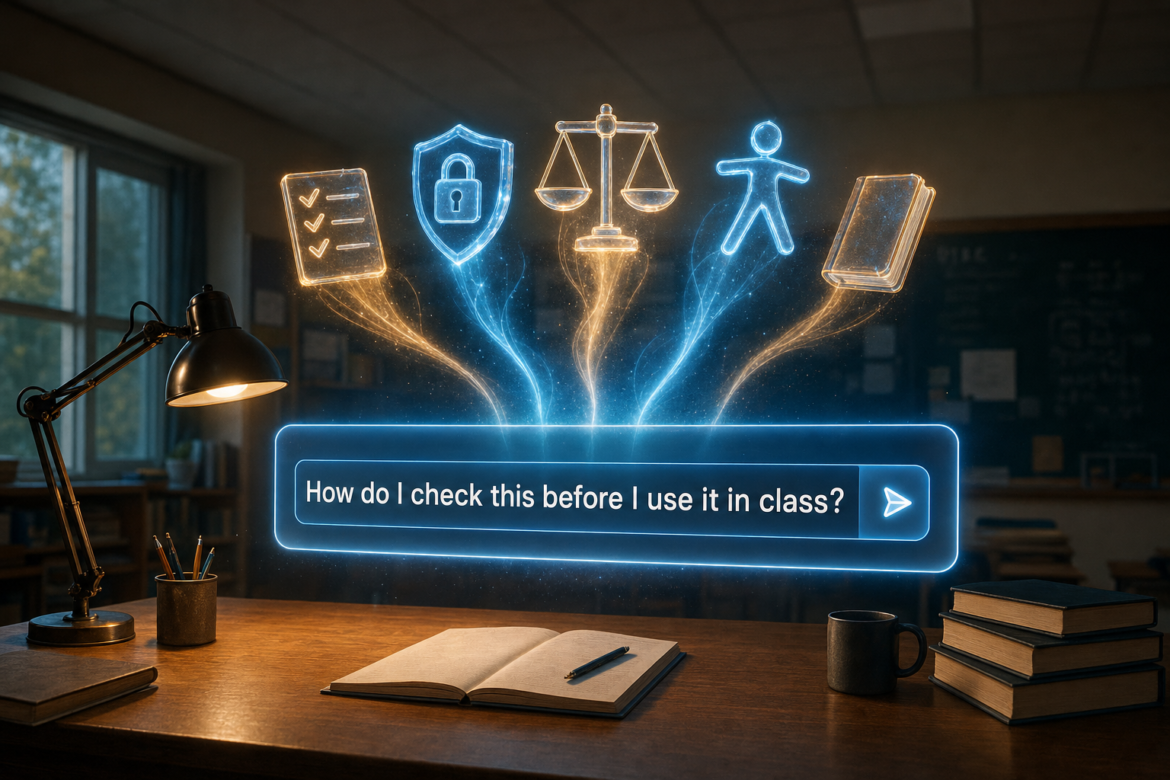
AI training for teachers: an AI prompt window asks how do I check this before I use it in class, with symbols for verification, privacy, bias, accessibility and assessment rising from it
K-12 TeachersHot Topics - controversialArtificial IntelligenceK-12Assessment and Testing

AI Training for Teachers: Beyond Prompts and Tools

by EdCircuit Staff September 23, 2026
written by EdCircuit Staff 10 minutes read

AI training for teachers too often looks like this: a presenter opens a slide deck, demonstrates a collection of impressive tools, shares several prompts, and sends everyone back to their classrooms with a list of links.

The session may be energetic. Teachers may leave with new ways to create quizzes, draft emails, adjust reading levels, or plan lessons.

Then Monday arrives.

A student asks whether she can upload her essay to a public chatbot for feedback. A teacher wonders if he can paste part of an individualized education program into an AI tool to create modified instructions. A department chair wants to know whether an AI-detection score can be used as evidence of cheating. Another teacher discovers that an AI-generated reading passage contains invented facts.

The professional development covered what the tools could do. It did not prepare educators for the decisions they would have to make.

That is the gap districts must close.

Schools do not need teachers who can name every new AI platform. They need teachers who can decide when AI is appropriate, recognize when an output is unreliable, protect student information, establish clear classroom boundaries, and remain responsible for work produced with technological assistance.

Prompt writing may be part of AI professional development. It cannot be the entire program.

Exposure Is Not the Same as Readiness

AI is already part of teachers’ work.

According to National Center for Education Statistics data released in 2025, 73 percent of public schools reported that at least some teachers were using AI for tasks such as lesson planning, administration, instructional materials, assessments, grading, or feedback.

About two-thirds of schools said they had provided AI training to at least some teachers, staff members, or administrators. Yet only 26 percent had trained all teachers, and just 31 percent reported having a written policy governing student AI use.

The result is an uneven landscape. One teacher may prohibit AI entirely. Another may encourage it without requiring disclosure. A third may enter student work into an unapproved platform because no one has explained the privacy implications.

Teachers should not have to build district AI policy one classroom at a time.

The U.S. Department of Education’s 2025 AI guidance identifies professional development as an important part of responsible AI integration. But providing a workshop and preparing an educator are not the same thing.

The content of the training matters. So does what happens after it ends.

Teachers Need a Working Understanding of AI

Educators do not need to become computer scientists. They do need enough foundational knowledge to understand why an AI system can produce a fluent, confident, and completely inaccurate response.

Generative AI identifies and extends patterns. That allows it to create useful material quickly, but it can also fabricate sources, misstate historical events, mishandle mathematical reasoning, oversimplify scientific concepts, and reproduce biases found in its training data.

Teachers should encounter those failures during professional development rather than discover them in front of students.

Ask an AI system to create a reading passage with citations, then check whether the sources exist. Give it a math problem and examine the reasoning, not only the answer. Request a summary of a district policy and compare the result with the actual document. Generate material about a culture, disability, or historical event and look for stereotypes or missing perspectives.

The purpose is not to prove that AI is unusable. It is to build a healthy level of skepticism.

Educators who understand the limitations of the technology are more likely to verify an output before using it. Those who have seen only carefully selected demonstrations may assume the system is more reliable than it is.

Privacy and Verification Must Be Practical

“Do not enter sensitive information” sounds clear until a teacher has to decide what counts as sensitive.

Is it acceptable to upload a student essay if the student’s name is removed? Can assessment results be entered without identification numbers? What about behavior notes, parent emails, accommodation plans, recorded voices, or photographs of classroom work?

Training should answer these questions with specific examples and clear district expectations.

The Department of Education’s Student Privacy Policy Office advises teachers to determine whether an application has been approved by their school or district before using it. Its guidance also notes that online services can introduce privacy and security vulnerabilities.

Every educator should know which AI platforms are approved, what information may be entered, which uses require additional review, and whom to contact when a situation is unclear. A district also needs a visible approval process and an accessible list of reviewed tools. “Ask IT” is not much of a safeguard when no one knows whom to ask or an answer takes several weeks.

The same practicality must shape training on accuracy.

AI can create a polished lesson, rubric, parent message, or assessment in seconds. That speed can make review feel optional, especially when an educator is short on time.

It is not optional.

Teachers remain responsible for the accuracy, appropriateness, accessibility, and instructional quality of the materials they use. Before placing generated content in front of students, an educator should check the facts, confirm alignment with the learning objective, look for bias or missing perspectives, verify accessibility, and revise the material for the actual classroom.

That review may reveal that the AI saved time. It may also reveal that starting from scratch would have been faster.

Either outcome is useful. Teachers need permission to reject an AI-generated response entirely.

Student Expectations and Assessment Belong Together

A district policy may identify what is permitted, but teachers still have to translate that policy into daily classroom practice.

Students need more guidance than “AI is allowed” or “AI is prohibited.” Expectations should change according to the purpose of the assignment.

Using AI to brainstorm research questions may be appropriate. Asking it to write the final response may not be. Translation support might be permitted during one activity but restricted during a language assessment. AI feedback could support revision, while submitting a generated draft as original work would violate expectations.

Teachers should be ready to explain what assistance is allowed, what students must complete independently, when AI use must be disclosed, what information should never be entered, and how generated content should be verified.

Those expectations should also influence assessment design.

AI has exposed weaknesses in assignments that were already easy to complete without much thinking. That does not mean every essay, worksheet, or take-home task has lost value. It does mean educators need time to examine what their assessments actually measure.

A useful training session might ask teachers to bring an existing assignment and consider: What is the intended learning? Which portions could AI complete easily? Where must the student demonstrate original reasoning? What evidence of the learning process could be captured?

The goal is not to make every assignment “AI-proof.” New tools will continue to appear, and attempts to defeat each one can push classrooms toward surveillance and suspicion.

The better goal is to make learning visible.

Students might explain a decision, defend a conclusion, compare sources, document revisions, apply knowledge to a local situation, or reflect on how they evaluated an AI response. An oral conference or in-class draft may reveal more than another piece of detection software.

An AI-detection score can raise a question. It should not be treated as proof. Educators need fair ways to examine drafts, review previous work, speak with students, and consider other explanations before reaching a conclusion.

Bias and Accessibility Are Core Skills

Bias and accessibility should not be saved for an optional advanced session.

AI systems can reproduce stereotypes, produce weaker results for certain languages or dialects, misunderstand disability-related behavior, and generate materials that appear polished but are instructionally inappropriate.

Teachers need practice recognizing those problems.

An educator might compare the career recommendations an AI system produces for students with different names or backgrounds. A history team could review generated content for missing perspectives. Special educators might examine whether an AI-created modification preserves the intended learning standard or quietly lowers expectations.

Accessibility involves both the platform and the material it produces. Can students navigate the tool with a keyboard or screen reader? Are captions accurate? Do images include meaningful descriptions? Does a simplified reading passage preserve the essential content?

UNESCO’s AI Competency Framework for Teachers places educator development within five areas: a human-centered mindset, AI ethics, AI foundations and applications, AI pedagogy, and AI for professional learning.

That is a much broader vision than showing teachers how to write a better prompt. It recognizes that AI competence involves values and judgment as much as technical skill.

Training Must Fit the Role—and Continue

A districtwide introduction can establish common language, but it cannot meet every professional need.

Classroom teachers need help with lesson design, feedback, assessment, student expectations, and family communication. Counselors need guidance on confidentiality and the limits of predictive recommendations. Special educators must examine accommodations, accessibility, and individualized decision-making. Administrators need to understand discipline, staff evaluation, policy enforcement, and how to respond when families raise concerns.

Librarians and media specialists may lead work involving source verification, citation, research, and digital literacy. Technology staff need deeper knowledge of security, data governance, integrations, and vendor practices.

Grade level changes the conversation as well.

Elementary educators may focus on teacher-directed uses, privacy, and age-appropriate AI literacy. Middle school teachers need strategies for establishing boundaries as students begin experimenting independently. High school educators may address research, citation, advanced coursework, career preparation, and responsible use beyond the school network.

The principles remain consistent, but the situations should reflect the people in the room.

Training also has to continue after the first session. AI changes too quickly for one annual presentation to be enough, yet teachers cannot attend a new product demonstration every month.

A better structure might include short scenario-based sessions, department discussions, coaching, model lessons, and office hours with technology staff. Educators should have time to test approved tools, examine failures, revise their own assignments, and share what is working.

Teacher feedback should also shape future policy and purchasing decisions. The people using a platform every day will often recognize problems long before they appear in a formal review.

Most importantly, teachers need time to learn. Asking them to experiment independently after hours sends the message that implementation is an individual responsibility rather than a district initiative.

When schools expect professional use, they should provide professional learning time.

How Will Schools Know the Training Worked?

Attendance at a workshop does not demonstrate readiness.

Districts should look for changes in practice. Are educators using approved platforms? Can they explain what student information may not be entered? Are generated materials reviewed before use? Do classroom expectations align with district policy? Are assignments changing in ways that make student thinking more visible?

Teacher confidence matters, but it should not be the only measure. Leaders should also examine support requests, privacy incidents, academic-integrity disputes, student and family questions, and examples of successful classroom use.

A rise in questions does not necessarily mean the training failed. It may indicate that educators are thinking more carefully and recognizing situations they previously overlooked.

The objective is not perfect confidence. Overconfidence may be the greater risk.

What schools need is informed judgment.

Keep the Teacher at the Center

AI may help a teacher create a starting point, notice a pattern, adapt a resource, or reduce repetitive work. Those benefits are meaningful, especially in a profession where time is always limited.

But the technology cannot know a classroom the way its teacher does. It does not understand that a student has recently lost a family member, that an example will not connect with the local community, or that a technically correct explanation will confuse this particular group of learners.

The teacher supplies that knowledge.

An effective AI session should not end with educators saying, “I learned about thirty new tools.” It should leave them prepared to determine whether a use is allowed, whether information is protected, whether an output is accurate, and whether the technology improves the learning.

Schools do not need educators who know every AI product.

They need educators who know what to do when AI enters the classroom—and when it should be asked to leave.


Editor’s note: edCircuit is vendor-neutral and does not endorse products or services. Any mention of a specific solution is included for contextual and informational purposes only.

Subscribe to edCircuit to stay up to date on all of our shows, podcasts, news, and thought leadership articles.
September 23, 2026 0 comments
0 FacebookTwitterPinterestLinkedinWhatsappCopy LinkEmail
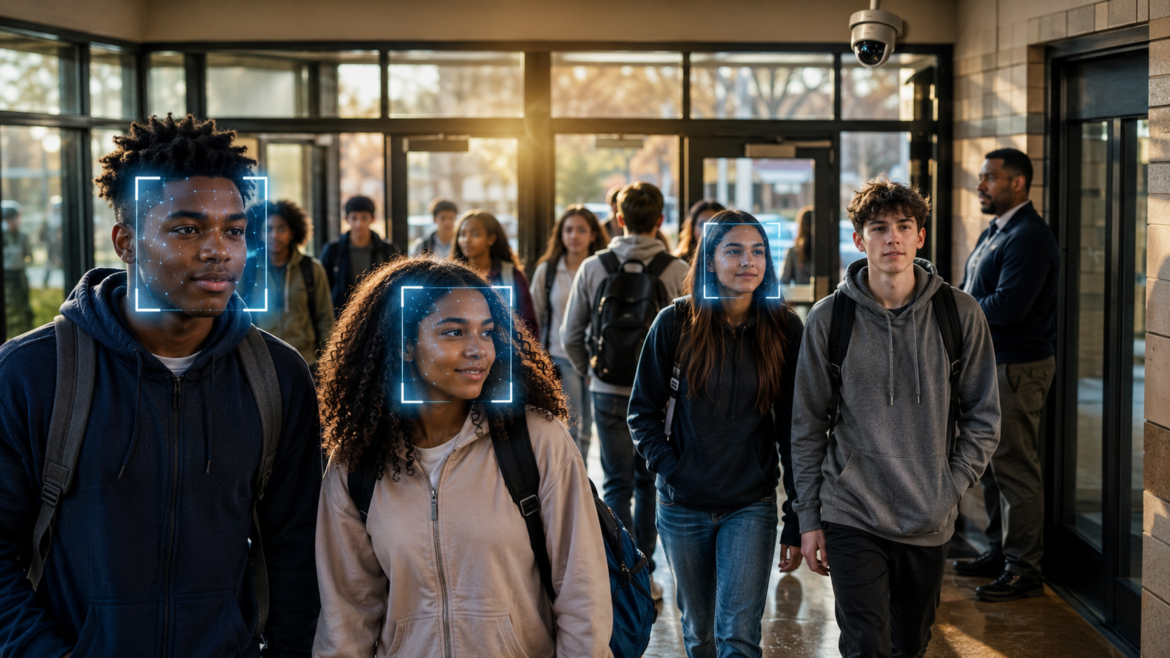
Group of diverse students walking through a school lobby while a security camera highlights faces with blue biometric boxes, indicating facial recognition.
Attendance and AbsenteeismHot Topics - controversialK-12School Safety

Facial Recognition in Schools: Safety or Surveillance?

by EdCircuit Staff September 22, 2026
written by EdCircuit Staff 7 minutes read

Imagine a student walking into school without swiping an ID card or stopping at the attendance office. A camera recognizes the student and records the arrival. Later, another camera notices that the student never entered third-period English and alerts the office.

Now imagine that same system spotting a person prohibited from entering school property and warning security before the individual reaches a classroom.

One system. Two very different uses. And one difficult question: Does facial recognition belong in schools?

The technology is already moving from possibility to practice. Schools have used it to screen visitors, automate attendance, control building access, verify online test takers, and monitor student movement. Supporters see a faster, more accurate way to manage campuses. Critics see children growing up under a level of surveillance once reserved for airports, casinos, and law enforcement.

Both sides are responding to legitimate concerns. Schools need better attendance data. They need to know who enters their buildings. They also have an obligation to protect student privacy and create an environment where children feel supported—not watched.

The debate should not begin with what the technology can do. It should begin with what schools actually need it to do.

Recording Absenteeism Is Not Reducing It

Facial recognition could make attendance more efficient. Cameras at school entrances might automatically record arrivals, identify late students, and reduce errors caused by manual attendance-taking. Classroom systems could also make it harder for a student to skip class without being noticed.

Those capabilities will appeal to districts struggling with chronic absenteeism. But they address only one part of the problem: documentation.

A camera may produce a more accurate list of absent students. It will not explain why those students are missing.

Chronic absenteeism can be connected to transportation, illness, housing instability, family responsibilities, anxiety, bullying, academic frustration, or a belief that school no longer matters. Even perfect attendance data will not remove those barriers.

The real value would come after the alert. Does someone contact the family? Does a counselor meet with the student? Can the school identify a pattern before missed days become missed weeks?

Facial recognition might tell a school who is absent sooner. Whether that information helps depends entirely on what the adults do next.

When Attendance Becomes Location Tracking

Using facial recognition to record entry into a building is one thing. Using it to follow students between classrooms is another.

A hallway system could identify students who are skipping class, entering restricted areas, or leaving campus without permission. For administrators responsible for hundreds or thousands of students, that may sound like a practical solution.

It would also create a record of where students go throughout the day.

A visit to the counselor, nurse, special education office, or trusted teacher could become part of that record. An inaccurate match could result in a disciplinary referral. A correct match could still turn an ordinary lapse in judgment into a permanent data point.

The concern is not that schools should ignore students who skip class. The concern is what happens when every movement becomes searchable, storable, and potentially punishable.

Researchers Mark Andrejevic and Neil Selwyn warn in “Facial Recognition Technology in Schools: Critical Questions and Concerns” that the technology could shift schools in increasingly authoritarian and oppressive directions. Their argument goes beyond technical accuracy. Surveillance changes how people behave, even when they have done nothing wrong.

A school can maintain order without making students feel as though they are continually under investigation.

The Strongest Case Is at the Front Door

School security presents a more compelling use.

Detroit Public Schools Community District recently installed a facial recognition visitor-management system across its campuses. Visitors provide identification and have their faces scanned before entering. The system verifies whether the visitor matches the photograph on the ID and can flag people who may not be permitted inside.

District officials told Government Technology that the system is more secure than a handwritten sign-in sheet. They also emphasized that visitors are verified against their own identification rather than indiscriminately searched against a large facial database.

That is an important limitation. One-to-one verification asks, “Is this person the individual named on this ID?” One-to-many identification asks, “Who is this person among everyone in our database?” The second use introduces considerably greater risks of misidentification and misuse.

Even then, facial recognition is not a complete school safety strategy.

A watchlist works only when officials already know whom to watch. The technology cannot identify a person who has never been flagged, recognize a developing crisis, or determine someone’s intentions.

A New York State review of biometric technology found little real-world evidence that facial recognition had prevented violent incidents in schools. The report noted that many school attackers have been current students who were authorized to enter the building. In many averted attacks, intervention began because someone heard a threat, saw a concerning post, or told a trusted adult.

Technology may strengthen an entrance. Relationships are more likely to reveal what is happening behind it.

A Face Is Not a Password

Facial recognition data is not an ordinary school record.

Under federal student privacy rules, biometric records—including facial characteristics used for automated identification—are considered personally identifiable information. The U.S. Department of Education specifically includes facial characteristics in its definition.

If a password is compromised, it can be changed. A student cannot replace a face.

That makes vendor practices critical. Districts must know where biometric templates are stored, how they are encrypted, whether subcontractors can access them, how long records are retained, and what happens when a contract ends. They also need firm restrictions preventing the data from being sold, reused to train other systems, or shared with law enforcement without appropriate legal authority.

Accuracy cannot be reduced to a number in a sales presentation. Lighting, camera angle, image quality, age, skin tone, disability, and changes in appearance can affect performance. Children’s faces also change as they grow.

Most important, districts must consider the consequence of an error. A delayed visitor check is inconvenient. A false accusation, police encounter, or disciplinary action can alter a student’s life.

Communities Are Drawing Different Lines

There is no national consensus on where facial recognition belongs in education.

New York concluded that the risks outweighed the potential benefits. In 2023, the state prohibited schools from purchasing or using facial recognition technology.

Elsewhere, adoption is moving faster than regulation. Brazil is considering a legal framework after facial recognition expanded across its schools. More than 1,700 schools in Paraná reportedly use the technology, according to Biometric Update.

These sharply different approaches reveal the real debate. It is not simply whether facial recognition works. It is how much biometric monitoring communities are willing to place around children—and whether families have a meaningful voice before it happens.

Set the Rules Before Installing the Cameras

A narrowly limited visitor-verification system may be defensible when it follows state law, compares one person with one ID, stores minimal information, and requires a staff member to confirm every alert.

Continuous student monitoring deserves a much higher standard.

Before approving it, district leaders should be able to show that the technology addresses a clearly defined problem, performs better than a less intrusive alternative, and produces benefits that can be measured. Families should know what is collected, who can access it, and when it will be deleted. Independent accuracy testing, human review, public reporting, and a contract expiration date should be requirements—not promises left in a vendor presentation.

The wrong question is whether a camera can recognize a student’s face. It can.

The better questions are what decision will be made because it did, who could be harmed if it is wrong, and whether the school can accomplish the same goal without creating a permanent biometric record.

Facial recognition may tell educators who walked through a doorway. It will not explain why a student stopped coming to school, why another is hiding in the hallway, or why someone who appears present every morning feels completely unseen.

Safe schools need secure entrances and reliable information. More than anything, they need adults who know their students well enough to recognize when something is wrong—without needing an algorithm to tell them.

Subscribe to edCircuit to stay up to date on all of our shows, podcasts, news, and thought leadership articles.

September 22, 2026 0 comments
0 FacebookTwitterPinterestLinkedinWhatsappCopy LinkEmail
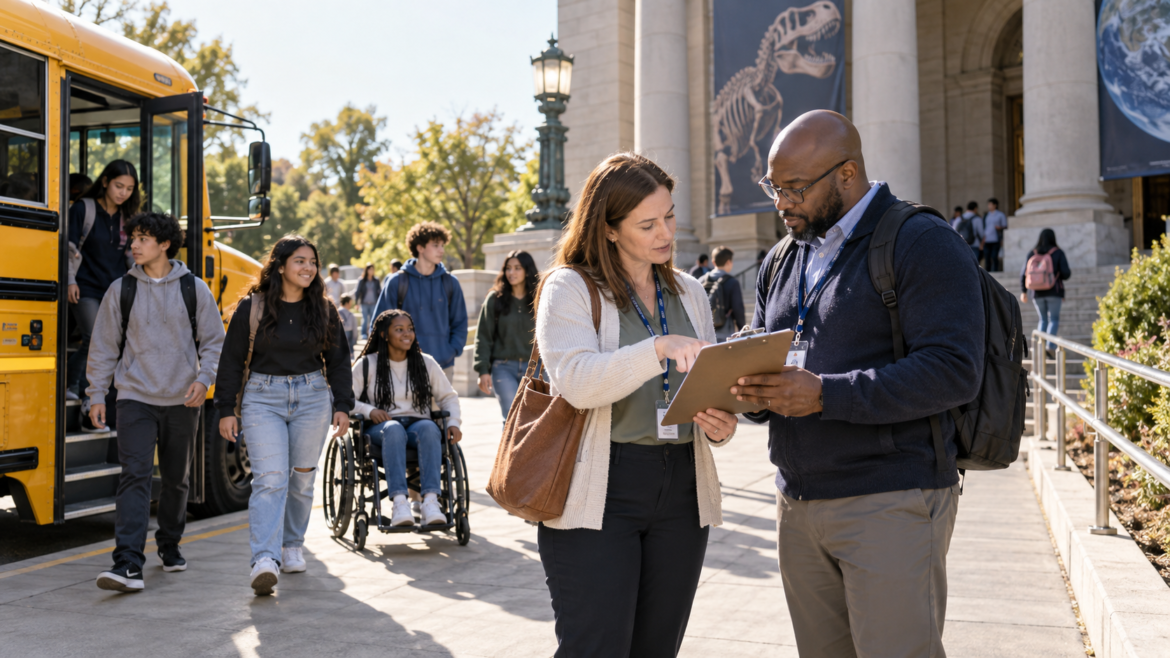
Two adults with lanyards review a clipboard as a diverse group of students, including a wheelchair user, steps from a yellow school bus outside a museum.
Hot Topics - controversialSafer EdK-12

School Trip Safety: Every Transition Is a Handoff

by EdCircuit Staff September 21, 2026
written by EdCircuit Staff 6 minutes read

School trip safety begins before the bus moves and continues until every student is released to an authorized adult.

A signed permission form gets a student onto the bus. It does not manage what happens after the bus pulls away.

It does not tell a chaperone what to do when a student changes groups. It does not confirm whether a parent is authorized to take a student home from an away game. And it does not update the roster when the plan changes.

Those details may seem routine—until a bus is ready to leave and one student cannot be found.

That is the focus of the latest episode of Safer Ed, Safety in Motion: Who Is Responsible When Students Leave Campus? The conversation looks beyond transportation and examines the moments when responsibility moves from one person, place, or part of the plan to another.

The School’s Responsibility Travels With the Student

Schools regularly extend learning beyond the classroom. Students travel to museums, athletic contests, performances, competitions, college visits, career centers, and community organizations.

These experiences also take students away from familiar systems: established exits, nearby administrators, the school nurse, regular communication tools, and spaces designed around their needs.

Once the group leaves campus, safety has to travel with it.

The vehicle is only one part of that responsibility. The National Highway Traffic Safety Administration describes the school bus as one of the safest vehicles on the road, but it notes that children face greater risk while approaching or leaving it. Loading zones, parking lots, roadside stops, and unfamiliar venue entrances therefore deserve the same attention as the ride.

Adults need to know where students will wait, where the vehicle will load and unload, and who will supervise those movements. A stadium entrance after dark may require a different plan than the school’s regular bus loop. The safest unloading point should be identified before students step off the bus.

Every Transition Is a Handoff

Trips are built around transitions:

  • Classroom to bus
  • Bus to venue
  • One chaperone group to another
  • Activity area to meeting point
  • Venue back to transportation
  • School supervision to an authorized adult

Problems develop when the adults on either side assume the other person has taken responsibility.

That is why “everyone is responsible” is not a plan. One adult should serve as the trip leader, with a backup prepared to take over. Chaperones should know which students they are supervising. The driver’s responsibility for operating the vehicle safely should not be confused with the trip leader’s responsibility for student supervision and accountability.

Roles also need to be clear when plans change. Who can delay departure? Who contacts the school? Who communicates with families? Who stays with the larger group if a student needs individual assistance? Those decisions are harder to make for the first time in a dark parking lot or beside a disabled bus.

A Head Count Is Not an Accountability System

A head count can reveal that someone is missing. It cannot tell adults who is missing.

An accurate roster can—but only when it reflects the group that is actually traveling. A list created days earlier becomes unreliable when a student is absent, joins at another location, changes groups, or leaves with an authorized adult.

Attendance should be confirmed at predictable checkpoints: before departure, after arrival, before leaving the venue, after reboarding, and before final release. Whenever responsibility changes, the roster should change with it.

Parent Pickup Is a Transfer of Responsibility

The end of an away event often feels informal. Families gather, students carry equipment, coaches answer questions, and parents ask to take their children home.

This is exactly when a clear release process matters.

A message passed through another student is not confirmation. Neither is an adult saying, “I thought the coach approved it.” Schools should establish who can authorize a change, how the receiving adult’s identity will be confirmed, and who updates the roster.

The process does not need to be complicated, but it must be direct and consistent with district policy. Until the handoff is confirmed, the school still has an unresolved responsibility.

Medical and Accessibility Planning Cannot Wait

Off-campus planning must account for students who need medication, emergency supplies, mobility support, sensory accommodations, communication assistance, or another individualized response.

The school nurse may not be on the trip. The adult who normally supports the student may not be present. Trip leaders should know what support is required, where authorized medication or equipment will be kept, and which adults are trained to respond. That information should be protected and limited to those who need it, but privacy should not leave responsible adults unprepared.

Accessibility also extends beyond transportation. The U.S. Department of Education’s Office for Civil Rights states that students with disabilities have an equal right to opportunities including field trips and extracurricular activities. Schools should consider the full experience: the vehicle, entrance, restrooms, schedule, activity spaces, evacuation routes, and emergency communication.

Inclusion cannot be added after the bus arrives.

Do Not Build the Communication Plan Around One Phone

Personal cell phones are convenient until a battery dies, a signal disappears, or the adult with the contact list is managing an emergency.

A stronger plan identifies a primary school contact and a backup. Essential numbers should be available in more than one place. Adults should know who will communicate with families and which channel will be used.

This prevents several people from sending partial or conflicting information. Families do not need speculation. They need accurate updates from a designated source—even if the first message simply confirms that the school is aware of the situation and will provide more information.

Five Questions to Ask Before the Bus Moves

Before the next field trip, away game, performance, or competition, the adults responsible for the group should be able to answer five questions:

  1. Who is leading the trip, and who takes over if that person is unavailable?
  2. Who is responsible for each student at every transition?
  3. Is the roster current, accessible, and updated when plans change?
  4. How will medical, accessibility, and communication needs be supported away from school?
  5. How will the school confirm and document the final release of every student?

A brief trip-specific safety sheet can make those answers usable. It might include the current roster, adult assignments, emergency contacts, student support considerations, transportation details, meeting points, and an alternate return plan.

Adults should review it together before departure. Students also need a short briefing: where to meet, how to contact an adult, what to do if separated, and why they cannot leave—even with someone familiar—without completing the school’s release process.

Listen to Safer Ed

In Season 4, Episode 3 of Safer Ed, we examine how schools can maintain clear responsibility when students travel beyond the building—and what can happen when a routine handoff is assumed rather than confirmed.

The central lesson is simple: responsibility does not transfer because someone assumes it has. It transfers when the right people communicate, confirm, and document the handoff.

To learn more about how duty of care follows students across school settings, explore Science Safety’s free Duty of Care learning module.

Safer Ed is sponsored by Science Safety and produced in partnership with edCircuit.

Subscribe to edCircuit to stay up to date on all of our shows, podcasts, news and thought leadership articles.

September 21, 2026 0 comments
0 FacebookTwitterPinterestLinkedinWhatsappCopy LinkEmail
AI procurement for schools: glowing gold question marks over coins, dollar bills and an unsigned contract, with an AI neural network behind
Market TrendsHot Topics - controversialArtificial IntelligenceK-12

AI Procurement for Schools: 10 Questions to Ask

by EdCircuit Staff September 21, 2026
written by EdCircuit Staff 11 minutes read

AI procurement for schools often begins with an impressive demonstration.

A platform creates a lesson in seconds, summarizes student performance, translates a family message, recommends an intervention, and predicts which students may need additional support. The presentation is polished. The promised savings—in both time and money—are difficult to ignore.

Then someone asks a simple question:

“What happens to our students’ information after they use it?”

The room changes.

The sales team may offer a general assurance that the system is secure or “compliant.” But the superintendent, technology officer, curriculum director, and legal counsel need more than reassurance. They need to know what information the platform collects, where it goes, who can access it, whether it is used to improve an AI model, and how the district can remove it.

Those questions should not be saved for the final contract review. They belong at the beginning of the conversation.

AI purchasing is not simply a technology decision. It is also an instructional, financial, privacy, security, accessibility, and governance decision. A platform may influence what teachers create, how students receive feedback, what families are told, and which students are identified for additional services or opportunities.

Before approving an AI platform, pilot, or renewal, district leaders should be able to answer ten questions.

1. What problem are we trying to solve?

A district should begin with an educational or operational need, not a product demonstration.

Is the goal to reduce the time teachers spend creating routine materials? Improve access to tutoring? Translate family communication? Help counselors organize information? Provide students with faster feedback?

“Bringing AI into the district” is not a goal.

When the problem is poorly defined, schools are more likely to purchase a broad platform and then search for ways to use it. The result can be overlapping subscriptions, unnecessary data collection, inconsistent classroom practices, and tools that create as much work as they eliminate.

Start by describing success without mentioning the product. What should improve for students, educators, or school operations? How will the district know whether that improvement occurred?

The NIST AI Risk Management Framework encourages organizations to consider an AI system’s purpose, context, benefits, and potential harms before deployment. That process may reveal that AI is the right solution. It may also reveal that a simpler option would work just as well.

2. What information does the system collect?

The answer may go far beyond names, identification numbers, and grades.

An AI platform may collect prompts, assignments, voice recordings, images, browsing activity, device information, response times, and patterns of use. It may also create new information about a student, including proficiency estimates, risk scores, behavioral classifications, or recommended interventions.

The district needs a plain-language data inventory that identifies:

  • Information collected directly from students and employees
  • Data imported from district systems
  • Metadata created through use of the platform
  • Scores, inferences, and classifications generated by the AI
  • Where the information is stored
  • How long each category is retained

Schools should also ask whether every data element is necessary. A writing assistant does not need a student’s disciplinary history. A scheduling tool may not need special education information. Giving a platform access to additional data may make integration easier, but convenience alone does not justify the exposure.

If a provider cannot clearly explain what its system collects, district leaders cannot meaningfully evaluate the risk.

3. Will district data be used to train an AI model?

This question requires a direct answer.

“Your data is not sold” does not necessarily mean it is excluded from model training, product development, evaluation, or other secondary uses. The platform may also rely on an outside model provider or subcontractors whose data practices differ from those of the company signing the contract.

The agreement should address student and educator prompts, uploaded documents, generated responses, feedback, and usage information. It should state whether any of that material may be used to train, fine-tune, test, or improve a model.

If some form of training is permitted, leaders need to understand what happens first. Is the information identifiable, de-identified, or aggregated? Can the district decline the use without losing essential functions? Could information submitted by a student later appear in a response provided to someone else?

NIST’s Generative AI Profile recommends examining training-data practices for privacy and other risks. For schools, that review must include every organization that may handle district information, not only the company whose name appears on the platform.

A current list of subprocessors should be part of the review, along with a requirement that the district be notified when that list changes.

4. Who controls the data, and how is it deleted?

Schools sometimes assume that because they supplied the information, they retain complete control over it. Contract language may tell a different story.

Terms that give a provider broad, permanent, or transferable rights to district content deserve close scrutiny. The agreement should preserve district control, limit use to authorized educational purposes, and prohibit unauthorized sale, disclosure, licensing, or commercial exploitation.

Under certain FERPA arrangements, third-party providers must remain under the school’s direct control regarding the use and maintenance of personally identifiable information from education records. The Department of Education’s student privacy guidance for online tools also explains that education data may not be redisclosed or used for unauthorized purposes.

The district also needs to know what happens when a student leaves, an employee account closes, or the contract ends. Can the information be exported in a usable format? When will remaining copies be deleted? Are backups included? Will the provider confirm that deletion has occurred?

The Department’s model terms-of-service guidance identifies the return and destruction of data as important practices for limiting unnecessary exposure and maintaining control over student information.

5. What evidence supports the product’s claims?

A demonstration shows what a platform can do under favorable conditions. It does not show how reliably it will perform in a real district.

If a company claims its system improves achievement, reduces teacher workload, identifies struggling students, or personalizes learning, ask to see the evidence. Who conducted the evaluation? What students and schools participated? How long was the tool used? Were the findings independently reviewed? Did the study measure educational outcomes or only user satisfaction?

Accuracy claims need the same scrutiny. A system described as “95 percent accurate” may perform differently across grade levels, subjects, languages, disabilities, and types of assignments. The remaining 5 percent also matters. A modest error rate can still produce significant harm when a tool is used across thousands of students.

Providers should be willing to discuss known limitations, common errors, and situations in which their product should not be used. That conversation is often more revealing than the demonstration itself.

6. Could the output influence a high-impact decision?

A platform may be described as providing recommendations rather than decisions. The distinction becomes meaningless if employees routinely accept its recommendations without further review.

Stronger safeguards are necessary when an AI system could influence:

  • Grades, promotion, or graduation
  • Academic-integrity allegations
  • Discipline or behavioral consequences
  • Special education identification or services
  • Mental health or safety responses
  • Course placement or advanced opportunities
  • College and career recommendations
  • Hiring, evaluation, or employment decisions

The system should never serve as the sole evidence for a consequential decision. A qualified person must review the underlying information, consider the surrounding circumstances, and have the authority to reject the recommendation.

Students, families, and employees should also have a clear way to learn that AI contributed to a decision and to question the result. A person clicking “approve” at the end of an automated process does not create meaningful oversight if that person lacks the information or time to examine what the system produced.

7. Has the system been tested for bias and accessibility?

A product can perform well overall while creating persistent problems for particular students.

Was the system tested with English learners, students with disabilities, students from different racial and cultural backgrounds, and children across the grade levels the district intends to serve? A single overall accuracy rate may conceal wide differences among groups.

Accessibility also needs to be tested in practice. Can students navigate the platform with a keyboard or screen reader? Are captions accurate? Does the interface support magnification and alternative input methods? Can students with disabilities use the central features without being pushed into a separate or inferior experience?

AI-generated translations, captions, reading-level adjustments, and suggested accommodations can be helpful, but they still require appropriate review.

The district’s responsibility continues after launch. Complaints, errors, overrides, and outcomes should be monitored for patterns. If one group of students experiences significantly more problems than another, leaders need the information and authority to investigate.

8. How is the system secured, and what happens after an incident?

“Industry-standard security” is too vague to guide a purchasing decision.

Technology leaders should examine encryption, authentication, access controls, employee permissions, vulnerability management, system logging, backups, penetration testing, and independent security assessments. They should know where information is stored and which outside companies can access it.

The contract should define a security incident and establish how quickly the district will be notified. It should also identify who investigates, who communicates with families, and what documentation the district will receive.

This becomes more complicated when several companies support one platform. A breach may occur through a hosting service, model provider, analytics company, or another subprocessor the district never evaluated directly.

The Federal Trade Commission’s updated Children’s Online Privacy Protection Rule limits indefinite retention of covered children’s information and reinforces requirements related to data minimization and protection. COPPA applies to covered online services involving children under 13. Districts must also consider FERPA, state student-privacy laws, local policies, and the specific commitments included in their contracts.

9. What will implementation actually cost?

The subscription price rarely represents the entire investment.

Districts may need to pay for integration, account management, data migration, professional development, accessibility testing, cybersecurity review, technical support, and ongoing evaluation. Staff time should be part of the calculation as well.

If teachers must constantly correct unreliable outputs, counselors must investigate excessive alerts, or technology staff must manage recurring account problems, the platform may consume the time it promised to save.

Introductory pricing and free pilots deserve a careful look. What will the system cost in its second or third year? Are privacy controls, administrative reporting, or technical support limited to premium plans? Will the district pay more as usage grows? Are there separate charges for storage, integrations, or exporting district data?

A free tool is not free if students pay for it with their data or educators pay for it with their time.

10. What happens when the product changes—or the district leaves?

AI products can change quickly. A platform approved in September may use a different model, subprocessor, or data practice by January.

The contract should require notice of material changes involving privacy, security, model providers, data use, core functionality, or known limitations. The district should have an opportunity to review significant changes and, when necessary, end the agreement without penalty.

An exit plan is equally important. Can the district retrieve its information? How long will access remain available? What happens to student accounts, prompts, outputs, analytics, backups, and information held by subprocessors?

NIST’s AI Risk Management Framework Playbook recommends continued monitoring because the performance and trustworthiness of AI systems can change after deployment. Its guidance also addresses user feedback, appeals, overrides, incident response, change management, and the need to decommission systems that exceed an organization’s risk tolerance.

A district should know how it will leave a platform before it becomes dependent on it.

Procurement Is the Beginning

Answering these questions does not guarantee that an AI system will work as promised. It gives the district a disciplined way to decide whether the likely benefit justifies the cost and risk.

Whenever possible, implementation should begin with a limited pilot built around a defined purpose. The district should identify who may use the tool, what information may be entered, what training is required, and how success will be measured. Teacher, student, and family feedback should help shape the final decision.

At the end of that pilot, leaders should be willing to walk away.

A platform may be innovative but unnecessary. It may save time while creating privacy concerns the district cannot resolve. It may perform well in a demonstration but poorly with actual students. It may address a real need but require safeguards the provider is not prepared to offer.

The U.S. Department of Education’s guidance on AI use in schools supports responsible adoption while emphasizing privacy, existing legal requirements, and engagement with affected stakeholders, especially parents.

That engagement should happen before a contract is signed—not after families begin asking what happened to their children’s information.

A polished demonstration can show what an AI platform is capable of doing. Responsible procurement determines what the district will permit it to do with students, educators, and their data.


Editor’s note: edCircuit is vendor-neutral and does not endorse products or services. Any mention of a specific solution is included for contextual and informational purposes only.

Related reading

  • Teacher Input in Edtech Adoption Drives Success
  • AI in K–12 Procurement Operations Today
  • AI and Student Learning: How Schools Should Measure It
September 21, 2026 0 comments
0 FacebookTwitterPinterestLinkedinWhatsappCopy LinkEmail
Three educators stand at the front of a bright classroom, smiling and talking, one holding a laptop and a coffee cup.
EducatorsHot Topics - controversialK-12

First Weeks of School: You Survived. Now What?

by EdCircuit Staff September 18, 2026
written by EdCircuit Staff 8 minutes read

The first weeks of school have a special way of making three Mondays feel as if they happened during the same week.

You learned a new school platform. You found the copier code. You answered 46 emails with “Back-to-School” somewhere in the subject line. You sat through a meeting that could have been an email—and then received an email summarizing the meeting.

You may have even remembered every student’s name, although there is a fair chance you confidently called someone by a sibling’s name and kept moving.

If any of this sounds familiar, congratulations: you survived the opening stretch.

That deserves more than a tired nod over a cup of coffee you have reheated twice. The beginning of school asks educators to be planners, troubleshooters, traffic directors, counselors, and occasional detectives. Why is the projector suddenly purple? How did a student lose a pencil between the door and the first desk?

The opening days run on excitement, preparation, and a little adrenaline. Then the inbox keeps growing, the calendar fills up, and everyone remembers there are still many months ahead.

This is the moment when educators need to protect their energy instead of pretending they have an unlimited supply.

The goal is no longer to create a perfect opening. It is to build a pace that can last.

Start by Counting What Went Right

Schools are very good at identifying what needs to improve. The dismissal process ran long. A login failed. A lesson landed with all the excitement of a mandatory software update. There is always something to fix.

Before making another list, take a moment to notice what worked.

Maybe students entered the room more calmly today. Perhaps a new teacher asked for help. Maybe your team finally used the new communication tool without creating three message threads about how to use it.

Schools are built on small wins. A smooth transition, a student participating for the first time, or a helpful call to a family can change a day. These moments rarely arrive with applause, but they matter.

Leaders can help by naming them specifically. Recognize the office team that handled a difficult arrival, the custodian who solved a last-minute problem, or the teacher who helped a colleague.

Teachers should count their own wins, too. You do not need to call a press conference because all 27 students successfully submitted an assignment online—but privately, you are allowed to treat it like a minor technological miracle.

Do Not Try to Win the Entire Year in September

The start of school creates pressure to solve everything immediately. Every routine should be established. Every family should be contacted. Every new program should be mastered. Every bulletin board should somehow look professionally designed, even if it was assembled at 7:12 a.m. with tape that refuses to stick.

That pace cannot last.

The strongest educators do not use their entire supply of energy during the opening month. They decide where their effort matters most so they can remain effective in November, February, and May.

Choose the priorities that matter now: relationships, routines, lesson preparation, staff support, clear communication, and stable systems. The newest feature promised to “save time” can wait until people are ready for it.

Some tasks can wait. Some meetings can be shorter. Some emails can be answered tomorrow. And some emails—this may be difficult to hear—do not require a reply from every person copied on them.

Doing fewer things well is not falling behind. It creates the consistency students and staff need after the opening rush.

Learn the New Tool One Useful Step at a Time

Nearly every school year begins with a new platform, program, dashboard, login process, or digital tool. It is usually introduced as intuitive, which often means someone will spend 20 minutes looking for the button that used to be obvious.

If you have logged in, changed your temporary password, and found your class roster, count that as progress.

Educators should not be expected to master an entire system at once. Start with the next useful function: taking attendance, posting an assignment, checking progress, or updating families. Add more as the process becomes familiar.

Training should continue after launch day. Short refreshers, peer support, and directions written for people who do not speak fluent “settings menu” are more useful after staff members have tried the tool with students.

Leaders should invite honest feedback. If a platform duplicates work or takes longer than the process it replaced, educators need a practical way to say so. A new tool should solve a real problem, not become one everyone quietly works around.

If staff members still maintain a spreadsheet, a paper list, and the official platform because nobody trusts any one of them, it is time to revisit the process.

Reset a Routine Before It Becomes a Tradition

Some opening routines work beautifully. Others look promising until actual students arrive.

Perhaps the independent-work station has become a social club. Maybe the hallway procedure involves more merging lanes than a major interstate. Maybe the morning announcements take so long that students are emotionally prepared for lunch by the time they end.

Change the routine.

A reset shows students that reflection is part of learning. Explain what is not working, teach the revised expectation, practice it, and move forward. Do not defend a process simply because it appeared in the opening-day slide deck.

Administrators should give themselves the same permission. A new schedule, meeting structure, or arrival plan may need adjustment once it meets the reality of a busy school day.

The first few weeks are supposed to reveal what needs attention. That is not failure. That is useful information arriving early enough to help.

Protect Energy Without Pretending Everything Is Easy

Energy is contagious in a school. So is exhaustion.

That does not mean educators must perform constant positivity. People can tell the difference between real encouragement and someone declaring, “We’ve got this!” while carrying four binders, a dead laptop, and the expression of a person who has not eaten lunch.

Protecting energy is practical. Take the planning period when you can. Eat something that did not come from the classroom prize drawer. Step outside for five minutes. Close the computer at a reasonable time. Ask for help before a small problem becomes a weekend project.

Teams can protect one another. Share the resource. Cover a duty when a colleague truly needs a break. Check on the new staff member. Sometimes the most helpful question is, “Do you want help solving this, or do you just need to say it out loud?”

That question can prevent an unwanted 14-step action plan.

Leaders set the tone through what they remove as much as what they add. A late-night email may feel efficient to the sender but urgent to everyone receiving it. When staff members are overloaded, removing one demand can mean more than another reminder about wellness.

Put Some Joy Back Into the Day

The opening of school can become so focused on procedures, data, compliance, and logistics that everyone forgets an important truth: schools should still have moments of joy.

Play music during arrival. Celebrate the class that finally nailed the transition. Put a ridiculous question on the staff-room board. Let students recommend a Friday song. Share the funny moment from the day—provided it was funny to the student, too.

Joy does not reduce rigor. It helps create the connection, trust, and sense of belonging that make meaningful learning possible.

Students notice when adults enjoy being with them. They remember the teacher who laughed, the principal who knew their name, the bus driver who greeted them, and the coach who noticed their effort.

Those moments are not extras. They are part of what makes students want to return the next day.

You Made It. Now Find Your Rhythm.

So, yes, you survived the first few weeks of school.

You learned the new tool—or at least learned where to click without calling for help every time. You navigated schedule changes, missing forms, new faces, old passwords, and a printer that apparently senses fear. You helped students feel welcomed. You supported colleagues. You solved problems most people outside a school never knew existed.

Take the win.

Then let go of the pressure to carry opening-day energy through the entire year. What comes next should feel steadier: strong routines, shared laughter, meaningful relationships, and the willingness to adjust.

There will still be hard days. A lesson will flop. A carefully written email will be misunderstood. The Wi-Fi will stop working five minutes after you announce that the entire activity requires the internet.

None of that erases the good work happening around it.

Students do not need flawless adults. They need adults who are dependable, willing to listen, and able to recover when the day goes sideways. Staff members need the same grace from one another.

The year will not be perfect. It does not need to be.

Keep what is working. Reset what is not. Celebrate progress before racing toward the next problem. And when the coffee gets cold, the copier jams, or the new platform asks you to reset the password you reset yesterday, remember this:

You have already handled every difficult school day that brought you here.

You can handle the next one, too.

Subscribe to edCircuit to stay up to date on all of our shows, podcasts, news, and thought leadership articles.

September 18, 2026 0 comments
0 FacebookTwitterPinterestLinkedinWhatsappCopy LinkEmail
Newer Posts
Older Posts

Participate

  • Contribute
  • Sponsor
  • Submit Release
  • Subscribe
  • Get Interviewed

We value your privacy

We use cookies to enhance your browsing experience, serve personalized ads or content, and analyze our traffic. By clicking "Accept All", you consent to our use of cookies.

Customize
  • Needed for the site to work: signing in, the cart, your consent choice. Always on.

    8 cookies
    • ss_consent 1 yearYour cookie choice on this site, so you are not asked again.
    • wordpress_logged_in_* 2 days, or 14 days with "remember me"Keeps you signed in as you move between pages.
    • wordpress_sec_* 2 days, or 14 days with "remember me"The secure half of your sign-in.
    • wordpress_test_cookie SessionChecks that your browser accepts cookies when you sign in.
    • wp-settings-* 1 yearYour display settings when signed in.
    • wp_woocommerce_session_* 2 daysYour shopping session: the cart and the checkout.
    • woocommerce_cart_hash SessionTells the site whether your cart has changed.
    • woocommerce_items_in_cart SessionWhether your cart holds anything.
  • Remembers choices you make, such as a language or a region, and supports features like live chat.

    1 cookie
    • woocommerce_recently_viewed SessionThe products you looked at, so the site can show them again.
  • Helps us understand how visitors use the site: which pages are read, and for how long.

    2 cookies
    • _ga 2 yearsGoogle Analytics: tells one visitor from another. Set only after you allow analytics.
    • _ga_* 2 yearsGoogle Analytics: keeps your session state. Set only after you allow analytics.
  • Measures how fast pages load so we can make them faster.

  • Used to show you content and offers that match your interests, on this site and elsewhere.

    1 cookie
    • sbjs_* SessionWooCommerce order attribution: where you came from, so a purchase can be credited to the campaign or site that sent you.

Your browser asks us not to sell or share your information (Global Privacy Control), so advertising cookies stay off.

Do not sell or share my personal information

Some cookies from other companies help show you offers on other sites. Tick the box and save your preference to opt out of that sharing; untick it to opt back in at any time.

Your browser sends Global Privacy Control, so this preference is set for you and cannot be changed here.

Sign In

Keep me signed in until I sign out

Forgot your password?

Password Recovery

A new password will be emailed to you.

Have received a new password? Login here

Shopping Cart

Close

No products in the cart.

Close
-
00:00
00:00

Queue

Update Required Flash plugin
-
00:00
00:00

Your cart (items: 0)

Products in cart

Product Details Total
Subtotal $0.00
Shipping and discounts calculated at checkout.
View cart
Go to checkout

Your shopping cart is empty

Return to shop

Notifications